How to Generate Audio Overviews with Gemini AI (2025 Step-by-Step Guide)


Learn how to use Gemini Audio Overview to summarize documents using your voice. This 2025 step-by-step guide shows how Gemini AI helps turn audio into summaries — fast, clear, and actionable.
Summarizing long documents, research, or meeting notes doesn’t have to mean hours of reading or typing. Thanks to Google’s Gemini Audio Overview feature, you can now speak your way to instant summaries — hands-free, fast, and intuitive.
Whether you’re a student tackling 20-page PDFs, a researcher sifting through multiple studies, or a busy professional reviewing meeting transcripts, Gemini AI’s voice-first capabilities make summarization not just easier, but smarter. Instead of typing prompts or copying and pasting chunks of text, you can simply use your voice to guide Gemini to generate summaries in seconds.
This feature is part of the broader Gemini AI tools suite for 2025, which blends voice, text, and visual workflows into a productivity engine that works the way you think — not the other way around.
Let’s walk through exactly how to use Gemini Audio Overview, what it does best, and how to repurpose the summaries it generates.
What Is Gemini Audio Overview?
Gemini Audio Overview is a feature within Google Gemini AI that allows you to generate document summaries using voice input instead of typing.
Here’s how it works in a nutshell:
- You upload or paste content (like a research article, meeting notes, or a long web page).
- Then, instead of typing a prompt, you ask Gemini for a summary using your voice.
- Gemini processes your request and delivers a written summary — fast, clear, and structured.
Why It Matters
This tool is incredibly useful for:
- Multitaskers who prefer to speak while working on other tasks
- Students who want to quickly understand academic papers
- Professionals recapping meeting minutes or internal memos
- Anyone who prefers voice-first computing
Whether you’re on mobile or desktop, Gemini Audio Overview helps summarize content naturally and efficiently — without requiring perfect prompt writing.
Step-by-Step Guide to Use Audio Overview in Gemini
Using Gemini voice summarization is simple and intuitive. Here’s the full step-by-step guide:
Step 1: Open Gemini (Cross-Device Compatible)

- Go to https://gemini.google.com
- Sign in with your Google account
- Make sure you’re on Gemini Advanced, which unlocks access to voice features
- Works on desktop browsers, Android (via Gemini app), and iOS (through mobile web)
Step 2: Upload or Paste Your Source Text
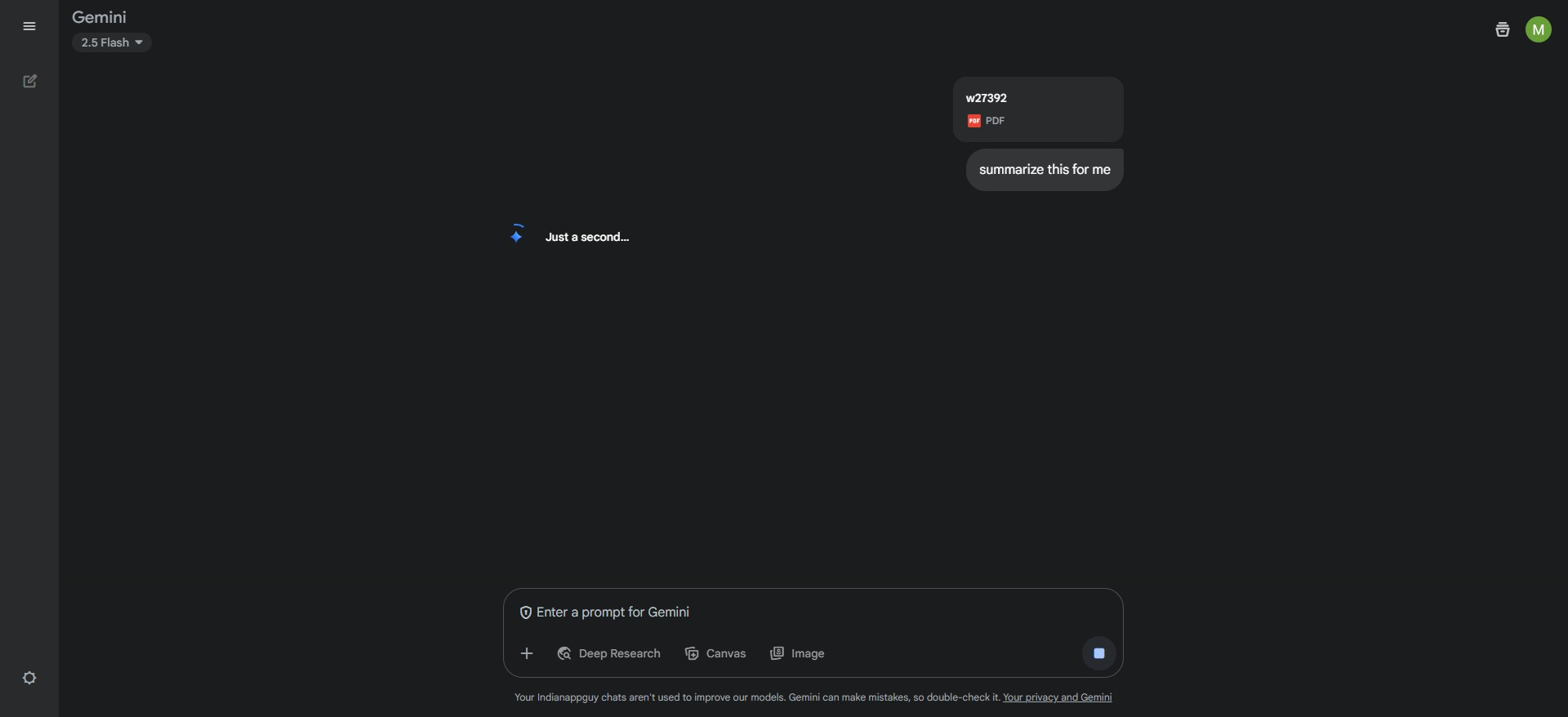
- You can upload a PDF, paste raw text, or link a Google Doc
- Best results come from clean, structured documents (under 50 pages for optimal speed)
Step 3: Use the Microphone Icon to Ask for an Overview

- Click the microphone icon near the prompt bar
- Speak your question or command, such as:
- “Summarize this article in 5 bullet points”
- “Give me an executive summary of this research”
- “What are the key takeaways from this meeting note?”
Step 4: Wait for Gemini to Process
- Gemini will analyze both your voice input and the uploaded content
- In seconds, it returns a clean, structured summary grounded in your document
Step 5: Copy the Audio-Generated Summary
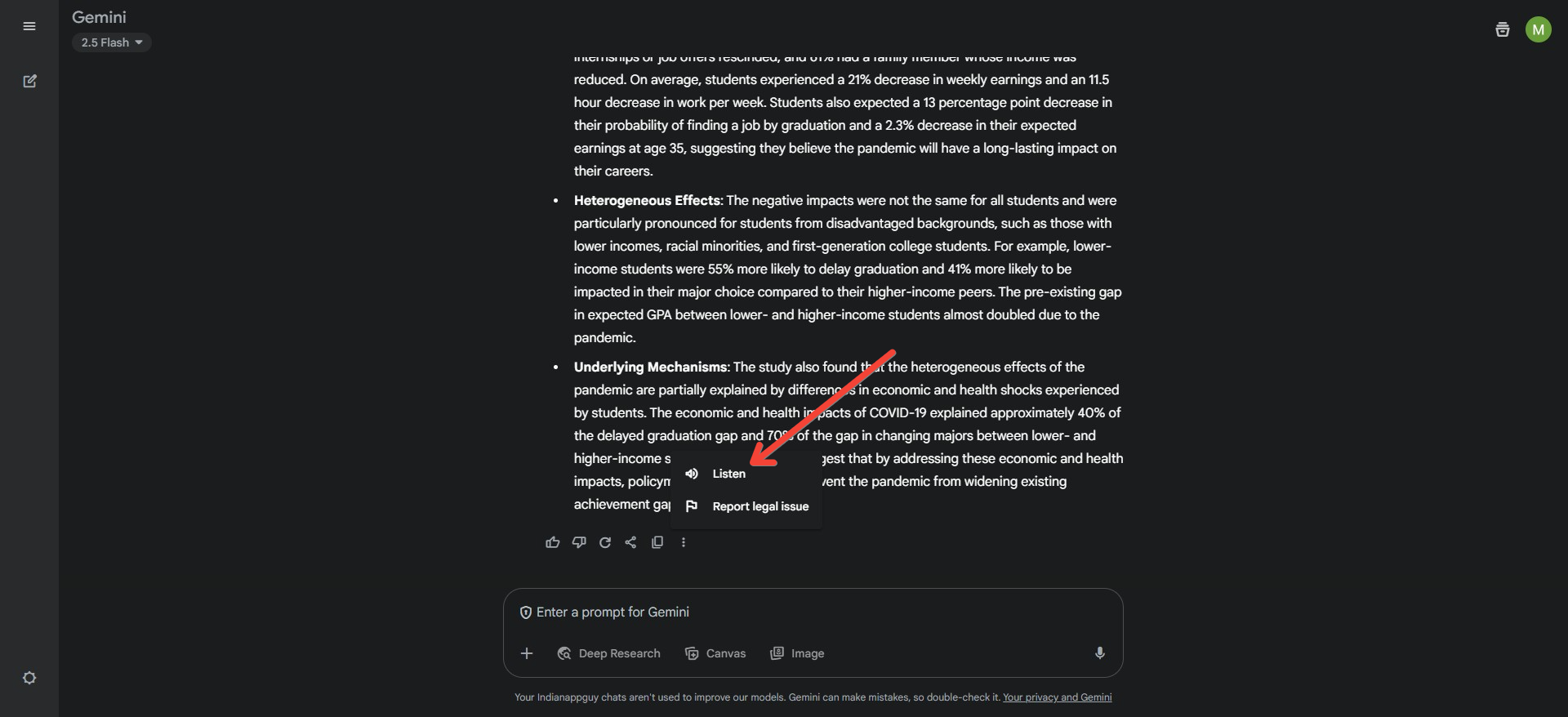
- You can now copy, edit, or refine the summary
- Use it for internal notes, executive briefings, or content creation
What To Do With the Gemini Summary
Once you have a Gemini-generated summary, the next step is turning that insight into something actionable.
Here are a few common workflows:
1. Turn It Into a Blog or Newsletter
Take your Gemini summary and expand it into a full blog post, email brief, or newsletter update.
2. Use It as a Meeting Brief
Perfect for distributing key points from team discussions, reports, or project updates.
3. Transform It into a Presentation
If you’re the kind who likes visual formats, you can paste this summary into a deck builder like MagicSlides.app — which instantly turns summaries into editable slide decks in Google Slides or PowerPoint.
This makes it easy to go from voice to visuals without reinventing the wheel.
Example Workflow — From Research Article to Visual Notes
Let’s say you're reviewing a 12-page psychology research paper on attention span and digital habits.
Here’s how Gemini Audio Overview + visual tools work together:
- Upload the paper to Gemini
- Use your voice: “Summarize this paper’s findings and conclusions”
- Gemini generates a bullet-point summary
- You paste those points into MagicSlides.app
- The app auto-generates a professional deck — ideal for class presentations, investor briefs, or team discussions
Many users plug Gemini summaries directly into visual tools for presentations — saving hours of formatting and slide creation.
Why Voice-Based Summarization Is the Future
As AI tools evolve, voice is becoming the next frontier of productivity. Google’s Gemini AI is a major player in this shift, especially with its multimodal architecture — blending text, voice, vision, and documents in one workspace.
Here’s why voice summarization is gaining traction:
- Speed: Speaking is often faster than typing
- Accessibility: Great for those who find text-heavy tools overwhelming
- Natural workflow: Lets users talk through ideas, just like in conversation
Combined with tools like NotebookLM for long-term idea tracking and MagicSlides for visual storytelling, Gemini Audio Overview becomes part of a powerful productivity stack.
Final Thoughts: Voice Your Way to Better Summaries
If you’re looking to cut through the clutter, Gemini’s Audio Overview feature is an incredible tool to help you work smarter — especially when you're juggling multiple tasks or just prefer to speak your thoughts.
Paired with the right tools, voice-summarized content can become more than just notes — it can become ideas worth presenting.


