How to Start a Seminar Presentation: Tips for a Strong Opening


Learn how to start a seminar presentation effectively with engaging hooks, clear objectives, and audience interaction to create a strong, memorable opening.
Starting a seminar presentation can be a daunting task, especially when you want to make a memorable first impression and set the right tone for your audience.
A well-crafted opening not only grabs attention but also builds credibility and sets up the rest of your presentation for success.
Here’s a guide to starting your seminar presentation confidently and engagingly. Click here.
How to Start a Seminar Presentation?
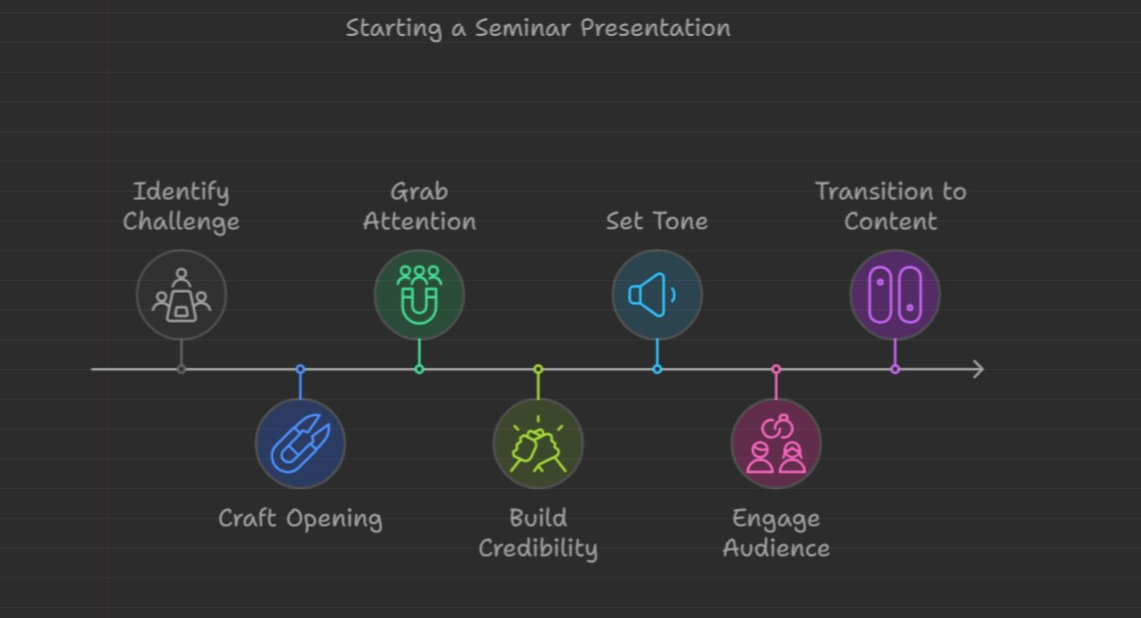
1. Begin with a Compelling Hook
Your opening line is crucial to capturing your audience’s attention. Here are some engaging ways to start your seminar:
- Share an Interesting Statistic: A surprising or relevant statistic can instantly spark curiosity. For example, if your seminar is about environmental science, you might start with, “Did you know that 8 million tons of plastic end up in our oceans each year?”
- Start with a Story: A brief, relatable story helps connect with the audience on a personal level. Choose a story relevant to your topic to set up the context effectively.
- Ask a Thought-Provoking Question: Invite your audience to reflect on a question related to your topic. For instance, “When was the last time you felt truly inspired by a leader?” This question encourages active listening and sets the stage for an engaging discussion.
2. Introduce Yourself and Establish Credibility
Once you have the audience’s attention, briefly introduce yourself and explain why you’re presenting on this topic. Keep this section short but impactful:
- Mention Relevant Experience: Highlight any relevant experience or credentials related to the seminar topic, but avoid sounding overly formal. For example, “I’ve spent the last five years researching effective teaching methods, and today I’m excited to share some of those insights with you.”
- Express Enthusiasm for the Topic: Show your passion for the subject—it’s contagious and will make your audience more interested in what you have to say.
3. Clearly State the Objective of Your Presentation
Before diving into the main content, clarify what your seminar will cover and why it matters to the audience:
- Outline Key Points: Briefly summarize the key topics you’ll be discussing. For example, “Today, we’ll explore the latest trends in renewable energy, the impact of technology on sustainability, and strategies to reduce carbon footprints.”
- Explain the Relevance to the Audience: Connect your topic to your audience’s needs or interests. For example, if speaking to business professionals, you might say, “This seminar will equip you with actionable insights to improve energy efficiency in your workplace.”
4. Set Expectations and Engage the Audience
Make your presentation feel more interactive by setting expectations and encouraging participation:
- Invite Questions: Let your audience know when they can ask questions. For example, “Feel free to raise your hand if you have any questions throughout the seminar, or save them for our Q&A at the end.”
- Use a Quick Audience Activity: An activity, such as a short poll or quick survey, can energize the room. For example, ask participants to raise their hands if they’ve experienced a certain scenario or challenge related to your topic.
- Mention Any Seminar Materials: If you have handouts, worksheets, or links to share, let your audience know where they can find these resources.
5. Transition Smoothly into Your Main Content
Finally, make sure to transition smoothly from your introduction to the main body of your presentation. A smooth transition keeps the flow natural and maintains audience attention.
For example, if your seminar is on time management, you might say, “Now that we’ve covered why time management is crucial in today’s fast-paced world, let’s dive into specific strategies you can implement right away.”
Final Tips for Starting a Seminar Presentation
- Practice Your Opening: Rehearse your opening several times to ensure you feel confident and natural. This helps you start strong and manage any presentation jitters.
- Keep It Concise: Avoid lengthy introductions. Aim for a 2-3 minute opening that effectively hooks the audience, establishes credibility, and sets up your topic.
- Show Enthusiasm and Confidence: Your tone, body language, and energy level will set the mood for the entire seminar. Stand tall, make eye contact, and speak clearly to convey confidence.
Conclusion
Starting a seminar presentation effectively requires a thoughtful approach to engage your audience from the outset. By using a compelling hook, introducing yourself confidently, setting clear objectives, and inviting participation, you’ll create a strong foundation for the rest of your presentation. A well-prepared opening not only captures attention but also sets a positive tone for an informative and engaging seminar.


