How to Convert Scientific Journals into Dynamic Lecture Slides


Transform dense scientific journals into engaging lecture slides effortlessly. Unlock knowledge with dynamic visuals. Learn the art of conversion now!
In the ever-evolving realm of education, the ability to transform complex scientific journals into dynamic lecture slides is a valuable skill. This guide will walk you through the process using the powerful combination of Google Slides and MagicSlides GPT. Let's delve into the steps to create engaging presentations from scientific literature.
How to Convert Scientific Journals into Dynamic Lecture Slides
Open Google Slides and a Blank Presentation
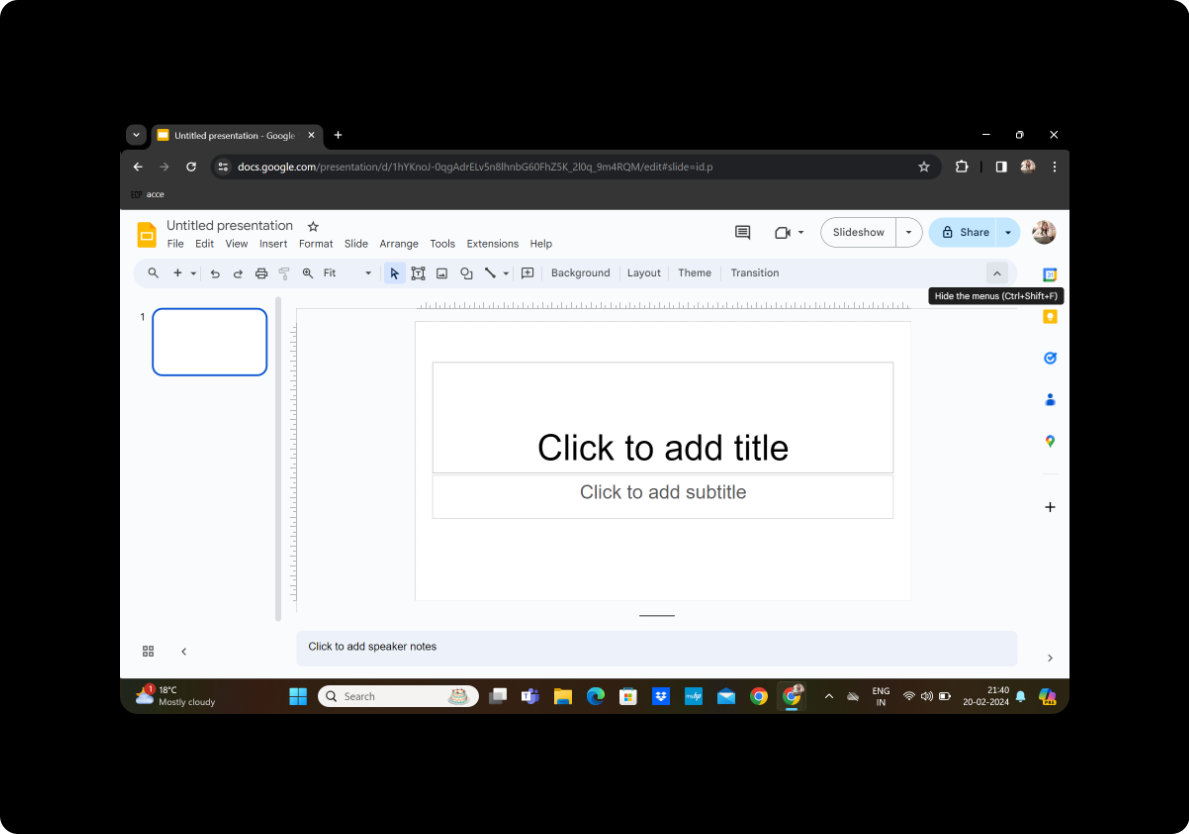
To kickstart the process, open Google Slides and create a new blank presentation. If you don't have a Google account, sign up for one—it's free and will grant you access to the robust suite of Google tools.
Click on Extensions and MagicSlides GPT
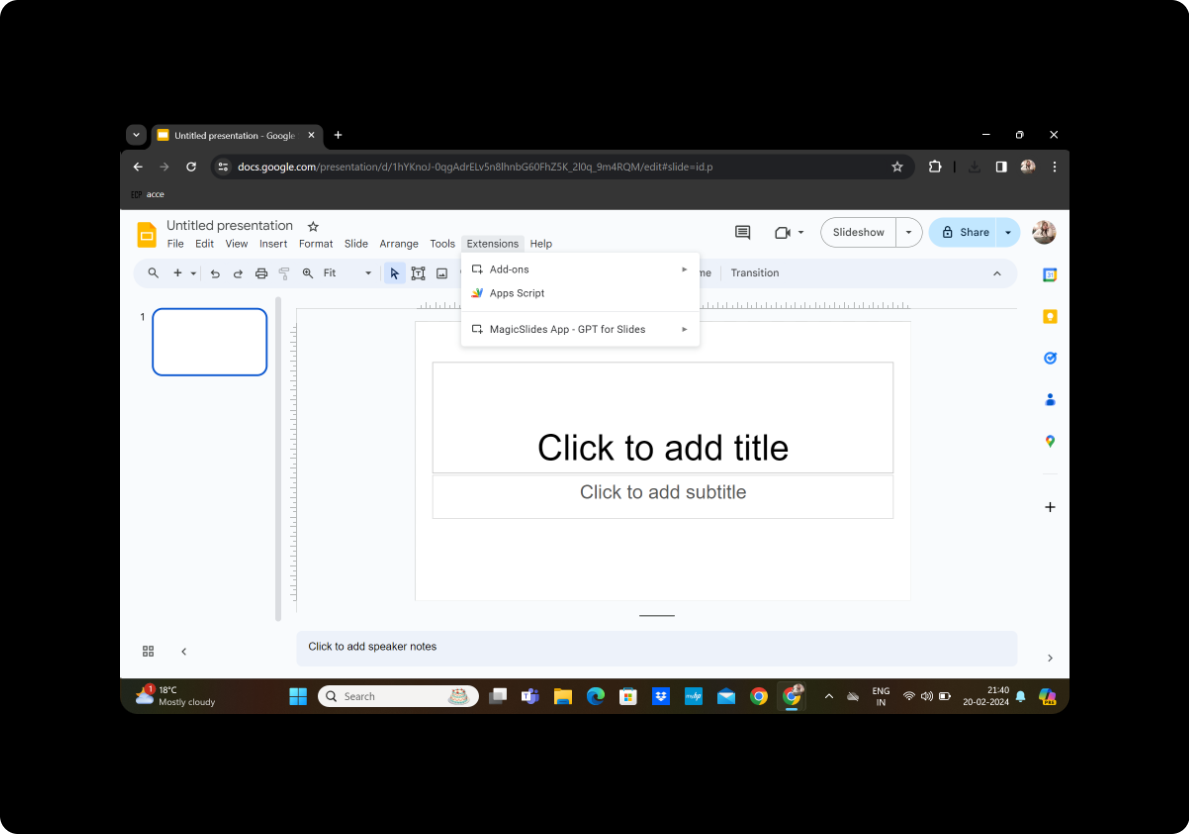
Navigate to the toolbar and click on "Extensions." Locate and activate the MagicSlides GPT extension.
Click on 'PDF/DOCX to PPT'
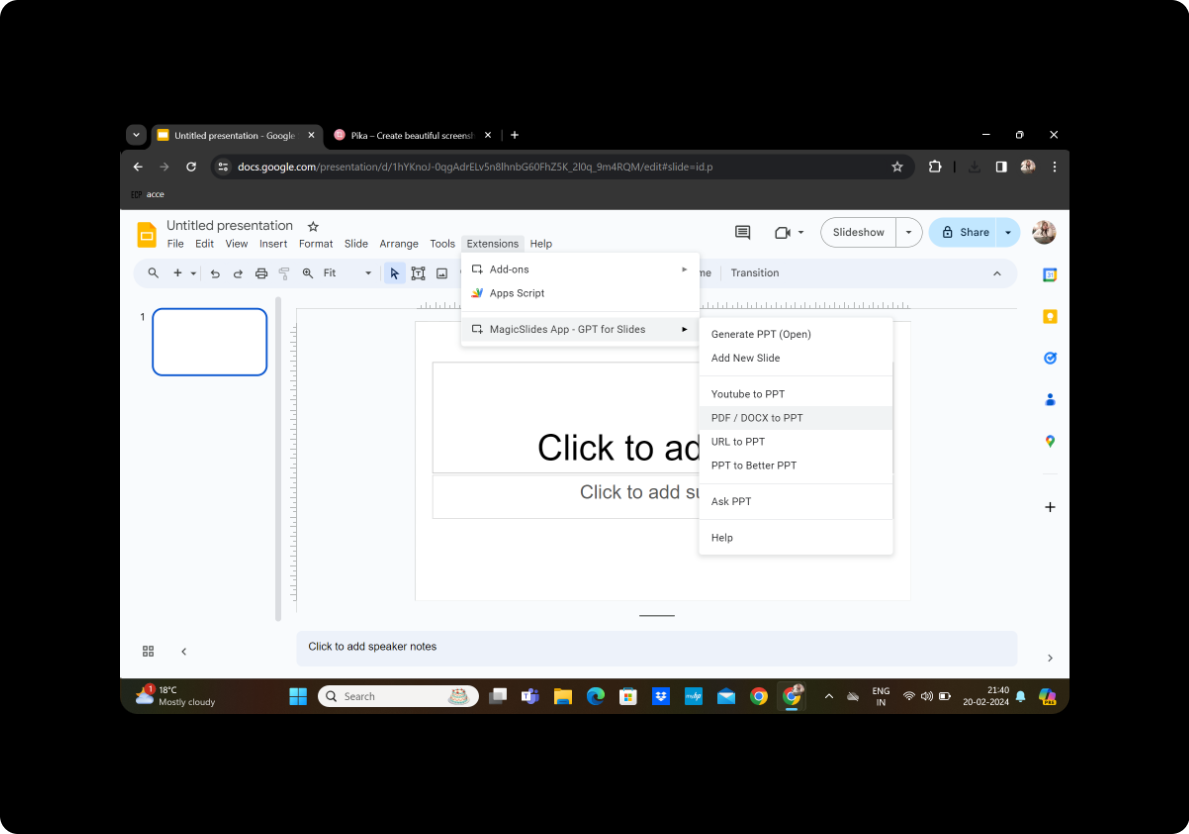
Within the MagicSlides GPT interface, select the option 'PDF/DOCX to PPT.'
Upload the PDF and Click on Fetch Transcript
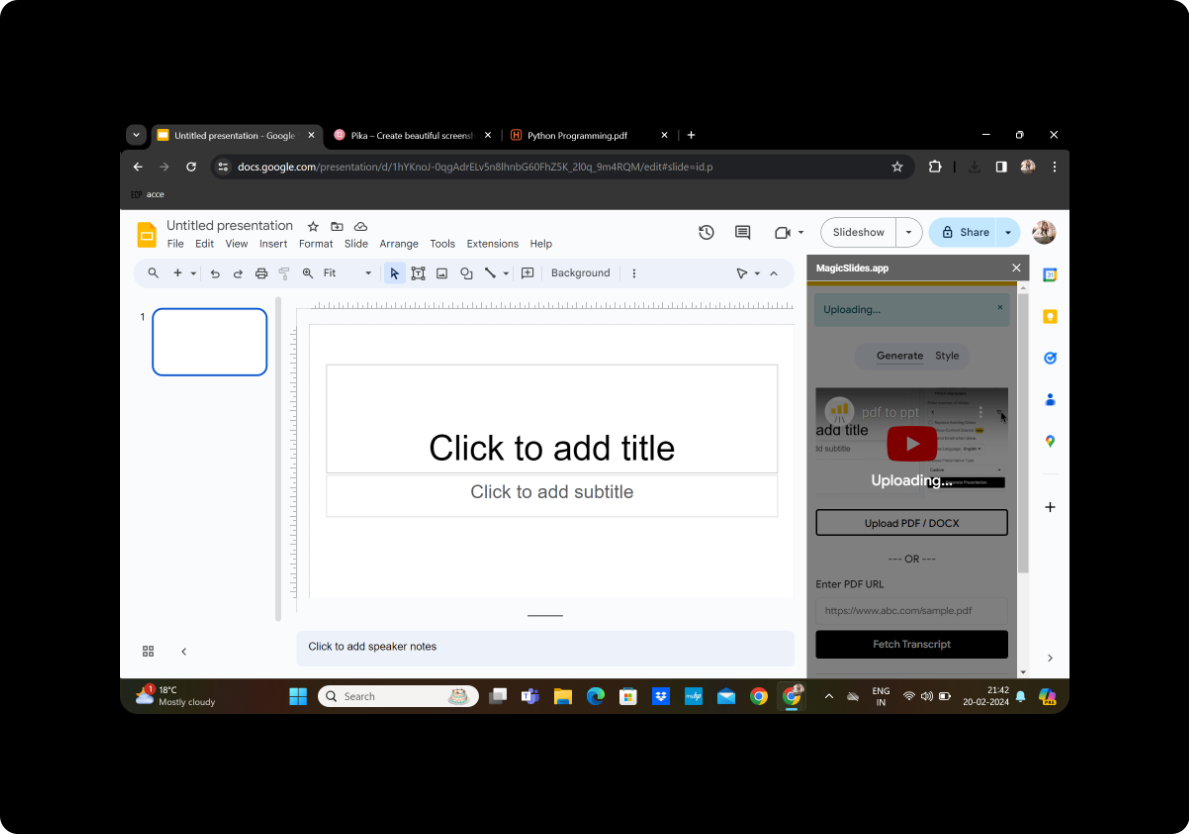
Upload the scientific journal PDF you wish to convert. Once uploaded, click on 'Fetch Transcript' to extract the text from the document.
Select the Number of Slides
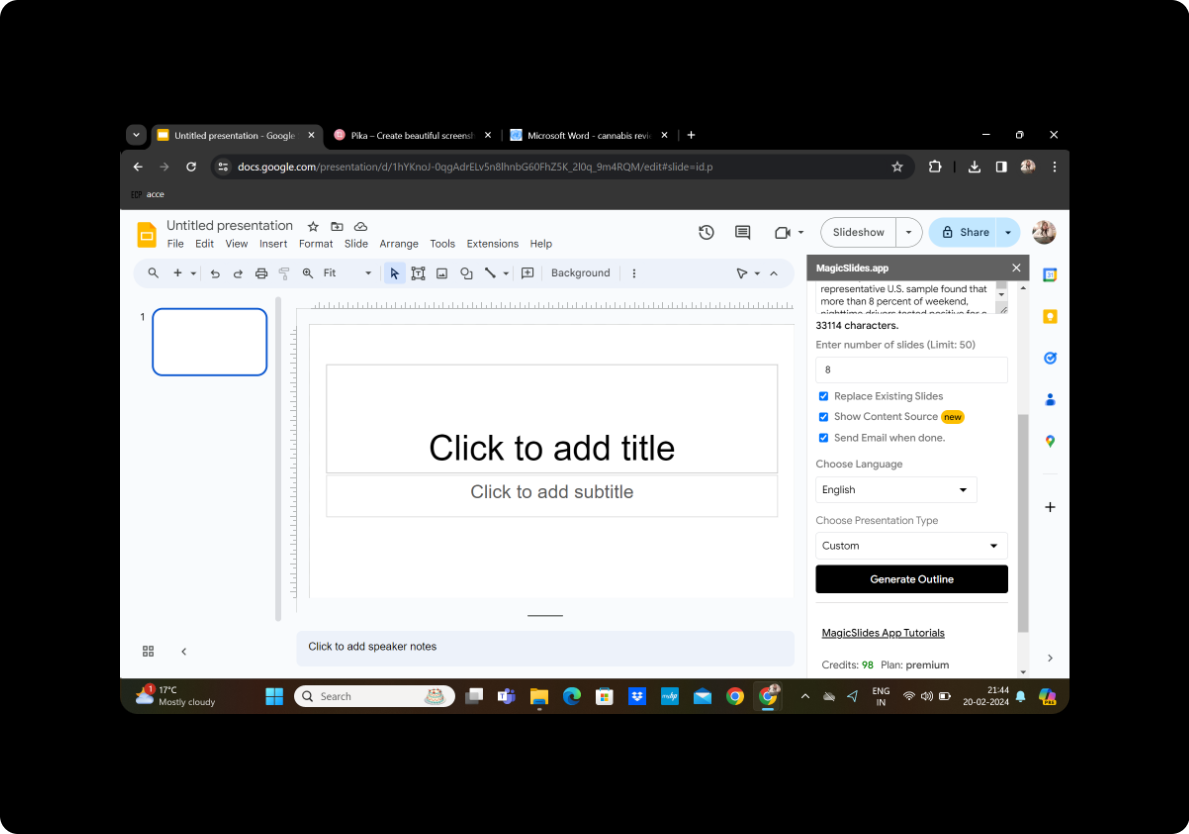
Customize the number of slides you want the presentation to contain. This step ensures that the content is appropriately distributed for an engaging lecture.
Click on Generate Outline
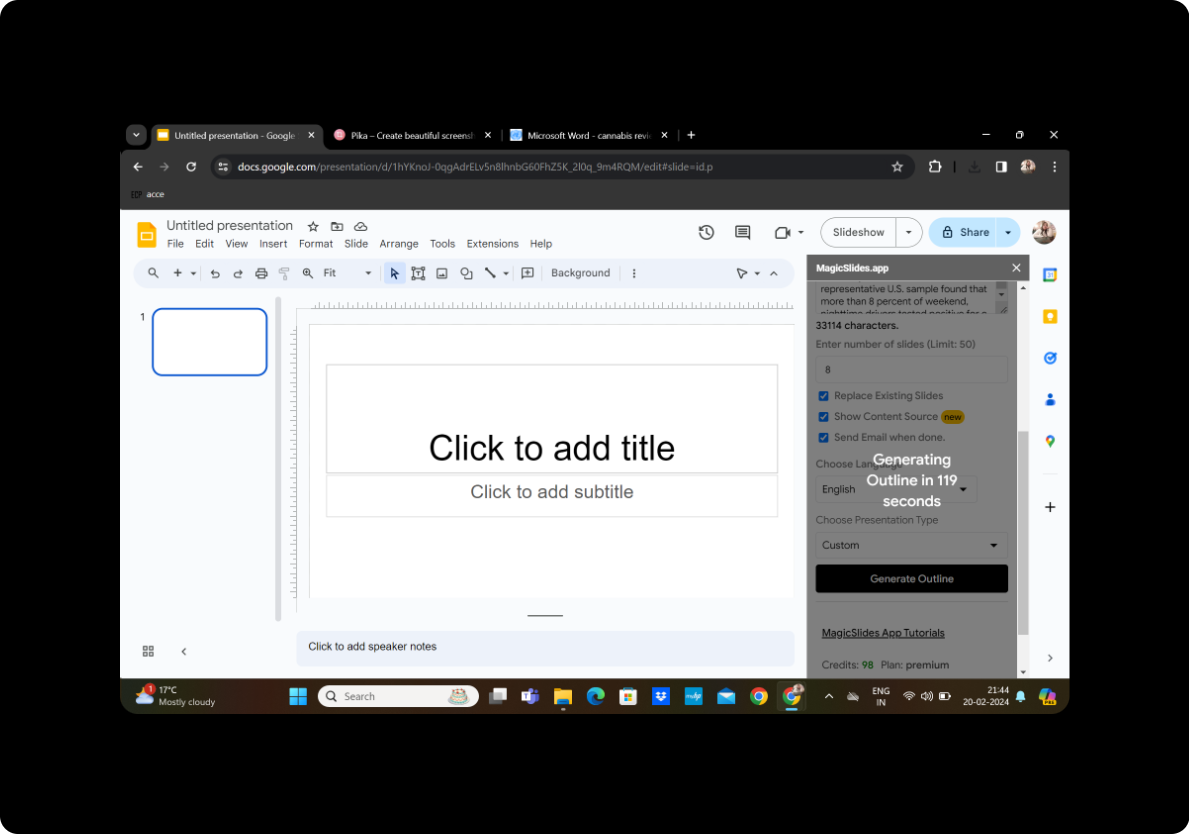
MagicSlides GPT will generate an outline based on the extracted text. Review the outline to ensure it aligns with your presentation goals.
Once Satisfied, Click on Generate Presentation
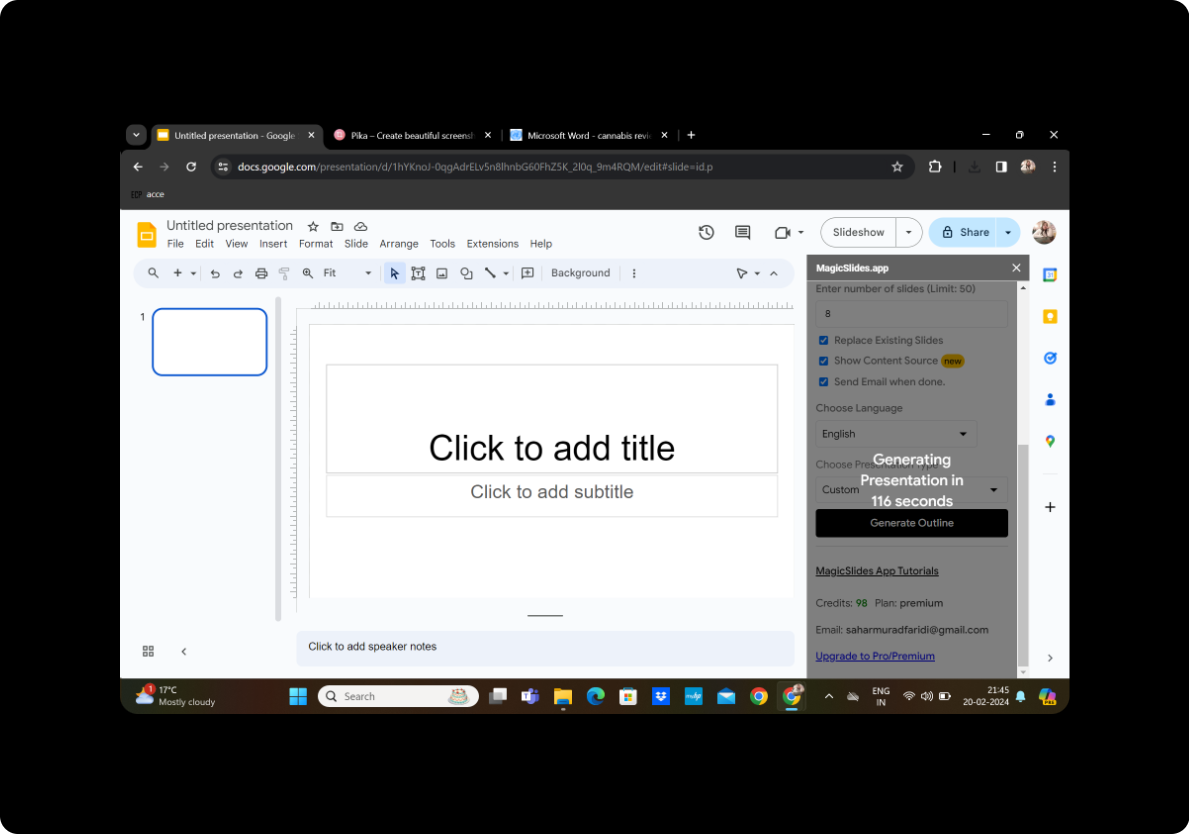
If the outline meets your expectations, proceed to click on 'Generate Presentation.' MagicSlides GPT will use its language understanding capabilities to craft a dynamic and coherent presentation.
Your Presentation is Ready
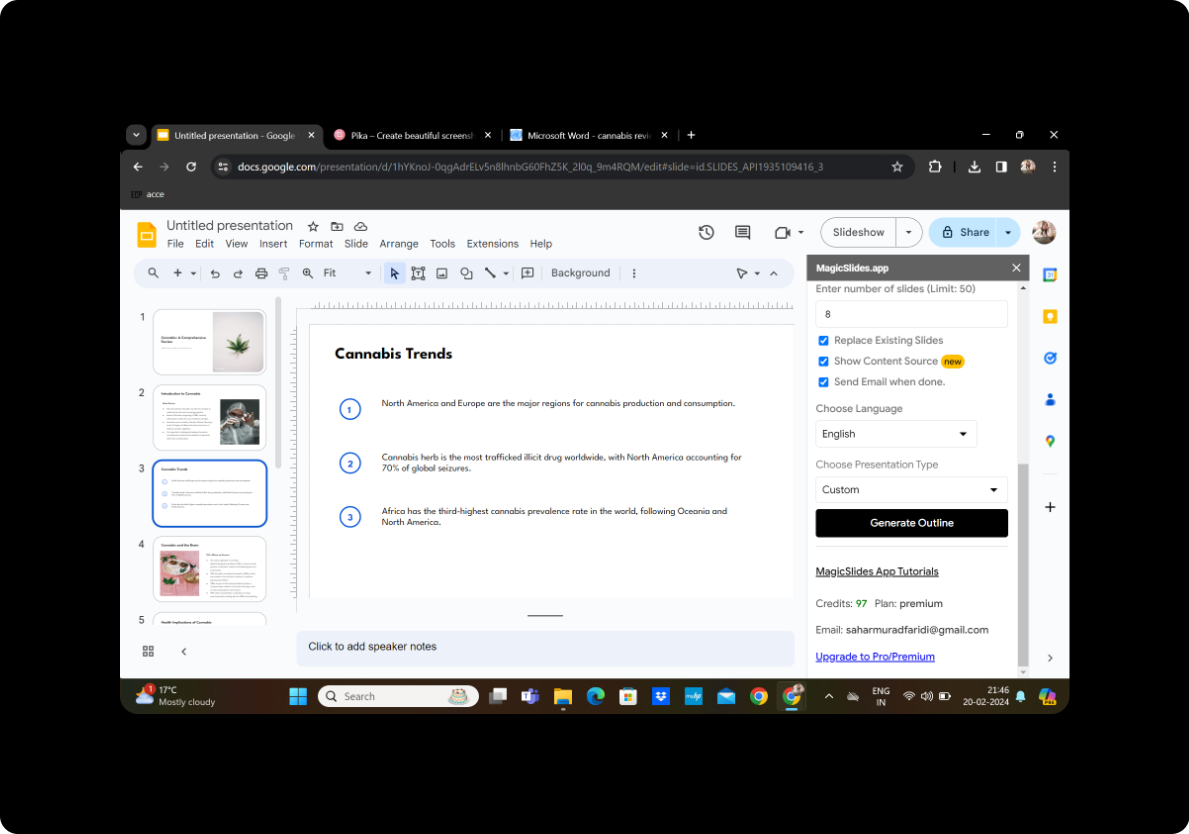
After a moment, MagicSlides GPT will finalize the presentation. Your converted scientific journal is now transformed into dynamic lecture slides.
Conclusion
Converting scientific journals into lecture slides has never been more accessible. With the seamless integration of Google Slides and the powerful capabilities of MagicSlides GPT, educators and presenters can breathe life into dense academic content, making it accessible and engaging.
Frequently Asked Questions
Can I customize the design of the slides? Yes, MagicSlides GPT provides editing features within Google Slides, allowing you to personalize the design and layout.
What file formats does MagicSlides support? MagicSlides supports PDF and DOCX formats for document conversion.
Can I add multimedia elements to my presentation? Absolutely! Enhance your slides with images, videos, and other multimedia elements using Google Slides' intuitive features.
Is MagicSlides suitable for all types of content? While MagicSlides excels in transforming text-based content, it may require additional adjustments for highly technical or complex visuals.
Can I collaborate with others on the converted presentation? Yes, Google Slides offers collaborative features, allowing multiple users to edit and contribute to the presentation simultaneously.
In conclusion, this guide empowers you to convert scientific journals into captivating lecture slides effortlessly. Experiment with these steps, explore the features, and elevate your educational or professional presentations to new heights.


