Presentation Preparation Checklist: Your Pre-Presentation Plan


A presentation preparation checklist helps you avoid last-minute issues and deliver your slides confidently. Learn what to include in your pre-presentation plan.
Presentation Preparation Checklist: How to Get Fully Ready Before You Present
Plan and deliver your presentation with confidence using this complete presentation preparation checklist. In this guide, I walk through everything you need to do before presenting. By the end, you will know exactly how to prepare a presentation step by step so you can avoid mistakes and achieve your desired outcome.
Still in doubt? Let me explain why preparation is necessary!
Why Preparing a Presentation Checklist Matters?
Most of the people present slides without preparation, and this leads to unclear messaging, lack of confidence. Moreover, if your audience asks questions and you do not have the answers, it can make you appear unprepared.
So, to bypass these issues, a proper checklist is mandatory, which helps you:
- Organise your ideas in a clear order
- Make simple and clear slides
- Bypass any technical issue
- Practice what you will say
- Get ready for audience questions
- Check everything before you start
- Speak calmly and confidently
- Confirm every point related to the PPT is pitched clearlyin the slides
When you use a checklist before presenting, you know that nothing important is missed, and you can focus on delivering your message clearly. Next, I’ll share the complete best practices to present any topic with confidence.
Read more: How to Create a PowerPoint Presentation in ChatGPT
Presentation Preparation Checklist – Step by Step
Preparing for a presentation checklist starts with understanding two things:
- What do you want to achieve
- What outcome do you expect from your audience
When you’re clear about the purpose, it becomes much easier to decide:
- What content to include
- What to remove
- How to structure the entire presentation
So, let me explain how to ensure and validate this:
#Step 1. Clear the Purpose of the Presentation
Before opening PowerPoint, always clarify the goal. To do so, ask yourself:
- What is the objective?
- What type of questions are expected from the audience?
- Is this presentation to inform, or sell?
- Do I know all the information about this topic?
When the purpose is clear, you can create and present the presentation effectively.
#Step 2. Understand the Audience
Change every presentation based on the audience (like technical) because different people need different information. So, consider:
- Who are they? (role, experience level)
- What do they already know?
- What are their pain points?
When you present what they do not already know and talk about their pain points, engagement increases dramatically.
#Step 3. Create a Clear Structure
Outlining the flow is a necessary part of the presentation preparation checklist. This is the main step, so don’t skip this if you want to get the desired result:
The structure you can use:
1. Opening
- Agenda
- Why this matters
2. Core Content
- 3–5 main ideas
- Evidence, examples
3. Conclusion
- Summary
- Clear call to action
- Q&A
This structure is perfect to seek the attention of the audience.
#Step 4. Prepare Strong Content
Prepare for quality content for quantity. Try to write in points which easily readable to your audience. Ensure your slides include:
- One key idea per slide
- Use data to support claims
- Include real examples or case studies
- Audience pain points
Remove those slides or content which doesn’t add value.
Related guide: How to convert PPT to Google Slides
#Step 5. Design Professional Slides
Ensure your slides are looking professional, as colourful or unpolidshed slides impact audience experience negatively. So, design your presentation:
- Use large fonts that are easily visible
- Limit text, use bullet points instead paras
- Maintain consistent colours and style
- Use visuals instead of text when possible
If people are reading the slides clearly, then you don’t need to talk more, as everything is clear from your presentation. This helps you to minimise the efforts and presentation time. This is also necessary in the presentation preparation checklist.
#Step 6. Add Visuals That Support the Message
It is suggested to use visuals instead of text, wherever possible. You can add visuals like:
- Charts
- Diagrams
- Icons
- Images
Avoid cartoonish icons or images that have no meaning and looks unprofessioinal.
#Step 7. Prepare Speaker Notes
Even when you know the topic well, prepare speaker notes, including:
- Key talking points
- Stories or examples
- Data explanations
- Transition phrases
This keeps your delivery smooth without reading from slides.
#Step 8. Rehearse the Presentation
Before presenting, rehearse the presentation in front of a mirror or friends to build confidence. During rehearsal, check:
- Timing
- Clarity
- Slide transitions
- Awkward sections
This helps you to address common issues and refine that section effectively.
#Step 9. Check Technical Arrangements
Before presenting the check:
- Test the laptop and charger
- Carry presentation backup (USB + cloud)
- Check compatibility
- Test the projector or the screen
- Verify audio/video playback
- Bring a remote
If presenting online, also check:
- Internet connection
- Microphone
- Camera
- Screen sharing
Read also: 5 minute presentation topics
#Step 10. Prepare Yourself
This is the last presentation preparation checklist point. In this, youneed to prepare yourself by:
- Review opening lines
- Practice breathing to reduce anxiety
- Drink water
- Arrive early
- Visualize success
Turn This Checklist into a Ready-to-Use Presentation in Minutes→
If you have created this checklist but do not want to spend hours turning it into slides, MagicSlides AI Presentation Maker can do that work for you.
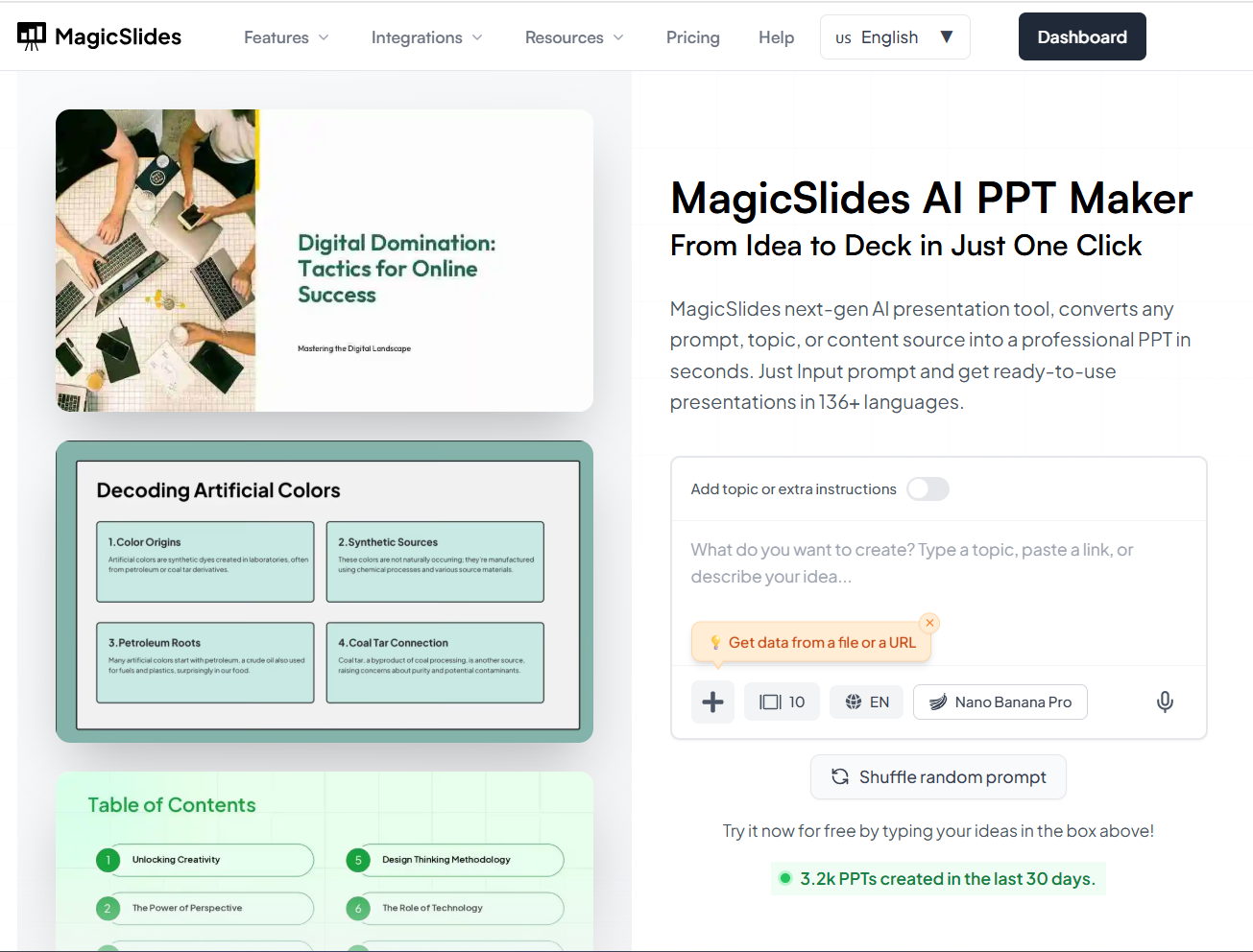
Instead of manually copying each point into PowerPoint, paste your checklist into the tool, and it generates a complete, ready-to-use presentation.
When you use it, you do not have to worry about how many slides to create or how to structure the flow; all these things will be done automatically. The tool automatically converts the checklist into clear slides with headings and a professional layout.
This is especially useful if you:
- Do not have time to design slides
- Are not confident in creating presentations
- Want a ready-to-use instead of starting from scratch
- Need a clean and organised presentation fast
In simple terms, it removes the biggest pain point most people face.
Try this now for free, and create a complete deck with visuals and suitable content.
Final Pre-Presentation Checklist→
Before stepping up to present, quickly confirm:
- The purpose is clear
- Audience needs addressed
- Slides are clean and readable
- Timing fits
- Notes ready
- Questions anticipated
- Tech tested
- Backup available
If all boxes are checked, you’re ready.
Author’s Verdict→
After this discussion, I hope you clearly understand that a great presentation isn’t just about good slides; it’s about planning and delivery. This presentation preparation checklist has helped me deliver sessions that are persuasive and professional.
If you follow this process, you’ll walk into your next presentation feeling prepared instead of nervous.


