How to Start a Presentation Speech: Proven Tips for Success


Learn how to start a presentation speech effectively with these proven tips to engage your audience, build confidence, and make a lasting impression.
Starting a presentation speech can be a nerve-wracking moment, but a strong opening can set a confident, engaging tone for the entire presentation.
Knowing how to grab your audience’s attention from the very beginning is essential for making a lasting impression.
Here’s how to start your presentation speech in a way that will captivate your listeners and set you up for success.
Check out this presentation to know How to Start a Presentation Speech that I generated using MagicSlides:
Why a Strong Opening is Essential
Your presentation’s opening is your chance to make an impression and lay the groundwork for your audience to connect with your message.
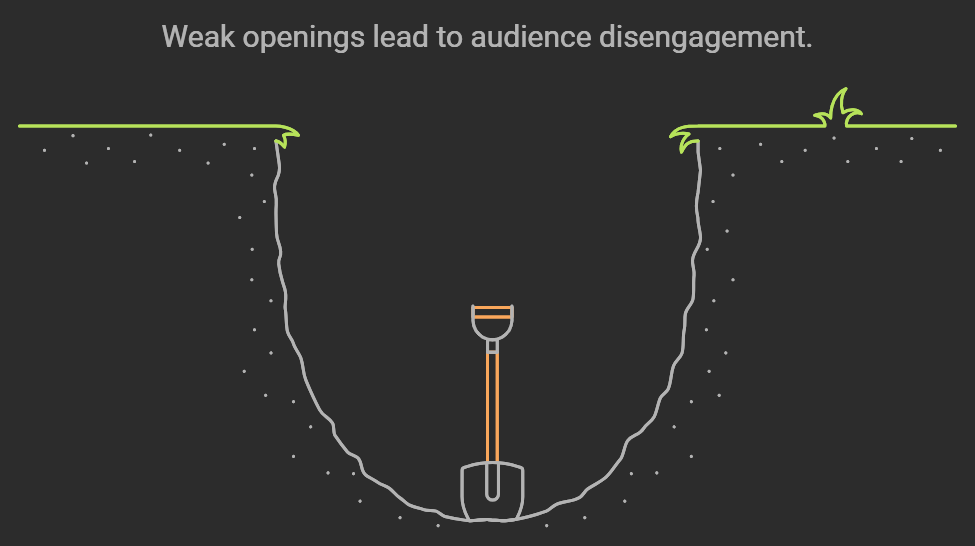
If you don’t start strong, people may tune out before you’ve had a chance to convey your key points.
The first few minutes can make or break your presentation, so it’s worth putting extra thought and effort into creating a compelling introduction.
How to Choose the Right Type of Opening
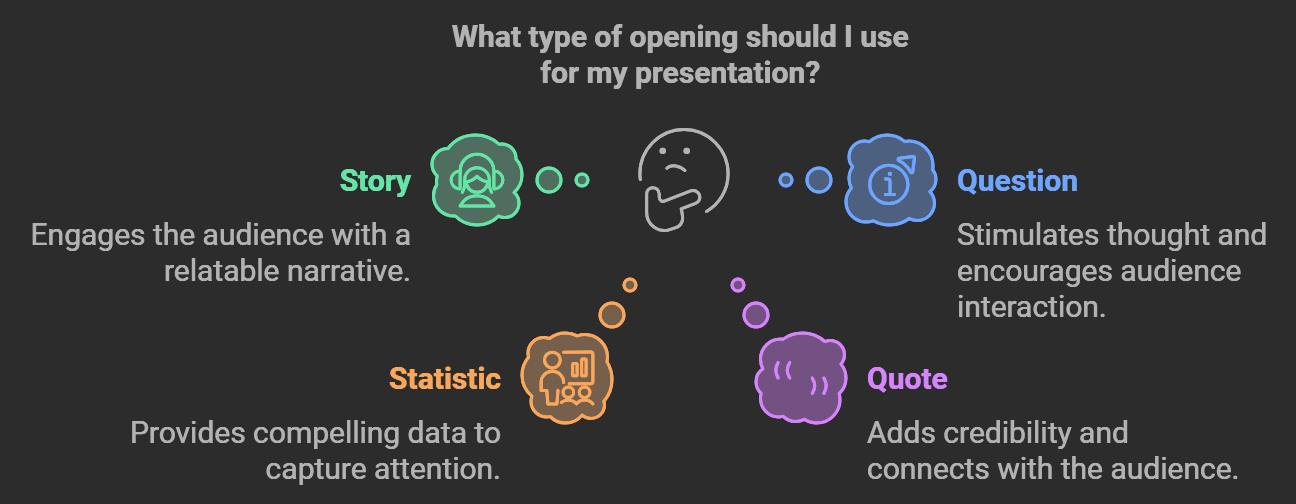
The best way to start a presentation depends on the topic, audience, and your personal speaking style. Here are some powerful types of openings to consider:
Start with a Story
A well-told story captivates the audience and establishes an emotional connection. Stories make complex concepts relatable, making them easier for the audience to understand and remember.
When choosing a story, make sure it aligns with your main message and resonates with the audience’s experiences.
Ask a Thought-Provoking Question
Questions can spark curiosity and get your audience thinking. For example, if you’re discussing the future of technology, you might ask, “What will the world look like 10 years from now?” Thought-provoking questions encourage engagement and allow listeners to connect personally with your topic.
Begin with an Interesting Statistic
A surprising statistic can be a powerful way to grab attention. This technique works especially well when your topic is data-driven or involves surprising insights.
Make sure the statistic is relevant and sourced from credible research, as accuracy builds trust with your audience.
Use a Famous Quote
Quotes from well-known figures can lend authority to your presentation and connect your message with a broader theme or idea.
Choose quotes that align with the values or interests of your audience, as well as with your main presentation points.
If you’re looking to simplify the process of creating presentations, consider using MagicSlides, a powerful AI tool that generates high-quality PowerPoint slides quickly and efficiently.
MagicSlides enables users to input key topics or details, and it generates a polished, professional-looking presentation in moments.
This tool is ideal for professionals, educators, or anyone who wants to create impactful slides without spending hours on design.
With MagicSlides, you can focus on your content and delivery, knowing the visuals are covered, helping you make a stronger impact with every presentation.
Practical Tips for Delivering a Strong Opening
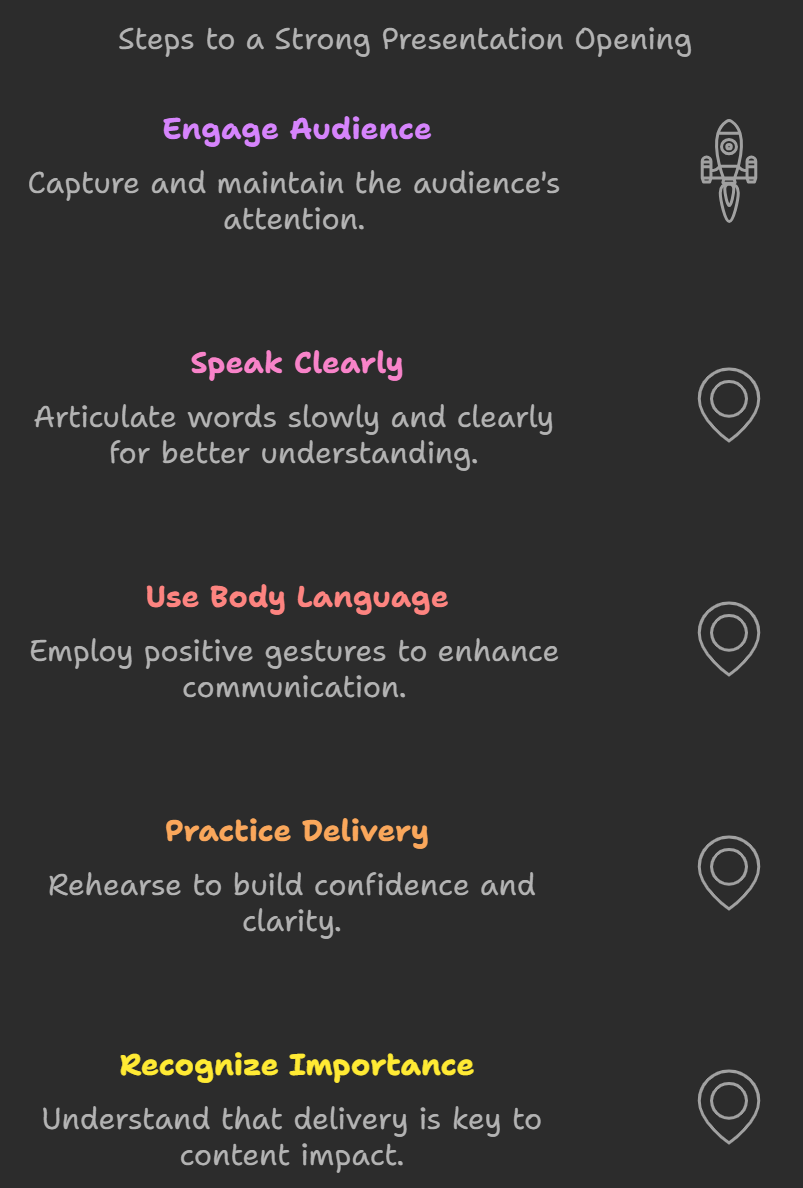
Even the best content won’t shine without confident, clear delivery. Here are some essential tips for nailing your presentation opening:
Practice Makes Perfect
The more you practice your opening, the more confident you’ll feel. Rehearse in front of friends, colleagues, or even a mirror, and make sure to time yourself.
Practice also helps you deliver your opening naturally, making you appear more authentic and engaged.
Use Positive Body Language
Your body language speaks volumes, often before you say a single word. Stand tall, make eye contact with your audience, and keep your posture open.
Avoid crossing your arms or looking down, as these actions can convey nervousness or disinterest.
Speak Clearly and Slowly
Starting a presentation often comes with a rush of adrenaline, which can make you talk faster than intended.
Consciously slow down your speech at the beginning, focusing on clarity and emphasis. Pauses can also help you command the room and give your audience time to absorb your message.
Example Openings for Different Types of Presentations
To help spark some ideas, here are sample openings for various presentation types:
Business Presentation:
“Good morning! Imagine a future where our current technology is obsolete. Today, I’m going to share with you how we, as a company, can embrace emerging tech to stay ahead of the curve.”
Academic Presentation:
“As of 2023, over 2 million tons of plastic pollute our oceans each year. What if I told you there’s a solution that could cut this number in half? Today, I’ll be exploring groundbreaking research that aims to make that a reality.”
Inspirational Presentation:
“In 1999, I found myself at a crossroads, unsure of my next step. Today, I want to share that journey with you and show how resilience and vision can guide us through life’s biggest challenges.”
Common Mistakes to Avoid When Starting a Presentation
There are some pitfalls to be aware of when crafting your presentation’s opening. Here are a few common mistakes:
Apologizing or Downplaying Your Content
Starting with “I’m sorry” or “This may not be very interesting” can diminish your credibility. Always project confidence in your material.
Overloading with Information
Avoid starting with too much data or background information. An overload of facts can make the audience feel lost before the main points are even introduced.
Using Too Much Jargon
If your audience isn’t familiar with your field, avoid jargon and complex terms in the beginning. Instead, use simple language and explain terms as needed later in the presentation.
Final Thoughts: Making Your Opening Memorable
Your presentation’s opening sets the tone for everything that follows, so it’s essential to make it memorable. By combining a strong opening type—like a story, question, or statistic—with clear, confident delivery, you’ll create an engaging start that draws in your audience.
When preparing your next presentation, take time to perfect the opening, and remember that your audience wants to listen to what you have to say. Starting with a bang will make it much easier to keep them engaged until the very end.
By using these tips and techniques, you’ll be well-equipped to start your presentation speech effectively, making a lasting impression on your audience and setting the stage for a successful talk. Happy presenting!


