HR Presentation Topics: 100+ Ideas for Work & Meetings


Discover 100+ HR presentation topics across recruitment, engagement, and compliance. Plus, learn how to create slides instantly with MagicSlides.
Human Resources (HR) is a dynamic field that encompasses various aspects of managing people in an organization. Whether you are an HR professional, a business leader, or a student, creating presentations on HR topics can help in understanding and addressing crucial issues related to workforce management.
From talent acquisition and employee engagement to diversity and compliance, the range of HR topics for presentations is vast.
100+ HR Presentation Topics for Meetings, Training & Workplace Success
In this blog post, we will explore over 100 HR presentation topics, covering multiple categories, to help you craft an engaging and informative presentation. Whether you’re preparing for a team meeting, a seminar, or a workshop, these topics will provide you with plenty of ideas to get started.
Talent Acquisition and Recruitment
| Topic | Create Presentation | Best For |
|---|---|---|
| Modern Recruitment Strategies | Create → | HR Professionals |
| Talent Acquisition vs. Recruitment | Create → | Hiring Managers |
| Building an Effective Employer Brand | Create → | Talent Acquisition Teams |
| Diversity Hiring Strategies | Create → | HR Specialists |
| Interview Techniques and Best Practices | Create → | Recruiters |
| Utilizing AI and Technology in Recruitment | Create → | HR Tech Experts |
| Candidate Experience | Create → | HR Professionals |
| Internal vs. External Hiring | Create → | HR Leaders |
| Recruitment Metrics and Analytics | Create → | Data-Driven Recruiters |
| Onboarding Best Practices | Create → | HR Managers |
Employee Engagement and Retention
| Topic | Create Presentation | Best For |
|---|---|---|
| The Psychology of Employee Engagement | Create → | HR Managers |
| Strategies for Boosting Employee Engagement | Create → | HR Teams |
| Employee Retention Strategies | Create → | HR Leaders |
| Creating a Feedback Culture | Create → | Managers |
| Work-Life Balance Initiatives | Create → | HR Professionals |
| Employee Surveys and Action Plans | Create → | HR Researchers |
| Impact of Leadership on Employee Engagement | Create → | Business Leaders |
| Remote Work and Employee Engagement | Create → | Remote Work Experts |
| Creating an Inclusive Workplace | Create → | Diversity Officers |
| Career Development and Growth Opportunities | Create → | HR Development |
Training and Development
| Topic | Create Presentation | Best For |
|---|---|---|
| Creating a Learning Culture | Create → | HR Professionals |
| The Role of Leadership in Employee Development | Create → | Business Leaders |
| Effective Training Program Design | Create → | Training Managers |
| Soft Skills Training | Create → | HR Trainers |
| Technical Skills Training | Create → | Learning and Development Experts |
| Mentoring and Coaching Programs | Create → | HR Development |
| E-Learning and Online Training Platforms | Create → | Training Professionals |
| Measuring Training Effectiveness | Create → | HR Analysts |
| Leadership Development Programs | Create → | HR Managers |
| Compliance Training | Create → | Legal and HR Experts |
Performance Management
| Topic | Create Presentation | Best For |
|---|---|---|
| Modern Performance Management Systems | Create → | HR Managers |
| Setting SMART Goals for Employees | Create → | Performance Coaches |
| 360-Degree Feedback | Create → | HR Consultants |
| Performance Improvement Plans | Create → | Managers |
| Linking Performance to Compensation | Create → | Compensation Experts |
| Using KPIs to Measure Performance | Create → | Business Analysts |
| Managing Underperformance | Create → | HR Professionals |
| The Role of Continuous Feedback | Create → | Managers |
| Employee Recognition Programs | Create → | HR Leaders |
| Performance Appraisal Methods | Create → | HR Consultants |
HR Technology and Analytics
| Topic | Create Presentation | Best For |
|---|---|---|
| HR Technology Trends | Create → | HR Tech Enthusiasts |
| HR Analytics for Strategic Decision Making | Create → | HR Professionals |
| Implementing HR Software Solutions | Create → | HR Managers |
| People Analytics | Create → | HR Analysts |
| The Role of Chatbots in HR | Create → | HR Tech Innovators |
| Digital HR Transformation | Create → | HR Transformation Experts |
| Using Data to Improve Employee Experience | Create → | HR Analysts |
| Predictive Analytics in HR | Create → | HR Professionals |
| Automating HR Processes | Create → | HR Tech Innovators |
| Cybersecurity in HR | Create → | Security Professionals |
Diversity, Equity, and Inclusion
| Topic | Create Presentation | Best For |
|---|---|---|
| Building a Diverse Workforce | Create → | HR Professionals |
| Inclusive Leadership | Create → | Business Leaders |
| Addressing Unconscious Bias in the Workplace | Create → | HR Trainers |
| Creating an Inclusive Workplace Culture | Create → | Diversity Officers |
| Gender Equality in the Workplace | Create → | HR Managers |
| LGBTQ+ Inclusion | Create → | Diversity Managers |
| Cultural Competency Training | Create → | HR Trainers |
| Equity vs. Equality | Create → | HR Consultants |
| Employee Resource Groups (ERGs) | Create → | Diversity Advocates |
| Measuring Diversity and Inclusion | Create → | HR Professionals |
Compensation and Benefits
| Topic | Create Presentation | Best For |
|---|---|---|
| Trends in Compensation Management | Create → | Compensation Managers |
| Total Rewards Strategy | Create → | HR Professionals |
| Flexible Benefits Programs | Create → | HR Leaders |
| Salary Benchmarking | Create → | Compensation Analysts |
| Equity Compensation Plans | Create → | Financial Experts |
| Employee Benefits Trends | Create → | HR Consultants |
| Creating a Competitive Compensation Package | Create → | Talent Acquisition Leaders |
| Benefits of Employee Perks | Create → | HR Professionals |
| Communicating Compensation and Benefits to Employees | Create → | HR Managers |
| Compensation and Performance Linkage | Create → | HR Managers |
Employee Relations
| Topic | Create Presentation | Best For |
|---|---|---|
| Building Trust Between Employees and Management | Create → | HR Managers |
| Conflict Resolution Strategies | Create → | HR Professionals |
| Employee Grievance Handling | Create → | HR Specialists |
| The Role of HR in Employee Relations | Create → | HR Leaders |
| Employee Communication Channels | Create → | HR Professionals |
| Managing Workplace Harassment | Create → | HR Consultants |
| Workplace Investigations | Create → | Legal Experts |
| Employee Discipline and Termination | Create → | HR Managers |
| Employee Engagement and Relations | Create → | HR Professionals |
| Union Relations and Negotiations | Create → | HR and Legal Experts |
HR Compliance and Legal Issues
| Topic | Create Presentation | Best For |
|---|---|---|
| Understanding Employment Law | Create → | HR Legal Advisors |
| HR Compliance Checklist | Create → | HR Managers |
| Handling Workplace Discrimination | Create → | HR Legal Advisors |
| Managing Employee Records and Data Privacy | Create → | Data Privacy Professionals |
| Workplace Safety and OSHA Compliance | Create → | HR Managers |
| HR’s Role in Legal Compliance | Create → | Compliance Experts |
| Navigating FMLA and Leave Laws | Create → | HR and Legal Experts |
| Managing Workplace Accommodations | Create → | HR Professionals |
| Wage and Hour Compliance | Create → | HR Consultants |
| Global HR Compliance | Create → | Global HR Managers |
Workplace Culture and Well-being
| Topic | Create Presentation | Best For |
|---|---|---|
| Building a Positive Workplace Culture | Create → | HR Managers |
| Employee Well-being Programs | Create → | HR Professionals |
| Mental Health in the Workplace | Create → | HR Specialists |
| The Role of Leadership in Shaping Culture | Create → | Business Leaders |
| Recognizing and Preventing Burnout | Create → | HR Managers |
| Creating a Flexible Work Environment | Create → | HR Leaders |
| Employee Recognition and Appreciation | Create → | HR Professionals |
| Workplace Bullying and Its Impact on Culture | Create → | HR Managers |
| Fostering Collaboration and Teamwork | Create → | HR Professionals |
| Celebrating Workplace Diversity | Create → | Diversity Officers |
Create HR Presentations Instantly with MagicSlides
Coming up with the right HR topic is just the first step; the real challenge is turning that idea into a well-structured, visually appealing presentation.
This is where MagicSlides, an AI PPT Maker, can save you hours of work.
With MagicSlides, you can:
- Convert any HR topic into a complete presentation in seconds
- Automatically generate structured slides with key points
- Create professional designs without manual formatting
- Turn text to PPT, documents to PPT, or URLs to PPT instantly
- Customize slides easily for meetings, workshops, or training sessions
Whether you’re presenting on employee engagement, HR analytics, or diversity and inclusion, MagicSlides helps you focus on your content while it handles the design and structure.
Instead of starting from scratch, simply pick a topic from the list above and generate your presentation instantly.
How to Create an HR Presentation in Minutes Using MagicSlides?
Once you’ve selected a topic from the list above, follow these simple steps to turn your idea into a professional presentation:
Step 1: Choose Your HR Topic
Pick any topic that matches your goal, whether it’s employee engagement, recruitment strategies, or HR analytics. For example, I am moving forward with “The Role of Leadership in Shaping Culture,” this HR topic, for a presentation.
Step 2: Open MagicSlides
Go to the MagicSlides Topic to PPT Converter and start a new presentation. You can either enter your topic manually or paste content such as notes, documents, or URLs.
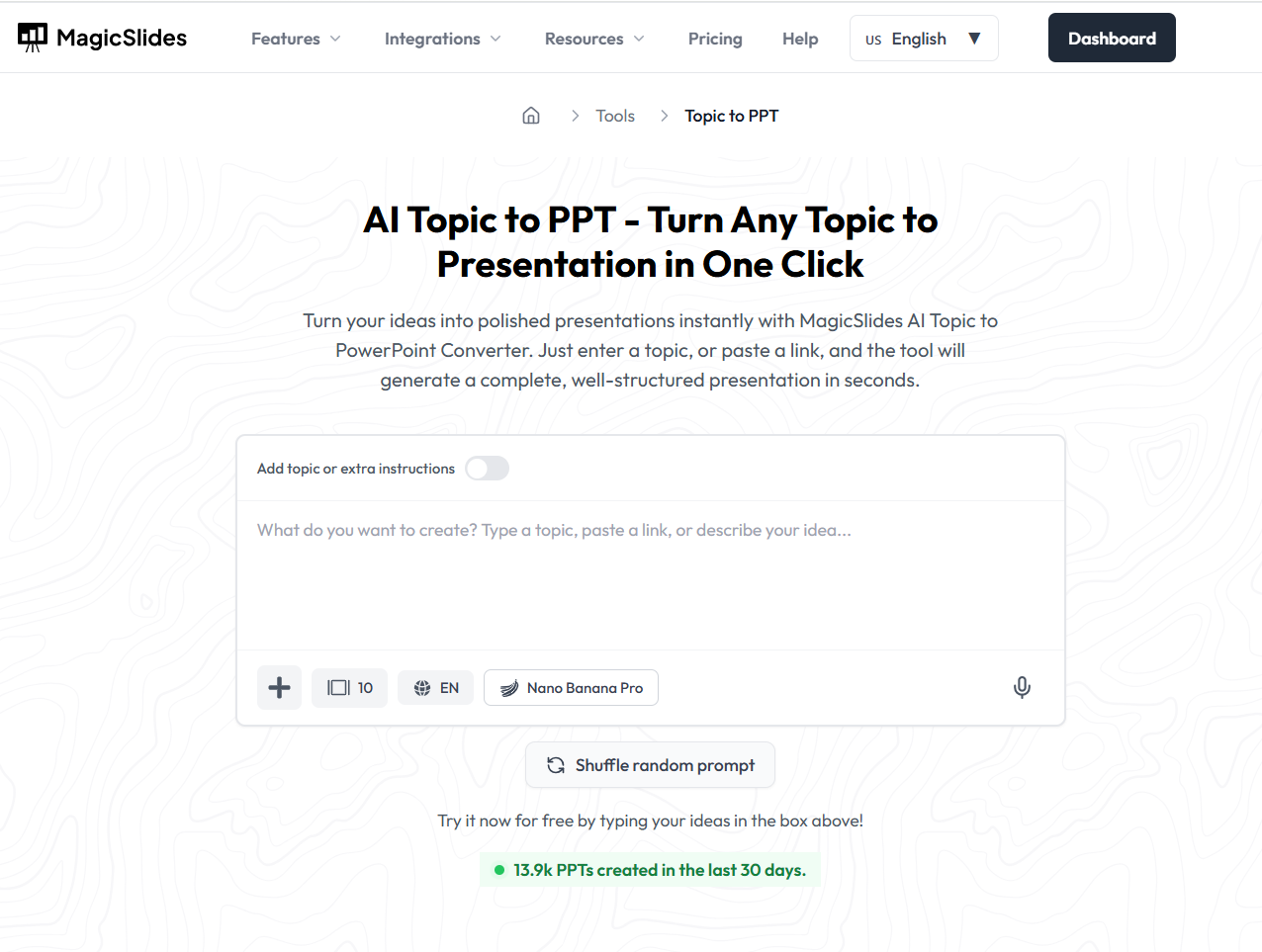
Step 3: Enter Your Topic or Content
Type your selected HR topic (e.g., “The Role of Leadership in Shaping Culture”). Select a template for your presentation from the following.
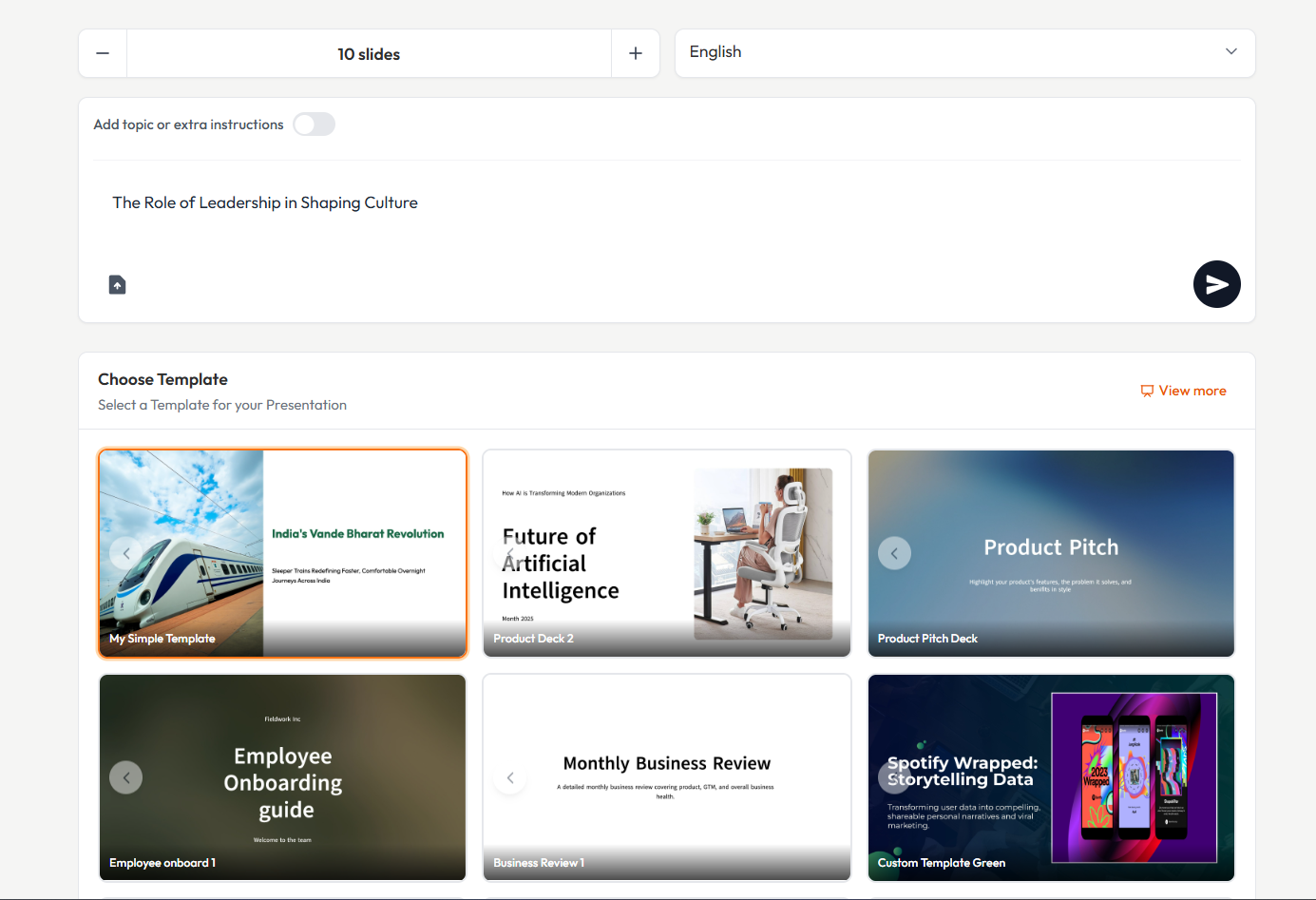
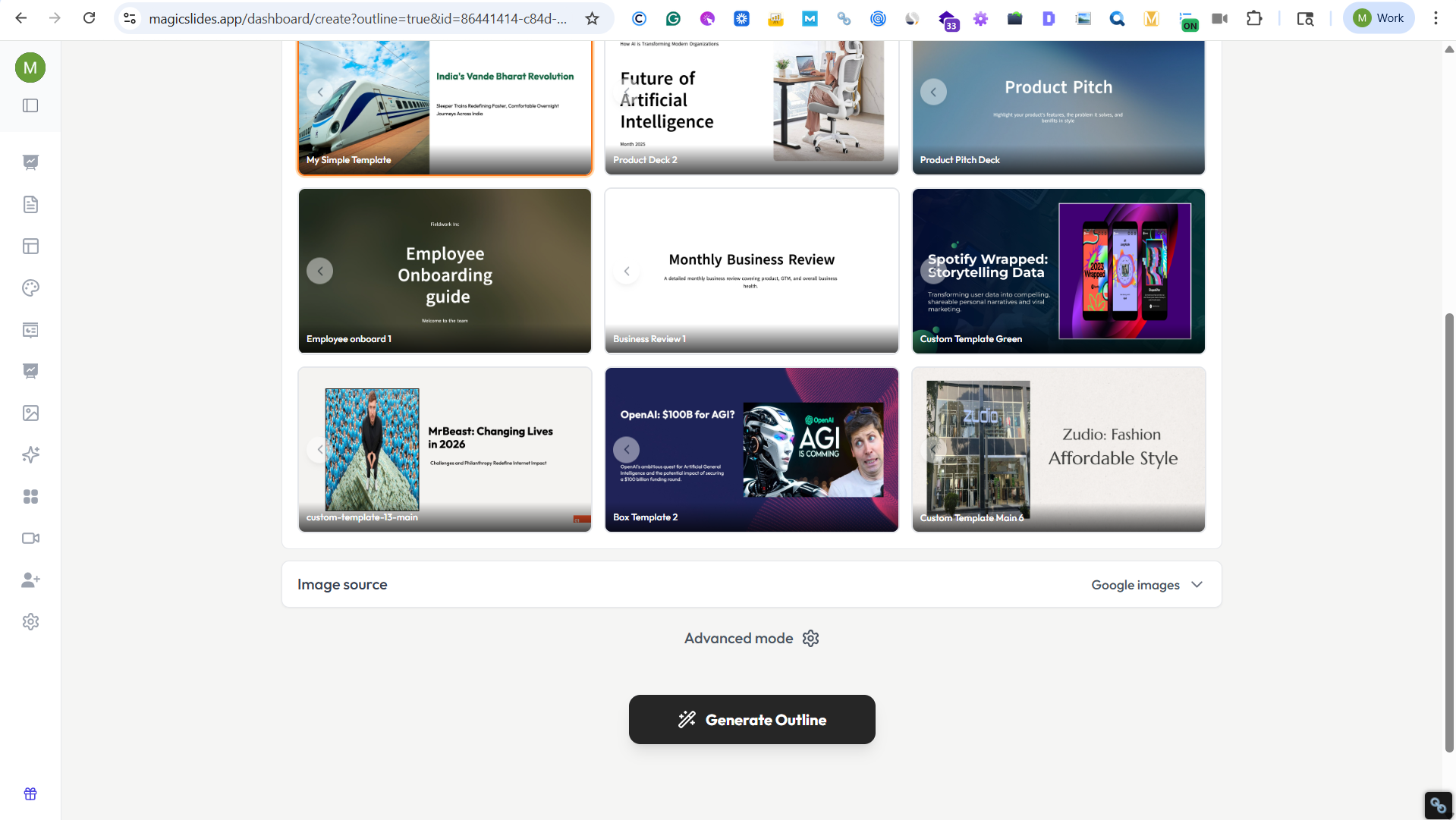
Step 4: Generate Outline Instantly
Click on “Generate Outline” and let MagicSlides create a complete presentation outline with headings, bullet points, and logical flow.
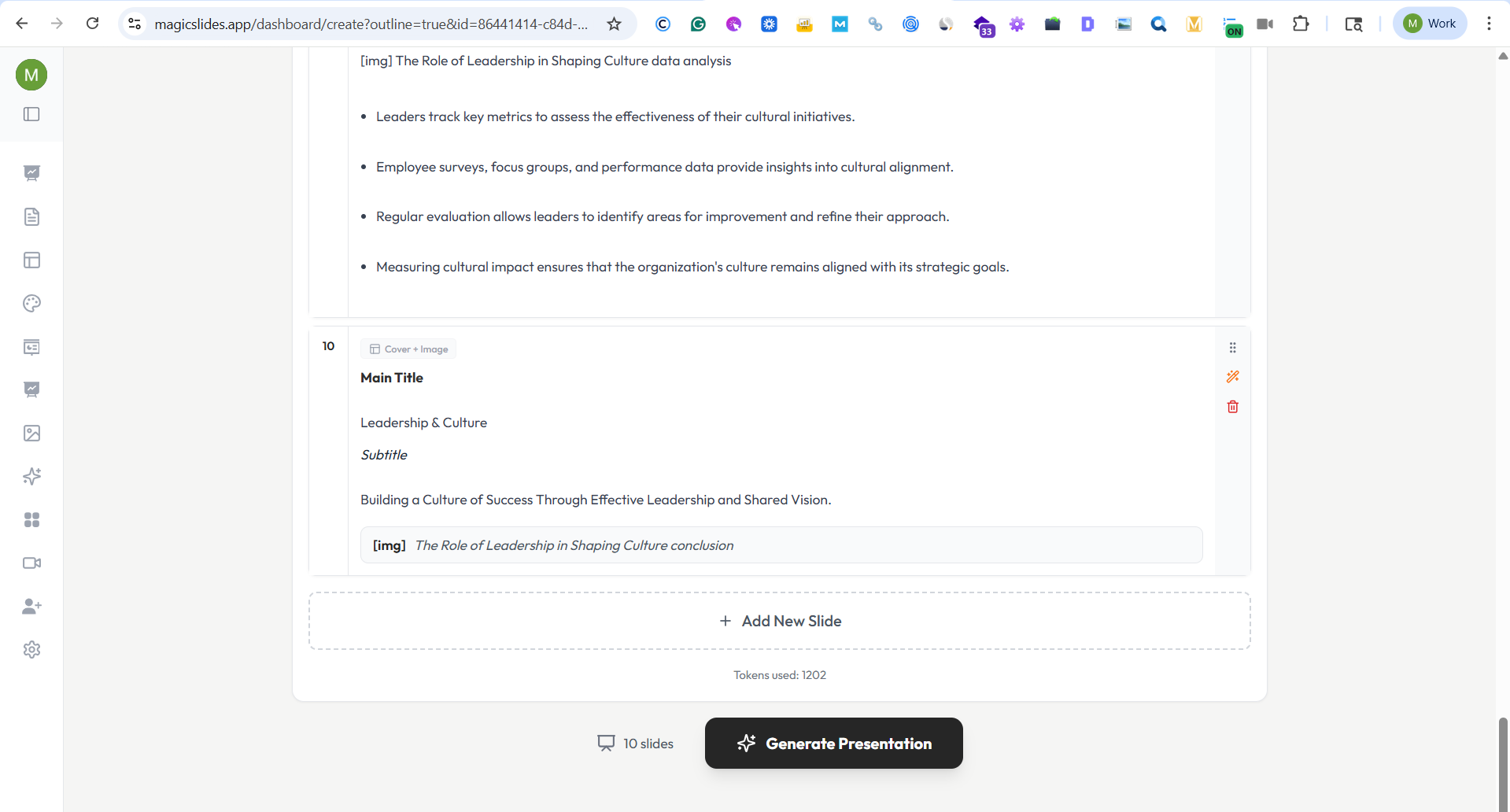
Step 5: Customize Your Slides
Edit the outline content, adjust the slide count, and click on Generate Presentation.
Step 6: Add Visuals and Data
Enhance your slides with the AI Chat feature. And update icons and images to make your HR presentation more engaging and impactful.
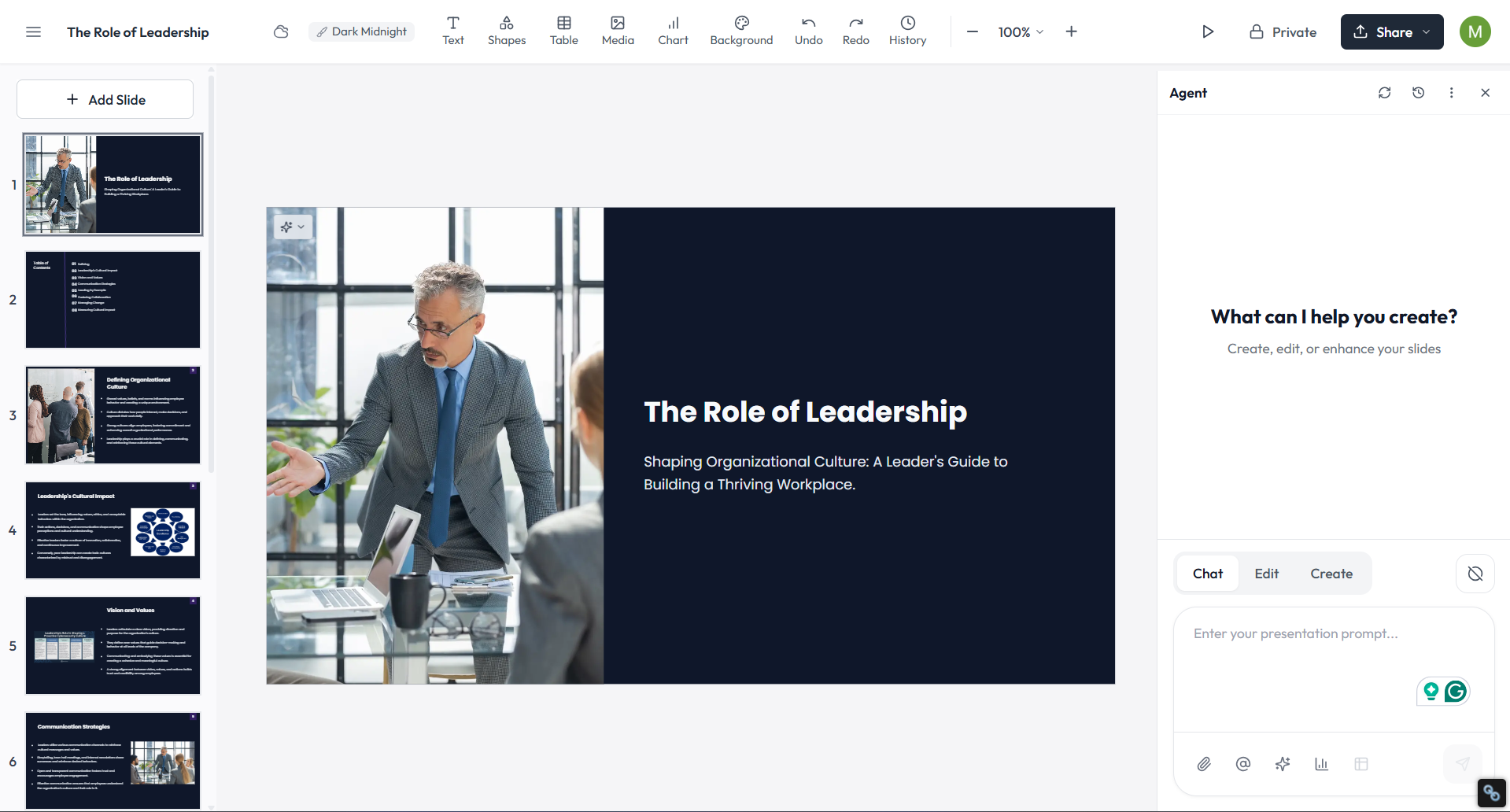
Step 7: Export or Present
Download your presentation as a PPT or present it directly using Google Slides.
Also Read: Check out the Complete List of 100+ Easy Presentation Topics
Final Thoughts
Creating a compelling HR presentation requires choosing topics that are not only relevant but also engaging for your audience.
Whether you are discussing recruitment strategies, employee engagement, or compliance issues, the key is to provide valuable insights and actionable takeaways.
We hope this list of over 100 HR presentation topics has inspired you and provided a solid foundation for your next presentation.
Remember, the best presentations are those that not only inform but also engage and inspire your audience.
So, choose a topic that resonates with you and your audience, and you’ll be well on your way to delivering a successful presentation!


