What is Multimedia Presentation? Complete Guide


Discover what is a multimedia presentation, its elements, types, benefits, and examples. Learn how to create engaging multimedia presentations easily.
Are you searching for the deep meaning of what is Multimedia presentation? If yes, then here is the definition. A multimedia presentation is a way of communicating information through a combination of text, images, audio, video, animation, and interactive elements. It makes presentations more engaging and easier to understand.
Today, information is no longer consumed passively. Whether it’s in classrooms, boardrooms, or conferences, audiences expect more than just plain text on slides. They want engaging, interactive, and visually rich experiences. That’s where a multimedia presentation becomes the game-changer.
In simple terms, it turns basic information into an engaging presentation by combining different types of multimedia content. This approach supports better visual communication and helps people grasp ideas faster.
Multimedia presentations are now widely used from classrooms to boardrooms. This is so because they don’t just present information, but also help people actually understand and remember it.
What is a Multimedia Presentation?
Before understand about Multimedia presentation, think of it as an upgraded version of a traditional presentation. It brings together multiple media formats instead of relying only on written content to explain ideas clearly.
A multimedia presentation includes text, images, audio, video, animation, and sometimes interactive presentation features like clickable elements. Each component plays a role in making the message easier to follow.
Over the years, it has evolved from simple PowerPoint decks to interactive AR/VR experiences powered by AI and data visualization.
For example, instead of explaining a process using paragraphs, you can simply show a short video or animation. This reduces confusion and saves time. That’s why multimedia presentations are widely used in both education and business.
Another important aspect is how it improves communication. When people see visuals and hear explanations together, they understand faster. This is especially helpful when explaining complex topics.
Why is it more powerful than traditional presentations?
- Stimulates multiple senses (sight, hearing, touch with interactive tools).
- Enhances attention span and memory retention.
- Helps break down complex data into easy-to-understand formats.
In short: A multimedia presentation doesn’t just deliver information — it delivers an experience.
Elements of a Multimedia Presentation
Every effective multimedia presentation includes a mix of the following elements:
- Text & Typography – Headlines, bullet points, and clear fonts guide the audience through key ideas.
- Images & Graphics – Photos, illustrations, and infographics add context and emotional impact.
- Audio Narration & Music – Voice-overs or background music create a more immersive experience.
- Video Components – Explainers, testimonials, or demos show ideas in action.
- Animations & Transitions – Smooth flow between slides and animated graphics keep attention.
- Interactivity – Polls, clickable links, live Q&A, or embedded quizzes invite participation.
- Design Principles – Good contrast, alignment, and hierarchy ensure clarity and professionalism.
Balancing these elements is key. Too much text makes slides boring, while too many animations make them distracting.
Types of Multimedia Presentations
Different goals call for different presentation styles. Here are the main types of multimedia presentations:
- Business / Corporate
- Sales pitches, investor decks, client demos.
- Example: A startup pitch with animated market data + a short product demo video.
- Educational
- Classroom lessons, e-learning modules, online courses.
- Example: An interactive biology lecture with 3D organ visuals + quiz integration.
- Academic / Research
- Conference papers, student projects, dissertations.
- Example: A research presentation with video experiments + charts.
- Training / Workshops
- Employee onboarding, skill-building workshops.
- Example: A safety training with step-by-step visuals + voice narration.
- Entertainment & Storytelling
- Documentaries, media projects, creative storytelling.
- Example: A digital storybook with music, voice-over, and animations.
Advantages of Multimedia Presentation
Why do businesses, teachers, and students prefer multimedia presentations over static slides?
- People are naturally drawn to visuals and videos. Multimedia keeps attention longer than text alone.
- Research shows people remember 65% of visuals vs. only 10% of spoken words.
- Infographics and charts make data easy to digest.
- Multimedia presentations look polished and modern, especially in business settings.
- Some people learn visually, while others prefer listening. Multimedia covers both.
- Interactive elements keep users involved, making the experience more effective.
Examples of Multimedia Presentation
Here are some real-world examples where multimedia presentations made a big difference:
- Business Demo – A SaaS company pitch combining product video + interactive Q&A secured funding. Professionals use them for meetings, reports, and pitches. A well-designed multimedia presentation can make ideas clearer and more convincing.
- Classroom Project – A student added 3D models + audio narration to a history project, making it stand out. In education, teachers use multimedia presentations to explain topics using visuals, videos, and animations. This improves student understanding.
- NGO Storytelling – A charity used images, interviews, and emotional music in a donor presentation, doubling contributions. multimedia presentations are used to teach employees or users through structured and engaging modules.
Tools & Technologies for Multimedia Presentations
To create a multimedia presentation, you need the right tools. Some popular options include:
- PowerPoint & Google Slides – Classic, widely used.
- Canva & Prezi – Creative, design-friendly platforms.
- Apple Keynote – Smooth animations, great for Apple users.
- Future-Ready – AR/VR presentation platforms and AI storytelling tools.
- MagicSlides.app- AI presentation tool that generates presentations instantly.
Let us understand how AI tool helps in this.
How to Make a Multimedia Presentation Faster with AI Tool
If you understand what is a multimedia presentation, the next step is creating one efficiently. This is where modern AI tools are changing the process completely.
Creating a multimedia presentation doesn’t have to take hours. With this AI application, you can do it in minutes by following these Steps:
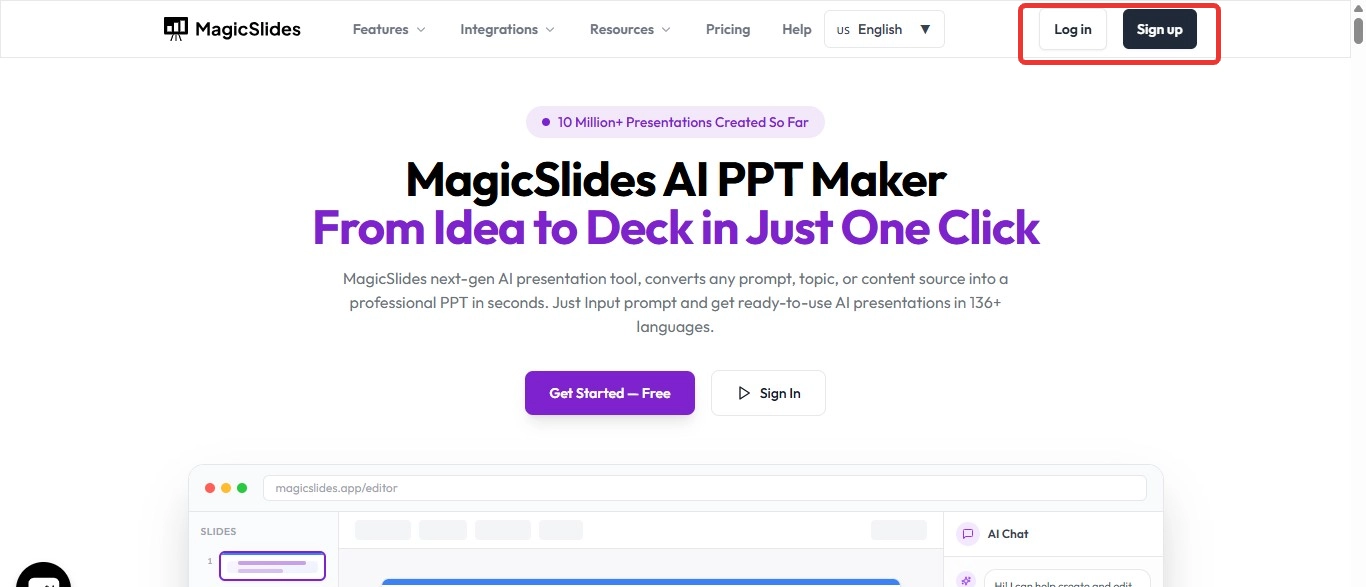
Step 1. Go to MagicSlides.app – Sign in with your Google account.
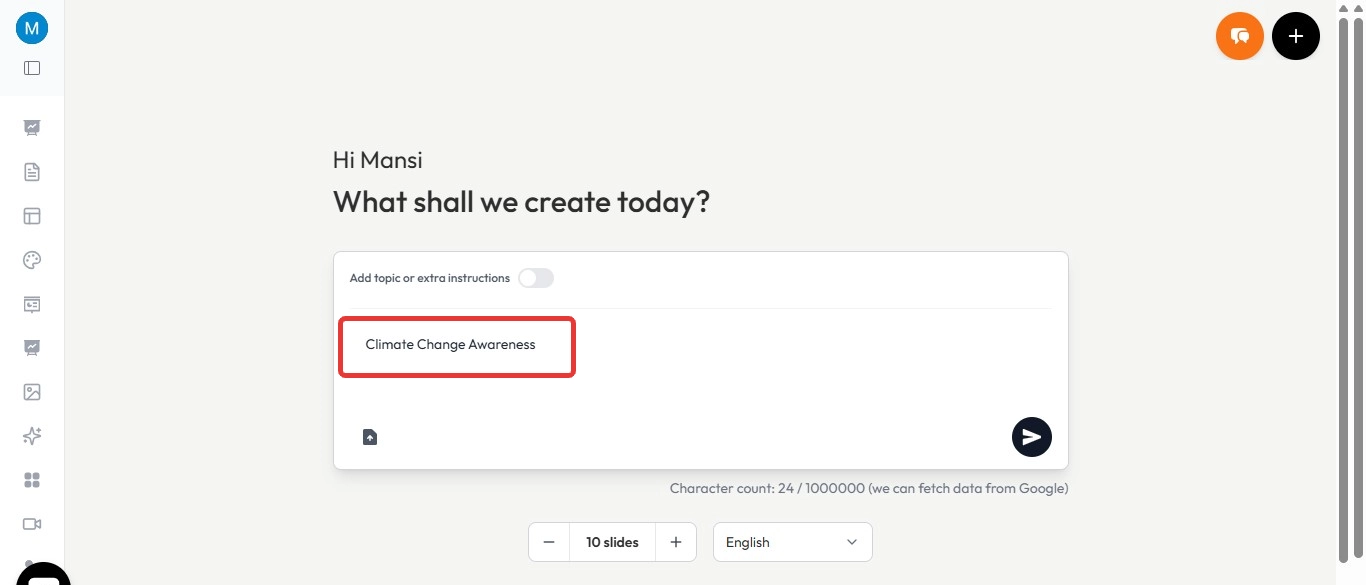
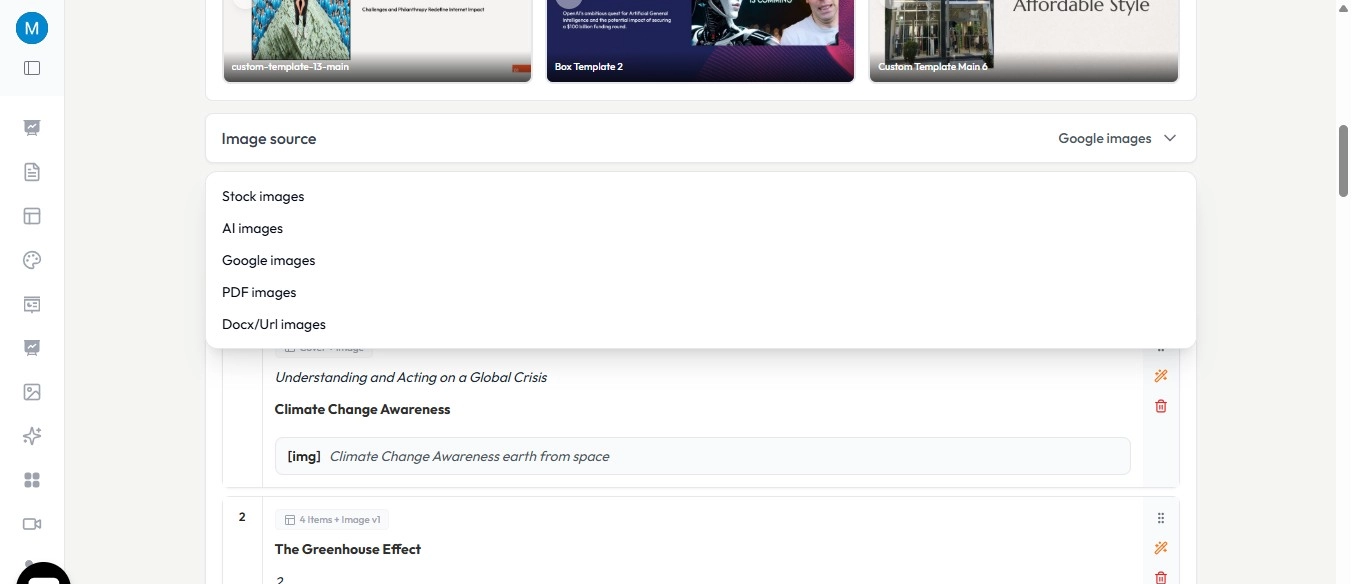
Step 2. Enter your topic or content – For example, “Climate Change Awareness.”
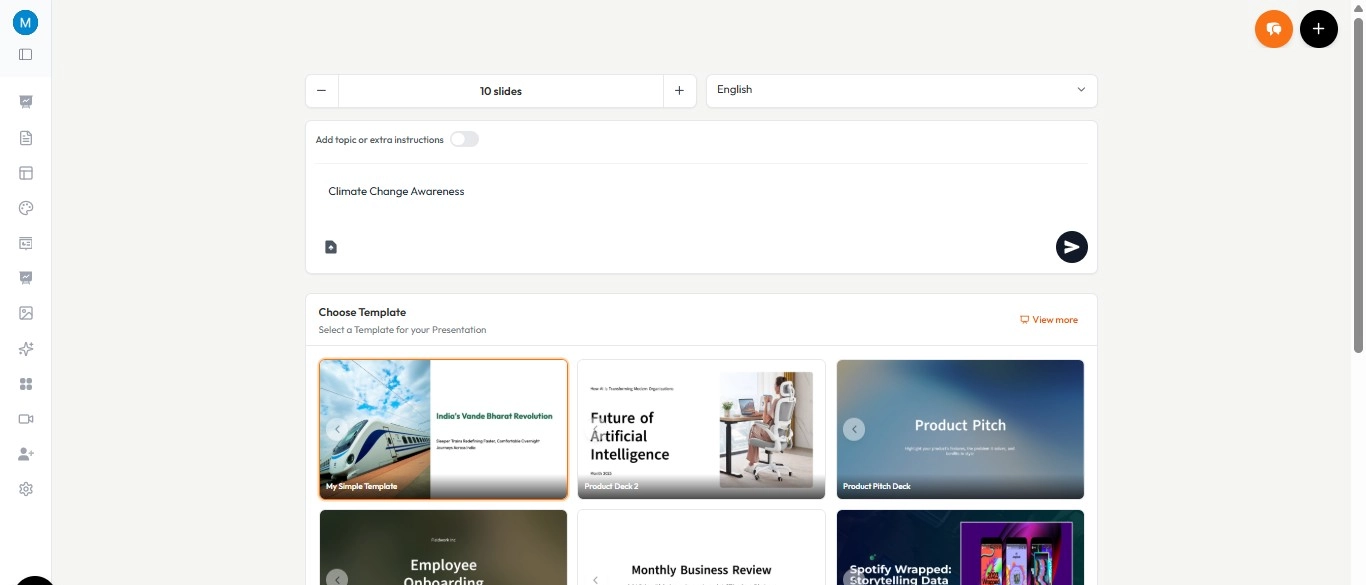
Step 3. Choose style & theme – Select a professional or creative template.
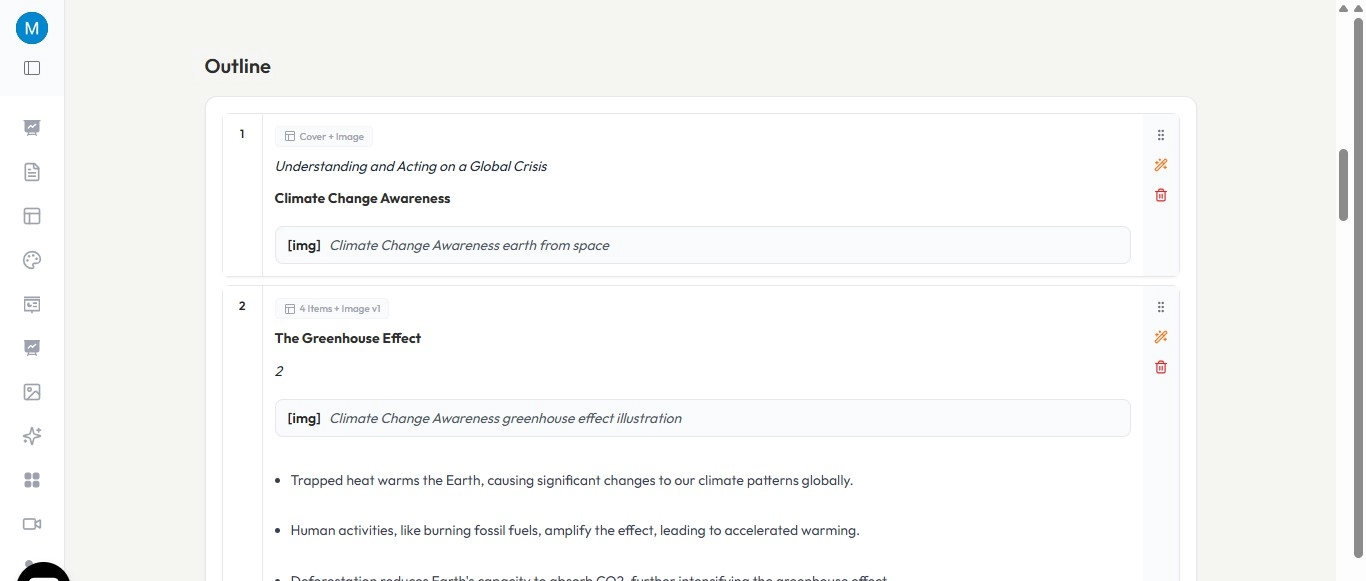
Step 4. AI generates slides instantly – With text, images, and visuals included.
Step 5. Customize – Add videos, transitions, or interactive elements.
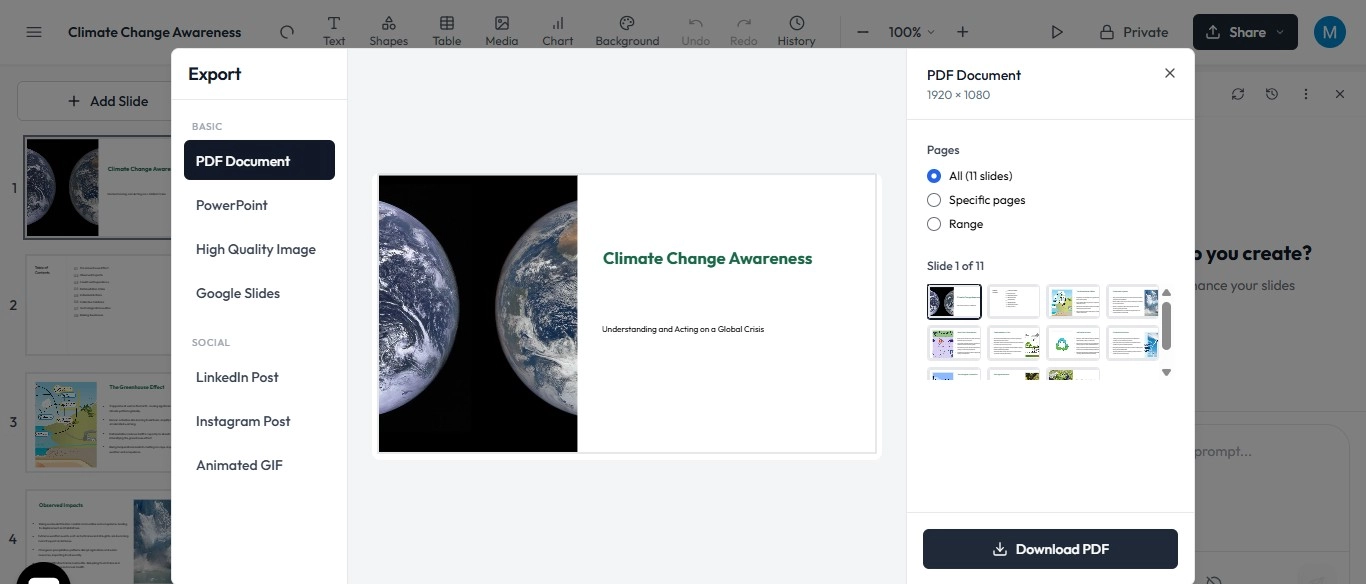
Step 6. Export to Google Slides or PPTX – Ready to present or share.
Mock Review:"I created my final-year project presentation with this software. What usually took me 5 hours was done in under 10 minutes!"
Why use this Software for multimedia presentations?
- This converts text into structured slides instantly
- It helps add visuals and presentation graphics automatically
- This helps in saving time on design and formatting
- This works directly with tools like Google Slides to make Google Slides presentation.
- It is very useful for students, professionals, and marketers
If your goal is to create an engaging presentation without spending too much time on design, using an AI-powered solution can make a noticeable difference.
Common Mistakes to Avoid
- Overloading slides with text.
- Using inconsistent fonts, colors, or styles.
- Ignoring balance between visuals and audio.
- Skipping equipment checks before presenting.
Conclusion
Understanding what is a multimedia presentation is essential in today’s digital world. It combines text, visuals, audio, and interactivity to create content that is more engaging and easier to understand. A multimedia presentation is no longer a “nice-to-have,” it’s the new standard in communication. Blending text, visuals, sound, and interactivity, it creates experiences that audiences remember.
Advanced AI tool, as we discussed earlier, anyone student, teacher, or professional, can design engaging multimedia presentations in minutes instead of hours.
FAQs on Multimedia Presentation
Q. What is a multimedia presentation in simple words?
A multimedia presentation is a presentation that uses text, images, audio, video, and animation together to explain information clearly.
Q. What are the five elements of multimedia presentation?
Text, images, audio, video, and interactivity.
Q. How do students use multimedia presentations?
For projects, assignments, and e-learning modules to make learning more interactive.
Q. What are examples of multimedia presentations in business?
Sales pitches, training workshops, investor decks, and client demos.
Q. What is the importance of multimedia in education?
It improves attention, engagement, and knowledge retention for students.


