Gandakan Slide dengan AI - Ubah Gambar menjadi Presentasi yang Dapat Diedit
Gandakan gambar presentasi apa pun dari internet menjadi file .pptx yang sepenuhnya dapat diedit dalam waktu kurang dari 2 menit. Sempurna untuk mengadaptasi desain yang menginspirasi ke merek dan konten Anda.
Upload a slide image to clone
Drag and drop or click to browse • PNG, JPEG, JPG • Max 50MB
Try with Example Slides
Click any example below to see how the clone feature works
Lihat Gandakan Slide dalam Aksi
Saksikan betapa mudahnya mengubah gambar slide apa pun menjadi presentasi yang sepenuhnya dapat diedit
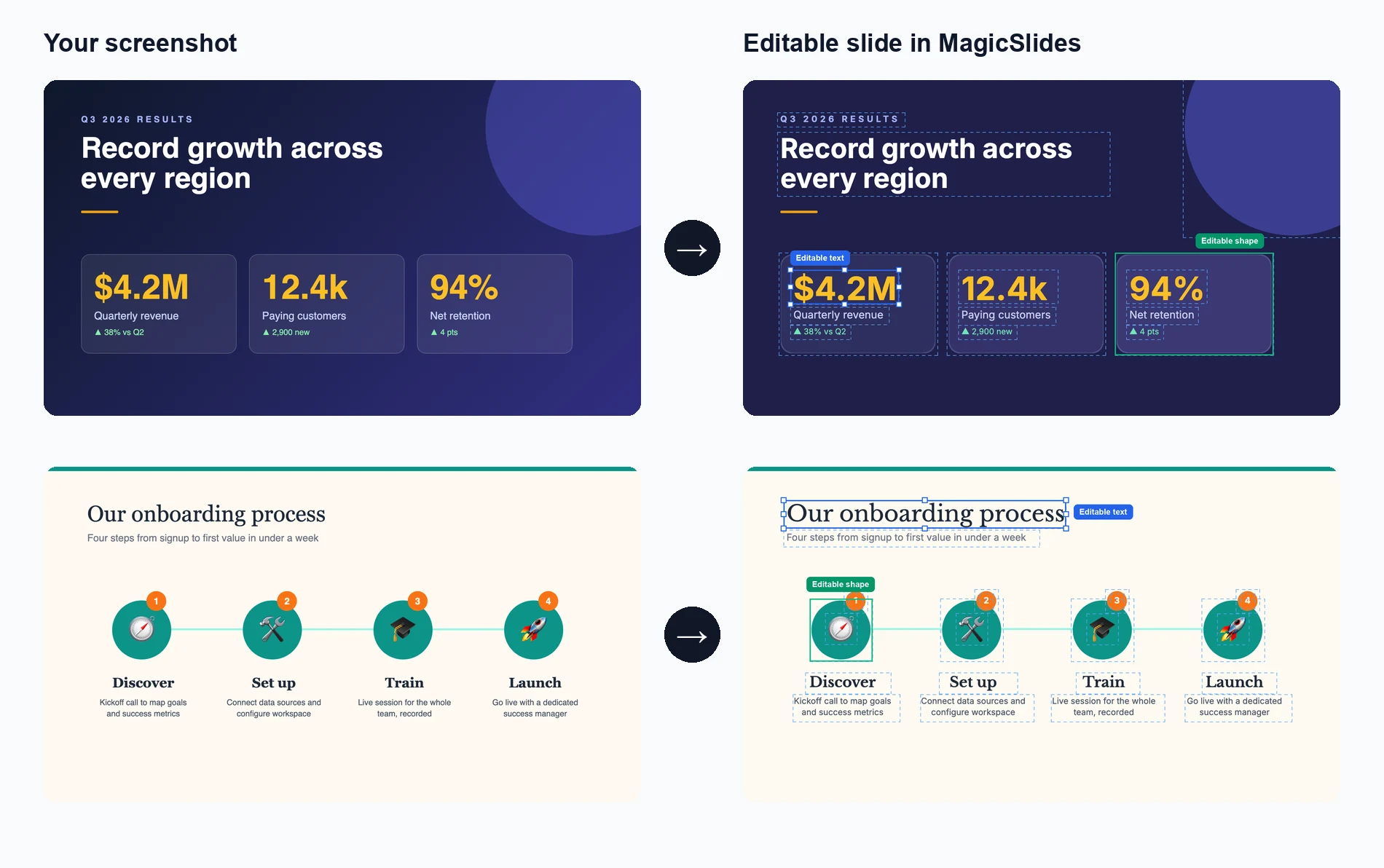
Unggah Gambar Anda
Seret dan lepas atau pilih gambar slide presentasi apa pun yang ingin Anda gandakan
AI Menganalisis & Membuat Ulang
AI kami mengekstrak teks, tata letak, dan elemen desain untuk membuat ulang slide
Edit & Sesuaikan
Dapatkan presentasi yang sepenuhnya dapat diedit di mana Anda dapat memodifikasi setiap elemen
See How Maya Clones Your Slides
Upload any slide image and Maya AI will analyze the design, extract every element, and rebuild it as a fully editable presentation

Magic Slides
Senior designer
Clone this conference slide into an editable deck
Analyzing your slide — I can see a dark gradient background with a bold title, 3-column layout with icons, and a bottom tagline. Let me recreate this as an editable deck.
Building your slides now...

How AI Slide Cloning Works
Our AI breaks down any slide image into its individual components and rebuilds each one as an editable PowerPoint element.
AI-Powered Image Analysis
Upload any slide screenshot and our AI detects every element — text blocks, shapes, icons, colors, and layout structure. It understands the visual hierarchy so the cloned version matches the original design intent.
- Works with PNG, JPG, and any image format
- Detects text, shapes, colors, and icons
- Understands layout hierarchy and spacing
Pixel-Perfect Reconstruction
Once analyzed, our AI rebuilds the slide as a fully editable PowerPoint file. Every text box, shape, and color is recreated as a native PPT element you can click, edit, and customize.
- Native PowerPoint elements, not flat images
- Edit text, change colors, resize anything
- Compatible with PowerPoint and Google Slides
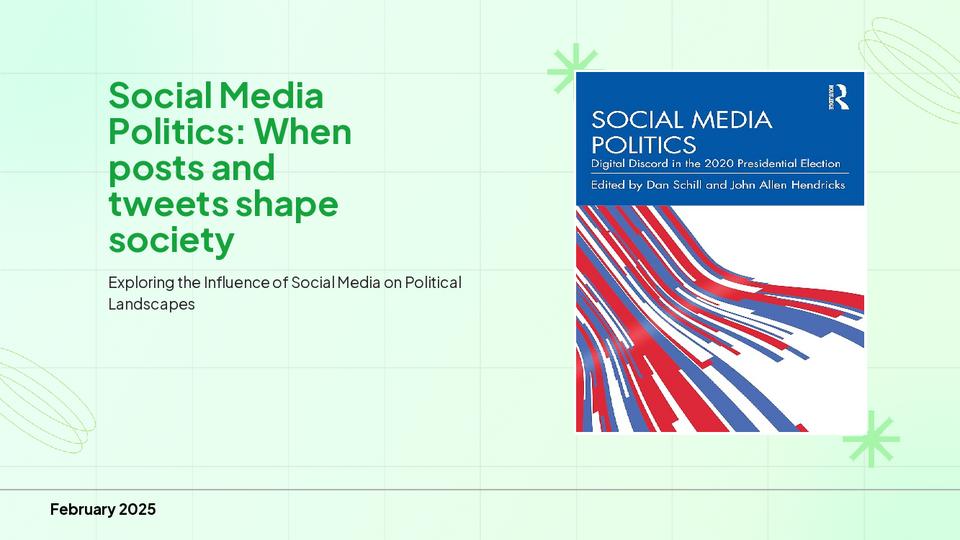
Clone from Any Source
Found a great slide on a competitor's website, a conference recording, or a design inspiration board? Screenshot it and our AI turns it into your own editable starting point.
- Conference and webinar screenshots
- Design inspiration from Pinterest or Dribbble
- Competitor decks and industry reports
Who Uses Clone Slides?
Professionals across industries use AI slide cloning to save hours of manual recreation work
Sales Teams
Clone competitor pitch decks to study their messaging, then customize with your own value props and branding for client calls.
Students & Researchers
Recreate lecture slides or conference presentation formats into editable templates for your own academic work.
Designers & Agencies
Rapidly prototype from visual inspiration — clone a layout from Dribbble or Behance and adapt it for client projects.
Marketers
Adapt high-performing social media carousel designs and industry report layouts into your own branded presentations.
Consultants
Replicate framework slides from McKinsey, BCG, or Bain-style decks and fill in your own analysis and recommendations.
Teachers & Trainers
Convert textbook diagrams, infographics, and visual aids into editable slides for classroom presentations and training materials.
AI Clone vs Manual Recreation vs Hiring a Designer
See why AI slide cloning is the fastest and most cost-effective way to turn visual inspiration into editable presentations
| Feature | MagicSlides Clone | Manual Recreation | Hiring a Designer |
|---|---|---|---|
| Time to recreate a slide | ~2 minutes | 30-60 minutes | 1-3 days |
| Cost per slide | Free / cents | Your time | $20-100+ |
| Fully editable output | Yes, every element | Yes, if built right | Depends on contract |
| Design accuracy | AI-matched layout | Approximate | High quality |
| Design skills needed | None | Required | None |
| Batch cloning (10+ slides) | Yes, minutes | No, hours | No, days |
| Output format | .pptx / Google Slides | .pptx | Varies |
| Revisions | Instant — edit yourself | Edit yourself | Extra rounds, extra cost |
Everything Gets Cloned — Down to the Details
Our AI doesn't just capture the big picture. It reconstructs every design element so your cloned slide is truly editable, not a locked image.
Text & Typography
Headings, body text, captions, and font sizes are extracted and placed as editable text boxes with matched styling.
Colors & Gradients
Background colors, gradients, accent colors, and color schemes are detected and applied exactly as they appear in the original.
Shapes & Layout
Boxes, columns, grids, dividers, and spacing are reconstructed as native PowerPoint shapes you can move and resize freely.
Icons & Images
Visual elements like icons, logos, and decorative graphics are identified and placed in matching positions within the slide.
Mengapa Menggandakan Slide dengan AI?
Ubah inspirasi presentasi apa pun menjadi karya agung yang dapat dikustomisasi dalam hitungan menit.
Penggandaan Sangat Cepat
Ubah gambar apa pun dari internet menjadi presentasi PowerPoint yang sepenuhnya dapat diedit dalam waktu kurang dari 2 menit.
Analisis Bertenaga AI
AI canggih kami menganalisis desain, tata letak, dan struktur konten untuk membuat replika yang akurat dan dapat diedit.
Keluaran yang Sepenuhnya Dapat Diedit
Setiap elemen dalam presentasi yang digandakan dapat diedit sepenuhnya - teks, gambar, warna, dan tata letak.
Pertahankan Kualitas Desain
Pertahankan daya tarik visual aslinya sambil mendapatkan kemampuan pengeditan penuh di PowerPoint.
Berbagai Format Sumber
Gandakan dari tangkapan layar, gambar web, PDF, atau format visual apa pun menjadi file .pptx yang dapat diedit.
Kustomisasi Merek
Sesuaikan presentasi yang digandakan dengan mudah agar sesuai dengan warna, font, dan panduan gaya merek Anda.
Loved by Teams Worldwide
Rated 4.1/5 on Trustpilot · 4.5/5 on G2
The slides actually look like something a skilled designer would have made — minimalist, balanced, and visually engaging. It doesn’t replace creativity, it amplifies it.

Chirag P.
Trustpilot
Very helpful in creating presentations, inserting images and data with proper alignment. Very easy to implement on your data. The customer support is really good.

Gagan M.
MIS Analyst · G2
They turned my ideas into a polished, professional presentation that exceeded my expectations. The design was sleek, engaging, and perfectly aligned with my brand.

Abdulrhman A.
Trustpilot
The presentations created are very nice, creative, and feel quite special — not like a standard or generic presentation. The customer support took time to explain everything.

Laki A.
Trustpilot
Easy to implement, not much confusion. Just paste the text and presentation will get ready within minutes. Contains different fonts, themes, and layouts which make presentations look really good.

Akash H.
System Engineer · G2
A game changer for me. I can just choose a prompt or give any URL or YouTube video and it makes a PPT on it with my favorite template or LLM model of my choice.
Priyansh S.
Trustpilot
Frequently asked questions
Bagaimana cara kerja penggandaan slide AI?
AI kami menganalisis gambar yang diunggah untuk mengidentifikasi teks, tata letak, warna, dan elemen desain. Kemudian membuat ulang setiap elemen sebagai komponen yang dapat diedit dalam file PowerPoint, mempertahankan desain asli sambil membuat semuanya dapat dikustomisasi sepenuhnya.
Format gambar apa yang dapat saya unggah?
Anda dapat mengunggah PNG, JPG, JPEG, dan format gambar umum lainnya. Tangkapan layar dari perangkat atau platform apa pun sangat cocok untuk penggandaan.
Seberapa akurat proses penggandaan?
AI kami mencapai akurasi tinggi dalam mereplikasi tata letak, konten teks, dan elemen desain. Meskipun pencocokan font yang tepat mungkin bervariasi, struktur keseluruhan dan tampilan visual direproduksi dengan setia.
Bisakah saya menggandakan beberapa slide sekaligus?
Ya, Anda dapat mengunggah beberapa gambar dan AI kami akan membuat presentasi multi-slide, dengan setiap gambar menjadi slide yang dapat diedit secara terpisah.
Apakah keluarannya sepenuhnya dapat diedit di PowerPoint?
Tentu saja! Setiap elemen dalam presentasi yang digandakan - teks, bentuk, gambar, dan tata letak - sepenuhnya dapat diedit di Microsoft PowerPoint atau Google Slides.
Bisakah saya menggunakan ini untuk desain yang dilindungi hak cipta?
Alat ini dirancang untuk penggunaan pribadi dan inspirasi. Pastikan Anda memiliki hak untuk menggunakan atau mengadaptasi desain yang Anda gandakan, dan selalu hormati hak kekayaan intelektual.
Berapa lama proses penggandaan berlangsung?
Sebagian besar slide digandakan dalam 1-2 menit. Desain yang kompleks dengan banyak elemen mungkin membutuhkan waktu sedikit lebih lama, tetapi prosesnya umumnya sangat cepat.
Apa yang membedakan ini dari mengambil tangkapan layar?
Tidak seperti tangkapan layar yang merupakan gambar datar, alat kami membuat presentasi yang sepenuhnya dapat diedit di mana Anda dapat memodifikasi teks, mengubah warna, mengubah ukuran elemen, dan menyesuaikan semuanya sesuai kebutuhan Anda.
Apakah ada batas berapa banyak slide yang dapat saya gandakan?
Silakan periksa halaman harga untuk detail tentang batas penggunaan.
Alat PPT Gratis Lainnya
Topik ke PPT dengan AI
Hasilkan presentasi yang menarik dengan cepat hanya dari kata kunci. Ideal untuk siswa dan pendidik yang membutuhkan slide kaya konten dengan cepat.
YouTube ke PPT dengan AI
Ubah video YouTube menjadi presentasi slide informatif. Sangat baik bagi pemasar dan kreator yang ingin memperluas jangkauan konten video mereka.
Generator Pitch Deck AI
Ubah Pitch Deck menjadi presentasi slide informatif. Sangat baik untuk bisnis dan startup yang ingin mempresentasikan bisnisnya.
Teks ke PPT dengan AI
Hasilkan presentasi yang menarik dengan cepat hanya dari kata kunci. Ideal untuk siswa dan pendidik yang membutuhkan slide kaya konten dengan cepat.
URL ke PPT dengan AI
Konversi halaman web apa pun menjadi presentasi komprehensif dengan mudah. Sempurna untuk profesional dan peneliti yang menyajikan data berbasis web.
PDF ke PPT dengan AI
Konversi file PDF ke slide PowerPoint dengan mudah. Esensial bagi analis dan konsultan yang berurusan dengan laporan terperinci.

Ready to create your presentation?
Join thousands of professionals who save hours every week with AI-powered presentations.
1,511 reviews · Trustpilot & Workspace


