
AI Ämne till PPT – Förvandla vilket ämne som helst till presentation med ett klick
Förvandla dina idéer till polerade presentationer direkt med MagicSlides AI Ämne till PowerPoint-konverterare. Ange bara ett ämne, eller klistra in en länk, så genererar verktyget en komplett, välstrukturerad presentation på sekunder.
13.6k PPTs created in the last 30 days
See How Maya Builds Your Presentation
Type any topic and Maya AI researches it, outlines the content, and generates a complete slide deck in seconds

Magic Slides
Senior designer
Create a presentation on climate change impact on agriculture
Great topic! I'll research the key impacts, structure the data into sections, and design slides covering rising temperatures, crop yield changes, water scarcity, and adaptation strategies.
Generating your slides now...

How Topic to PPT Works
Enter any topic and Maya AI creates a complete presentation with structured content and professional design.
AI-Powered Slide Generation
Just type a topic — our AI researches it, structures the content, and generates a complete slide deck with titles, bullet points, and visuals. No outline needed, no content writing required.
- Works with any topic or subject
- Auto-structures content into slides
- Generates 8-15 slides per topic
Professional Templates
Your topic is placed into beautiful, professionally designed templates — ready to present or customize. Choose from 50+ themes that match your subject and audience.
- Multiple design themes
- Consistent branding across slides
- Editable in PowerPoint or Google Slides
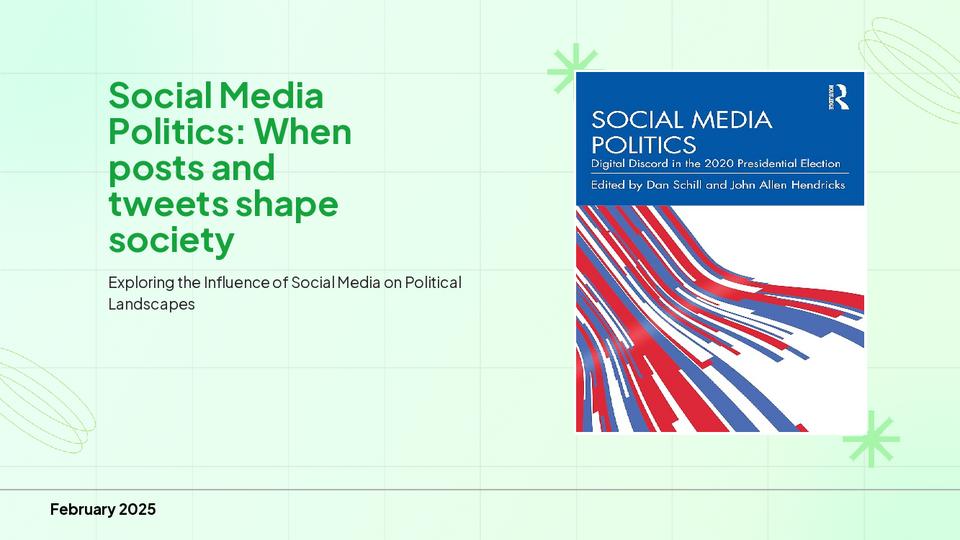
Perfect for Any Audience
From school projects to boardroom pitches — enter any topic and get presentation-ready slides tailored to your audience level and context.
- Students and educators
- Business teams and managers
- Creators and marketers
Ämne till PPT AI för att direkt förvandla idéer till presentationer
MagicSlides AI Ämne till presentationsgenerator hjälper dig att skapa kompletta bildspel från bara ett ämne eller en idé. Ange enkelt vad du vill presentera och få en färdig presentation för skola, arbete eller professionellt tal.
Quick Idea Outlines
Enter a short topic and let AI expand it into a logical presentation with key points and sections. Perfect for last-minute preparation when you have a topic in mind but no content or images ready.
Research & Informational Topics
Turn informative subjects into engaging presentations with diagrams, charts, and a natural flow — ideal for reports or knowledge sharing. Modify visuals by simply writing a prompt.
Project Topics
Convert business subjects or discussion points into organised slides that communicate your message clearly to teams or clients. Structure your project updates, proposals, and reviews in minutes.
Educational Subjects
Generate structured presentations for lectures, assignments, or classroom teaching. The AI breaks down complex subjects into easy-to-explain slides with diagrams and visual aids for better understanding.
Varför välja MagicSlides AI Ämne till PPT-konverterare
Upptäck ett smartare sätt att bygga presentationer direkt från ett ämne med bibehållen tydlighet och struktur, utan att planera bilder manuellt eller oroa sig för bildstruktur.
Intelligent Topic Breakdown
The AI analyses your subject and divides it into meaningful sections, creating a natural progression of slides from introduction to conclusion without missing key points.
Automatic Layout Selection
The AI applies relevant themes, layouts, and formatting to produce a professional slide deck in seconds. No need to adjust fonts, colors, or slide arrangements manually.
Title Slide
Two Column
Chart Slide
Bullet Points
Structured Slides for Every Purpose
Depending on the topic, the AI prepares slide formats suited to the subject — key points, process explanations, comparison slides, data layouts, and conclusion slides that keep your audience engaged.
100+ Languages Supported
Create presentations in multiple languages to reach diverse audiences. Enter your topic, choose your preferred language, and the AI generates a complete slide deck in that language — no manual translation needed.
+ 90 more languages
MagicSlides vs PowerPoint vs Google Slides
See how AI-powered topic to PPT compares with creating presentations manually
| Feature | MagicSlides | PowerPoint | Google Slides |
|---|---|---|---|
| Topic to full presentation | Yes, instant | No, manual | No, manual |
| Time to create 10 slides | ~30 seconds | ~2 hours | ~2 hours |
| AI content generation | Yes, built-in | Copilot (paid) | Gemini (limited) |
| Professional templates | Yes, auto-applied | Manual selection | Limited options |
| Design skills needed | None | Required | Required |
| Research & structure content | Yes, AI handles it | No, you do it | No, you do it |
| Export to .pptx | Yes | Yes | Yes |
| Free to start | Yes | No, license required | Yes |
Varför MagicSlides?
Everything you need to go from a topic idea to a polished presentation in under a minute.
Första utkastet på 30 sekunder
Att gå från en idé till PPT kräver många steg – att bestämma flödet är ett av dem. Med MagicSlides anger du bara innehåll och ditt utkast är klart.
Redigerbar .PPTX-nedladdning
Förvandla ämnesindata till redigerbara .PPTX-filer som kan importeras till PowerPoint, Google Slides eller vilken annan PPT-app som helst.
50+ PPT-mallar
Bibehåll en professionell estetik med AI-genererade layouter som förstärker ditt ämnes visuella attraktionskraft.
Det är snabbt
MagicSlides-appen genererar presentationer på 30 sekunder till 2 minuter beroende på inställningar som AI-bilder, Google Search och mer.
Säkert och konfidentiellt
Håll dina ämnesdata säkra med vår konfidentiella genereringsprocess, som säkerställer integritet och säkerhet.
100+ språk
MagicSlides-appen kan generera presentationen från ditt ämne på mer än 100 språk.
Loved by Teams Worldwide
Rated 4.1/5 on Trustpilot · 4.5/5 on G2
The slides actually look like something a skilled designer would have made — minimalist, balanced, and visually engaging. It doesn’t replace creativity, it amplifies it.

Chirag P.
Trustpilot
Very helpful in creating presentations, inserting images and data with proper alignment. Very easy to implement on your data. The customer support is really good.

Gagan M.
MIS Analyst · G2
They turned my ideas into a polished, professional presentation that exceeded my expectations. The design was sleek, engaging, and perfectly aligned with my brand.

Abdulrhman A.
Trustpilot
The presentations created are very nice, creative, and feel quite special — not like a standard or generic presentation. The customer support took time to explain everything.

Laki A.
Trustpilot
Easy to implement, not much confusion. Just paste the text and presentation will get ready within minutes. Contains different fonts, themes, and layouts which make presentations look really good.

Akash H.
System Engineer · G2
A game changer for me. I can just choose a prompt or give any URL or YouTube video and it makes a PPT on it with my favorite template or LLM model of my choice.
Priyansh S.
Trustpilot
Andra gratis PPT-verktyg
Klona bilder med AI
Klona valfri bild från internet till en fullt redigerbar .pptx-fil på under 2 minuter. Förvandla visuell inspiration till helt anpassningsbara presentationer direkt.
YouTube till PPT med AI
Förvandla YouTube-videor till informativa bildpresentationer. Utmärkt för marknadsförare och kreatörer som vill utöka räckvidden för sitt videoinnehåll.
AI Pitch Deck-generator
Förvandla Pitch Deck till informativa bildpresentationer. Utmärkt för företag och startups som vill presentera sin verksamhet.
Text till PPT med AI
Skapa engagerande presentationer snabbt från bara ett nyckelord. Perfekt för studenter och lärare som behöver snabba, innehållsrika bilder.
URL till PPT med AI
Konvertera enkelt valfri webbsida till en omfattande presentation. Perfekt för yrkesverksamma och forskare som presenterar webbaserad data.
PDF till PPT med AI
Konvertera PDF-filer till PowerPoint-bilder enkelt. Oumbärligt för analytiker och konsulter som hanterar detaljerade rapporter.
Vanliga frågor
1. Vad är Ämne till PPT AI?
MagicSlides AI Ämne till presentation är ett verktyg som automatiskt skapar en komplett PowerPoint-presentation från ett enda ämne eller idé. Ange ditt ämne, och AI:n genererar strukturerade bilder redo att använda. När bildspelet är skapat kan du modifiera det ytterligare genom att helt enkelt skriva en prompt i det. När du är nöjd med resultatet, ladda ner det i önskat filformat, som MS PowerPoint (PPTX), PDF, PNG, Google Slides, osv.
2. Behöver jag skriva innehåll innan jag genererar presentationen?
Nej, du behöver inga anteckningar eller utkast. Ämne till PPT AI-verktyget bygger innehållet baserat på ditt ämne, men du kan lägga till instruktioner för mer specifika resultat. Du kan också lägga till en exempelpresentation eller företagets logotyp för att låta det generera PPT:n med bibehållen konsekvens.
3. Hur fungerar Ämne till presentation AI?
AI:n analyserar ditt ämne, väljer de viktiga punkter eller innehåll som bör täckas och organiserar dem i en logisk bildsekvens med rubriker, innehåll och visuella element lämpliga för presentation.
4. Kan jag redigera bilderna efter generering?
Ja. Du kan granska och anpassa bilderna innan nedladdning för att matcha dina krav eller presentationsstil. Du behöver inte göra ändringar manuellt, ange bara texten för de ändringar du vill ha och låt Ämne till PPT AI göra det. När du är nöjd med resultatet, ladda ner det i PPTX-format för delning eller presentationsändamål.
5. Vilket filformat får jag?
Din presentation kan laddas ner som en PowerPoint (PPT)-fil, PDF, Google Slides, PNG eller JPEG. Dessa format är enkelt tillgängliga i vilket operativsystem (OS) som helst och enkla att redigera och presentera med standard presentationsprogram.
6. Är Ämne till PPT AI lämplig för studenter och yrkesverksamma?
Absolut. Det fungerar för: - Akademiska presentationer - Affärsmöten - Projektrapporter - Seminarier - Och många andra användningsfall.
7. Hur lång tid tar det att skapa en presentation?
De flesta presentationer genereras inom sekunder, beroende på ämnets komplexitet och det begärda antalet bilder. Vårt Ämne till presentation-verktyg tar maximalt 2 minuter för långa och komplicerade ämnen som behöver detaljerat innehåll och skarpa visuella element. För enkla ämnen får du resultat på 15–30 sekunder.
8. Kan jag skapa presentationer på olika språk?
Ja. Ämne till PPT AI-verktyget stöder 100+ globala språk, vilket gör att du kan generera presentationer för olika målgrupper världen över.

Ready to create your presentation?
Join thousands of professionals who save hours every week with AI-powered presentations.
1,511 reviews · Trustpilot & Workspace


