6 Ways MagicSlides.app Can Actually Save You Time


Discover 6 time-saving ways MagicSlides.app revolutionizes presentations with AI-powered slide generation, templates, content suggestions, and seamless design enhancements.
Creating compelling and professional presentations is a time-consuming task, often requiring hours of design work, content structuring, and revisions. MagicSlides.app, a powerful AI-powered tool, streamlines this process by automating many aspects of slide creation. Whether you're a business professional, educator, or student, MagicSlides can revolutionize the way you build presentations.
In this blog post, we’ll explore six practical ways MagicSlides.app can save you time, while maintaining high-quality standards for your work. Let’s dive in!
6 Ways MagicSlides.app Saves You Time
1. Automated Slide Generation
Traditionally, building a presentation involves manually gathering content, deciding on a layout, and piecing everything together. MagicSlides takes the hard work out of this process by generating slides automatically from your input. Simply provide a title or key points, and the app crafts a polished presentation in minutes.
- How It Saves Time:
- No need to start from scratch.
- Content structuring and slide design are handled simultaneously.
- Ideal for last-minute presentations or when you're short on time.
2. Customizable Templates
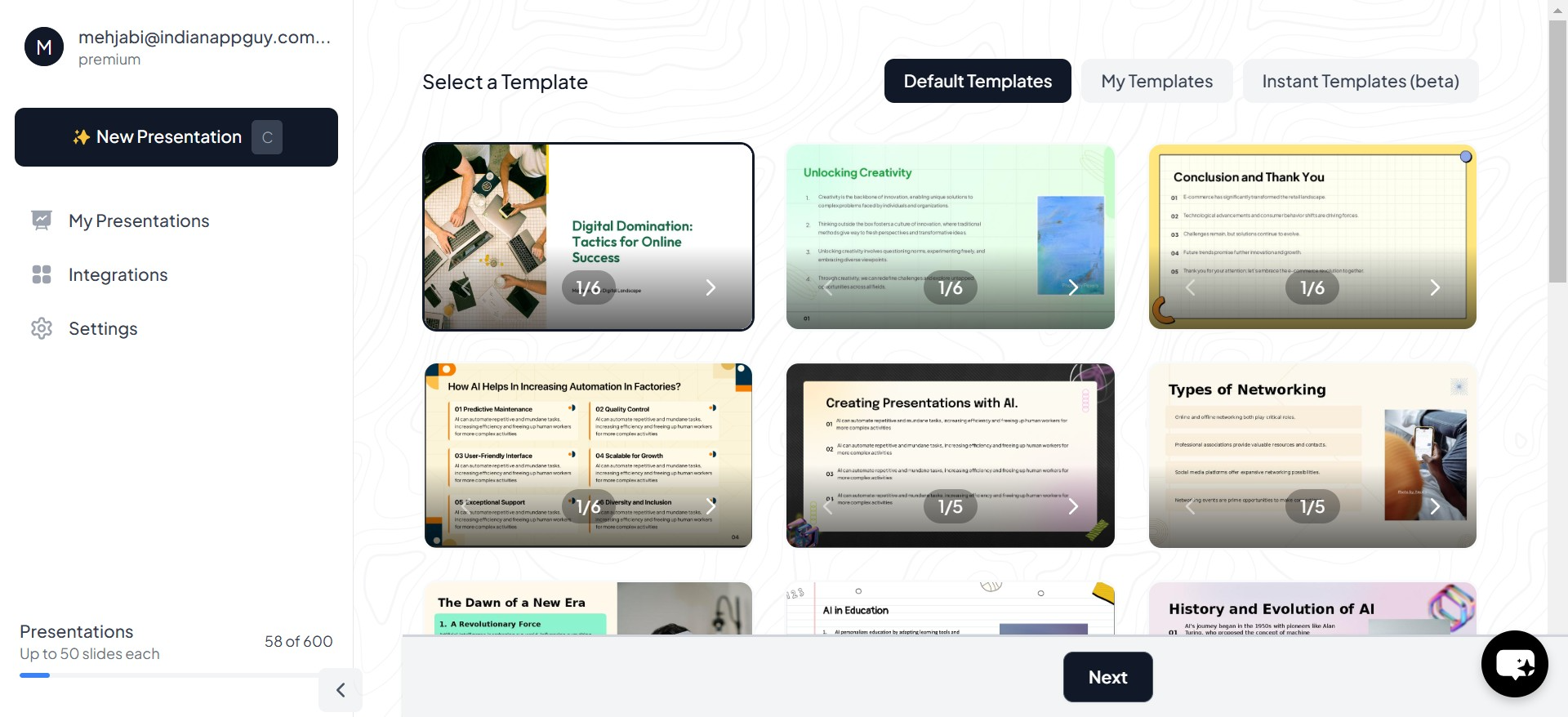
Choosing the right template can often take longer than creating the actual content. MagicSlides offers a wide range of professional templates tailored for various industries and purposes. These templates are easy to customize, ensuring that your presentation aligns with your specific branding or tone.
- How It Saves Time:
- Pre-designed templates eliminate the need to build layouts manually.
- You can focus on fine-tuning the content rather than design details.
- Changes are instantly applied across all slides, reducing repetitive work.
3. Content Suggestions
Struggling with writer’s block? MagicSlides incorporates AI to suggest relevant content for your slides, based on your topic. This feature is especially useful for brainstorming ideas, refining points, or even filling gaps in your presentation.
- How It Saves Time:
- AI provides instant suggestions, minimizing time spent on research.
- Generates structured bullet points or text summaries that fit seamlessly into your slides.
- Reduces back-and-forth iterations during content creation.
4. Real-Time Edits and Revisions
Revising a presentation often involves combing through multiple slides, editing content, and re-aligning elements. MagicSlides simplifies this process with intuitive editing tools that allow you to make real-time adjustments with minimal effort.
- How It Saves Time:
- Centralized editing ensures consistency across slides.
- Smart alignment tools adjust visuals and text automatically.
- Instant feedback on changes means fewer errors and quicker refinements.
5. AI-Powered Design Enhancements
Designing visually appealing slides often requires a good understanding of design principles. MagicSlides employs AI to handle the finer details of design, such as typography, color schemes, and alignment. It ensures that every slide looks professional and cohesive.
- How It Saves Time:
- No need for advanced design skills or software expertise.
- Automatically suggests design improvements, saving you from trial-and-error.
- Reduces the time spent tweaking visual elements to achieve perfection.
6. Collaboration and Integration
Working on a team project often involves sharing files, merging edits, and ensuring everyone is on the same page. MagicSlides supports seamless collaboration by integrating with popular tools like Google Slides and PowerPoint.
- How It Saves Time:
Why Choose MagicSlides?
While there are many tools available for creating presentations, MagicSlides stands out for its focus on efficiency and quality. It’s not just about creating slides faster but ensuring that the results are engaging and professional.
By automating time-consuming tasks like design, content generation, and formatting, MagicSlides allows you to focus on what really matters: delivering impactful presentations.
Conclusion
In a world where time is of the essence, tools like MagicSlides.app can be a game-changer. Whether you're preparing for a corporate pitch, a classroom lecture, or a team meeting, MagicSlides empowers you to create high-quality presentations in a fraction of the time it would traditionally take.
With features like automated slide generation, customizable templates, and AI-powered design, MagicSlides doesn’t just save you time—it enhances the quality of your work. Ready to transform the way you create presentations? Try MagicSlides.app today and see the difference for yourself.


