
PDF to PowerPoint Converter with AI
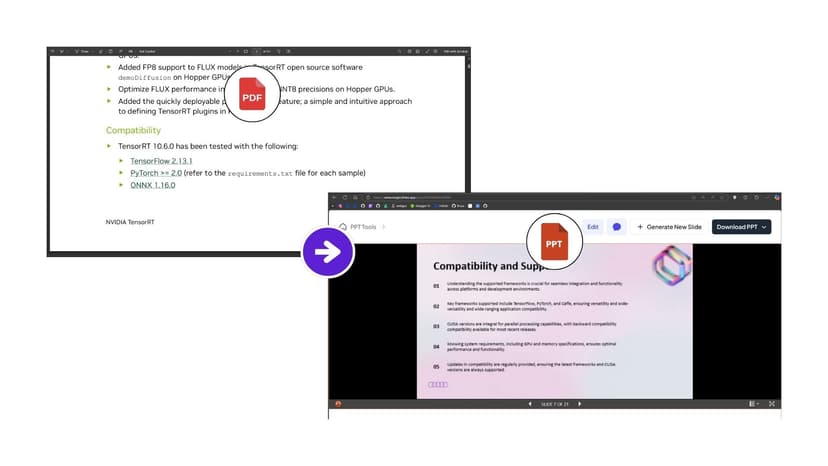
Export any PDF document into professional PowerPoint presentations with advanced AI technology, while preserving layouts in minutes.
13.6k PPTs created in the last 30 days
See Maya in Action
Watch how Maya turns your PDF into a polished, editable presentation

Magic Slides
Senior designer
Turn this PDF into a presentation
Got it! I'm reading your PDF now — pulling out the key sections, data, and takeaways to structure into clean, editable slides.
Generating your slides now...

How to Convert PDF to PowerPoint with MagicSlides
Follow our simple step-by-step process to convert your PDF documents into professional PowerPoint presentations:
See MagicSlides in Action
Perfect for Every Professional Need
Our AI-powered PDF to PowerPoint converter serves diverse industries and use cases, delivering professional results for every scenario.
Business Reports & Analytics
Export reports and business analytics PDFs into MS PowerPoint for stakeholders, clients, and board meetings.
Research & Education
Convert research papers and documents into educational presentations for lectures and student projects.
Training & Documentation
Turn technical manuals and training guides into interactive training presentations for employees and skill development.
Marketing & Sales Materials
Convert product catalogues and marketing materials into sales presentations for client meetings and product launches.
Advanced AI PDF to PowerPoint Converter
Our cutting-edge artificial intelligence ensures high-quality PDF to PowerPoint conversions with professional results consistently.
Smart Content Recognition
Our PDF to PowerPoint Converter automatically identifies headings, body text, bullet points, tables, charts, and images to create properly structured PowerPoint slides with appropriate slide formatting.
Professional Template Application
Automatically applies professional presentation templates and themes to align with your content while maintaining readability.
Quality Optimization
Enhances image resolution and ensures compatibility across all PowerPoint versions and presentation platforms.
Why Choose MagicSlides AI to Convert PDF to PPT?
Create polished PowerPoint files from PDFs with exact formatting
Create PPT from PDFOCR Text Recognition
Optical Character Recognition technology converts scanned documents and image-based PDFs into fully editable PowerPoint text with 99.5% accuracy.
Layout Preservation Technology
Proprietary algorithms preserve the original formatting, fonts, and visual elements across all slides.
Batch Processing Capabilities
Convert multiple PDF files simultaneously with intelligent queuing and unified download options.
Multi-Language Support
Supports 50+ languages with automatic detection and proper character encoding.
Technical Specifications & Requirements
Comprehensive details about supported formats, limitations, and system requirements
Supported Input Formats
- • Standard PDF documents (.pdf)
- • Scanned PDF files with OCR
- • Image-based PDFs
- • Multi-page documents
- • Password-protected PDFs
- • Files up to 100MB in size
Output Features
- • PowerPoint PPTX format
- • Google Slides compatibility
- • Fully editable slides
- • Preserved formatting
- • High-quality images
- • Speaker notes included
Advanced AI Technology & Enterprise Security
Smart AI processing with built-in enterprise security safeguards
How MagicSlides AI PDF to PowerPoint Converter Works
Document Analysis
AI scans PDF structure and maps hierarchical relationships.
Content Extraction
Advanced OCR and machine learning extract text, images, and preserve formatting.
Intelligent Formatting
AI applies slide layouts and maintains design consistency.
Quality Assurance
Automated quality checks ensure readability and professional presentation standards.
Security & Privacy Features
AI vs Traditional Conversion Methods
See why AI-powered conversion delivers superior results compared to traditional methods
| Feature | AI Conversion | Traditional Tools |
|---|---|---|
| Layout Preservation | ✓ Perfect | Often Broken |
| OCR Accuracy | ✓ 99.5% | 85% |
| Processing Speed | ✓ 2-5 minutes | 10-15 minutes |
| Batch Processing | ✓ Supported | Limited |
| Content Recognition | ✓ Intelligent | Basic |
Other Free PowerPoint Tools
Clone Slides with AI
Clone any image from the internet into a fully editable .pptx file in under 2 minutes. Transform visual inspiration into customizable presentations instantly.
Topic to PPT using AI
Generate engaging presentations quickly from just a keyword. Ideal for students and educators needing fast, content-rich slides.
YouTube to PPT using AI
Turn YouTube videos into informative slide presentations. Excellent for marketers and creators looking to expand their video content's reach.
AI PitchDeck Generator
Turn Pitch Deck into informative slide presentations. Excellent for business and startup looking to present his business.
Text to PPT using AI
Generate engaging presentations quickly from just a keyword. Ideal for students and educators needing fast, content-rich slides.
URL to PPT using AI
Effortlessly convert any web page into a comprehensive presentation. Perfect for professionals and researchers presenting web-based data.
Frequently asked questions
How does AI improve PDF to PowerPoint conversion?
Our AI technology analyses PDF structure, preserves layouts, and formats content into professional PowerPoint slides while maintaining hierarchy.
What file formats and sizes are supported?
We support PDF files up to 100MB in size. The PDF to PowerPoint converter works with standard PDFs, scanned documents, image-based PDFs, and multi-page documents. Output formats include PPTX (PowerPoint) and Google Slides compatible files.
Will my converted PPT maintain the original design and layout?
Yes, our AI preserves original layouts, fonts, colors, spacing, and positioning. Images, charts, and graphics are maintained in high quality.
Can I edit the PowerPoint slides after conversion?
Absolutely! The converted PPT files are fully editable in PowerPoint, Google Slides, or any compatible presentation software. You can modify as per your requirements.
How does the tool handle scanned PDFs and image-based documents?
Our advanced OCR (Optical Character Recognition) technology converts scanned text into editable content. The AI preserves image quality while making the content fully editable.
Is my data secure during the conversion process?
Yes, all files are encrypted during upload and processing, and they will automatically be deleted after 24 hours from the cloud. We comply with GDPR and data protection regulations.
How long does the PDF to PowerPoint conversion take?
Conversion time depends on file size and complexity. Simple PDFs convert in 1-2 minutes, while complex documents with many images may take 3-5 minutes. You'll receive real-time progress updates during processing.
What languages are supported for OCR and text recognition?
Our AI supports over 50 languages, including English, Spanish, French, German, Chinese, Japanese, Arabic, Hindi, Portuguese, Russian, Italian, and many more. The MagicSlides AI automatically detects the document language.
Are there any conversion limits or usage restrictions?
Free users can convert up to 3 PDFs per month. Premium plans offer unlimited conversions and advanced features.
View Pricing PlansCan I convert multiple PDFs at once?
Yes, premium users can upload and convert multiple PDF files simultaneously. Batch processing saves time and maintains consistent formatting across all presentations.

Reshape any PDF into editable slides
Upload a PDF and let AI rebuild it as a clean, fully editable PowerPoint you can present right away.
1,511 reviews · Trustpilot & Workspace


