Are Cute PowerPoint Templates Necessary for Making Good Presentations?


Discover the importance of cute PowerPoint templates and how Magicslides.app simplifies creating stunning, professional presentations with customizable, ready-to-use designs.
When it comes to creating a compelling presentation, many professionals wonder if using cute PowerPoint templates is necessary to make a lasting impact. While the content of your presentation is the backbone, the visual appeal plays a significant role in holding your audience's attention.
Let’s dive into why well-designed templates can elevate your presentation and how platforms like Magicslides.app can make the process seamless.
The Role of Design in Presentations
First Impressions Matter
Research shows that humans process visuals much faster than text. The design of your slides creates the first impression of your presentation. A clean, attractive, and appropriately themed template can set the tone and make your content more engaging.
Boosts Engagement and Retention
A well-designed template helps in maintaining the audience's focus. Cute and visually appealing designs aren’t just for aesthetics—they help structure the flow of information and make key points memorable.
Do You Really Need Cute PowerPoint Templates?
The necessity of a cute PowerPoint template depends on your audience and the purpose of your presentation. Here are some scenarios where they are particularly effective:
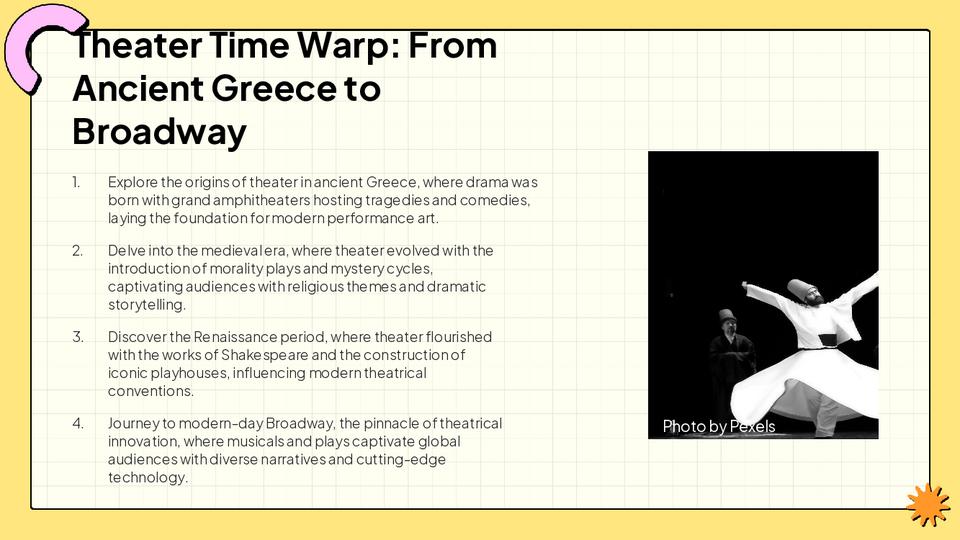
- Educational Presentations: Students and teachers benefit from visually engaging slides, as it helps break down complex ideas into digestible chunks.
- Corporate or Team Meetings: Adding a splash of creativity can lighten the mood while still maintaining professionalism.
- Creative Pitches or Proposals: Aesthetic templates showcase your attention to detail and creativity, leaving a lasting impression.
However, the key is to ensure the design complements your content rather than overshadowing it.
Why Choose Magicslides.app for Cute PowerPoint Templates?
Creating a visually appealing presentation can feel daunting, especially if you lack design skills. Magicslides.app simplifies this process by offering an extensive library of cute PowerPoint templates tailored for different purposes. Whether you’re preparing a corporate report or a school project, Magicslides has you covered.
Steps to Create a Stunning Presentation with Magicslides.app
- Visit Magicslides.app
Go to Magicslides.app on your browser. The user-friendly interface ensures you can get started instantly.
- Go to Slide Templates
Browse through a vast collection of professionally designed templates, including cute PowerPoint templates for various themes.
- Download Your Template or Create a Presentation Within Magicslides
You can either download the selected template to use in PowerPoint or use Magicslides’ built-in editor for a seamless experience.
- Click on Create
In the editor, click on the "Create" button to start building your presentation.
- Enter Your Topic
Provide the topic or theme of your presentation. Magicslides will tailor the content and design accordingly.
- Click Generate Instant PPT
Let Magicslides work its magic by generating a professional-grade presentation for you.
- Your PPT is Ready
Review the output, make any final tweaks, and you’re ready to impress your audience.
What Makes Magicslides.app Stand Out?
- Extensive Template Library: Whether you're looking for professional, creative, or cute PowerPoint templates, Magicslides has it all.
- AI-Powered Content Creation: The platform doesn’t just offer templates; it helps generate complete slides with structured content, saving you time.
- Ease of Use: No design or technical skills? No problem. The intuitive interface ensures anyone can create impressive presentations.
- Customizable Designs: Each template is fully customizable, so you can align it with your branding or personal style.
Final Thoughts
While cute PowerPoint templates may not be essential for every presentation, they can undoubtedly enhance the overall impact when used appropriately. Platforms like Magicslides.app make it easy to access beautiful templates and streamline the presentation creation process. By blending visually appealing designs with impactful content, you can ensure your audience stays engaged and leaves impressed.
So why not give it a try? Head over to Magicslides.app today and see how effortless creating stunning presentations can be!


