Are There Actually Great Presentation Software Online in 2025?


Discover the best presentation software of 2025! Learn how Magicslides.app simplifies creating stunning slideshows with AI-driven, time-saving features.
In 2025, the need for great presentation software has never been greater. From students preparing school projects to business professionals pitching ideas, the demand for tools that make creating visually appealing and effective presentations easy is constantly rising.
With so many tools available online, the question arises: are there truly great presentation software options available today? The answer is a resounding yes, and one tool that stands out above the rest is Magicslides.app.
In this blog, we’ll explore what makes a presentation tool great, discuss the benefits of Magicslides.app, and provide a step-by-step guide to using it. By the end, you’ll see why this platform is redefining how we approach presentation creation.
What Defines Great Presentation Software?
Before diving into specific tools, it’s essential to identify what sets great presentation software apart from the rest. A truly exceptional tool should:
- Be User-Friendly: You shouldn’t need to be a graphic designer or a tech wizard to create professional slides.
- Offer Customization: A great tool allows for personalization while maintaining ease of use.
- Save Time: The best tools streamline the process, letting users focus on content rather than design.
- Support Collaboration: In a world where remote work is the norm, collaboration features are a must.
- Deliver High-Quality Results: The finished product should look polished and engaging, regardless of your design expertise.
In 2025, one tool that meets all these criteria—and often exceeds them—is Magicslides.app.
Introducing Magicslides.app: The Ultimate Solution
Magicslides.app is an innovative platform that takes the guesswork out of creating stunning presentations. Using advanced AI, it can generate entire presentations with just a few clicks. Whether you’re preparing for a meeting, a class project, or a conference, Magicslides.app ensures you’ll have a professional-looking presentation in no time.
Why Choose Magicslides.app?
- Simplicity: No design skills? No problem. Magicslides.app is built for everyone.
- AI-Driven Efficiency: The platform uses artificial intelligence to instantly generate slides based on your topic.
- Custom Themes and Styles: Choose from a wide range of themes to suit your needs.
- Flexible Options: Decide how many slides you need and adjust the content easily.
- Time-Saving: Create presentations in minutes, not hours.
Step-by-Step Guide to Using Magicslides.app
Ready to see how Magicslides.app works? Follow these simple steps:
1. Visit Magicslides.app
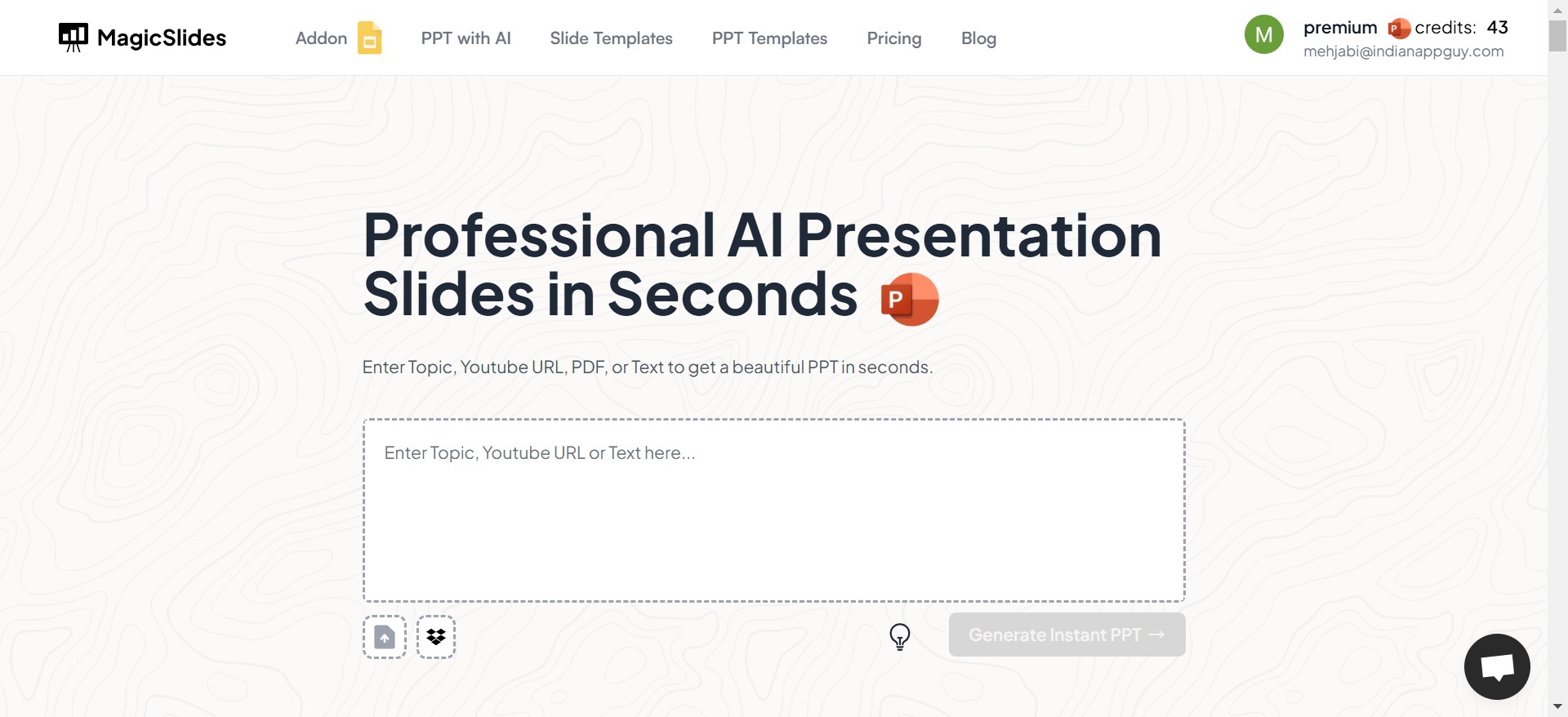
Open your browser and navigate to Magicslides.app. The platform has a clean and intuitive interface, so you’ll feel at home right away.
2. Enter Your Topic
On the homepage, you’ll see a text box where you can enter the topic of your presentation. Whether it’s “The Future of AI in Healthcare” or “Top 10 Marketing Strategies,” just type it in.
3. Click “Generate Instant PPT”
Once you’ve entered your topic, hit the Generate Instant PPT button. The AI gets to work immediately, creating a well-structured outline for your presentation.
4. Select Slide Theme and Number of Slides
Next, choose a slide theme that fits your presentation’s tone and purpose. Need something professional? Go for a sleek, corporate theme. Want something fun? Opt for a colorful design. You can also select the number of slides you need.
5. Click “Generate”
After selecting your preferences, click the Generate button. Magicslides.app will work its magic, creating an entire presentation in seconds.
6. Your PPT is Ready!
Once the slides are generated, you can download them directly or make edits to fine-tune the content. The platform makes it easy to adjust anything, from text to images.
Why Magicslides.app Stands Out
Compared to traditional presentation tools like PowerPoint or Google Slides, Magicslides.app offers a completely different experience. While those tools are excellent for manual design, they can be time-consuming and require significant effort to create something professional. Magicslides.app removes that burden by automating the entire process. It’s perfect for busy professionals, students, and anyone who values their time.
Other Popular Options in 2025
While Magicslides.app is the standout option, there are other tools worth mentioning for their unique features:
- Canva: Known for its drag-and-drop design, Canva is a favorite for those who enjoy creative control.
- Google Slides: A reliable choice for collaboration, especially for teams using Google Workspace.
- Prezi: Ideal for non-linear, highly interactive presentations.
However, none of these tools quite match the speed, ease, and AI-powered customization offered by Magicslides.app.
Conclusion: The Future of Presentations is Here
In 2025, creating great presentations no longer requires hours of effort or advanced design skills. Tools like Magicslides.app are revolutionizing the way we think about presentations, making them accessible, efficient, and visually stunning.
If you’re tired of spending too much time on slides or want a tool that delivers polished results effortlessly, give Magicslides.app a try. It’s not just a presentation tool—it’s your secret weapon for success.
So, the next time you ask, “Are there actually great presentation software options online?”—you’ll know the answer.


