Best AI Assesment Generator


Tired of manually creating questions for exams try our free AI Assesment or questions generator and save your time.
Creating examination papers can be a time-consuming and challenging task for educators and examination authorities. Crafting a set of well-structured and diverse questions that accurately assess a student's knowledge is crucial for a fair evaluation process.
However, the traditional approach to question paper creation involves manual labor, which can be both tedious and prone to errors. Enter MagicForm, a question generator add-on for Google Forms, that has revolutionized the process of generating questions on any topic efficiently and effectively.
In this blog post, we'll explore how question paper setters for exams can benefit from using MagicForm to save time, streamline their workflow, and enhance the overall examination experience.
The MagicForm Advantage: A Step-by-Step Guide
Step 1: Installing the add on
The journey with MagicForm begins by installing the user-friendly add-on by visiting https://www.magicform.app/. This seamless installation process ensures that educators can quickly integrate it into their existing educational technology toolkit.

Step 2: Open Google Forms After successful installation, open Google Forms, and you will find MagicForm conveniently located in the extensions tab. Click on MagicForm to launch the add-on.
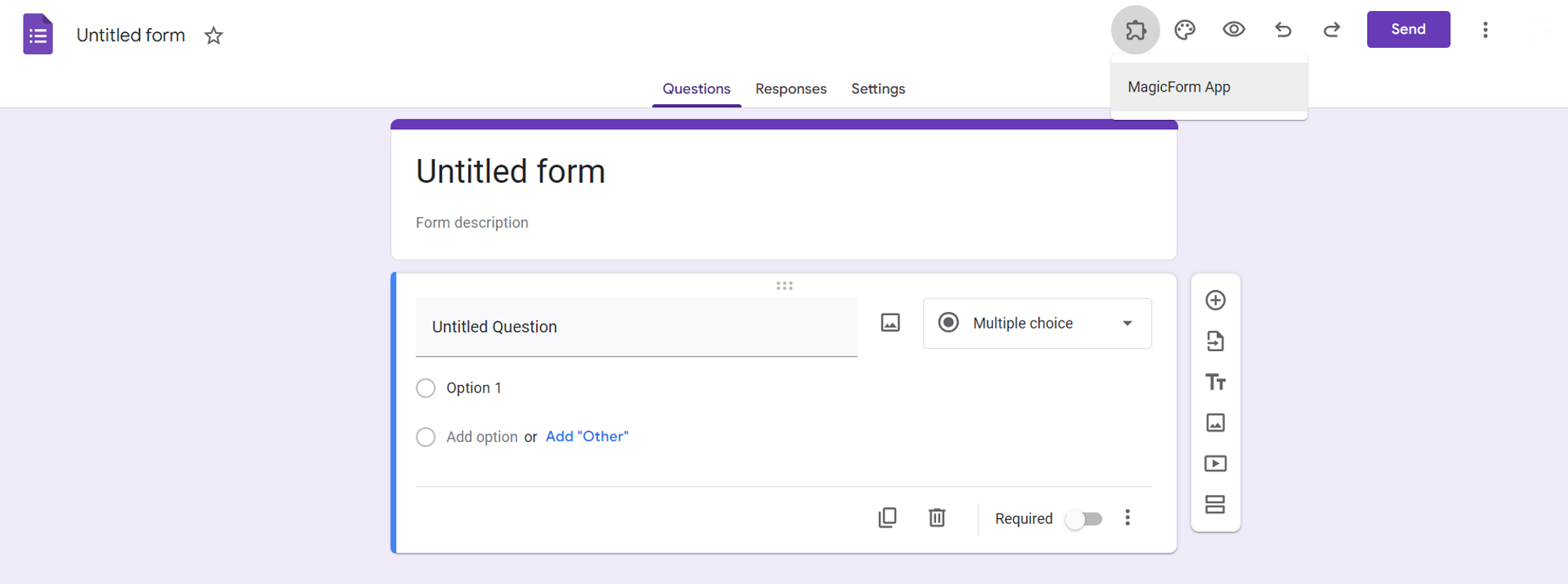
Step 3: Provide the Topic MagicForm's user-friendly interface allows you to specify the topic for which you want to generate questions. Whether it's mathematics, history, science, or any other subject, MagicForm can generate questions on virtually any topic you require.
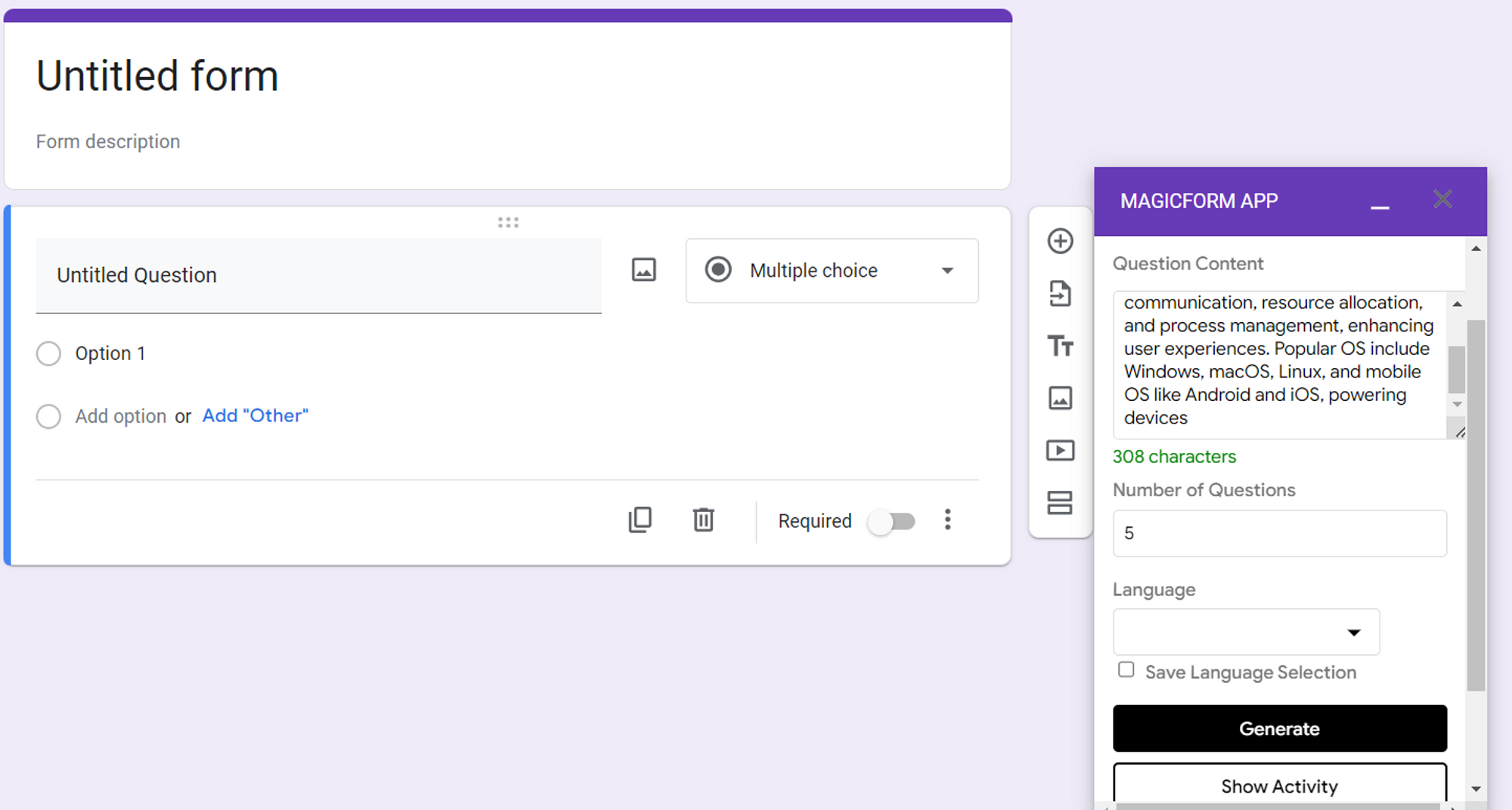
Step 4: Specify the Number of Questions Next, tell MagicForm how many questions you'd like to generate. You have the flexibility to choose the quantity that best suits your examination requirements. Simply input the desired number and proceed to the next step.
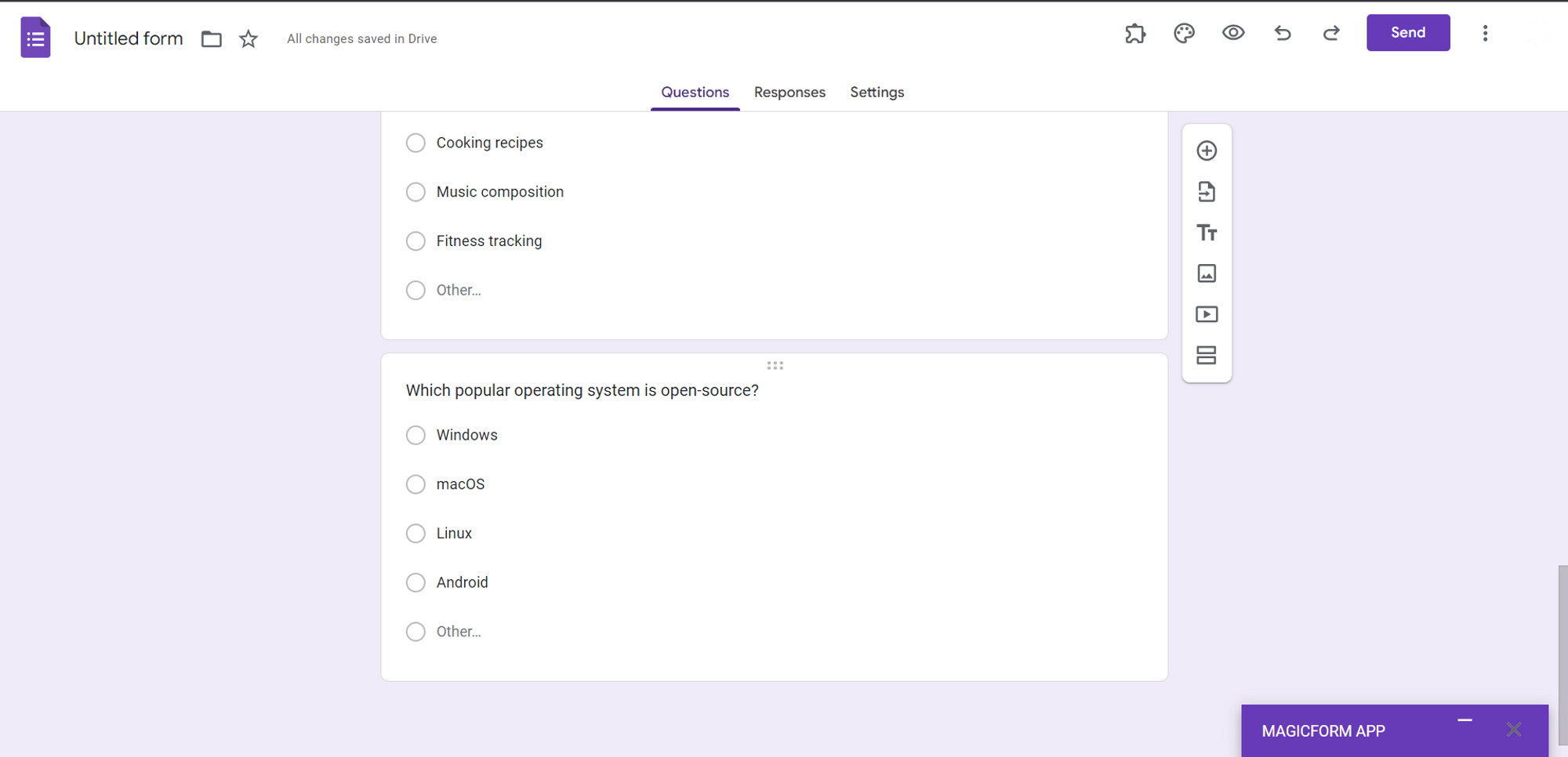
Step 5: Generate Questions Click on the "Generate" button, and like magic, MagicForm will swiftly generate a set of questions related to your chosen topic. These questions are not only varied but also well-structured, ensuring a comprehensive assessment of the students' knowledge.
Step 6: Share the Forms with Students Once you have your questions generated, share the Google Forms containing these questions with your students. This can be done effortlessly through Google Forms' sharing options, allowing for easy distribution.
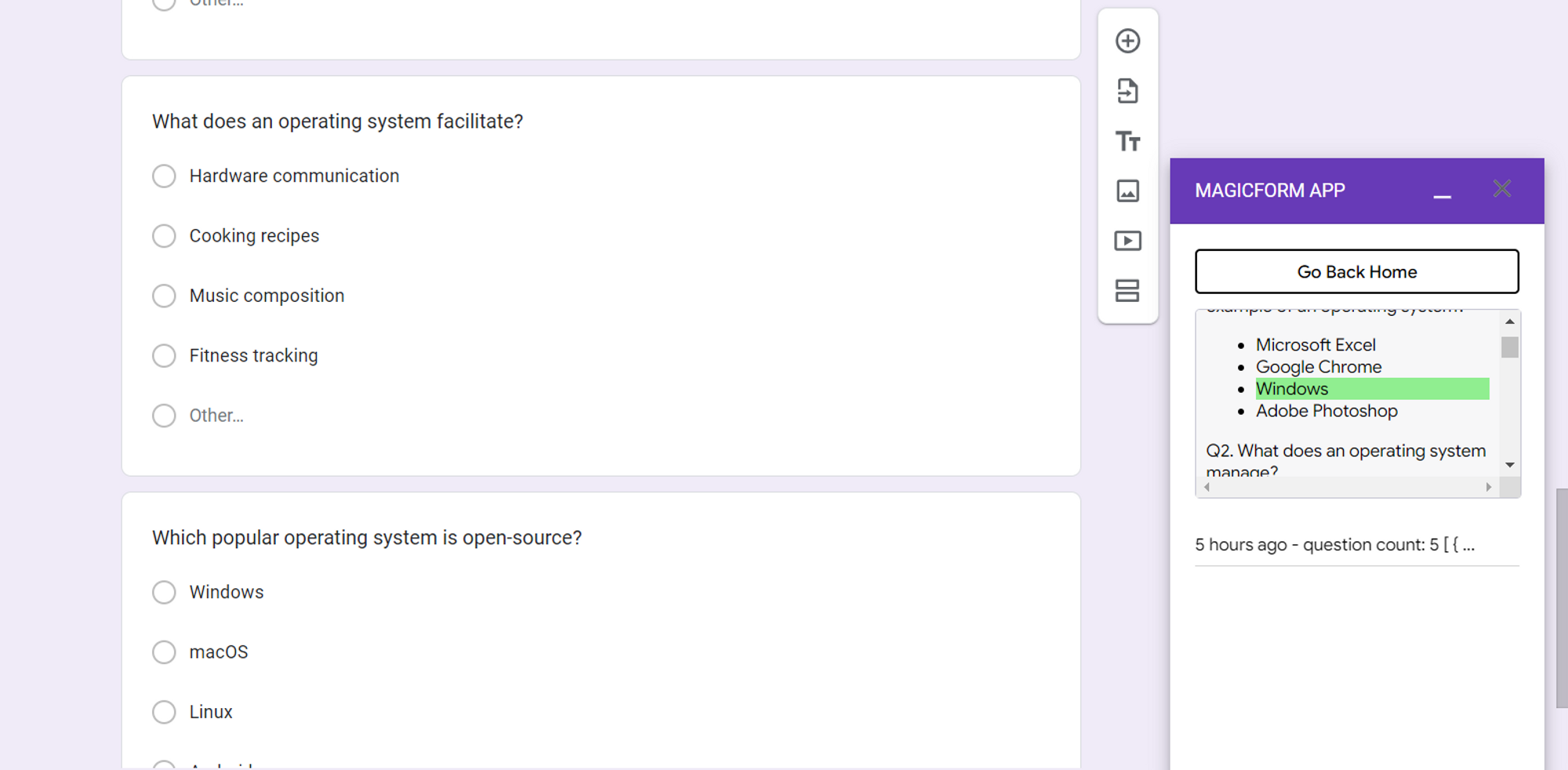
Step 7: Check the Correct Answers MagicForm simplifies the evaluation process by providing a "Show Activity" tab, which is private to you as the question setter. Here, you can check the correct answers, review the generated questions, and make any necessary adjustments before administering the examination to students.
Conclusion: MagicForm is a game-changer for question paper setters, offering a convenient and efficient way to generate examination questions across a wide range of subjects. By simplifying the question creation process, MagicForm not only saves time but also enhances the quality and diversity of questions, ensuring a fair and comprehensive assessment of students' knowledge.
Incorporating this innovative tool into the examination paper creation process can lead to more streamlined workflows and ultimately contribute to a more effective and efficient educational system. Say goodbye to manual question paper creation and hello to the future of examination assessment with MagicForm!


