The Best Templates for Slide Presentations


Discover the best slide presentation templates and learn how to create stunning, professional slides with ease using MagicSlides.app. Free options available!
Creating impactful slide presentations can be a game-changer, whether you're pitching an idea, delivering a lecture, or presenting at a corporate meeting. The right template not only enhances the visual appeal but also organizes content effectively, keeping your audience engaged. If you're looking for the best slide presentation templates, and especially if you’re searching for slide presentation free, you’re in the right place.
This blog explores how to create stunning presentations using top-tier templates and highlights how tools like MagicSlides.app make this process effortless and enjoyable.
Why Use Slide Templates?
Templates are essential for creating professional and polished presentations without spending hours on design. They offer:
- Consistent Design: Templates ensure uniformity across all slides.
- Time-Saving: Pre-designed layouts eliminate the need for starting from scratch.
- Professional Appeal: High-quality designs make your content visually compelling.
Types of Slide Templates Available
- Corporate and Professional Templates
Ideal for business meetings, quarterly reviews, and financial reporting. These templates feature clean lines, neutral colors, and a focus on data visualization.
- Creative and Artistic Templates
Perfect for creative industries, marketing pitches, and storytelling. These often include bold colors, unique layouts, and a modern design.
- Minimalist Templates
For when simplicity is key, minimalist templates feature ample white space, clean fonts, and subtle color palettes to emphasize content.
- Educational Templates
Tailored for academic purposes, these templates include placeholders for charts, graphs, and bullet points, making it easier to structure lessons or lectures.
- Event or Promotional Templates
These are vibrant and eye-catching, perfect for product launches, events, or promotions.
How to Find the Best Free Templates?
While the internet is flooded with options, not all templates are created equal. The challenge lies in finding templates that are not just beautiful but also functional. Enter MagicSlides.app, a cutting-edge tool that simplifies the process by offering high-quality free templates and an easy-to-use platform for generating presentations.
Steps to Create Stunning Presentations with MagicSlides.app
Using MagicSlides.app is straightforward and designed for maximum efficiency. Follow these steps to create a professional slide deck:
1. Visit MagicSlides.app
Open your browser and head over to MagicSlides.app. The homepage itself provides an intuitive experience and highlights the key features.
2. Go to the Slide Templates Section
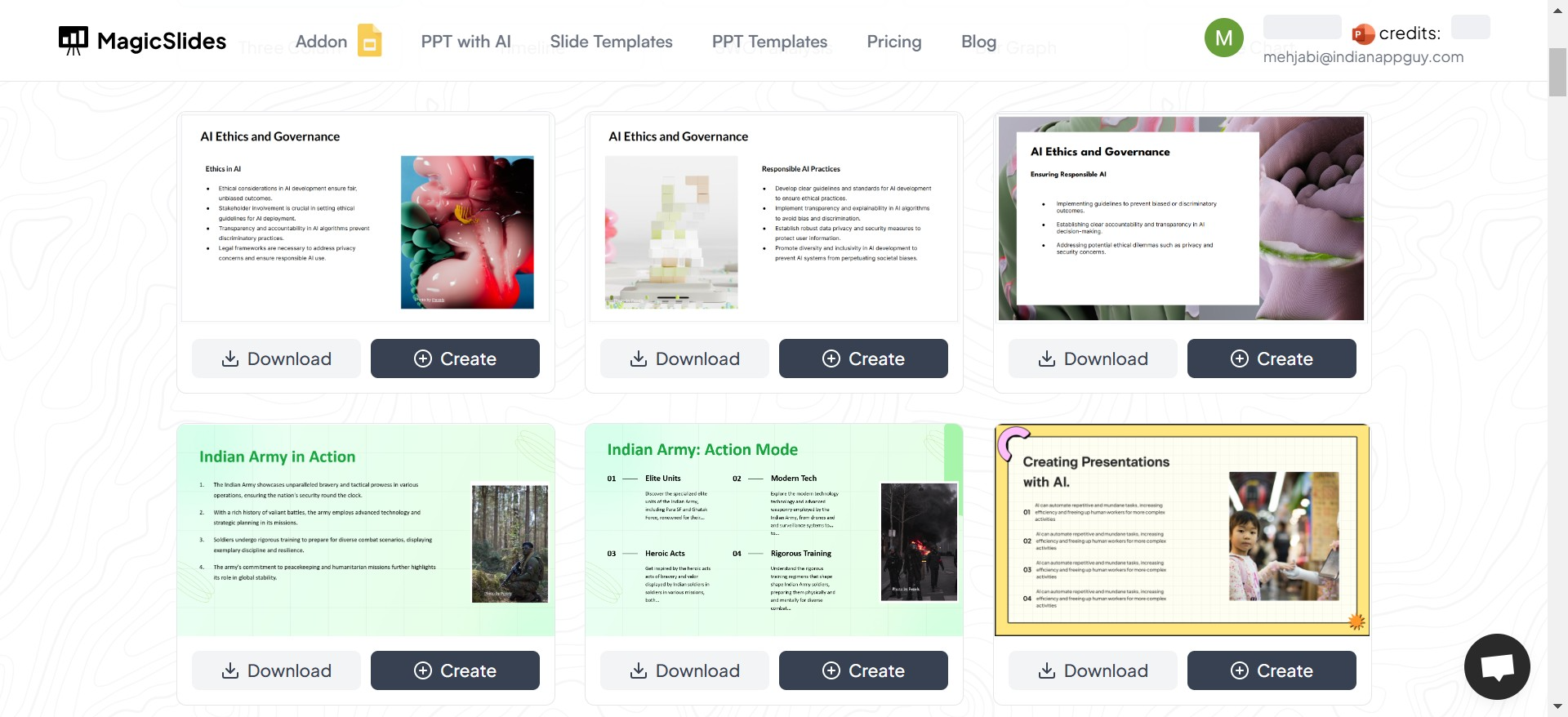
Navigate to the Slide Templates section. Here, you'll discover a wide variety of templates categorized by themes such as business, creative, education, and more. Whether you're preparing for a corporate pitch or a classroom lecture, there’s something for everyone.
3. Choose a Slide Theme
Browse through the available templates and select one that matches your needs. Each template is professionally designed to help you make an impact.
4. Click Create
Once you’ve chosen a template, click the Create button to start building your presentation.
5. Enter Your Topic or Text
You’ll be redirected to a page where you can enter your presentation topic or paste text directly into the provided space. This step ensures the content is customized to your requirements.
6. Click Generate
Hit the Generate button and watch MagicSlides do its magic! Within seconds, you’ll have a fully designed presentation, complete with the content you provided.
What Makes MagicSlides.app Stand Out?
- Ease of Use: Even beginners can create stunning presentations without any design experience.
- Variety of Templates: The platform offers an extensive range of themes for different industries and purposes.
- AI-Powered Efficiency: MagicSlides leverages AI to instantly generate presentations tailored to your input.
- Free Options Available: While premium templates are available, you can also access many high-quality slide presentation free templates.
Tips for Crafting the Perfect Presentation
- Keep It Concise
Avoid overcrowding slides with text. Use bullet points, visuals, and charts for better communication.
- Use High-Quality Images
Images can enhance your message but ensure they’re relevant and of high resolution.
- Stick to a Consistent Theme
Maintain uniformity in fonts, colors, and slide layouts.
- Practice Delivery
The best slides are meaningless if the presentation delivery lacks confidence and clarity.
Conclusion
Creating a professional, engaging presentation doesn’t have to be daunting. With tools like MagicSlides.app, you can quickly access the best templates and generate a polished slide deck in minutes. Whether you're looking for a slide presentation free or premium options, MagicSlides has you covered.
Visit MagicSlides.app today and transform your ideas into impactful presentations effortlessly!


