Addon google slides iconPPT with AISlide TemplatesPPT TemplatesPricingBlog
    PPT with AISlide TemplatesPPT TemplatesPricingBlog
    AI Presentation
    1. Home
    2. Blog
    3. Create Stunning Pitch Decks in Under 59 Seconds with MagicSlides AI


    Create Stunning Pitch Decks in Under 59 Seconds with MagicSlides AI

    Priyansh Sharma

    Published By

    Priyansh Sharma
    Mohit Kumar Jha

    Approved By

    Mohit Kumar Jha

    Published On

    July 28th, 2025

    Reading Time

    2 min read

    Need a professional pitch deck fast? MagicSlides has you covered.

    Need a professional pitch deck fast? MagicSlides has you covered.
    Whether you’re pitching to investors, launching a product, or sharing your vision, here’s how you can create an AI-powered presentation in just a few clicks.
    Video preview

    🚀 Step-by-Step Guide to Creating Your Perfect Pitch Deck

    1. Get Started at magicslides.app

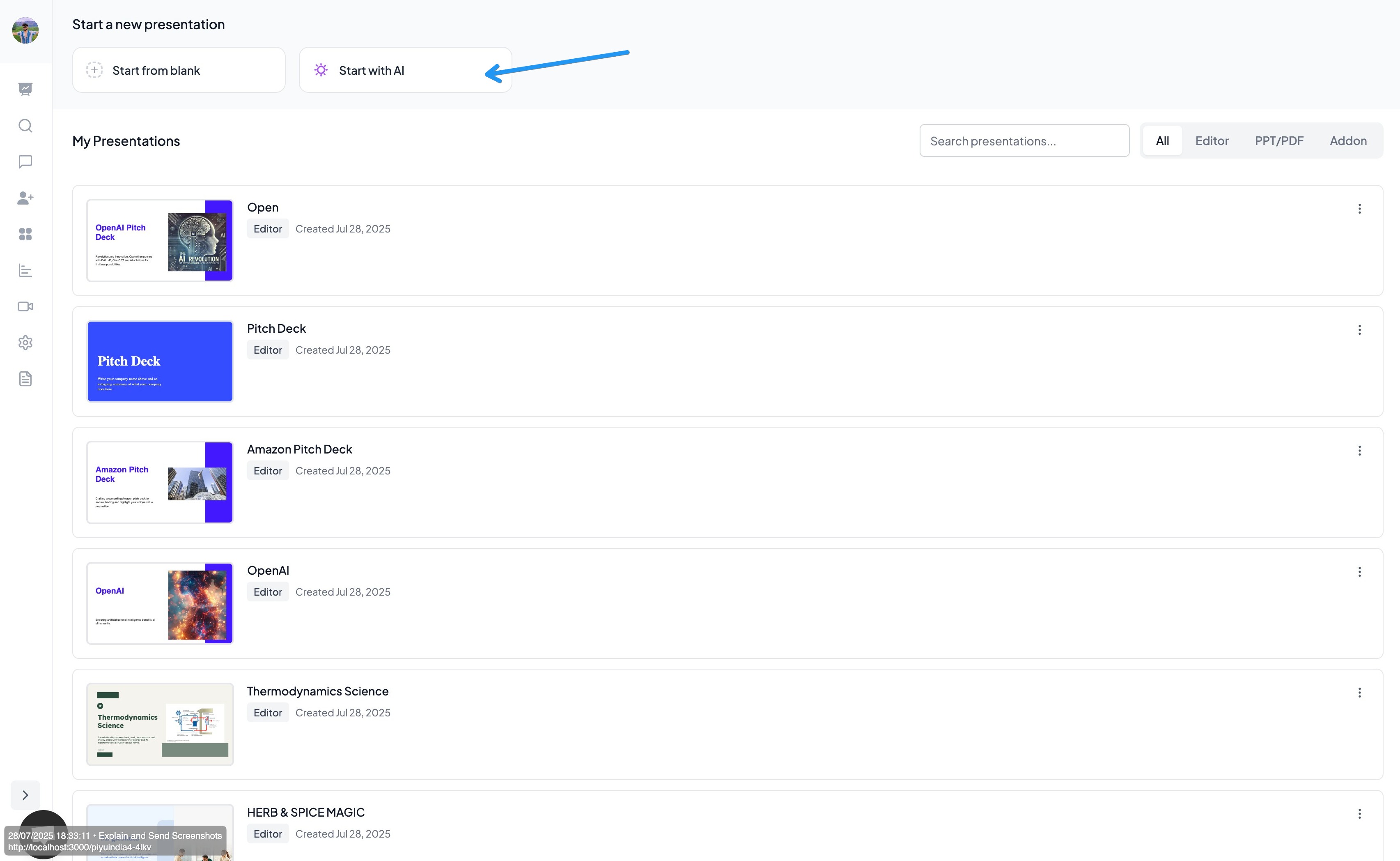
    Visit magicslides.app and log in to your account. Once you’re in, you’ll be redirected to your personal dashboard—your starting point for every presentation.

    2. Start with AI

    Click on the “Start with AI” button.
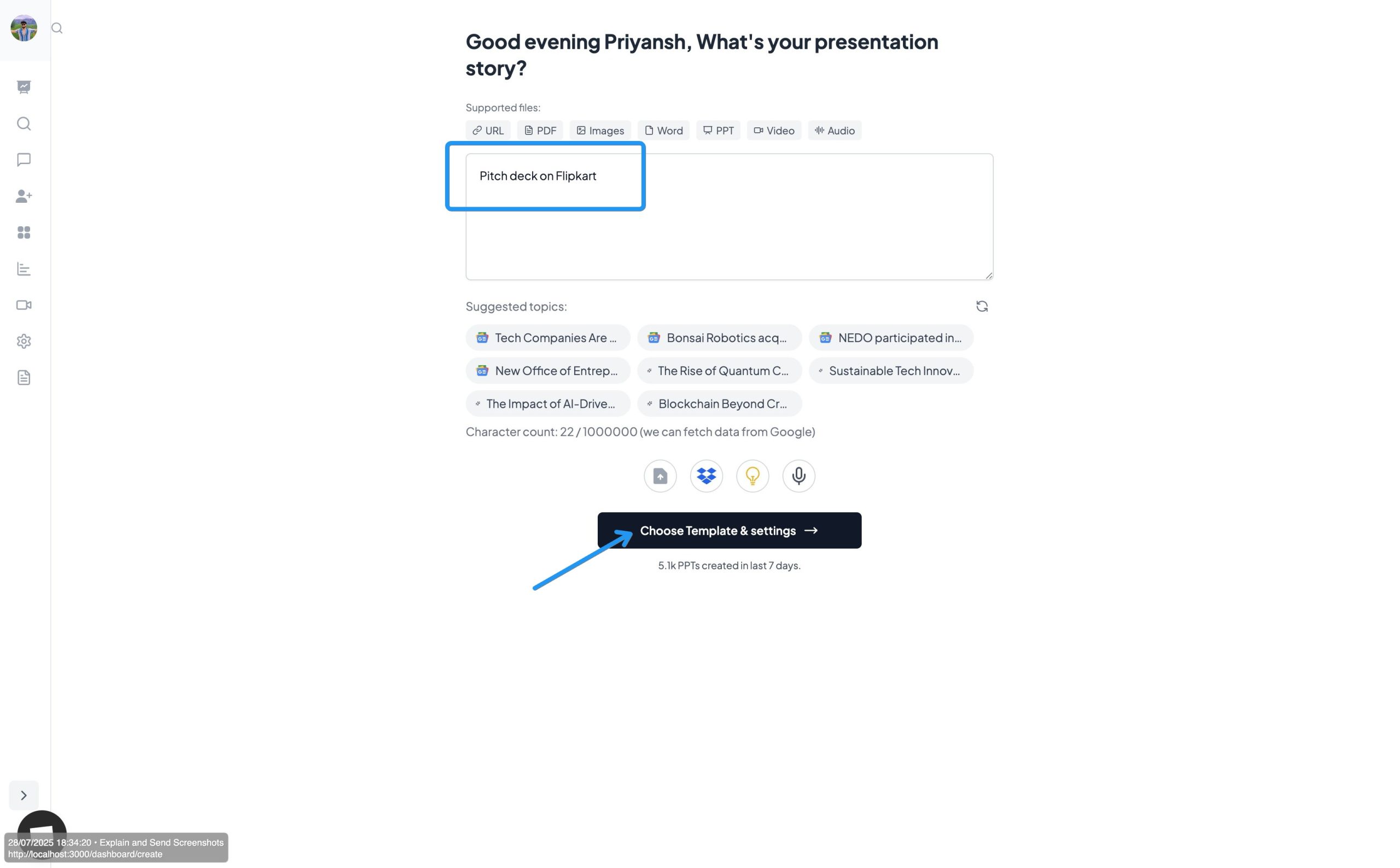
    Here, you’ll be asked to enter a topic for your presentation. For example:
    👉 “Make a pitch deck on OpenAI”
    notion image
     

    3. Choose a Template

    After entering your topic, click on “Choose Template” to move to the template selection page.
    notion image

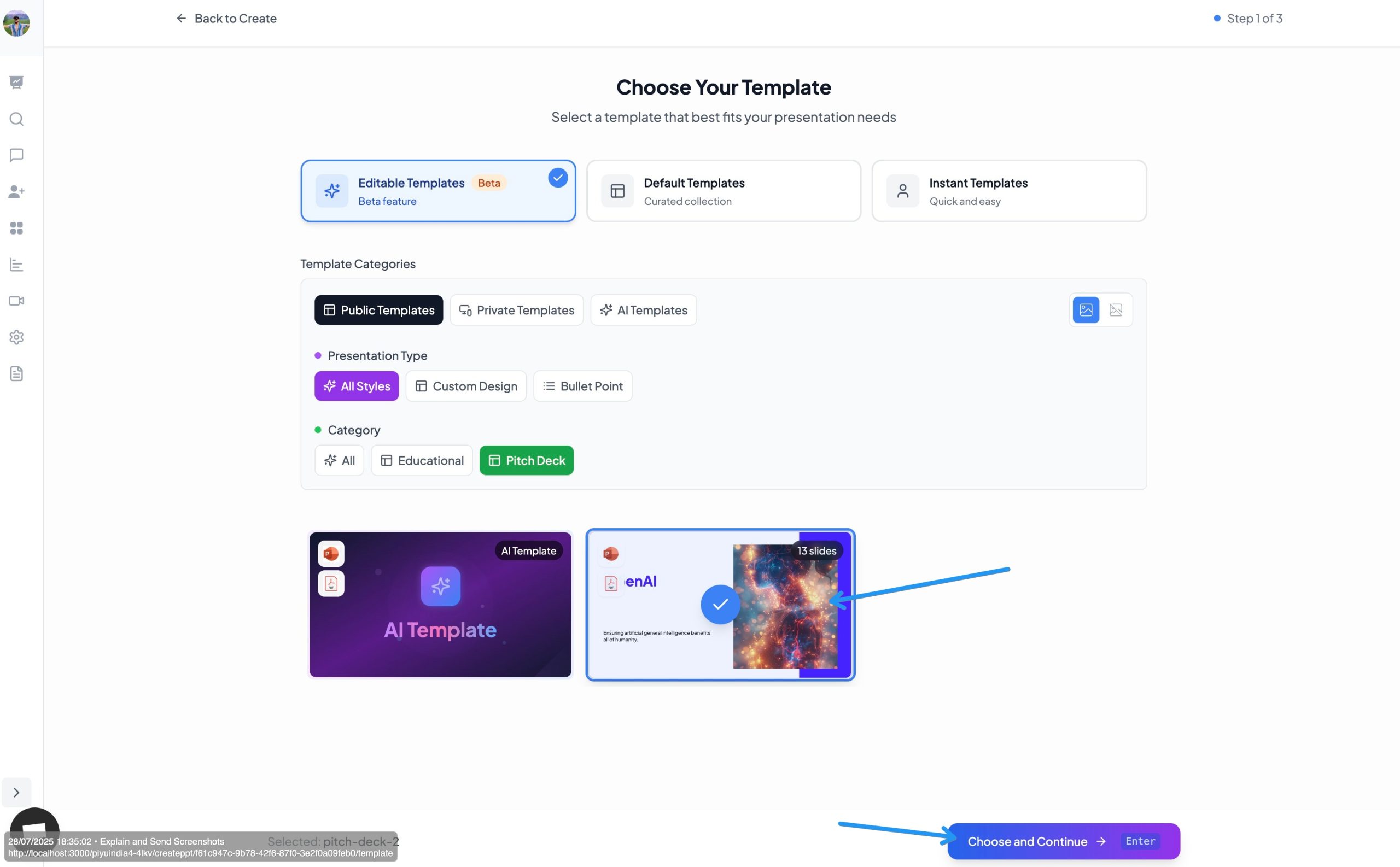
    4. Pick the Perfect Pitch Deck Template

    You’ll now see a collection of professionally designed templates.
    • Look for Editable Templates
    • Go into Public Templates
    • Under Category, select “Pitch Deck”
    • Choose the latest Pitch Deck Template made for impactful storytelling
      • notion image

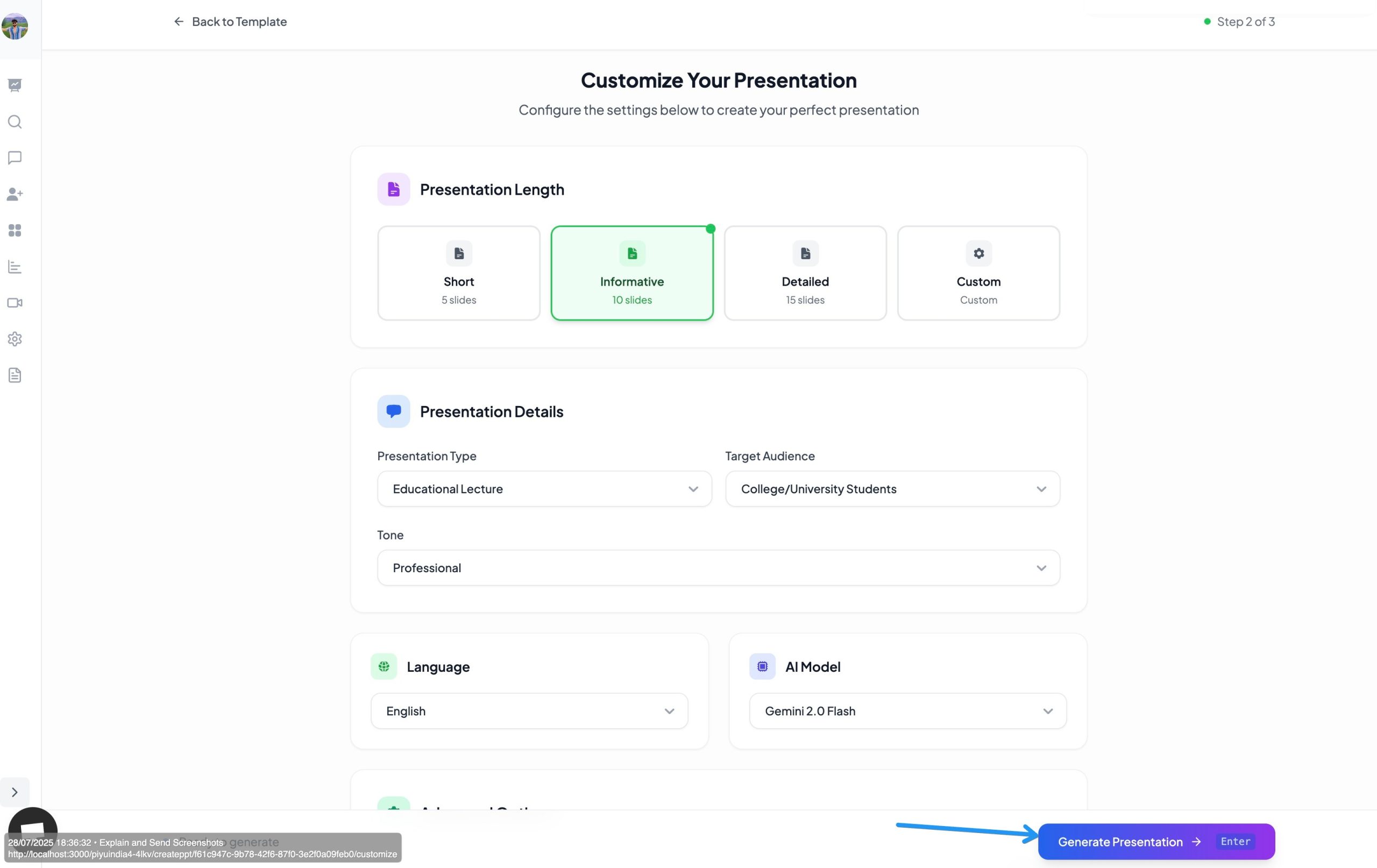
    5. Customize Your Settings

    After selecting your template, you’ll be guided through a few simple customization options:
    • Choose your design style
    • Adjust tone, slide count, and other preferences
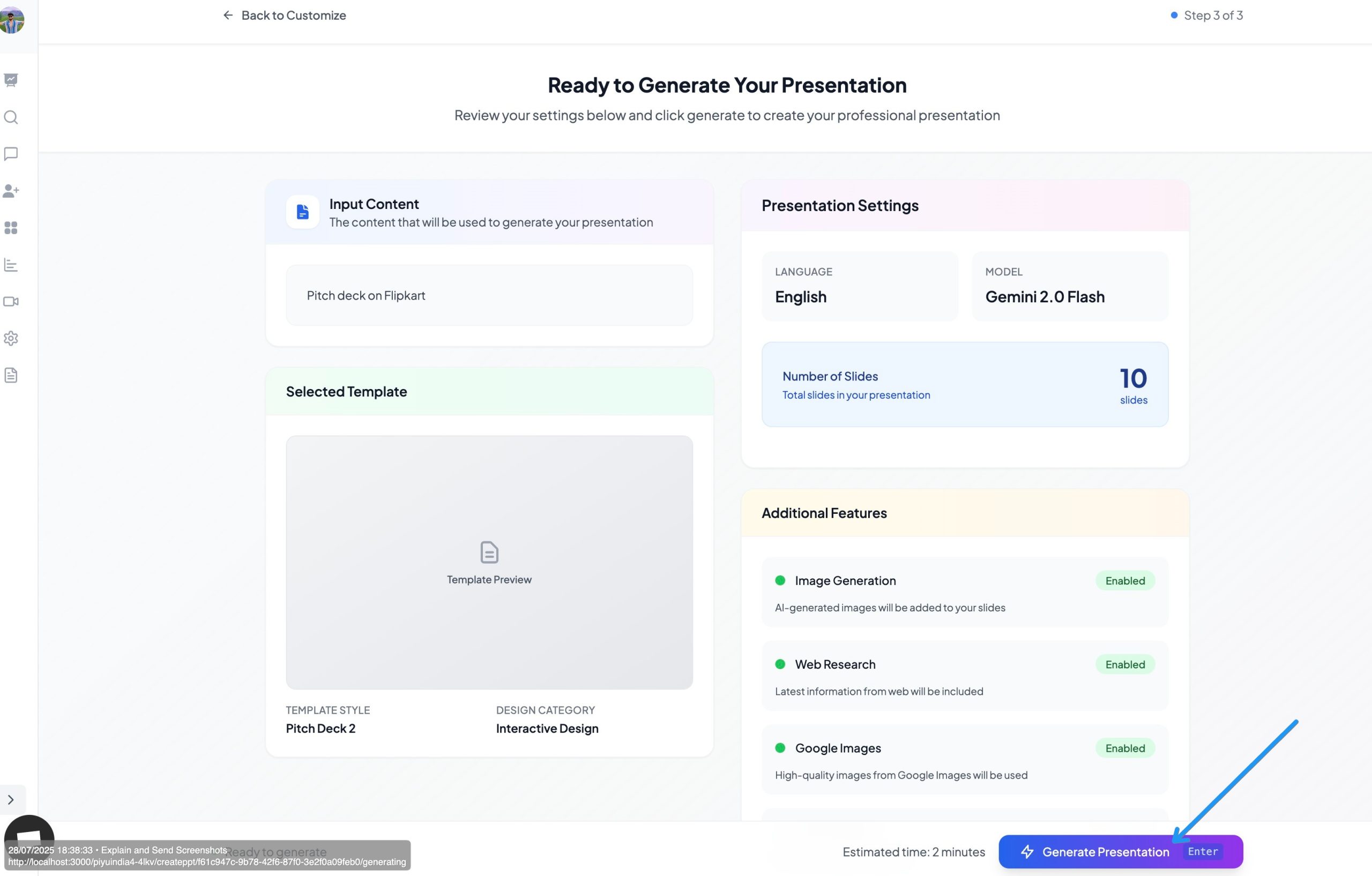
    Once done, click on “Generate”.
    notion image

    6. Watch the Magic Happen — In Under 59 Seconds

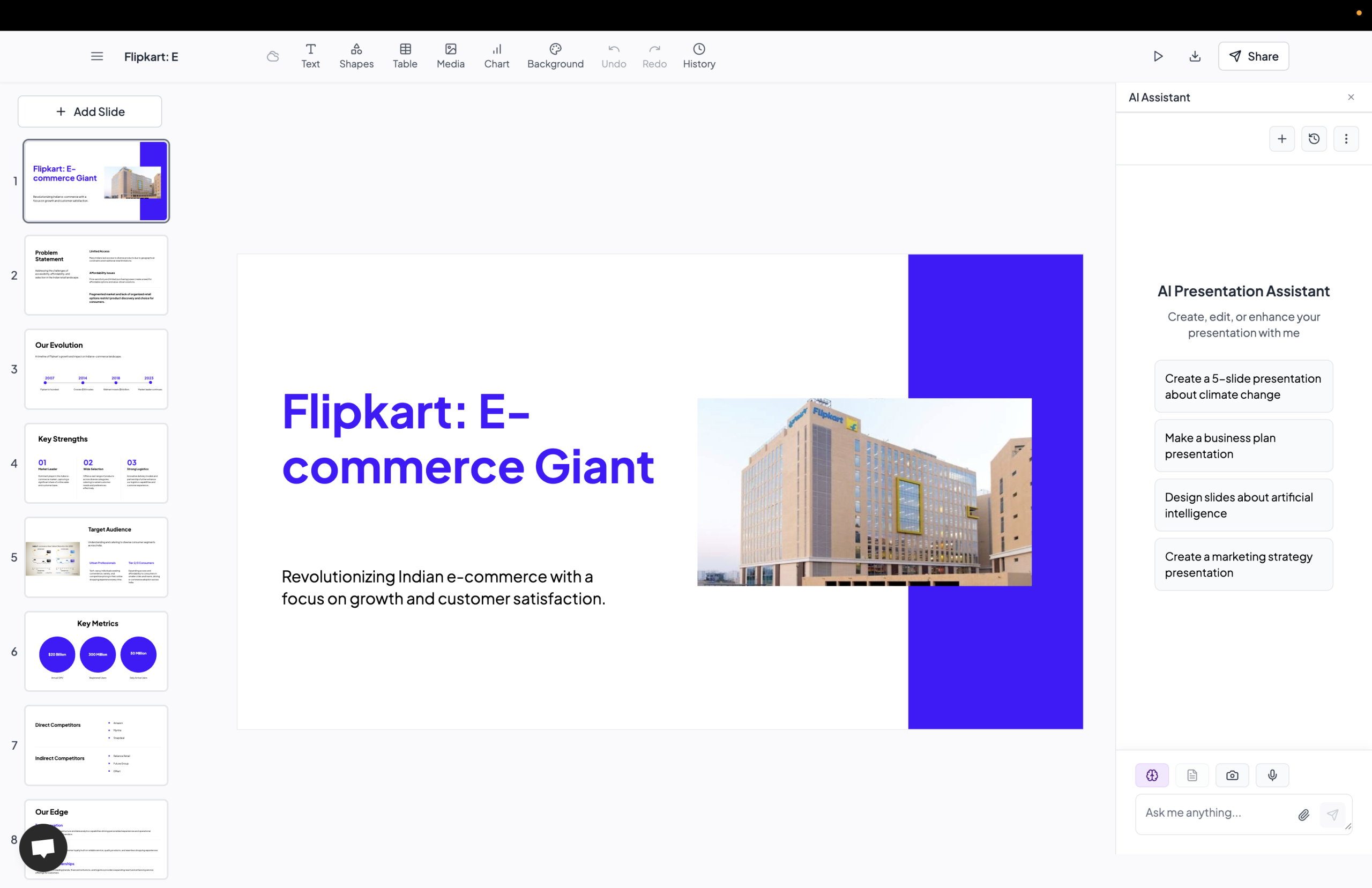
    Just one final click on “Generate” and MagicSlides will create your full pitch deck in less than a minute.
    From title slides to summary, every slide is tailored to your input with compelling content and design.
    notion image

    🧠 Why Use MagicSlides?

    • ⚡️ Speed: Create full decks in under 59 seconds
    • ✏️ Customizable: Choose your template, tone, and structure
    • 🌍 Smart AI: Content crafted to match your topic, instantly
      • notion image

    🔗 Ready to Try It Out?

    Head to magicslides.app and let your next great presentation begin—with AI, speed, and style.
    Watch this tutorial to learn more -

    Share on socials

    About the author

    Priyansh Sharma profile photo
    Priyansh Sharma— Full Stack Developer

    Priyansh Sharma is a seasoned Full Stack Developer with 3 years of experience architecting and developing scalable web applications.

    More from Priyansh

    More from the blog

      250+ Good Morning Messages for Her (Romantic, Deep, Cute & Sweet)

      30 January 2026

      200+ Heart Touching Birthday Wishes for Sister (Short, Funny and More)

      29 January 2026

      50+ History Presentation Topics For 2026

      28 January 2026

      How to Add Music to Your Canva Presentation: A Step-by-Step Guide

      27 January 2026

      15 Quick Tips To Use ChatGpt At Work

      22 January 2026

      11 Best AI Tools for Business in 2025

      22 January 2026

      How to Create an Infographic That Clearly Communicates Your Message

      20 January 2026

      How to Create a Sales Presentation Template in Google Sheets

      20 January 2026

      How to Make a Pie Chart on Google Slides in Simple Steps

      19 January 2026

    Table of Contents

    Create Presentations in Seconds

    Transform your ideas into professional presentations with AI. No design skills needed.

    Try MagicSlides Free

    Create Stunning Presentations with AI in Seconds ✨

    Transform any topic, text, YouTube video, PDF or URL into beautiful presentations instantly with MagicSlides AI.

    Try MagicSlides AI Presentation Maker
    MagicSlides AI Presentation

    Footer

    Solutions

    • MagicSlides App
    • Google Slides Add-on
    • MagicSlides in Chrome
    • MagicSlides in Figma
    • MagicSlides in ChatGPT
    • MagicSlides in Telegram
    • MagicSlides in Zapier
    • MagicSlides in Figma Slides

    Tools

    • AI PPT Tools
    • QR Code Generator
    • Design Tools
    • PPT Templates
    • Slide Templates
    • PDF Tools

    Examples

    • AI Presentations
    • PPT by MagicSlides
    • Quizzes
    • Charts
    • Coloring Pages

    Resources

    • Changelog
    • Documentation
    • API Docs

    Top Blogs

    • How to Create Presentation Using ChatGPT
    • 100+ Best Seminar Topics for Students in 2025

    Company

    • Help
    • MCP
    • Blog
    • Pricing
    • Affiliate Program
    • Manage Subscription
    • Privacy Policy
    • Contact Us
    • Terms & Conditions
    • Refund & Cancellation Policy

    We also built

    • SheetAI - GPT For Sheets
    • MagicForm - GPT For Google Forms
    • SecondBrain.fyi
    • BlogBee - Free Blogging Platform

    © 2026 IndianAppGuy Tech Pvt Ltd. All rights reserved.