Creating a Killer Sales Presentation with AI: A Comprehensive Guide


Learn how to create powerful sales presentations using AI tools like MagicSlides to save time and increase conversion rates.
Your sales presentation can make or break potential deals. With attention spans shrinking and client expectations rising, creating compelling, data-driven presentations has never been more challenging—or more important. Fortunately, artificial intelligence (AI) is revolutionizing how businesses approach presentation creation, turning what was once a time-consuming process into an efficient, streamlined experience.
Why AI-Powered Presentations Matter
Traditional presentation creation involves hours of research, content development, design work, and rehearsal. According to recent studies, professionals spend an average of 6-8 hours creating a single high-stakes sales presentation. This time investment represents a significant opportunity cost for sales teams who could otherwise be nurturing leads or closing deals.
AI-powered presentation tools like MagicSlides are changing this paradigm by automating many aspects of the presentation creation process while enhancing quality and effectiveness.
Key Benefits of Using AI for Sales Presentations
1. Time Efficiency
AI reduces presentation creation time by up to 80%, allowing sales teams to focus on relationship-building activities.
2. Data-Driven Content
AI tools can automatically gather and incorporate relevant market data, competitor analysis, and customer insights, ensuring your presentations are backed by solid evidence.
3. Consistent Branding
AI ensures brand consistency across all presentations by automatically applying your company's visual identity guidelines.
4. Personalization at Scale
AI enables the creation of tailored presentations for different audiences without starting from scratch each time.
5. Professional Design
Even team members without design experience can create visually stunning presentations with AI assistance.
Essential Elements of a Killer Sales Presentation
Before diving into the AI tools that can help, let's outline what makes a sales presentation truly effective:
1. Clear Value Proposition
Every successful sales presentation must quickly answer the prospect's primary question: "What's in it for me?" Your value proposition should be clear, compelling, and tailored to your specific audience.
2. Storytelling Structure
The most memorable presentations follow a narrative arc that engages emotions and illustrates transformation. A typical structure includes:
- The current situation or challenge
- The opportunity or desired outcome
- How your solution bridges the gap
- Evidence that proves your approach works
- A clear call to action
3. Visual Impact
Studies show that people remember only 10% of what they hear but 65% of what they see. Effective presentations use:
- High-quality images
- Simple, meaningful charts and graphs
- Minimal text (think 3-5 bullet points per slide)
- Consistent design elements
4. Social Proof
Including testimonials, case studies, and specific results helps establish credibility and reduce perceived risk.
5. Interactive Elements
Engaging your audience through questions, polls, or demonstrations increases attention and retention.
How to Create a Winning Sales Presentation with MagicSlides
MagicSlides is an AI-powered presentation platform that streamlines the creation process while enhancing quality. Here's a step-by-step guide to creating your next sales presentation:
1. Visit MagicSlides.app
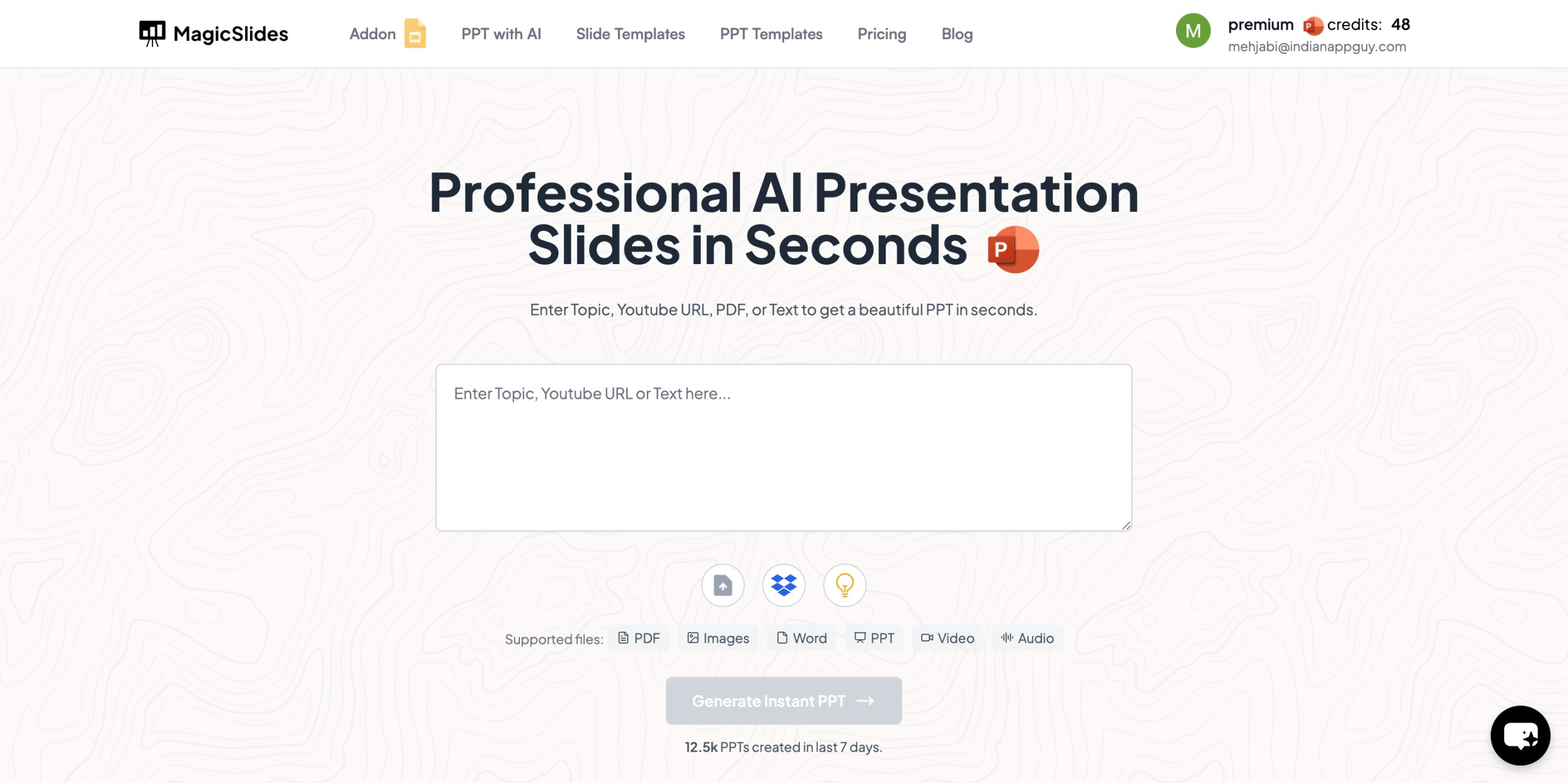
Navigate to the MagicSlides website to begin your presentation journey.
2. Enter Your Topic
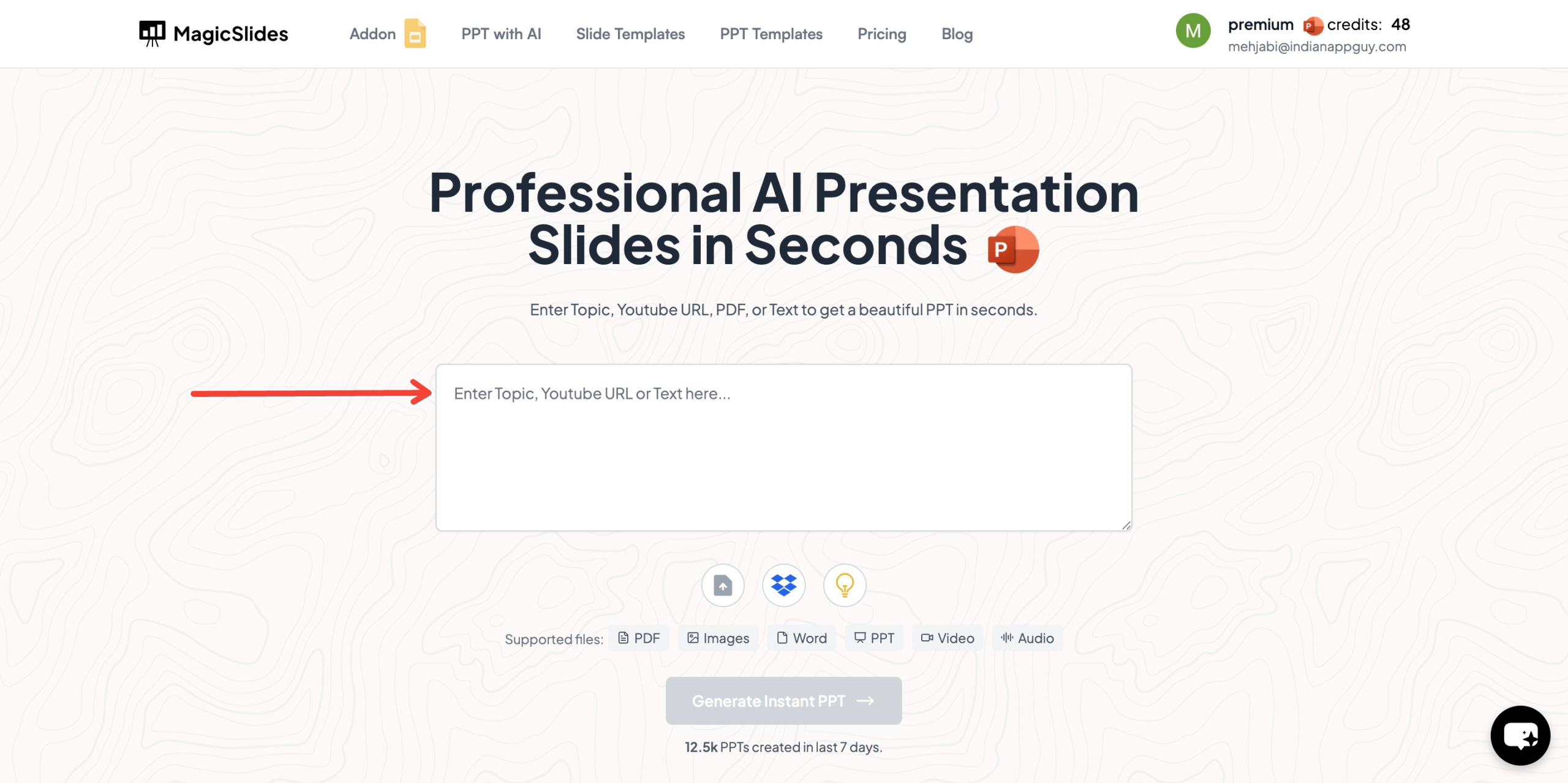
In the provided field, enter the specific topic of your sales presentation. Be as detailed as possible for best results. For example, instead of "Product Presentation," try "Cloud-Based Inventory Management Solution for Mid-Size Retailers."
3. Click "Generate Instant PPT"
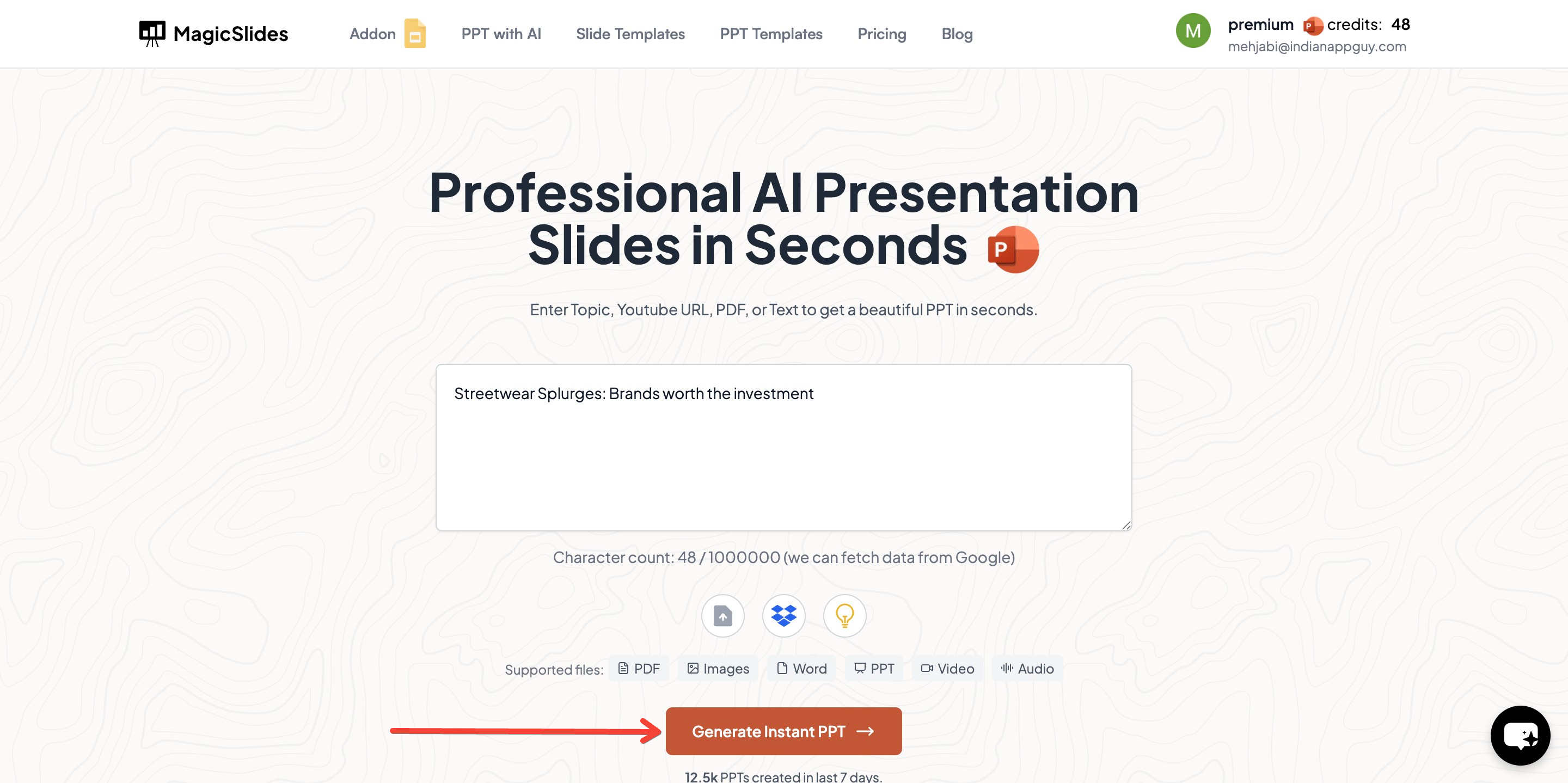
Once you've entered your topic, click the "Generate Instant PPT" button to initiate the AI-powered creation process.
4. Choose Your Template and Specifications
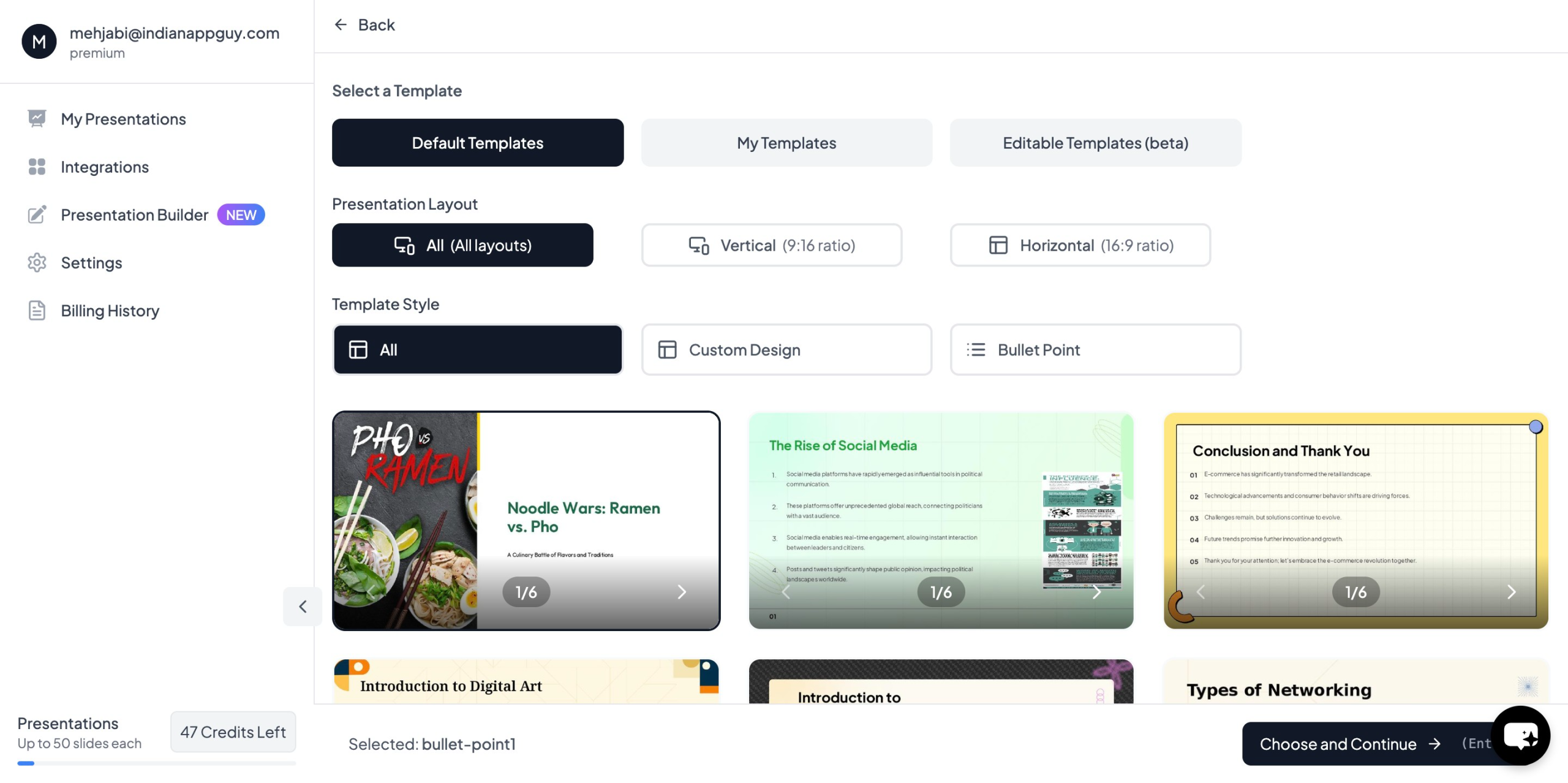
MagicSlides will prompt you to select from various professional templates and specify the number of slides you need. You can also indicate your:
- Target audience
- Presentation duration
- Key points to emphasize
- Brand colors and fonts
5. Fill in Additional Details
Provide any supplementary information that will help the AI create a more tailored presentation, such as:
- Specific pain points of your target audience
- Unique selling propositions
- Competitor information
- Case studies or testimonials to include
6. Click "Generate Instant PPT"
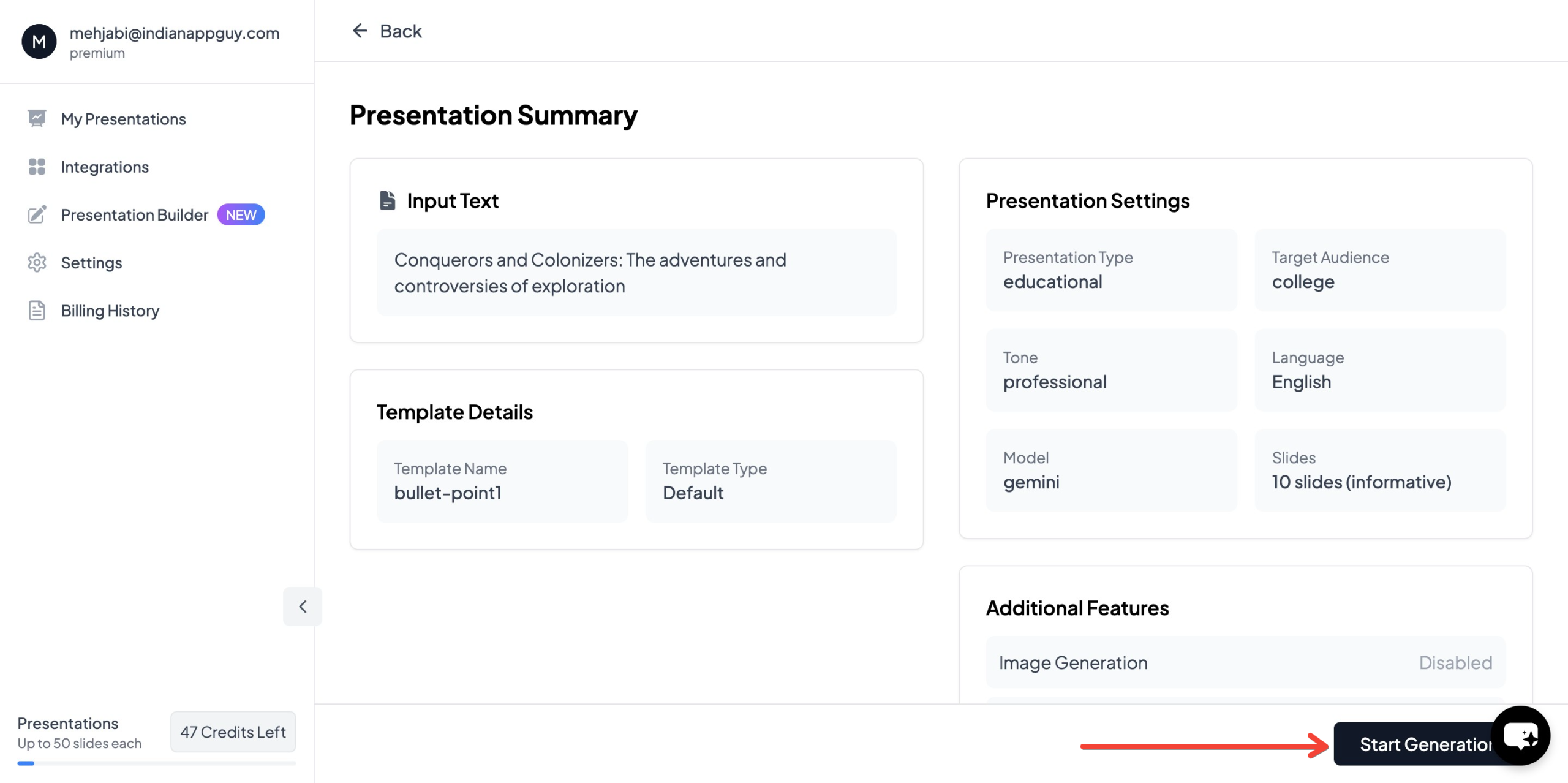
After entering all necessary details, click the final generation button to create your presentation.
7. Review and Customize
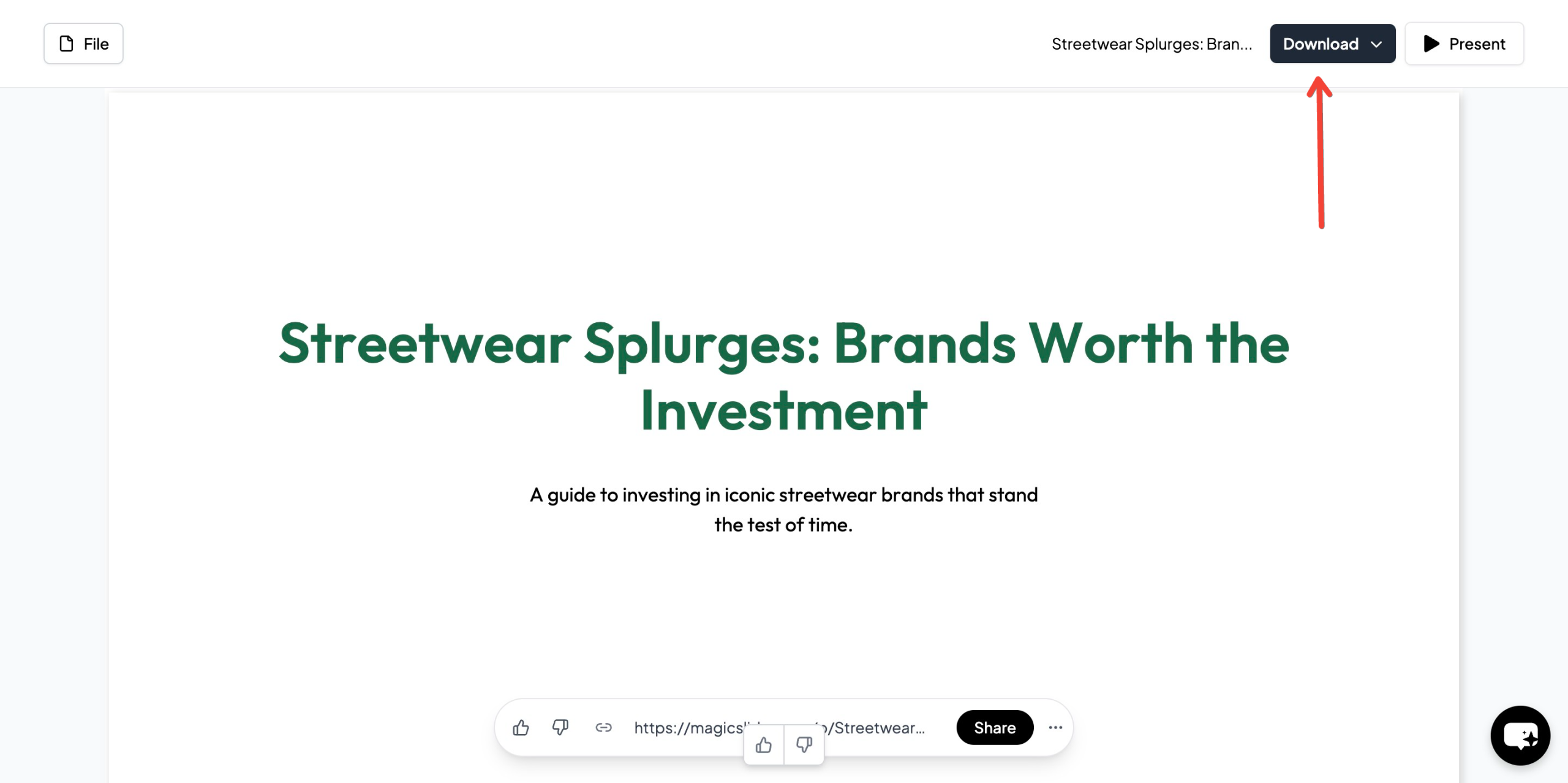
Within minutes, you'll receive a professionally designed presentation that you can further customize as needed. The AI provides a strong foundation, but adding your personal touch and specific insights will make the presentation truly compelling.
Advanced Features That Enhance Your Presentations
MagicSlides offers several advanced capabilities that can take your sales presentations to the next level:
YouTube Video Conversion
Transform informative YouTube videos into presentation slides, capturing key points and visuals. This feature is particularly useful for incorporating industry thought leadership or product demonstrations.
PDF Conversion
Convert existing PDF documents into presentation slides, making it easy to repurpose white papers, case studies, or research reports.
Data Integration
Automatically pull relevant data from Google and Wikipedia to strengthen your presentations with up-to-date statistics and market insights.
AI Image Generation
Create custom images that perfectly illustrate your concepts without searching through stock photo libraries.
Multi-language Support
Generate presentations in over 100 languages (available in Pro and Premium plans), making it easy to address international audiences.
Template Flexibility
Use any PowerPoint template as your base design (in Pro and Premium plans), ensuring brand consistency while leveraging AI capabilities.
Best Practices for Maximizing AI-Generated Presentations
While AI does the heavy lifting, these best practices will ensure your presentations achieve maximum impact:
1. Start with Clear Objectives
Define what you want your audience to know, feel, and do after your presentation. The more specific your objectives, the more targeted your AI-generated content will be.
2. Enhance with Personal Insights
AI provides an excellent foundation, but your unique insights and experiences add the human element that builds authentic connections.
3. Practice Delivery
Even the best-designed presentation requires effective delivery. Practice your timing, transitions, and key talking points.
4. Customize for Your Audience
While AI can create audience-specific content, you should review and adjust based on your intimate knowledge of the prospect's needs and communication style.
5. Update with Real-Time Information
Before important presentations, review and update with the latest company developments, market changes, or prospect information.
MagicSlides Pricing Options
MagicSlides offers flexible pricing tiers to meet different needs and budgets:
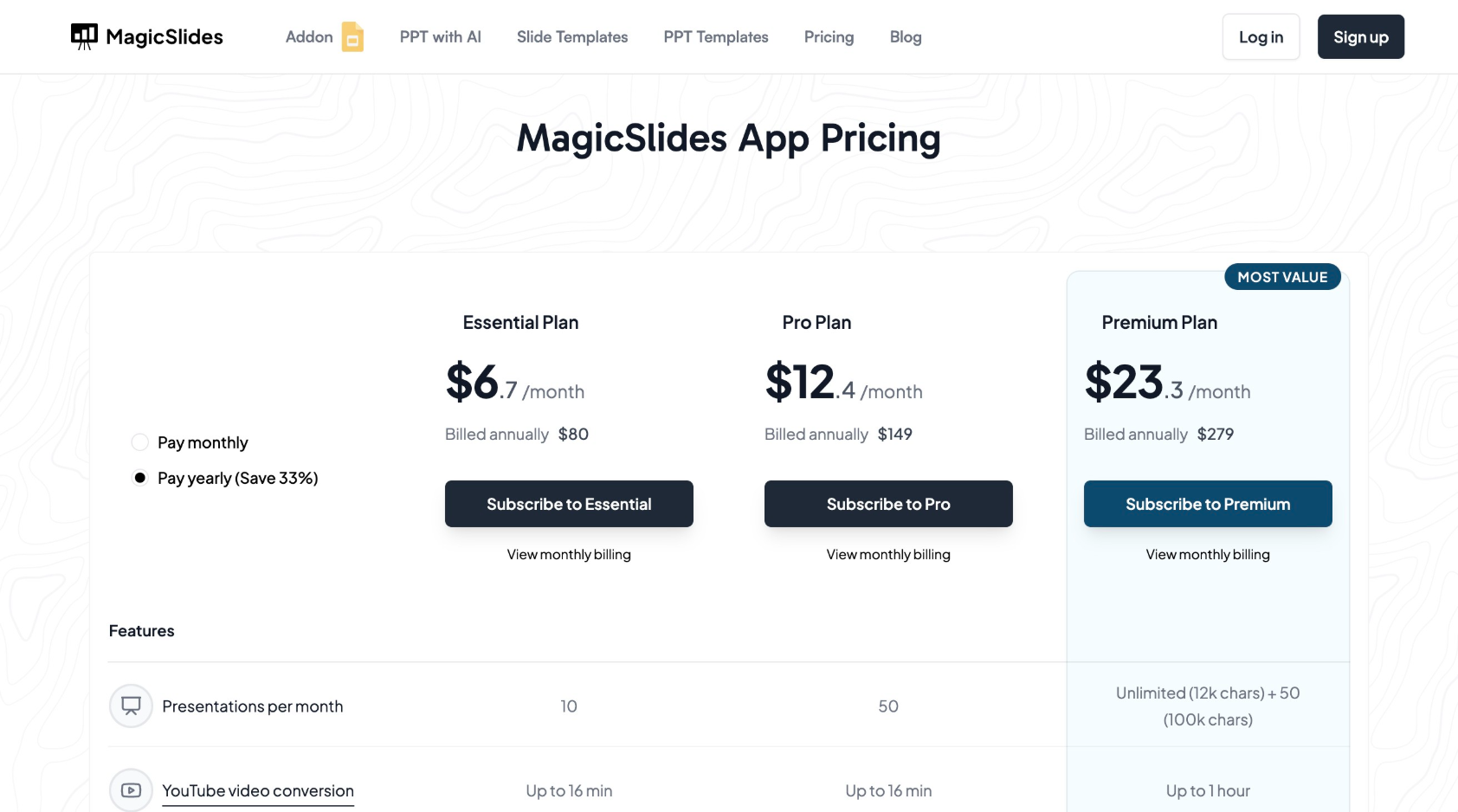
Essential Plan: $6.7/month (billed annually at $80)
- 10 presentations per month
- Up to 10 slides per presentation
- YouTube video conversion (up to 16 min)
- PDF conversion (up to 5 pages)
- 12,000 character input limit
- Images and data from Google and Wikipedia
- 10 videos to PPT conversions monthly
- Add-ons for Google Slides, Figma plugin, GPT for ChatGPT
- Zapier integration and Slide with AI feature
Pro Plan: $12.4/month (billed annually at $149)
All Essential features plus:
- 50 presentations per month
- Up to 15 slides per presentation
- AI image generation
- 100+ languages supported
- AskPPT chat capability
- Ability to use any PPT as a template
- 20 videos to PPT conversions monthly
Premium Plan
- Unlimited presentations (12k chars) + 50 presentations (100k chars)
- Up to 50 slides per presentation
- YouTube conversion up to 1 hour
- PDF conversion up to 20 pages
- 100,000 character input limit
- 40 videos to PPT conversions monthly (up to 1 hour each)
- All Pro features included
Case Study: How AI-Powered Presentations Increased Conversion Rates
A mid-sized software company implemented MagicSlides for their sales team and saw remarkable results:
- Presentation creation time decreased from 7 hours to just 45 minutes
- Visual consistency improved across all team members' presentations
- Prospect engagement increased by 35% based on post-meeting surveys
- Sales conversion rates improved by 22% in the first quarter after implementation
- Sales cycle length decreased by 15% due to more effective initial presentations
The team attributed these improvements to more tailored, data-rich presentations and the ability to quickly create prospect-specific slides before meetings.
Conclusion
In today's competitive business environment, AI-powered tools like MagicSlides provide a significant advantage in creating compelling, professional sales presentations. By automating the time-consuming aspects of presentation creation while enhancing quality and personalization, AI allows sales professionals to focus on what they do best: building relationships and closing deals.
Whether you're pitching to potential clients, presenting to stakeholders, or training your team, leveraging AI for your presentations can dramatically improve both efficiency and effectiveness. As the technology continues to evolve, those who embrace these tools will maintain a competitive edge in their sales processes.
Remember that while AI provides an excellent foundation, the most successful presentations still benefit from your unique insights, authentic delivery, and deep understanding of your audience's needs. By combining the power of AI with your human expertise, you can create truly exceptional sales presentations that drive results.
Ready to transform your sales presentations? Start your journey with MagicSlides today and experience the difference AI can make in your sales process.


