Custom PPT Templates vs. Pre-Designed PPT Templates: Which One Is Right for You?


Discover the pros and cons of custom vs. pre-designed PPT templates. Save time and create stunning presentations with MagicSlides.app today!
Creating an impactful presentation often starts with choosing the right PowerPoint template. Should you go for a custom-designed template tailored to your brand and needs, or should you choose a pre-designed template that’s ready to use?
Let’s explore the differences between these two options and discover why design custom PPT templates or leveraging pre-designed ones can make or break your presentation.
What Are Custom PPT Templates?
Custom PPT templates are created specifically for you, often designed by professionals or an in-house designer to align perfectly with your brand guidelines, color schemes, and unique presentation goals.
Advantages and Disadvantages of Custom PPT Templates
| Aspect | Advantages | Disadvantages |
|---|---|---|
| Tailored to Your Brand | A custom template reflects your branding elements, ensuring consistency across presentations. | |
| Unique Design | Stand out with layouts, fonts, and visuals that are not widely available. | |
| Enhanced Professionalism | Custom templates exude credibility, especially for corporate or high-stakes presentations. | |
| Time-Consuming | Creating a custom template can take weeks, depending on your requirements and designer availability. | |
| Expensive | Hiring a designer or agency for a custom PPT template can cost significantly more than a pre-designed one. | |
| Inflexibility for Edits | Often requires technical knowledge to tweak effectively for quick changes. |
What Are Pre-Designed PPT Templates?
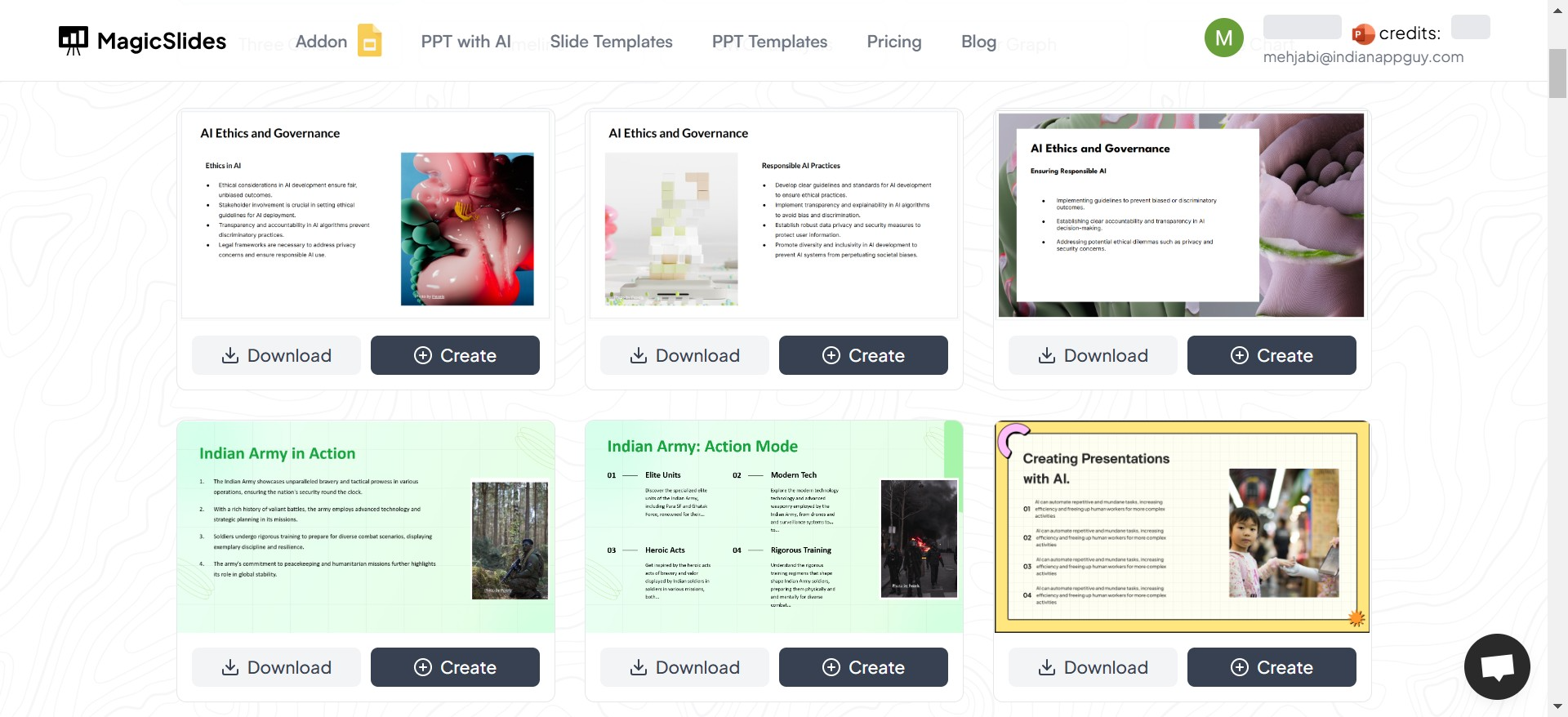
Pre-designed templates are ready-made slides available for instant use. These templates often come in a variety of styles, themes, and purposes, making it easy to pick one that fits your needs.
Advantages and Disadvantages of Pre-Designed PPT Templates
| Aspect | Advantages | Disadvantages |
|---|---|---|
| Time-Saving | With a pre-designed template, you can get started immediately. | |
| Cost-Effective | Pre-designed templates are generally more affordable than custom ones, sometimes even free. | |
| Wide Variety | Offers a broad range of designs, from minimalistic corporate styles to vibrant event themes. | |
| User-Friendly | No need for advanced design skills – just plug and play! | |
| Generic Appeal | Templates are widely available, meaning others might use the same design. | |
| Limited Customization | While editable, some templates may not perfectly align with your brand or specific needs. |
The Middle Ground: MagicSlides for Pre-Designed PPT Templates
If you’re looking for the best tool to access pre-designed PPT templates, MagicSlides.app is the ultimate solution. It combines the convenience of pre-designed templates with customization options that make it adaptable to your needs.
Why Choose MagicSlides?
MagicSlides stands out as a platform that offers high-quality, professionally designed PowerPoint templates for any purpose. It’s fast, intuitive, and perfect for anyone who wants to create stunning presentations without starting from scratch. You can even generate an entire presentation based on your topic!
How to Use MagicSlides to Create a Presentation
Follow these simple steps to create your next PowerPoint presentation effortlessly with MagicSlides:
- Visit MagicSlides.app: Start by going to the MagicSlides website.
- Go to the Slides Templates Section: Browse their vast library of pre-designed templates tailored for various industries and themes.
- Choose Your Template: Download a template or decide to create your presentation directly within MagicSlides.
- Click on "Create": Begin your presentation journey by clicking on the "Create" button.
- Enter Your Topic: Input your topic or subject for the presentation.
- Click "Generate Instant PPT": Let MagicSlides generate a cohesive, professional PowerPoint for you.
- Select the Number of Slides: Choose how detailed you want your presentation to be by specifying the slide count.
- Click "Generate": Sit back and let the app work its magic.
- Download Your Presentation: Once it’s ready, download your completed PowerPoint, or edit it further.
Custom vs. Pre-Designed PPT Templates: Which Should You Choose?
Choosing between a custom and a pre-designed template depends on your goals, budget, and timeline.
- Opt for Custom PPT Templates If:
- You need a unique, branded design.
- You have a flexible budget and ample time.
- Opt for Pre-Designed PPT Templates If:
- You want a quick, professional presentation.
- You’re working with limited resources.
With tools like MagicSlides, pre-designed templates are no longer generic or limiting. You can create presentations that feel customized without the time and cost associated with a fully custom design.
Final Thoughts
Whether you choose a custom-designed or pre-designed PPT template, what matters most is how well your presentation communicates your message. For those who need efficiency, affordability, and high quality, pre-designed templates are the clear winner – and MagicSlides.app is the perfect partner to get you there.
Start creating beautiful presentations today. Visit MagicSlides.app and let your ideas shine!


