Free quiz questions generator


AI tools help to saves time improving assessment quality and effectiveness to create quiz questions
AI-Powered Quiz Creation
In the ever-evolving landscape of education, technology continues to play a pivotal role. One such groundbreaking development is MagicForm, a free AI quiz maker designed to empower educators in the digital age. This tool is tailored to meet the needs of teachers and professors seeking to streamline the process of creating quiz questions while harnessing the potential of artificial intelligence (AI).
Simplifying the Quiz Creation Process
Gone are the days of manually crafting quiz questions one by one. MagicForm, in just a few simple steps, transforms the way educators design assessments. Here's a glimpse of how it works:
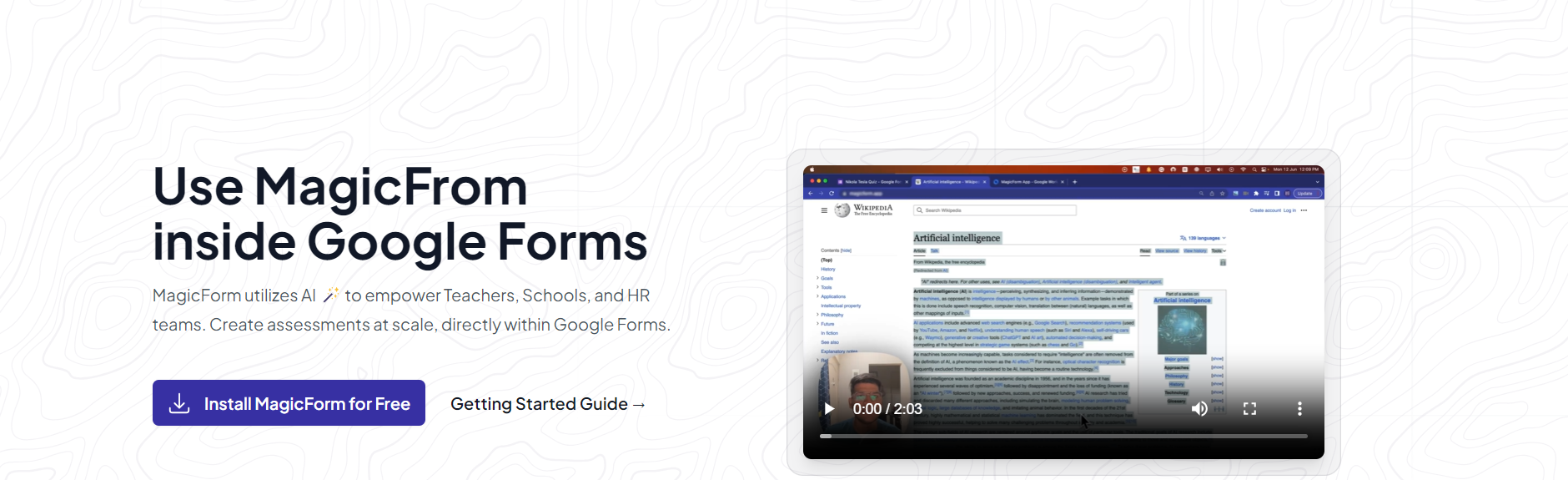
Step 1: Installation The journey with MagicForm begins by installing the user-friendly add-on by visiting https://www.magicform.app/. This seamless installation process ensures that educators can quickly integrate it into their existing educational technology toolkit.
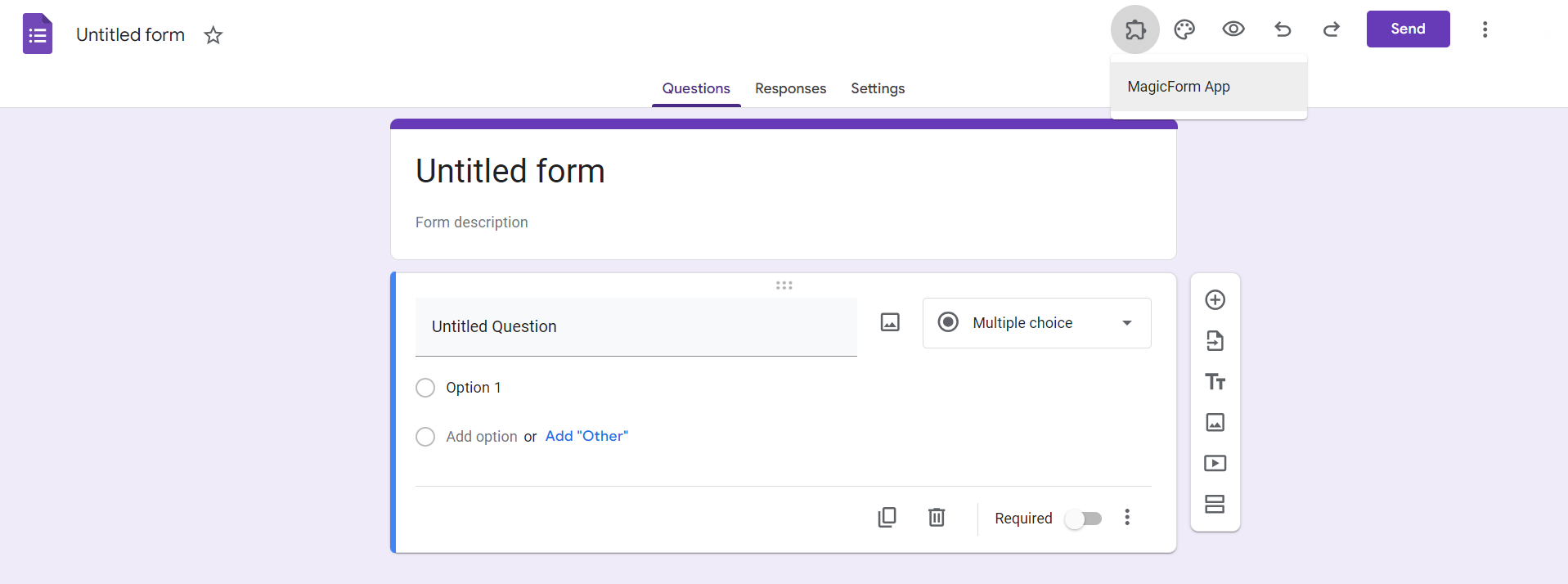
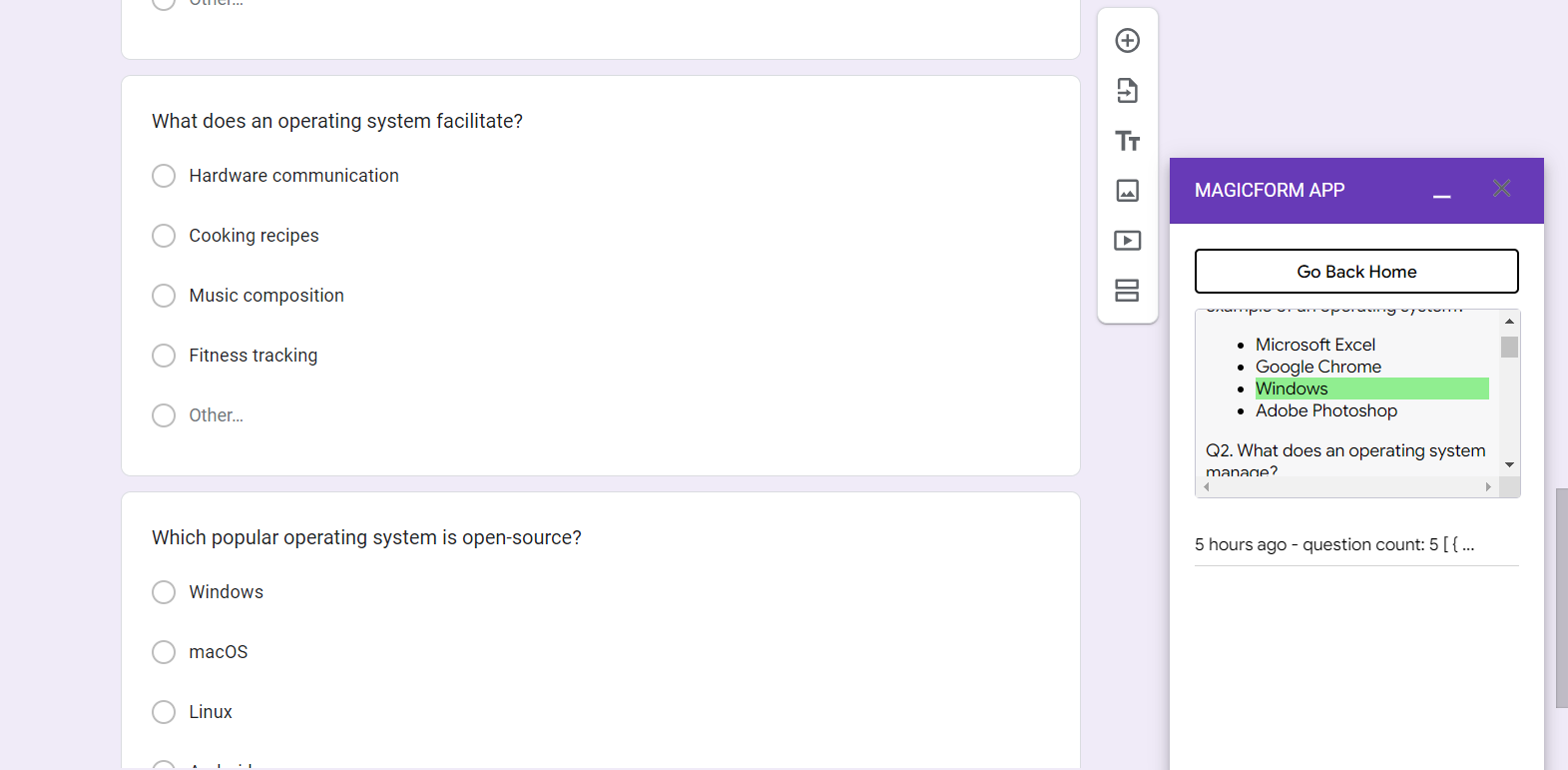
Step 2: Integration with Google Forms Once installed, MagicForm becomes a visible extension within Google Forms, a widely used platform for creating surveys and assessments. This integration streamlines access to MagicForm's AI-driven capabilities.
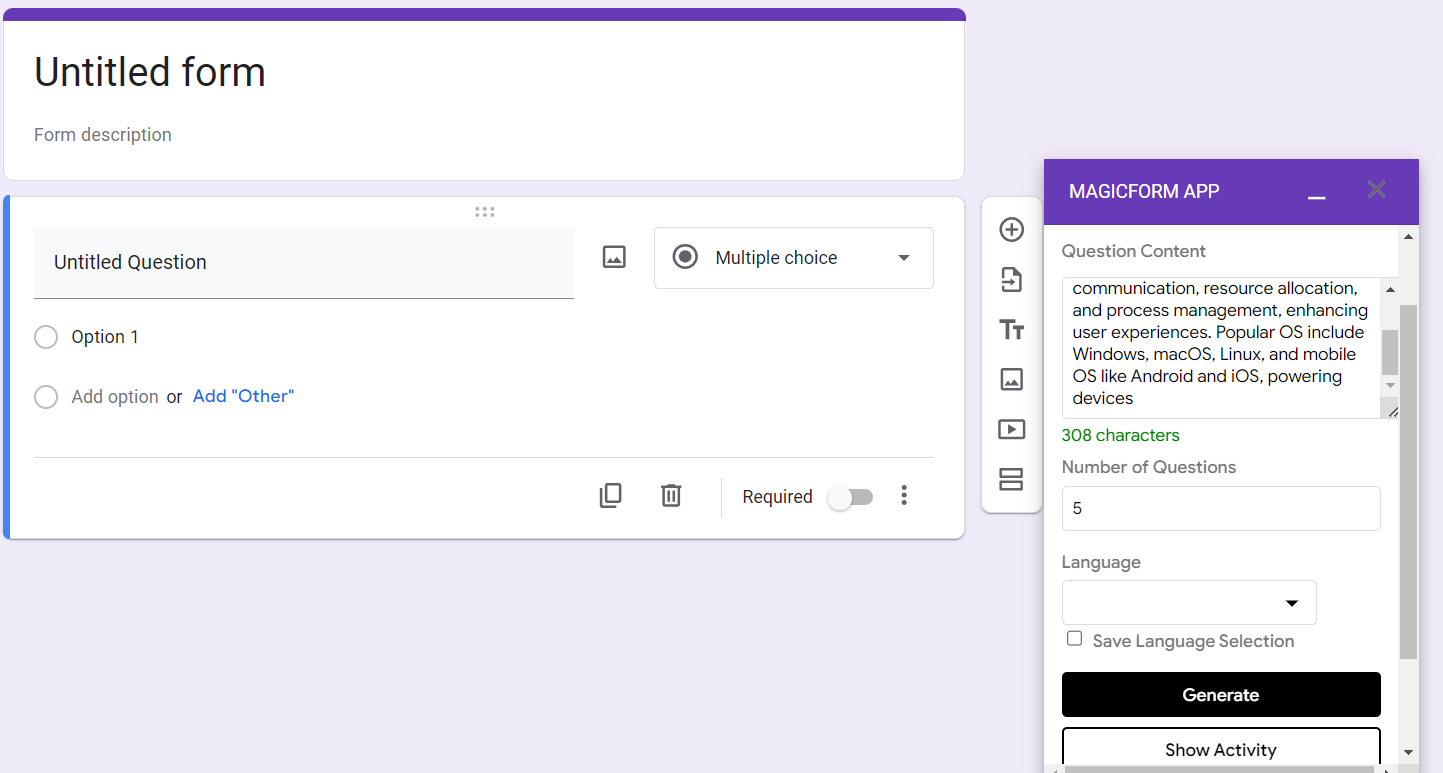
Step 3: Topic Selection and Question Generation Educators can then dive into the quiz creation process by selecting their desired topic. MagicForm's AI engine is designed to accommodate a broad range of subjects and domains. Next, educators specify the number of questions they'd like to generate. The power of AI takes center stage as it processes the chosen topic and generates questions tailored to it.
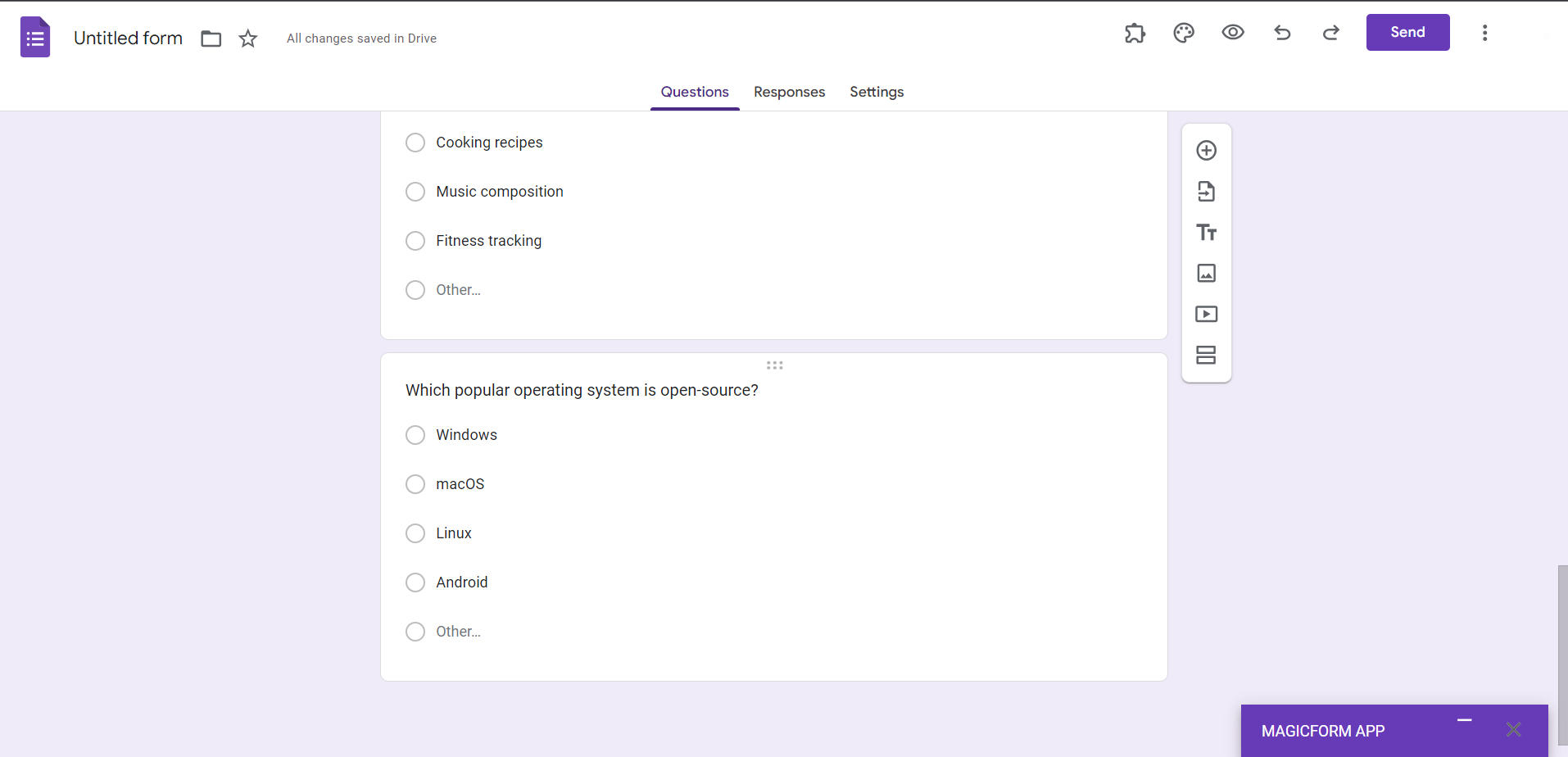
Step 4: Seamless Distribution to Students With the quiz questions generated, educators can effortlessly share their forms with students. MagicForm aligns with modern educational paradigms by facilitating online distribution and collection, thereby promoting a paperless and efficient environment.
Step 5: Answer Key Management MagicForm enhances assessment management by offering a "Show Activity" tab, which is private and exclusive to educators. In this tab, they can review and confirm the correct answers, maintaining the integrity of the assessment process.
The Benefits of MagicForm
MagicForm's innovative approach to quiz creation offers numerous advantages to educators:
- Time Efficiency: By automating the question generation process, educators can allocate more time to instructional planning and personalized teaching.
- Versatility: MagicForm is adaptable to various subjects and academic levels, ensuring its usefulness across a wide spectrum of educational contexts.
- Engagement: The dynamic and diverse questions generated by MagicForm can make quizzes more engaging and challenging for students, fostering deeper learning.
- Data-Driven Insights: Educators can glean valuable insights into student performance through MagicForm's analytics, facilitating data-driven instructional decisions.
- Accessibility: As a Google Forms add-on, MagicForm is easily accessible to educators who are already familiar with this platform, minimizing the learning curve.
In conclusion, MagicForm emerges as a transformative tool in the realm of education technology. Its integration of AI into the quiz creation process simplifies the work of educators, ultimately benefiting both teachers and students. By reducing administrative burdens and enhancing the educational experience, MagicForm is poised to play a vital role in shaping the future of education. As technology continues to evolve, tools like MagicForm pave the way for more efficient, engaging, and data-informed teaching practices.


