How Can a Good Background in Google Slides Make Your Presentation Better?


Enhance your Google Slides presentations with stunning backgrounds and templates. Discover how MagicSlides.app simplifies creating professional, engaging, and visually appealing slides.
When it comes to creating a presentation that stands out, the background you choose plays a pivotal role. A visually appealing and professional background can make your content more engaging, enhance its clarity, and leave a lasting impression on your audience.
Let’s explore how a good background, particularly using options like cute wallpaper Google Slides, can elevate your presentation and make it more impactful.
Why Is a Good Background Important?
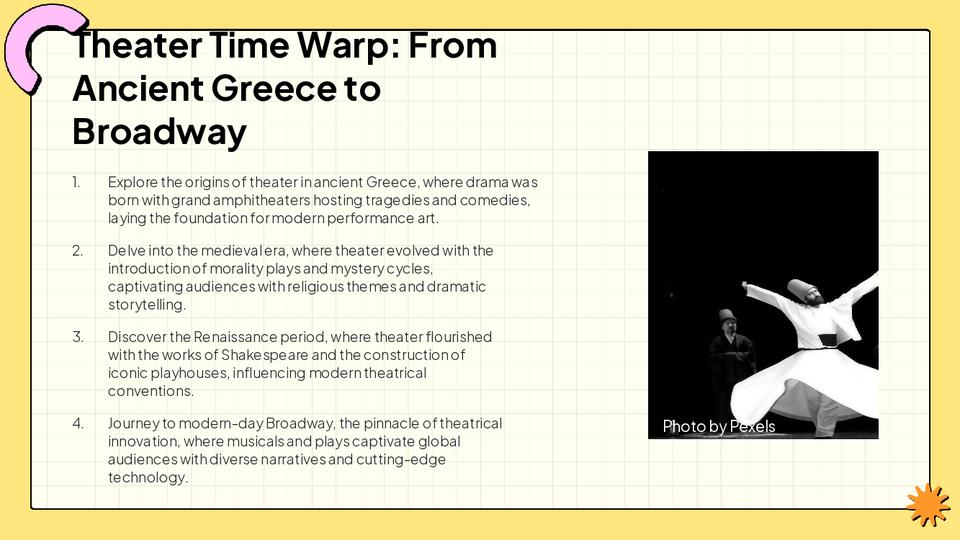
1. Captures Attention Instantly
A well-designed background grabs your audience's attention right from the start. It sets the tone for your presentation and helps create an emotional connection. For instance, using a cute and visually appealing wallpaper can make your slides look modern, friendly, and approachable.
2. Enhances Readability
Choosing the right background ensures that your text and visuals are easy to read. The contrast between the background and your content helps convey your message clearly without straining the viewer's eyes.
3. Reflects Your Theme and Mood
The background you select should align with the topic of your presentation. For example, a cheerful, lighthearted background with soft colors and cute elements works perfectly for creative presentations, educational content, or informal business meetings.
4. Builds Professional Credibility
A thoughtfully chosen background conveys that you’ve put effort into your presentation. This attention to detail adds to your professionalism, making your slides look polished and well-prepared.
Where to Find the Perfect Backgrounds for Google Slides?
Creating an appealing presentation is easier when you have access to beautiful templates. One excellent tool to streamline this process is MagicSlides.app. MagicSlides offers a wide range of templates designed for various purposes, ensuring your slides always look professional and visually stunning.
Steps to Use MagicSlides.app for an Instant Presentation
Using MagicSlides.app to create your presentation is incredibly simple. Here’s how you can get started:
1. Visit MagicSlides.app
Go to the MagicSlides website and explore their platform.
2. Browse Slide Templates
Navigate to the “Slide Templates” section. You’ll find an extensive collection of templates tailored for different themes and occasions, including cute wallpaper Google Slides designs.
3. Choose Your Template
You can either download your chosen template for offline editing or create your presentation directly within MagicSlides.
4. Click on Create
Select the “Create Presentation” option to start generating your slides.
5. Enter Your Topic
Provide a brief topic or title for your presentation. For example, if you’re preparing a marketing pitch, type "Marketing Strategy 2025."
6. Click Generate Instant PPT
MagicSlides will instantly create a customized presentation based on your input.
7. Your Presentation is Ready
Once generated, download your presentation or continue refining it using Google Slides or PowerPoint.
Tips for Choosing the Perfect Background
- Stick to a Theme: Ensure the background complements your content. For instance, pastel tones and cute elements work well for informal settings, while sleek, minimalist designs suit corporate presentations.
- Maintain Readability: Avoid overly busy backgrounds that compete with your text. Subtle patterns or solid colors often work best.
- Consider Your Audience: Use backgrounds that resonate with your audience. A fun and vibrant wallpaper might appeal to students, whereas professionals may prefer something more understated.
- Leverage Templates: Platforms like MagicSlides.app simplify this process by offering professionally designed templates that include well-matched backgrounds.
Conclusion
A good background can transform your Google Slides presentation from ordinary to extraordinary. By capturing attention, improving readability, and reflecting your theme, it ensures your content shines. Using tools like MagicSlides.app makes the process even easier, offering instant access to stunning templates and helping you craft professional presentations effortlessly.
Start exploring MagicSlides.app today and take your presentations to the next level with captivating backgrounds and tailored designs. A little effort can make a big difference—because your ideas deserve the best stage!


