How to Access Free Google Slides Templates for Presentations


Discover how to access free Google Slides templates, enhance presentations, and streamline slide design with tips, tools, and MagicSlides.app!
Creating engaging and visually appealing presentations is critical in communicating ideas effectively, whether it’s for a business meeting, a classroom presentation, or a creative pitch. While PowerPoint presentation templates have long been a go-to for professionals and students alike, many are now turning to Google Slides as a powerful, free, and collaborative alternative.
However, building a presentation from scratch can be time-consuming and challenging. That's where free Google Slides templates come in handy! In this blog post, we’ll explore how to find and access free Google Slides templates and subtly introduce a great tool called MagicSlides.app that can help you create stunning slides effortlessly.
Why Use Google Slides Templates for Your Presentations?
Using templates can save you hours of work while ensuring your presentation looks polished and professional. Here are some reasons why templates are a must-have for any presenter:
- Time Efficiency: Templates come pre-designed, so you don’t have to start from scratch.
- Visual Appeal: Professionally designed templates elevate your presentation’s aesthetic.
- Ease of Use: Templates are customizable, allowing you to add your content while keeping the overall design intact.
- Collaboration: Google Slides makes it easy to share and collaborate in real time, perfect for teams.
Where to Find Free Google Slides Templates
There are several reliable sources for downloading free Google Slides templates. Below are some of the best options:
1. Google Slides Template Gallery
Google itself offers a collection of free templates directly within the app. To access these:
- Open Google Slides.
- Click the "Template Gallery" button at the top of the screen.
- Browse through the categories, including education, business, and personal.
2. Third-Party Websites
Many websites provide free templates for Google Slides and PowerPoint presentation templates. These include:
- Slidesgo: Offers creative and professional templates for various industries.
- Slides Carnival: Features a mix of modern and classic designs.
- SlideHunter: Known for simple and minimalist templates.
These websites allow you to download templates in both Google Slides and PowerPoint formats.
3. MagicSlides.app
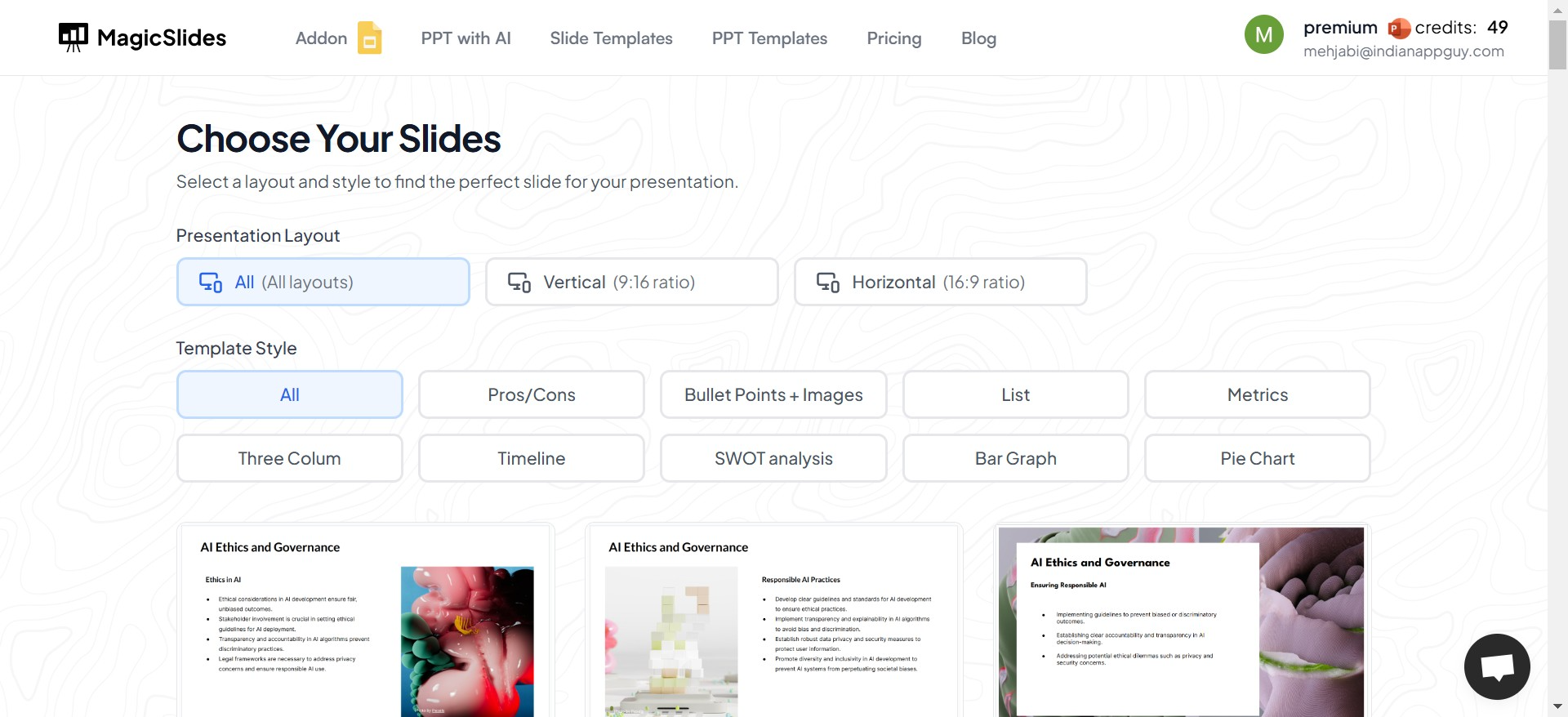
For those looking for a smarter way to design presentations, MagicSlides.app is an innovative tool that simplifies the process. It not only offers a variety of ready-to-use slide templates but also helps you auto-generate slides tailored to your content. Whether you need a pitch deck, a report, or a creative design, MagicSlides is an excellent companion for creating presentations that stand out.
While MagicSlides primarily focuses on generating high-quality slides, its templates are an added bonus for users who want polished designs without any hassle.
4. Open Access Libraries
Platforms like Canva also allow you to create custom slides and export them to Google Slides or PowerPoint. Many designs are free, though some may require a premium subscription.
How to Download and Use Google Slides Templates
Here’s a step-by-step guide to help you get started:
Step 1: Choose Your Template
Visit any of the sources mentioned above and browse their collections. Look for a template that matches your purpose and style preferences.
Step 2: Download the Template
Click on the "Download" or "Use Template" button. For Google Slides, many sources provide a direct link to open the file in your Google Drive.
Step 3: Customize the Template
Once the template is open in Google Slides, you can:
- Replace placeholder text with your content.
- Change colors, fonts, and images to match your branding.
- Add or remove slides as needed.
Step 4: Share or Present
After customizing, simply share the link with collaborators or present directly from Google Slides.
Key Tips for Using Templates Effectively
- Keep it Simple: Avoid overloading slides with text or visuals. Focus on key points.
- Use Consistent Branding: Align colors and fonts with your company or project theme.
- Incorporate Visuals: Use images, charts, and graphics to enhance understanding.
- Test Before Presenting: Ensure all animations, transitions, and links work smoothly.
The MagicSlides Advantage
If you're pressed for time or need a fresh perspective, MagicSlides.app takes the hassle out of creating presentations. Unlike traditional template providers, MagicSlides uses AI to generate entire presentations based on your input. Whether you're working in Google Slides or looking for PowerPoint presentation templates, MagicSlides ensures you always have an edge in design and delivery.
By combining creativity, automation, and ease of use, MagicSlides is a game-changer for anyone who wants to make their slides memorable.
Conclusion
Accessing free Google Slides templates is a smart way to streamline your presentation process and ensure your slides look professional and engaging. Whether you use Google’s built-in gallery, explore third-party websites, or try out tools like MagicSlides.app, the possibilities are endless.
With these resources, you can focus less on design and more on delivering your message effectively. So go ahead, explore the options, and elevate your next presentation with stunning templates!


