How to add answer key to Google forms


Enhance your Google Forms assessments by effortlessly incorporating an answer key for streamlined and efficient grading.
Google Forms is an invaluable tool for creating surveys, quizzes, and assessments. To make the grading process more efficient, it's essential to include an answer key. In this step-by-step guide, we'll explore how to seamlessly integrate an answer key into your Google Forms, ensuring a smooth and organized assessment experience.
How to add answer key to Google forms
Create or Open Your Google Form:
Begin by either creating a new form or opening an existing one in Google Forms that you want to add an answer key to.
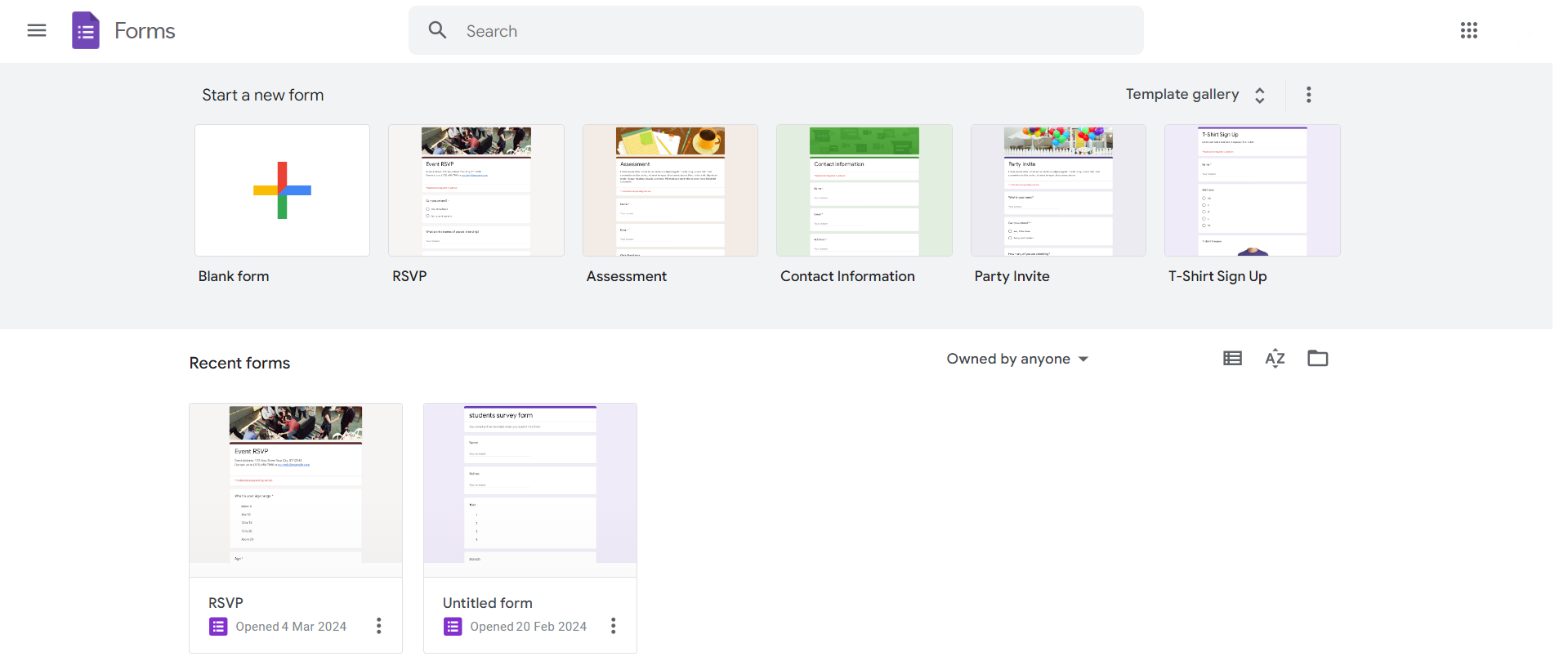
Add Questions to Your Form:
Include all the questions you want in your quiz or assessment. Specify the correct answer for each question.
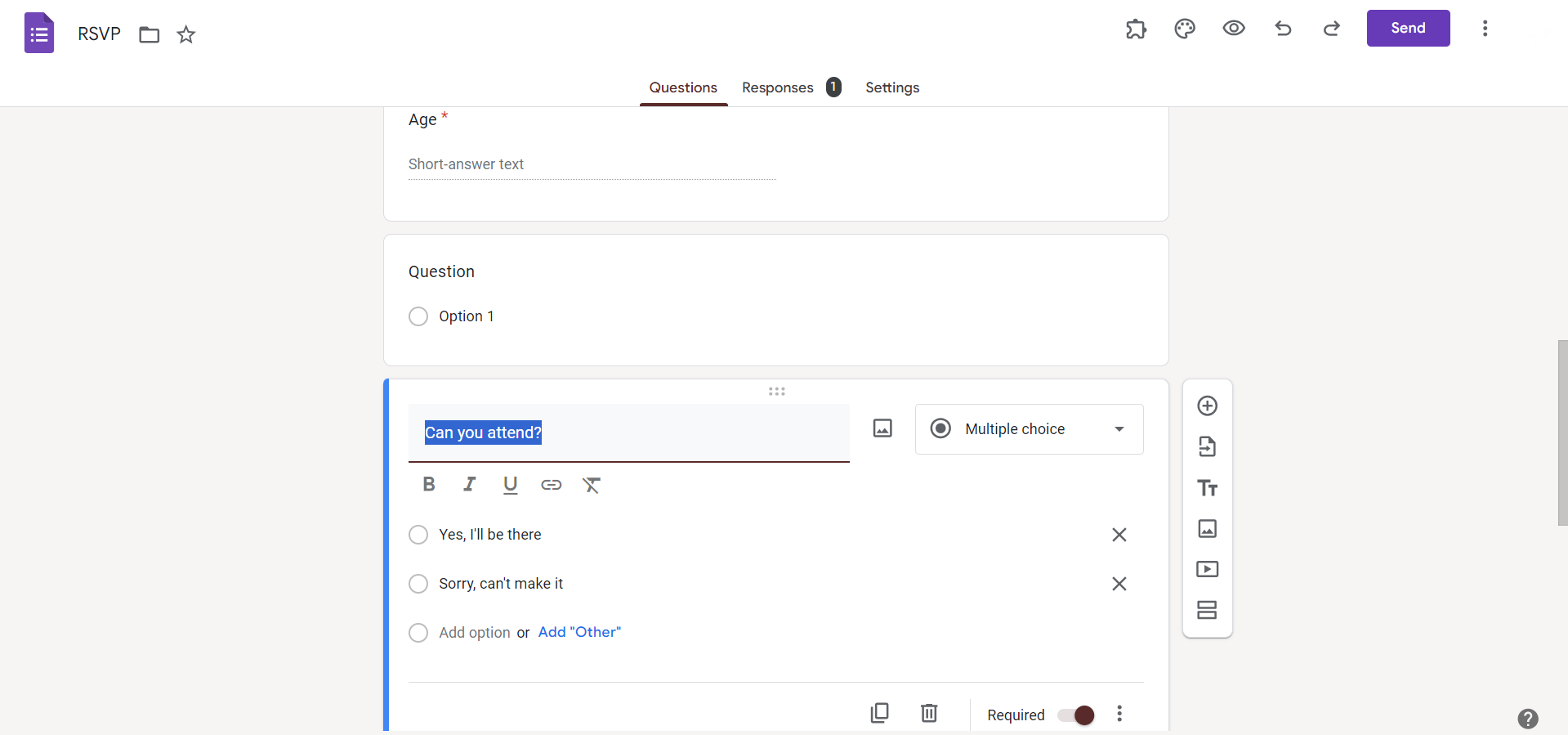
Navigate to the "Answer Key" Section:
After adding questions, click on the "Answer Key" button located at the top of the form editor. This button resembles a small grid.
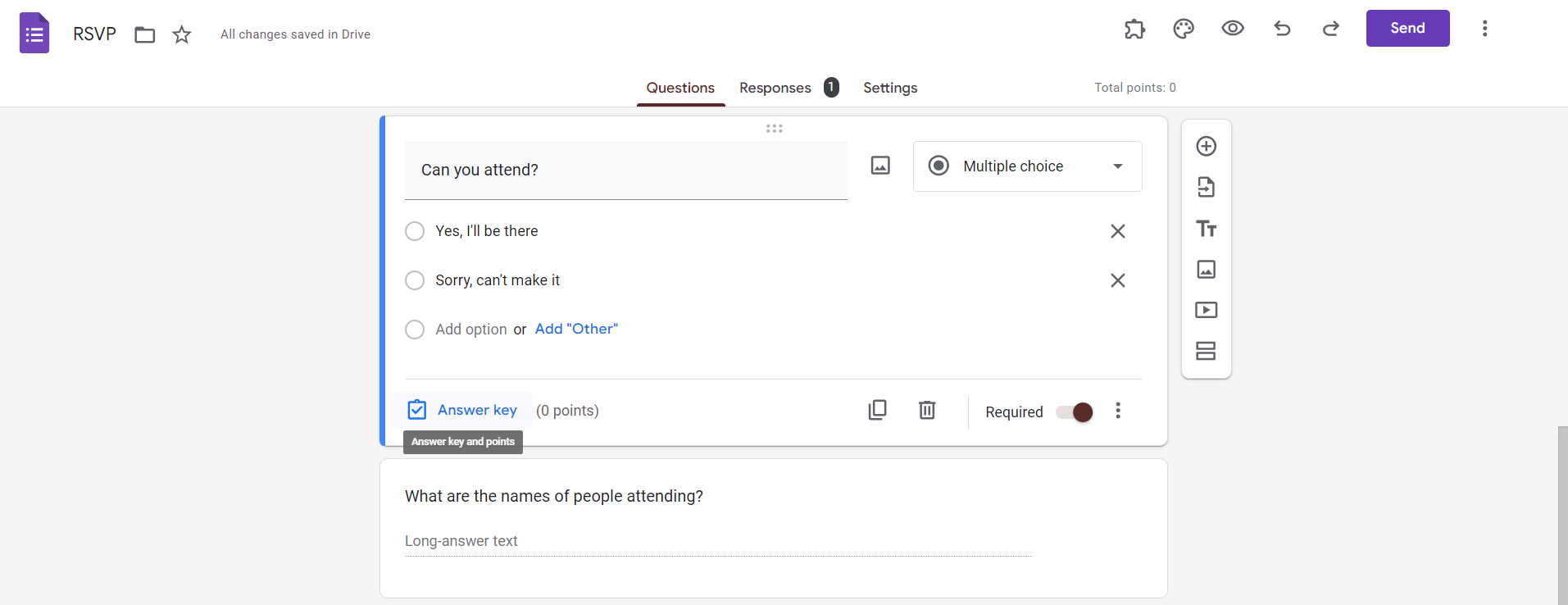
Assign Correct Answers:
For each question, click on the correct answer. Google Forms will automatically mark it as the correct response.
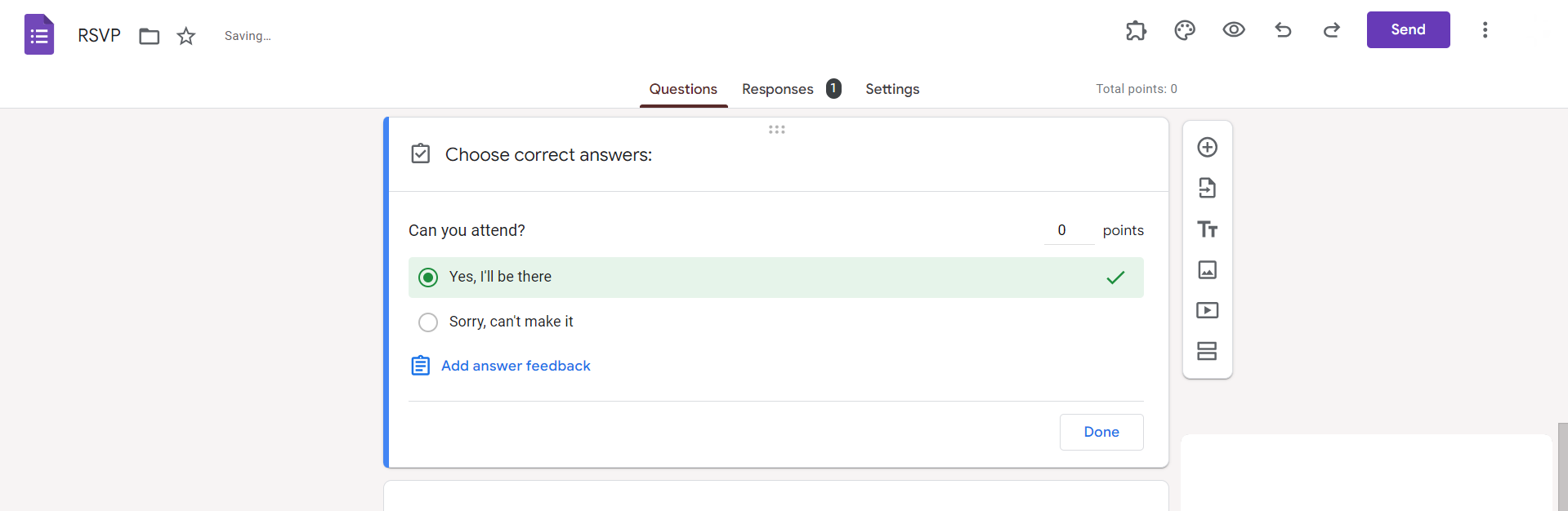
Set Point Values (if applicable):
If your assessment has varying point values for different questions, you can assign points to each question in the "Answer Key" section.
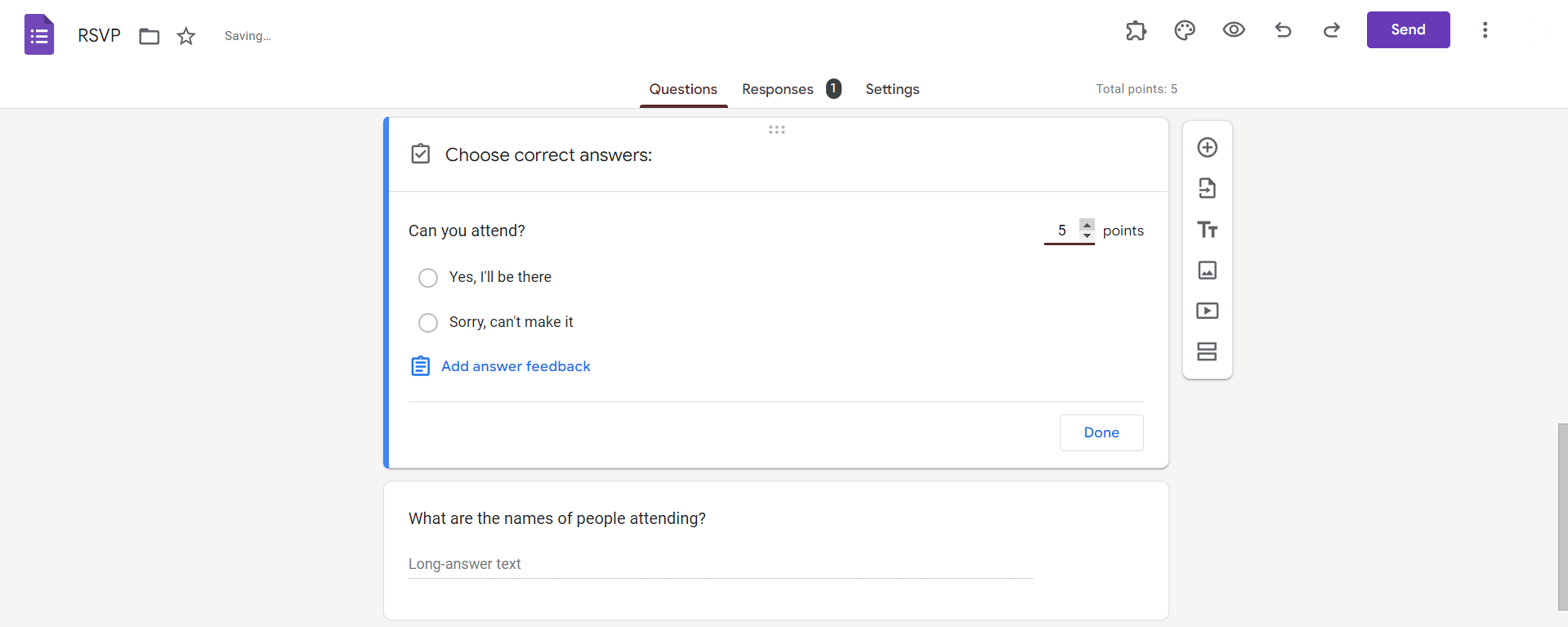
Review and Save:
Take a moment to review your answer key and ensure all correct answers and point values are accurately set. Once satisfied, click "Save."
Conclusion:
By incorporating an answer key into your Google Forms assessments, you're not only simplifying the grading process but also gaining valuable insights into participant performance. This step-by-step guide equips you with the skills to seamlessly integrate answer keys, making your assessments more efficient and allowing you to focus on analyzing results rather than spending time on manual grading. Streamline your assessment workflow and enhance your Google Forms experience with this user-friendly approach to answer key integration.
Frequently Asked Questions:
Can I add an answer key to an existing Google Form, or must it be done during creation?
You can add an answer key at any time, either during the form creation or afterward.
What happens if a question in the form has multiple correct answers?
Google Forms currently supports only one correct answer per question in the answer key.
Can I hide the correct answers from participants while sharing the Google Form?
Yes, you can choose to hide correct answers from participants by adjusting form settings.
Is it possible to modify the answer key after participants have already submitted their responses?
Yes, you can edit the answer key even after receiving responses, and it will reflect in grading.


