How to Change Slide Size in PowerPoint? Easy 5 Steps


Learn how to change slide size in PowerPoint with simple steps. Resize slides to widescreen, standard, or custom dimensions for any presentation.
The size of your slides in a PowerPoint presentation can significantly impact how your content is displayed, especially when sharing across different devices or screens. Whether you need to adjust the dimensions for compatibility with a specific screen resolution or simply want to change the layout for a more professional look, PowerPoint offers easy-to-use tools for resizing your slides. In this step-by-step guide, we’ll walk you through the process of changing slide size in PowerPoint, ensuring your presentation looks polished and tailored to your needs.
How to Change Slide Size in PowerPoint?
Changing the slide size in PowerPoint allows you to adjust your presentation layout for different screens, devices, and formats. Whether you need widescreen slides, standard dimensions, or a custom size, PowerPoint makes it easy to resize your slides without starting from scratch.
Follow the steps below to quickly change slide size and ensure your presentation looks professional and well-aligned.
Step 1. Open your PowerPoint presentation
Launch Microsoft PowerPoint and open the presentation you want to resize.
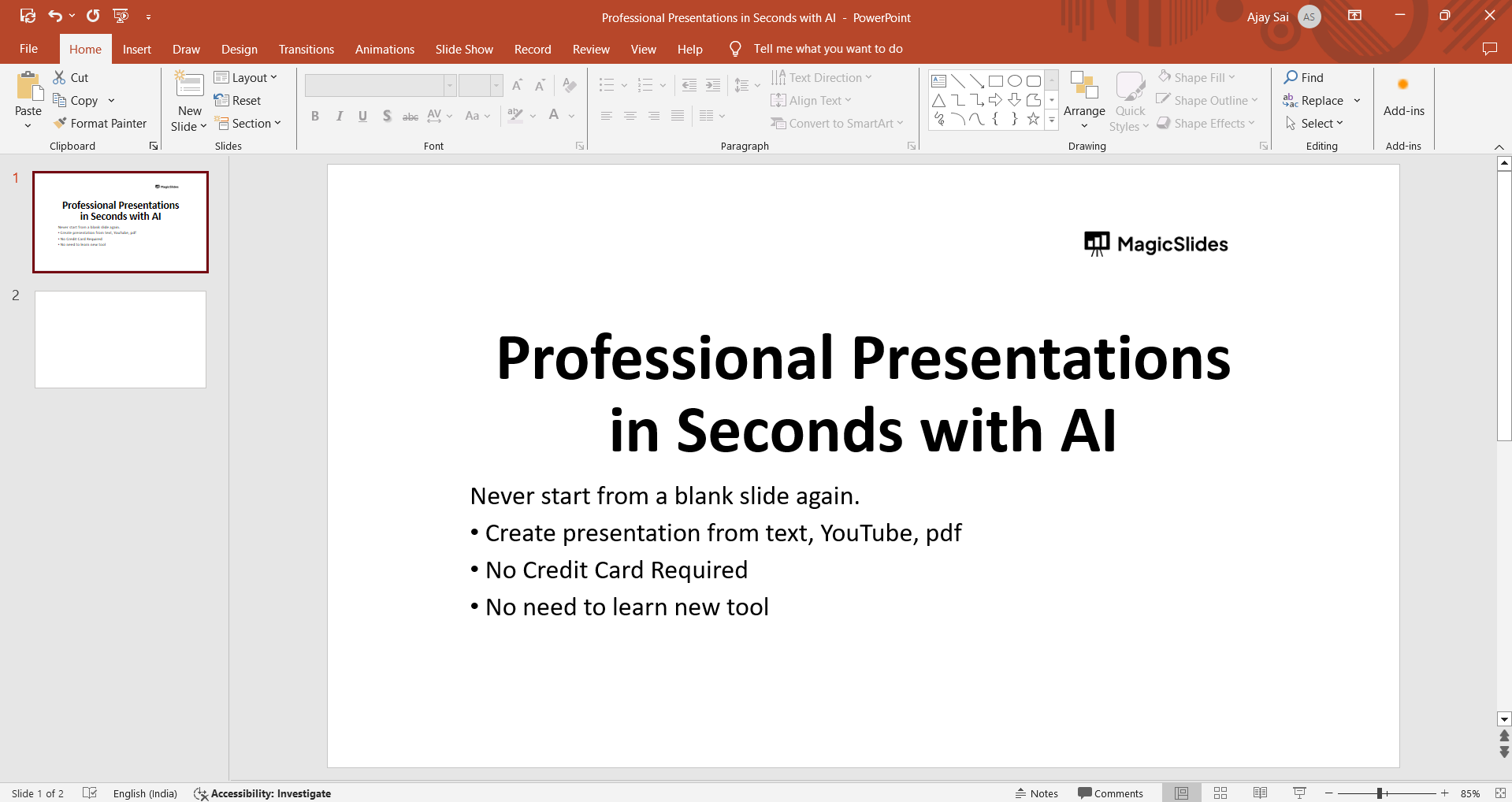
Step 2. Navigate to the “Design” tab
Once your presentation is open, click on the “Design” tab located in the menu bar at the top of the screen.
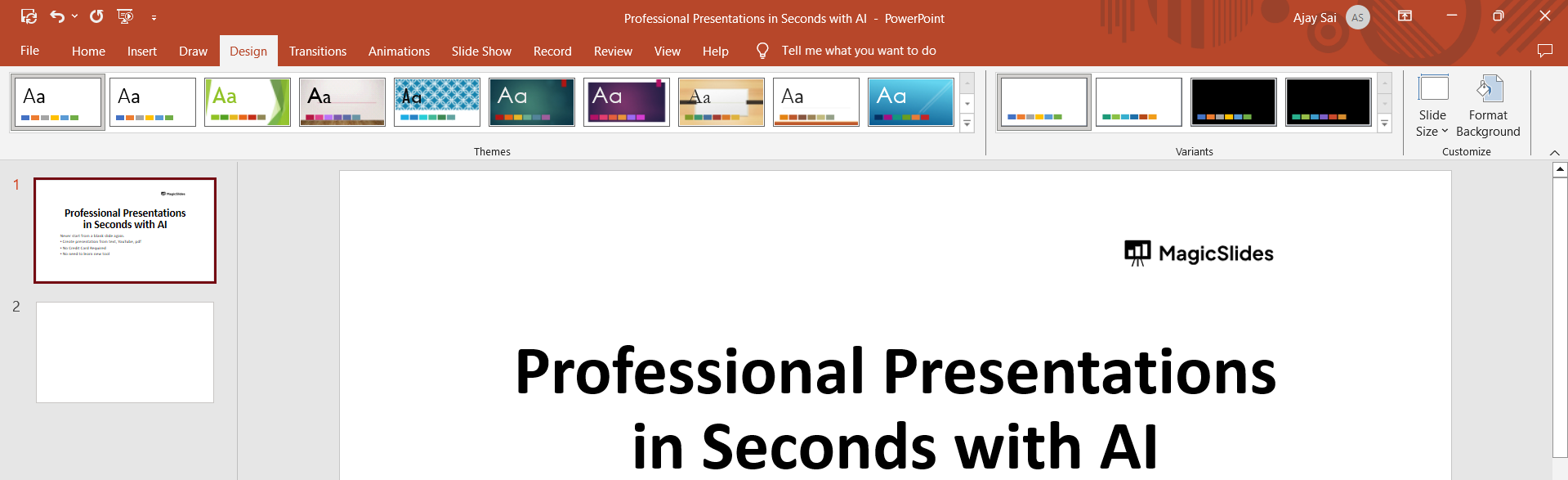
Step 3. Select “Slide Size”
Within the “Design” tab, locate the “Slide Size” option on the far right side. Click on it to access the slide size settings.
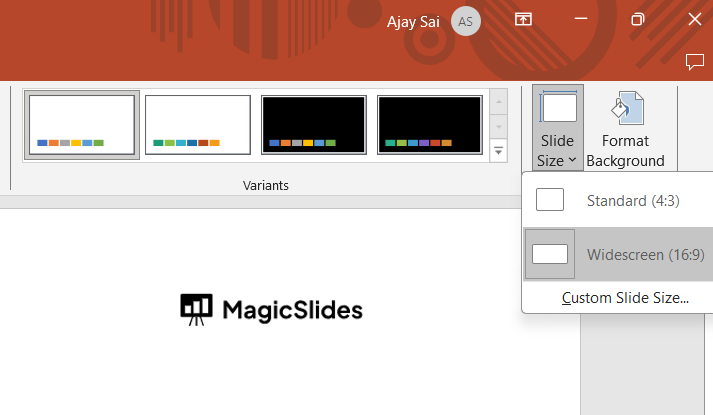
Step 4. Choose a predefined size or customize
In the dropdown menu, you’ll see several predefined slide sizes, including standard options like “Widescreen (16:9)” and “Standard (4:3).” Select the size that best fits your needs, or choose “Custom Slide Size” to enter specific dimensions.
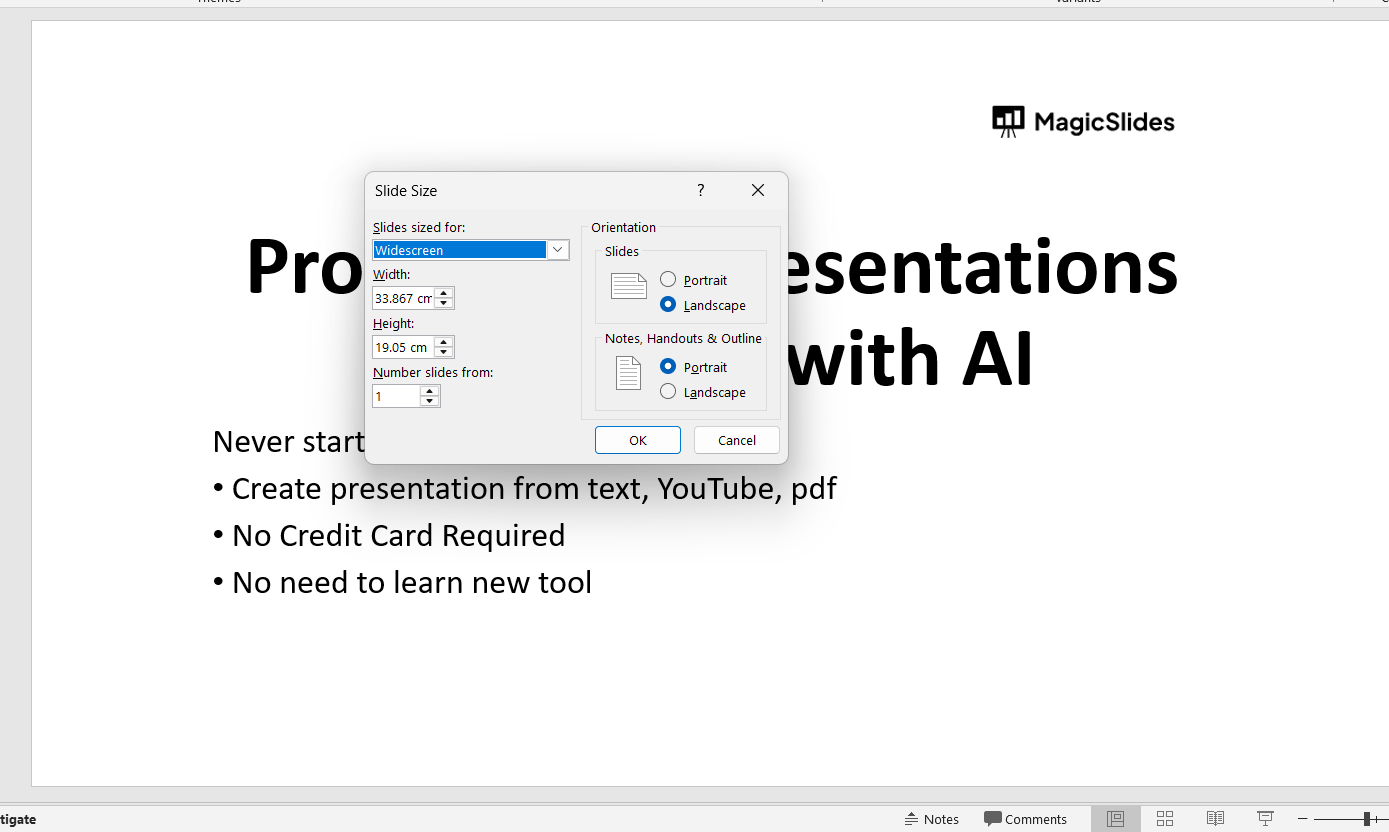
Step 5. Confirm your selection
After selecting your preferred slide size or entering custom dimensions, click “OK” to apply the changes to your presentation.
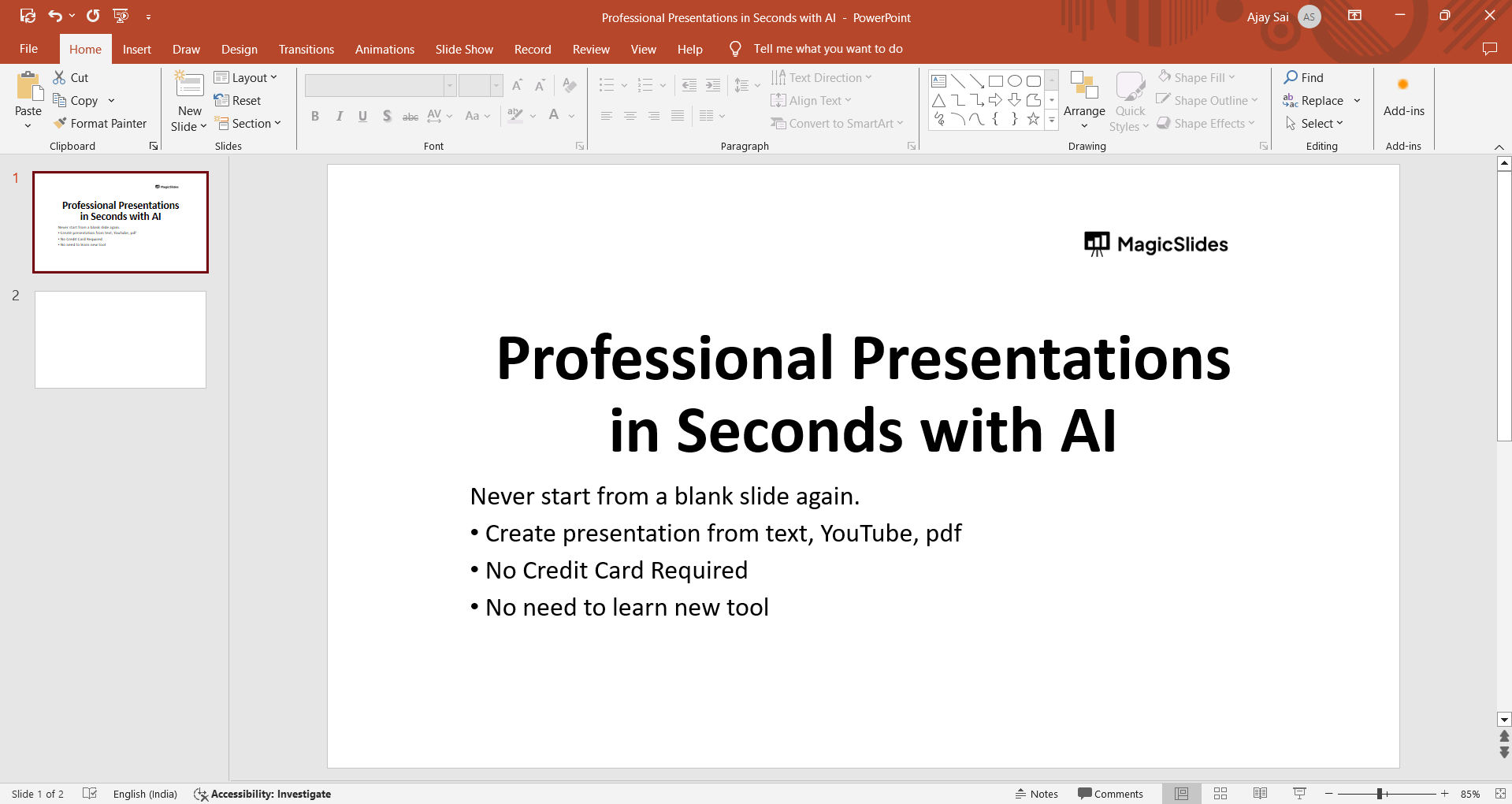
Professional Tip- Create Perfectly Sized Slides Faster with AI
If you frequently need to change slide sizes for different use cases, such as widescreen presentations, pitch decks, or social media formats, starting with correctly sized slides can save a lot of time. Tools like MagicSlides AI PPT Maker help generate PowerPoint presentations with well-structured layouts that adapt cleanly to different slide dimensions. Instead of resizing content manually after changing slide size, you can focus on refining your message while maintaining consistent formatting across slides.

Conclusion
Adjusting the slide size in PowerPoint is a simple yet powerful way to ensure your presentation looks professional and is optimized for viewing on various devices and screens. Whether you’re preparing slides for a widescreen monitor, a standard projector, or even for online sharing, customizing the slide size allows you to tailor your presentation to your audience’s needs.
By following these straightforward steps, you can effortlessly resize your slides in PowerPoint, enhancing the visual impact and overall effectiveness of your presentation.
Frequently Asked Questions
Q. Will changing slide size affect the content layout of my presentation?
Adjusting the slide size may require resizing and repositioning content elements to fit the new dimensions.
Q. Can I revert to the original slide size after making changes?
Yes, you can always revert to the original slide size by following the same steps and selecting the appropriate size.
Q. Will changing slide size affect the quality of images and graphics?
Resizing slides may impact the resolution of images and graphics, so it’s advisable to optimize them accordingly.
Q. Are there standard slide sizes recommended for specific presentation formats?
Yes, common standards include Widescreen (16:9) for modern displays and Standard (4:3) for traditional screens.


