How to clear responses in Google Forms


Optimize your Google Forms experience by learning the easy steps to clear responses effortlessly.
Google Forms is an invaluable tool for collecting data, but there are instances when you need to start fresh or clear existing responses. Whether it's for a new survey or to maintain data privacy, the process of clearing responses is crucial. In this guide, we'll navigate through the steps, ensuring you can efficiently clear responses in your Google Forms, providing you with a clean slate for your data collection needs.
Steps to Clear Responses in Google Forms:
Open Google Forms:
Launch your web browser and go to the Google Forms homepage (forms.google.com). Sign in to your Google account if not already logged in.
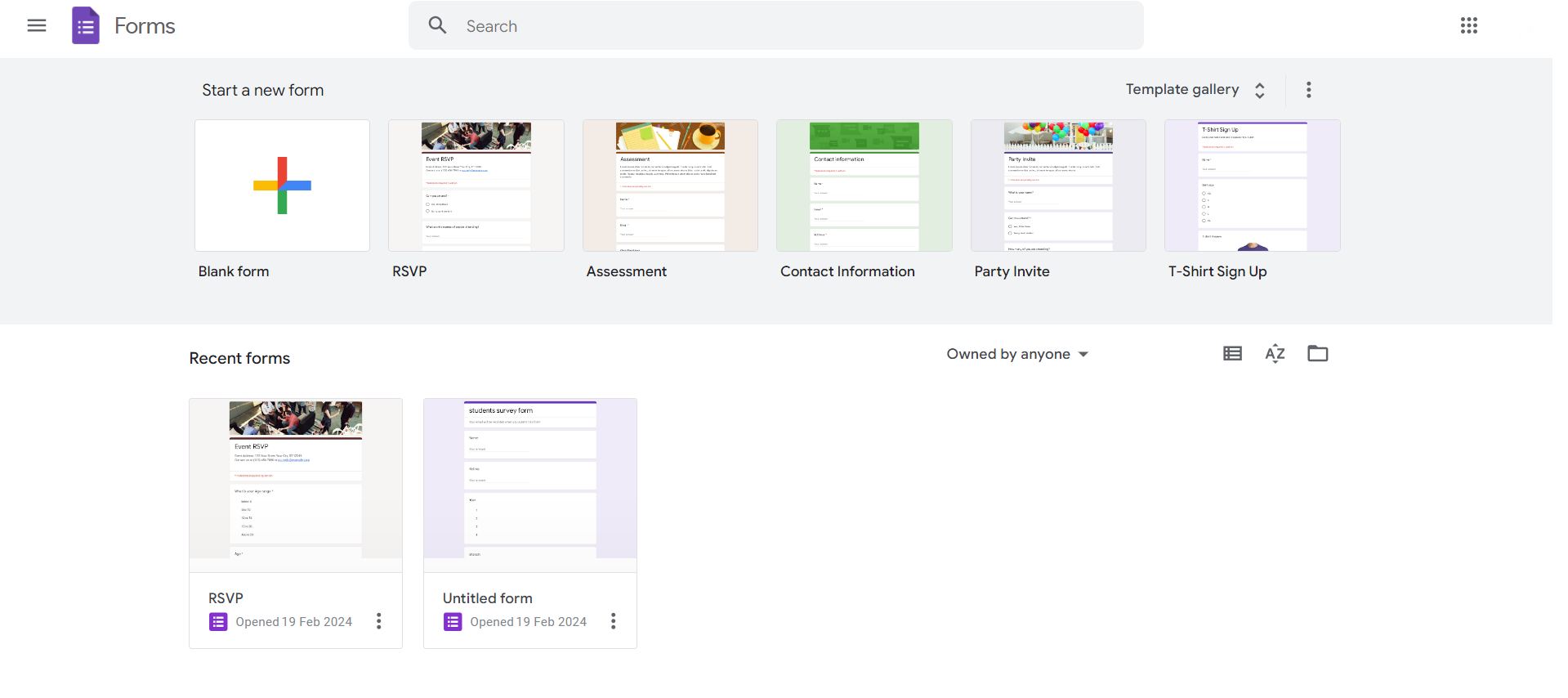
Access Your Form:
Open the form for which you want to clear responses or create a new form.

Navigate to Responses:
At the top of the form, click on the "Responses" tab.
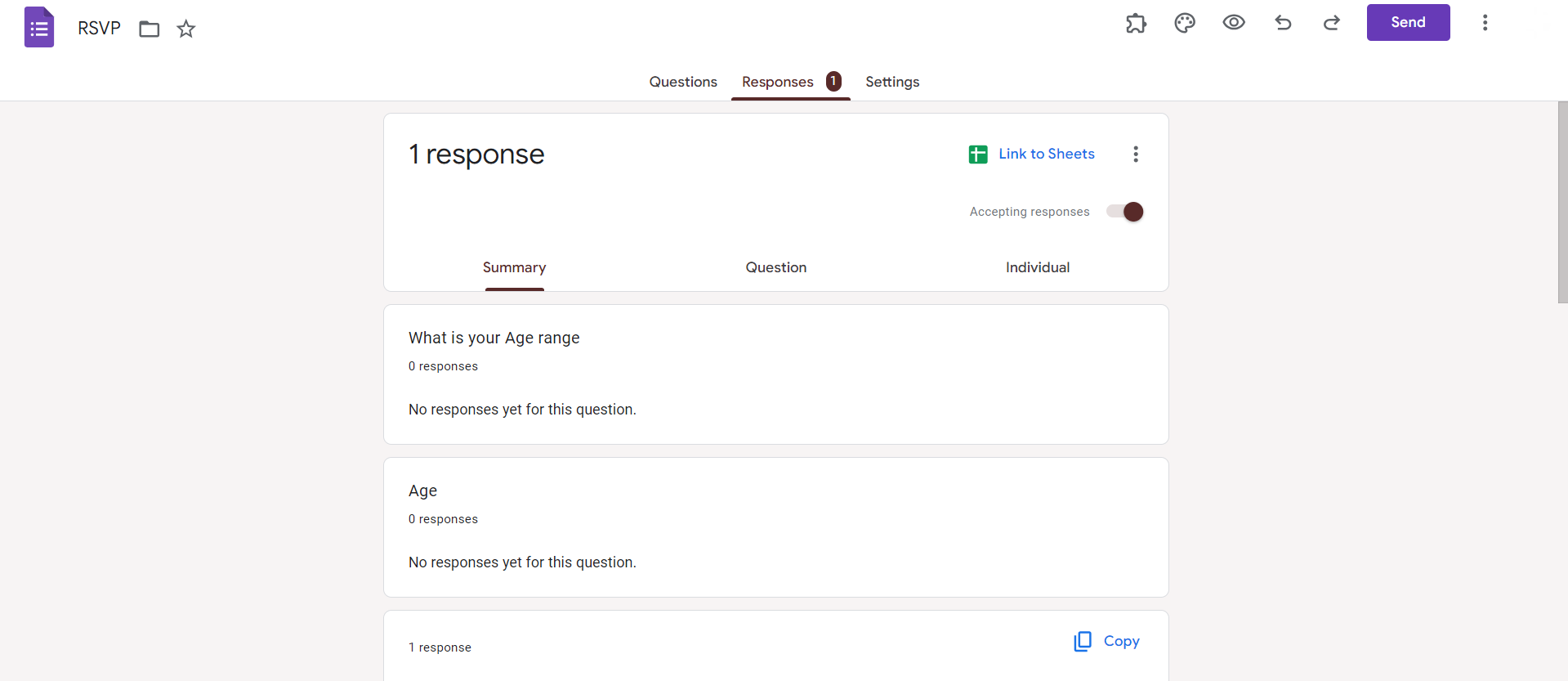
Click on Three Dots:
In the upper right corner of the Responses tab, click on the three vertical dots.
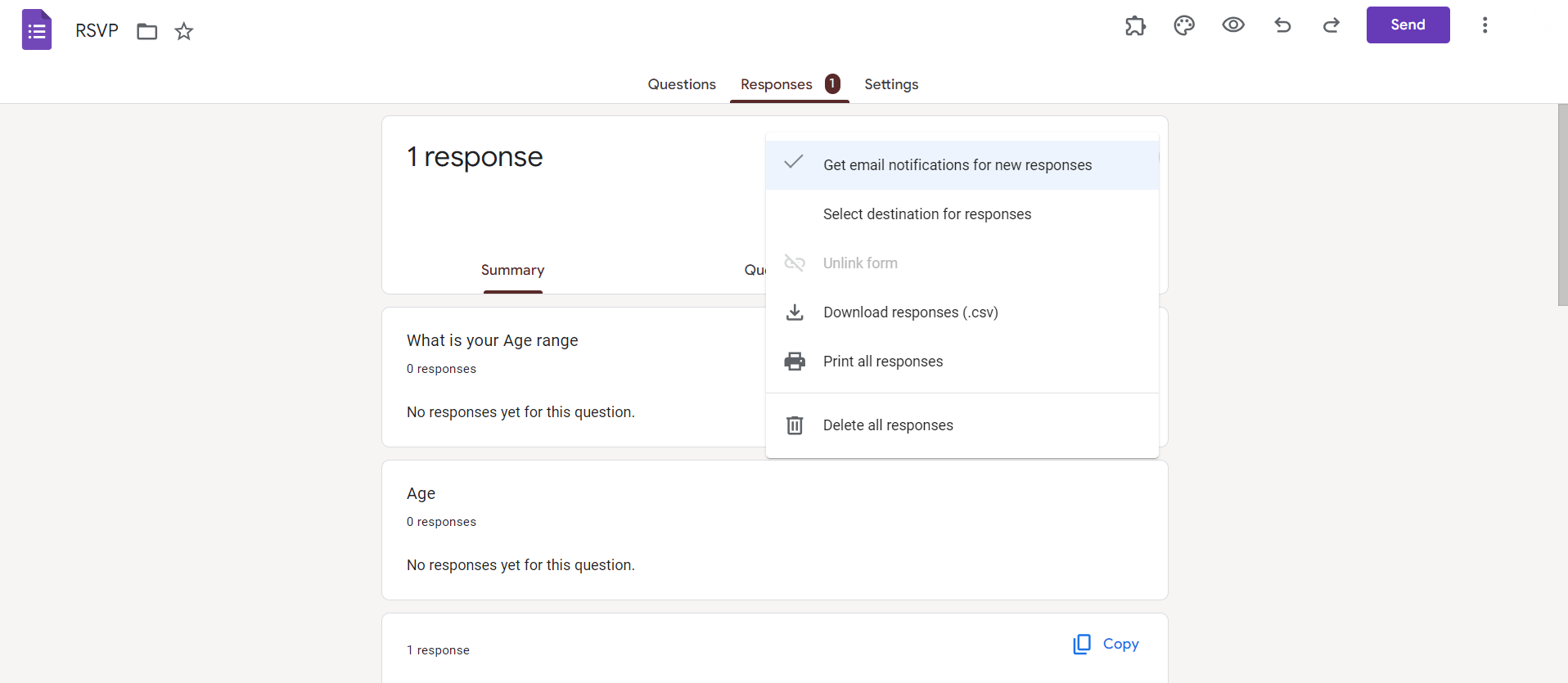
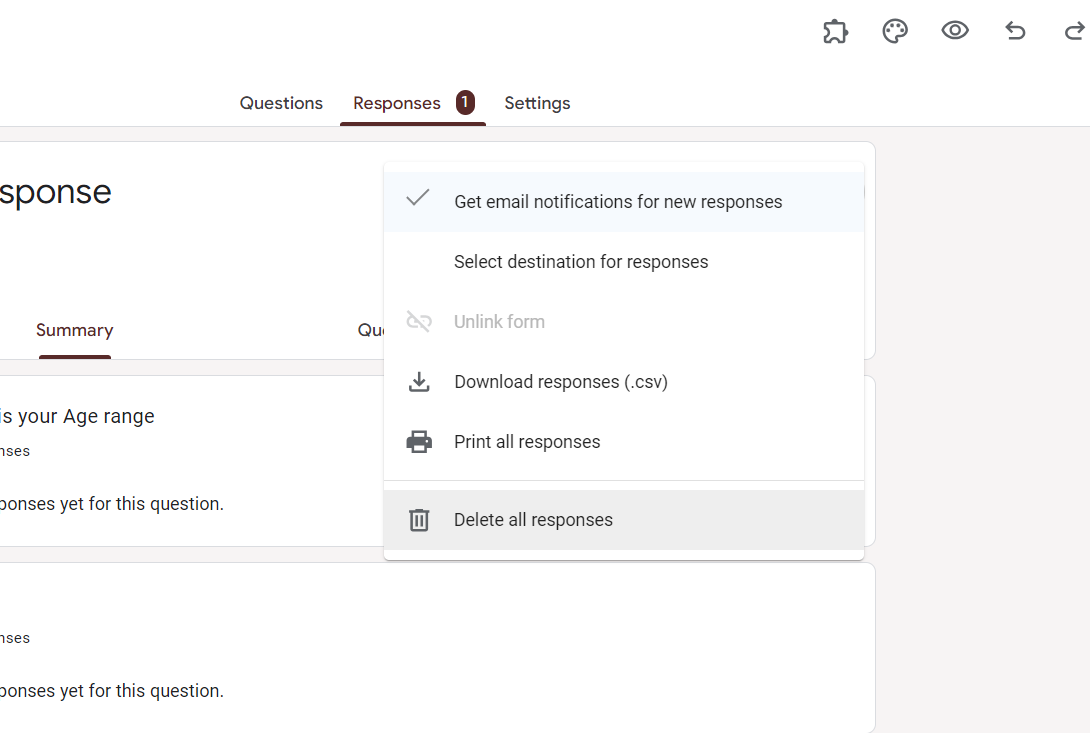
Choose "Delete All Responses":
From the dropdown menu, select "Delete all responses."
Confirm Deletion:
A confirmation window will appear. Confirm that you want to delete all responses.
Verify Empty Form:
Ensure that the form's response summary is now empty, indicating successful response deletion.
Conclusion:
Maintaining the cleanliness and relevance of your Google Forms is essential for effective data collection. By following the step-by-step guide above, you can easily clear responses in your Google Forms, whether you're starting a new survey or simply need to reset for privacy reasons. This guide empowers you to confidently manage your forms, ensuring a seamless and organized data collection process. Keep these steps handy, and enjoy the flexibility and control over your Google Forms as you collect valuable information with precision.
Frequently Asked Questions:
Can I clear responses for specific questions in a Google Form, or is it all or nothing?
No, Google Forms currently only allows you to clear all responses for the entire form.
Will clearing responses affect the form structure or questions in any way?
No, clearing responses only resets the collected data; it doesn't alter the form structure or content.
Is there a way to recover deleted responses in Google Forms?
No, once responses are deleted, they cannot be recovered; consider downloading data before clearing responses.
Can I clear responses on the Google Forms mobile app, or is it desktop-only?
Currently, the option to clear responses is available only on the desktop version of Google Forms.


