How to Create PPT Background: A Step-by-Step Guide


Create stunning PowerPoint backgrounds effortlessly. Learn manual techniques and discover MagicSlides.app for pre-designed templates and instant presentation creation.
Creating an engaging PowerPoint presentation is not just about adding great content; it’s also about ensuring your slides are visually appealing. One of the most crucial elements in designing a compelling presentation is the background. A well-chosen background can make your slides stand out and effectively convey your message.
In this blog post, we’ll discuss how to create a PowerPoint (PPT) background and introduce you to an amazing tool called MagicSlides.app that simplifies the entire process.
What is a PPT Background?
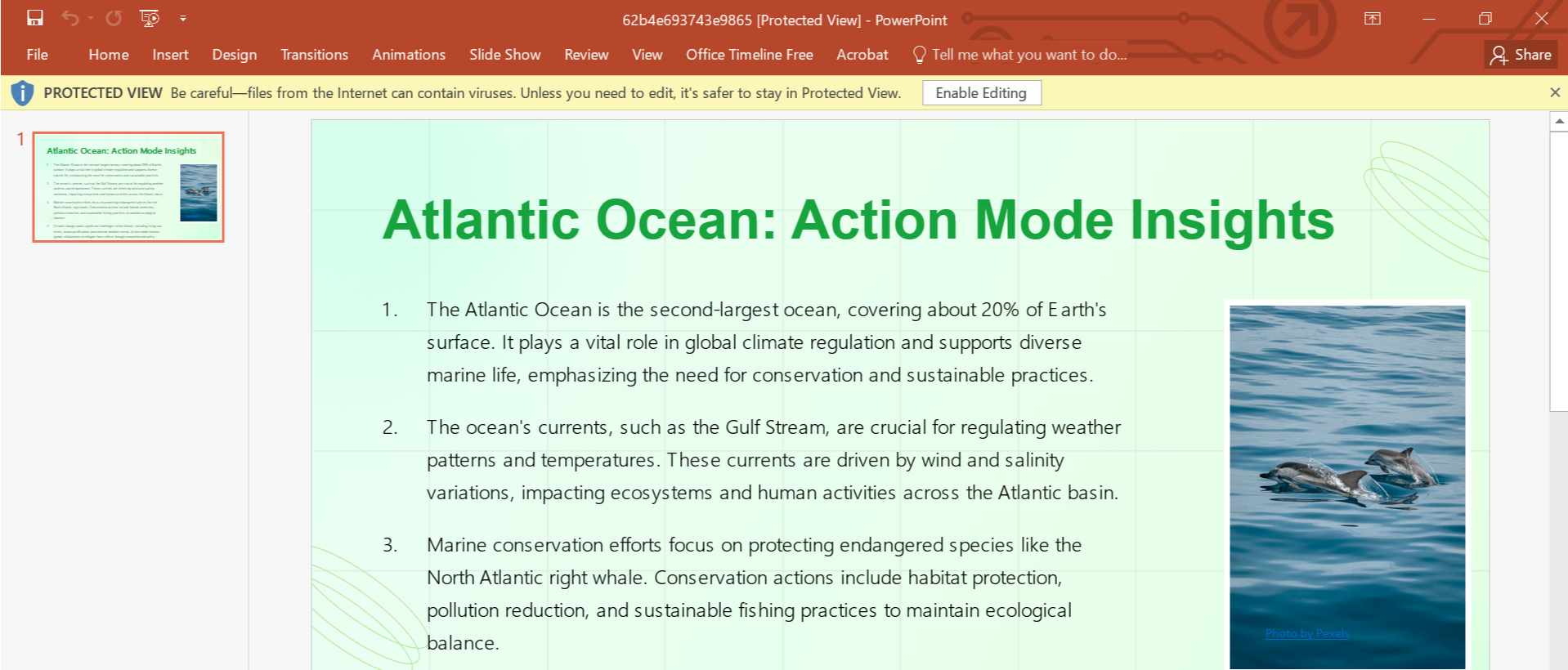
The background of a PowerPoint slide is the foundation of your presentation's design. It can be a color, gradient, image, or even a pattern that supports your content visually without overpowering it. Choosing the right background helps in maintaining professionalism and audience engagement.
How to Create a PPT Background Manually
If you're creating your PPT background manually, follow these steps:
- Open PowerPoint: Launch PowerPoint and create a new presentation or open an existing one.
- Select a Slide: Choose the slide where you want to apply the background.
- Right-Click on the Slide: In the slide, right-click and select “Designer.”
- Choose Your Background Style: You will see a lot of backgrounds and styles in the designer which can be applied.
- Apply to All Slides (Optional): If you want the same background across all slides, click the "Apply to All" button.
While these steps work, creating backgrounds manually can be time-consuming and may lack the professional touch.
Why Use Pre-Designed Templates?
Pre-designed templates save time and ensure that your presentation looks cohesive and professional. With tools like MagicSlides.app, you don’t have to spend hours designing your presentation. Instead, you can focus on delivering your content while the tool takes care of the design.
MagicSlides.app: The Easiest Way to Create Stunning PPTs
If you’re looking for a fast and efficient way to create presentations, MagicSlides.app is your go-to tool. Not only does it help you generate entire presentations instantly, but it also offers beautifully pre-designed templates with professional backgrounds.
Steps to Use MagicSlides.app
Creating your PowerPoint presentation with a stunning background is effortless with MagicSlides. Follow these simple steps:
1. Visit MagicSlides.app
Go to MagicSlides.app on your browser. The interface is user-friendly and intuitive.
2. Enter Your Topic
Type the topic of your presentation. For example, “Marketing Strategies for 2025.”
3. Click "Generate Instant PPT"
MagicSlides will analyze your topic and start creating a customized presentation for you.
4. Select a Slide Theme and Number of Slides
Choose from a variety of slide themes with pre-designed backgrounds. Select the number of slides you need for your presentation.
5. Click "Generate"
Once you've selected your preferences, click on the "Generate" button.
6. Download Your PPT
Your professionally designed PowerPoint presentation will be ready to download in seconds. The slides will feature beautiful, cohesive backgrounds tailored to your topic.
Why Choose MagicSlides.app?
- Time-Saving: No need to manually design each slide or background.
- Professional Templates: Access a wide variety of modern and visually appealing templates.
- Easy to Use: Simple steps to generate a presentation in minutes.
- Customizable: Modify the slides to suit your unique needs after downloading.
Conclusion
Creating a compelling PowerPoint background doesn’t have to be a daunting task. While you can design one manually, using a tool like MagicSlides.app makes the process faster, easier, and more professional. Whether you’re a student, a business professional, or a teacher, MagicSlides has the perfect solution for all your presentation needs.
So why wait? Visit MagicSlides.app today and experience the magic of effortlessly creating stunning presentations with perfectly designed backgrounds.


