How to Design Presentations for Technical Topics: A Comprehensive Guide


Learn how to design presentations for technical topics with clear structure, visuals, and AI tools like MagicSlides.app for professional, engaging slides.
Over the past three years, I've worked closely with technical teams, researchers, and data experts, and if there's one thing I've learned, it's that explaining complicated topics clearly is tougher than it looks.
As someone who's spent a lot of time writing for tech professionals, I understand how tricky it can be to take complex information and turn it into a presentation that's simple, clear, and interesting.
It’s not just about knowing your content, it’s about making sure your audience connects with it too.
In this post, I’ll share what’s worked for me in real projects, and a tool I personally recommend (MagicSlides.app) that makes the whole process a lot faster and easier.
Quick tip: If you want more ideas on topics for technical PowerPoints, check out this blog we wrote on technical topics for PPTs!
Why Technical Presentations Can Be Challenging
When I first started, I thought it would be enough to just explain the facts clearly.
But it turns out technical presentations have their own set of challenges, like:
- Information overload – It’s easy to pack in too much and overwhelm your audience.
- Too much jargon – Not everyone in the room will speak the same “technical language.”
- Complicated data – Charts, graphs, and numbers need to be super easy to understand.
- Keeping attention – Especially if your audience isn't technical.
- Balancing detail and time – Say enough… but not so much that people lose interest.
Learning how to work around these issues has made a huge difference in the way I design presentations today.
My Go-To Tips for Creating Technical Presentations That Work
Here’s what I’ve learned by doing it myself, not just once, but across many projects.
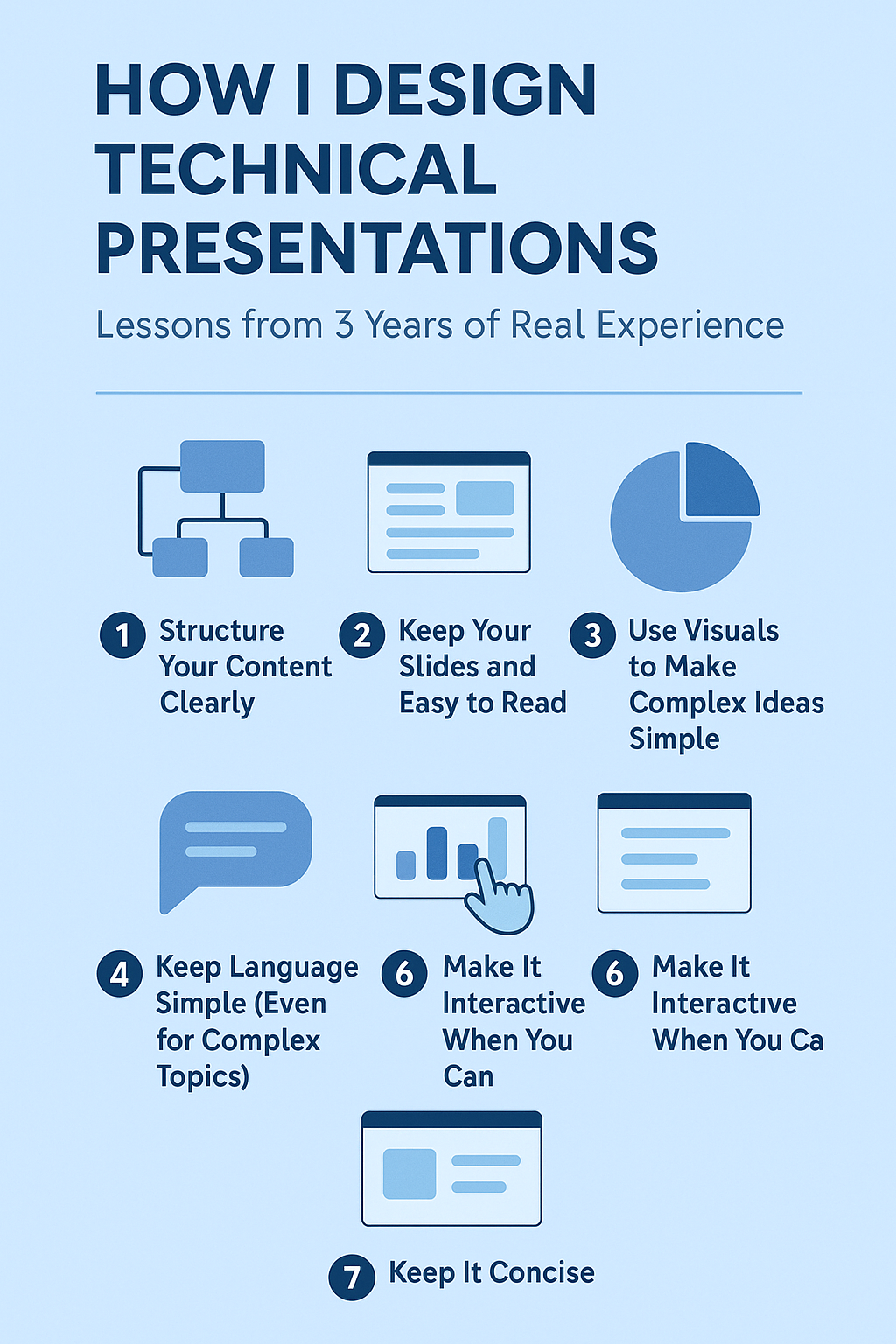
1. Structure Your Content Clearly
With technical topics, structure is everything.
Here's the simple layout I usually follow:
- Introduction – What’s the topic, and why does it matter?
- Background – Share just enough context to set the stage.
- Core Details – Break down the complex stuff with examples and visuals.
- Data and Evidence – Show insights using easy-to-read charts and graphs.
- Conclusion – Wrap up with a few key takeaways.
If your audience can easily follow your flow, it’s much easier for them to stay engaged.
2. Keep Your Slides Simple and Easy to Read
One thing I learned early on: Good design helps people focus.
Here’s what I stick to:
- Minimal text – I use bullet points instead of paragraphs.
- Big, readable fonts – No tiny text that people at the back can’t read.
- Consistent colors and fonts – To keep everything clean and professional.
- Plenty of white space – So slides don’t feel crowded or overwhelming.
A clean design lets your ideas shine through without distractions.
3. Use Visuals to Make Complex Ideas Simple
Visuals are your best friend when it comes to technical topics.
I often use:
- Flowcharts and diagrams – To explain systems and processes.
- Graphs and charts – To show data trends and comparisons.
- Tables – For neat summaries of numbers or comparisons.
Example: If I’m explaining a machine learning model, a simple flowchart is way more effective than a wall of text.
4. Keep Language Simple (Even for Complex Topics)
You don’t have to "dumb it down," but you should make it easy to understand.
What’s worked for me:
- Explain technical terms briefly the first time they come up.
- Use analogies when possible (e.g., "Think of a firewall like a security guard for your computer").
- Break long explanations into short, simple sentences.
Your goal isn’t to sound "smart", it’s to make sure your audience gets it.
5. Focus on Clear Data Visualization
When you're working with a lot of data (which I often am), how you show it matters just as much as what you’re showing.
Some tips I follow:
- Highlight key numbers or trends with colors or bold text.
- Stick to one idea per chart – don’t overcrowd.
- Use the right chart type – bar charts for comparisons, line graphs for trends, pie charts for parts of a whole.
Simple, well-designed visuals help people absorb information fast.
6. Make It Interactive When You Can
Whenever possible, I try to include a little interaction to keep people engaged:
- Simple animations (but not too many).
- Clickable links to resources or demos.
- Short Q&A sessions to invite questions and discussion.
It’s a great way to keep your audience involved rather than just talking at them.
7. Keep It Concise
This took me a while to learn: Less is more.
- One main idea per slide.
- Short bullet points, not essays.
- Fewer slides, better focus.
If I have more detailed information, I’ll create a
separate handout
instead of cramming everything into my deck.
How to Easily Create Technical Presentations with MagicSlides.app
Designing technical presentations from scratch can be time-consuming, but MagicSlides.app makes it effortless with AI-powered automation.
Steps to Use MagicSlides.app
- Visit MagicSlides.app – Open your web browser and go to MagicSlides.app.
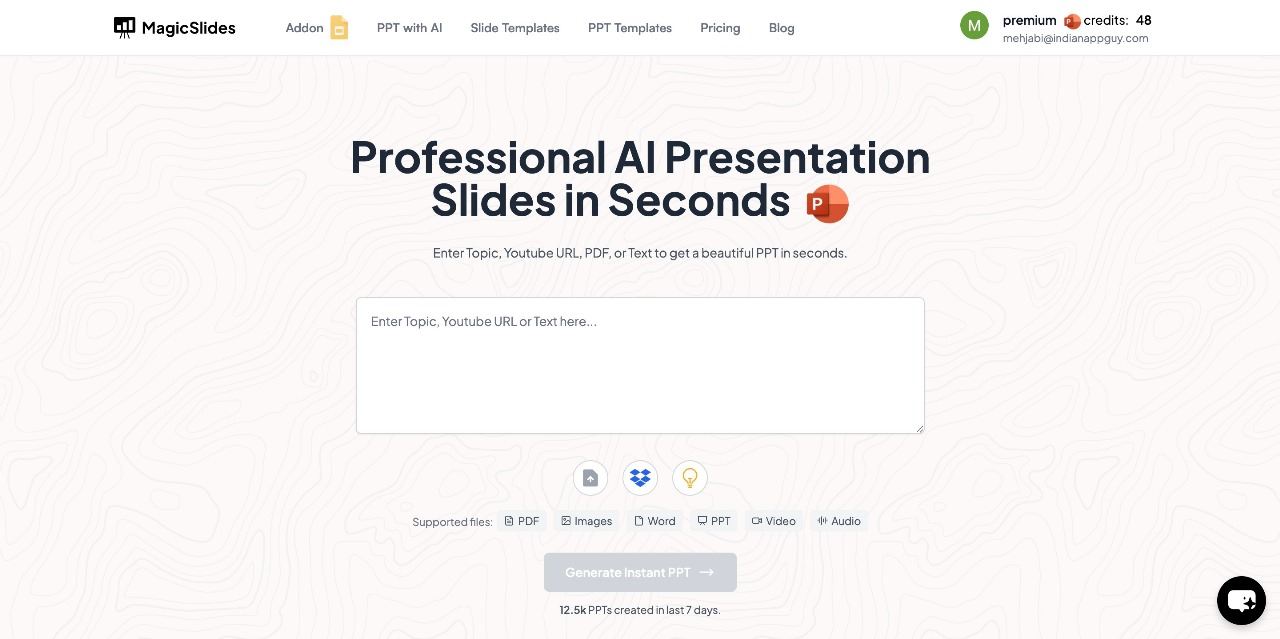
- Enter Your Topic – Type in the subject or title of your technical presentation in the provided space.
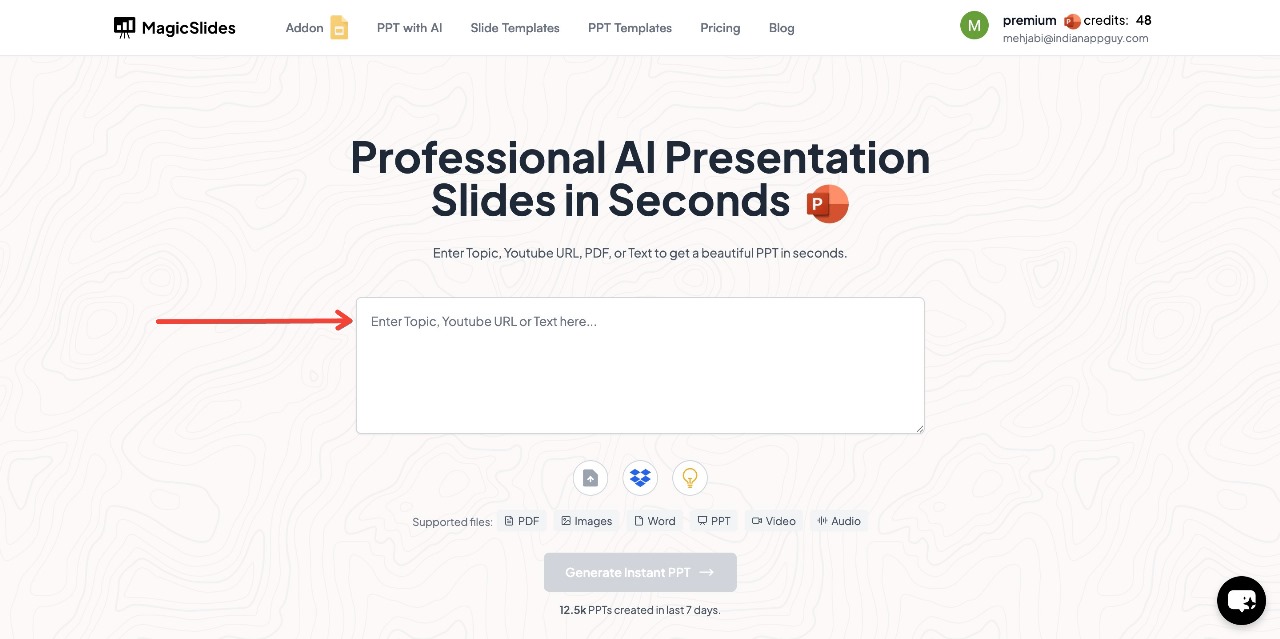
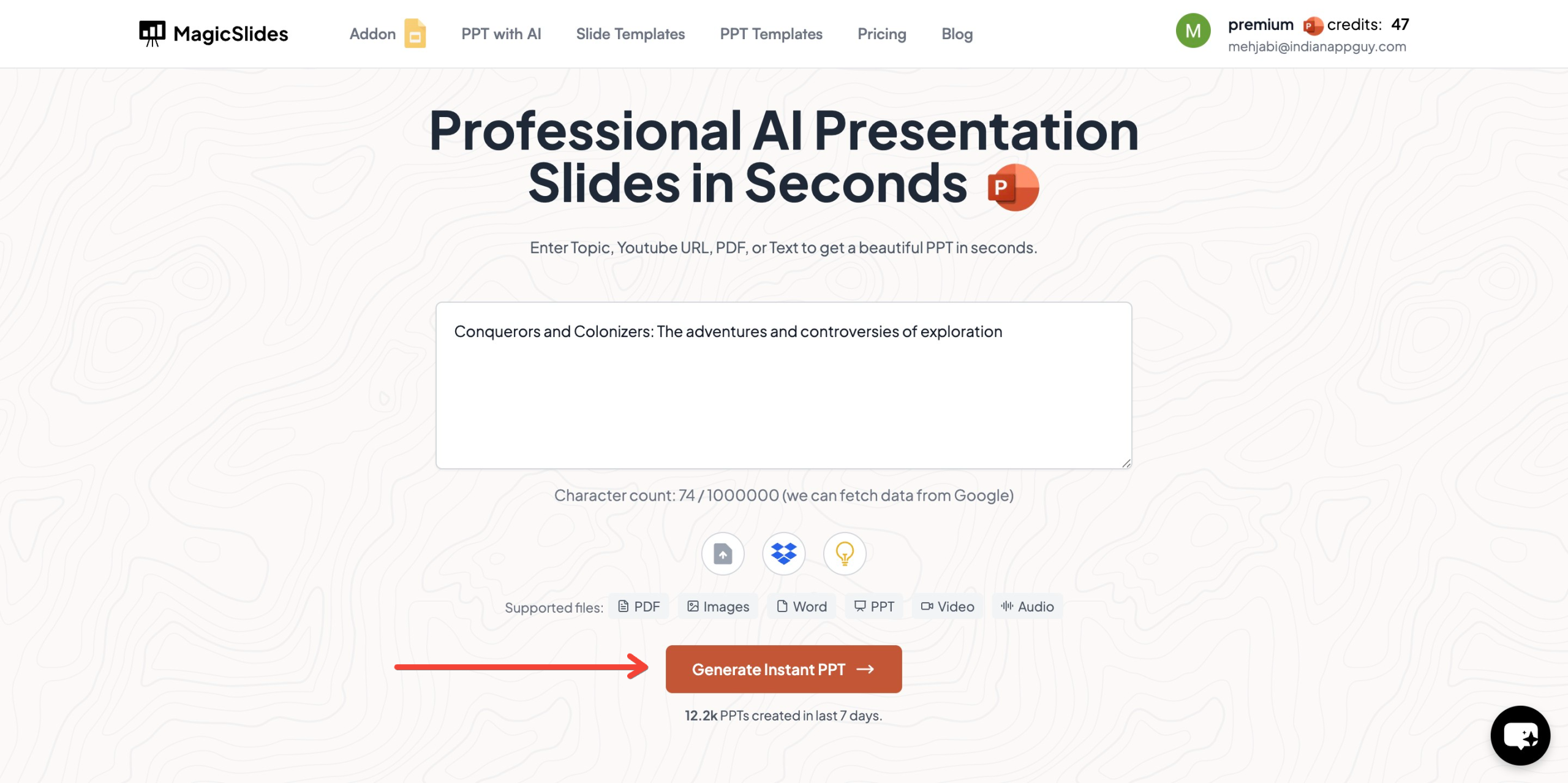
- Click "Generate Instant PPT" – The AI will start creating slides based on your topic.
- Choose Your Template – Select a design that suits your presentation and choose the number of slides as prompted.
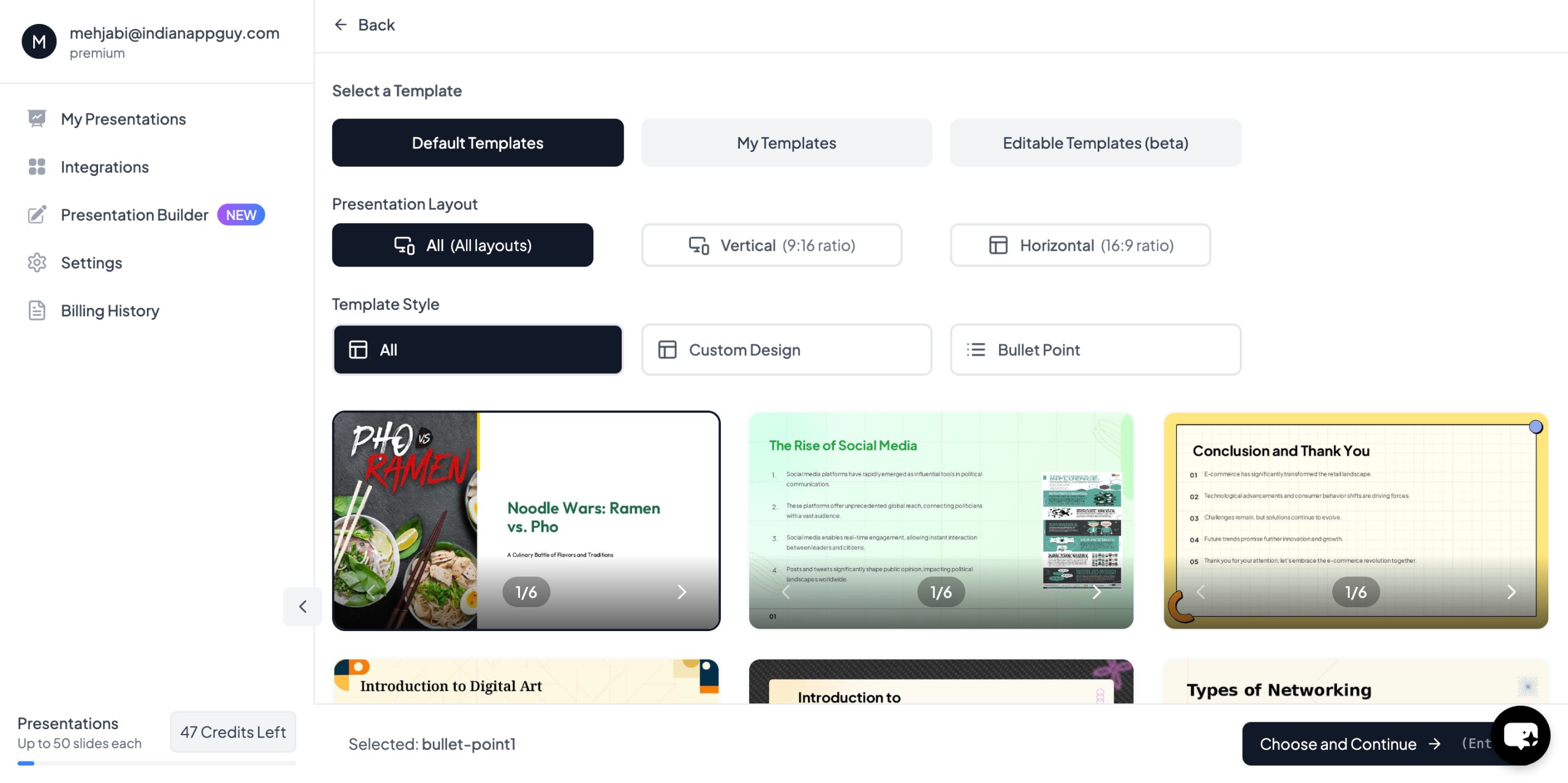
- Click "Start Generation" – The AI will process your input and begin creating slides.
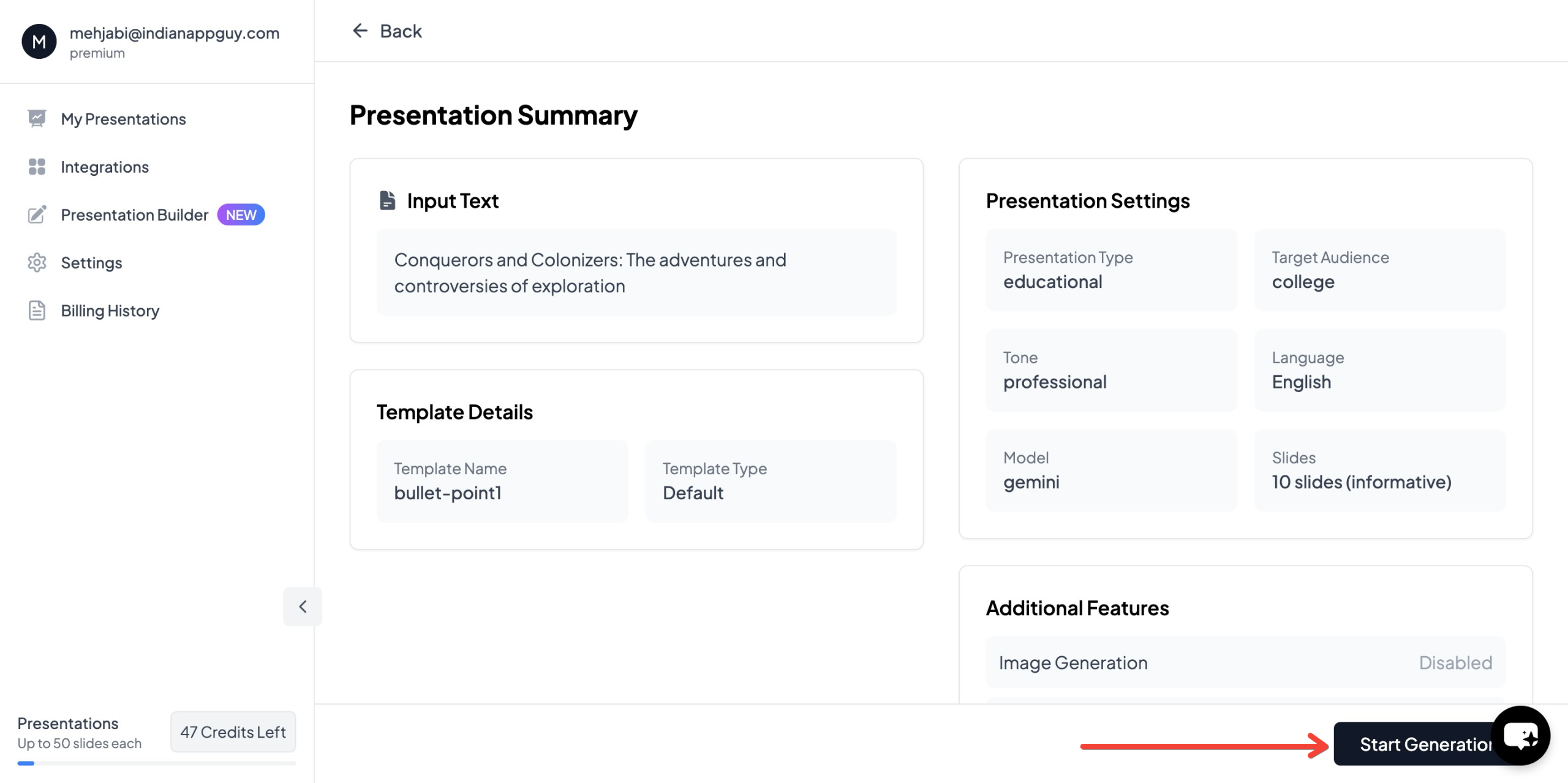
- Your Presentation is Ready – Within seconds, your AI-generated PowerPoint will be complete with structured content and relevant images.

This automated approach helps technical professionals save time while ensuring high-quality presentations.
MagicSlides.app Pricing & Plans
MagicSlides offers affordable pricing options based on your needs:
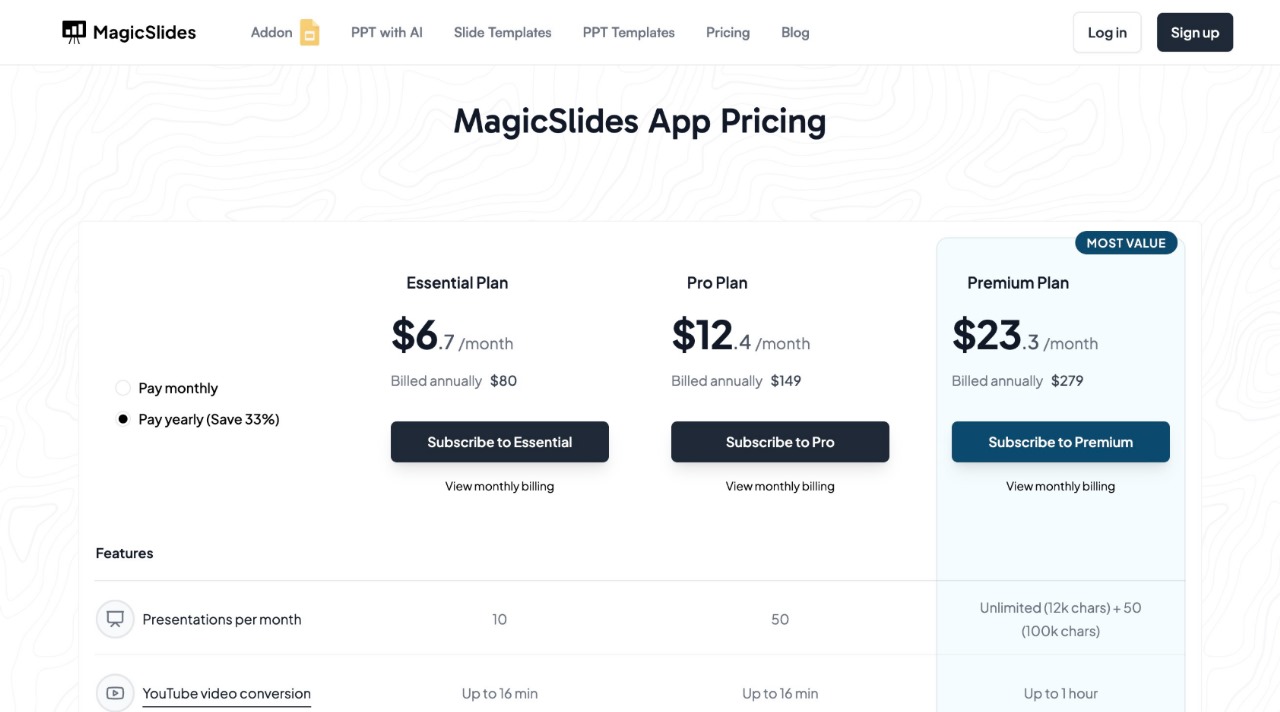
For more details, visit MagicSlides.app and choose a plan that best suits your presentation needs.
Final Thoughts
Creating technical presentations doesn’t have to be overwhelming.
With the right approach, and a little help from smart tools like MagicSlides.app, you can make even the most complex topics easy and engaging for your audience.
If you’re ready to level up your presentations, start with clear structure, simple language, clean design, and don’t be afraid to lean on tools that make life easier.
And if you want even more tips on technical topics, check out our blog on technical PowerPoint strategies!


