How to Design Slides Like TED Talk Speakers


Learn how to design slides like TED Talk speakers with minimalist visuals, strong storytelling, and AI-powered tools like MagicSlides.app for instant presentations.
TED Talks are known for their compelling storytelling, engaging visuals, and powerful messages. One of the key elements that make TED Talks so effective is their slide design. Unlike traditional corporate presentations filled with text-heavy slides and bullet points, TED Talk speakers use minimalistic, visually-driven slides that enhance their storytelling.
If you want to design slides like a TED Talk speaker, this guide will provide step-by-step instructions on how to create engaging, professional-looking presentations. Additionally, we’ll introduce MagicSlides.app, an AI-powered tool that helps you generate high-quality slides quickly.
Why TED Talk Slide Design Works
TED Talk slides follow simple yet highly effective principles that make presentations more engaging and memorable:
- Minimalist approach – Less text, more visuals.
- High-quality images – Full-screen visuals that support the message.
- Simple fonts and colors – Clean, easy-to-read typography with a consistent color scheme.
- One idea per slide – Avoids clutter and keeps the audience focused.
- Storytelling first – The slides support the story, not the other way around.
Now, let's go step by step on how to achieve this design.
Step-by-Step Guide to Designing TED-Style Slides
1. Keep Text Minimal
TED speakers rarely use long paragraphs or bullet points. Instead, they focus on:
- One key message per slide
- A single keyword or short phrase
- Large, bold fonts for emphasis
Example:
Instead of writing:
"Climate change is one of the biggest issues today, affecting millions of people worldwide."
Use:
"Climate Change is a Crisis"
This approach ensures that the audience focuses on your words, not just reading slides.
2. Use High-Quality Images
A strong visual has a greater impact than text-heavy slides. Instead of using generic clipart, opt for:
- Full-screen, high-resolution images
- Authentic, emotion-driven photography
- No excessive design elements
Easily Add High-Quality Images with MagicSlides
With MagicSlides' Presentation Builder, you don’t need to search for images separately. The AI-powered tool allows you to create presentations from pre-built templates and customize them instantly by adding high-quality images and GIFs directly from top sources like Unsplash, Pexels, and Pixabay—all within the platform.
Step-by-Step Guide
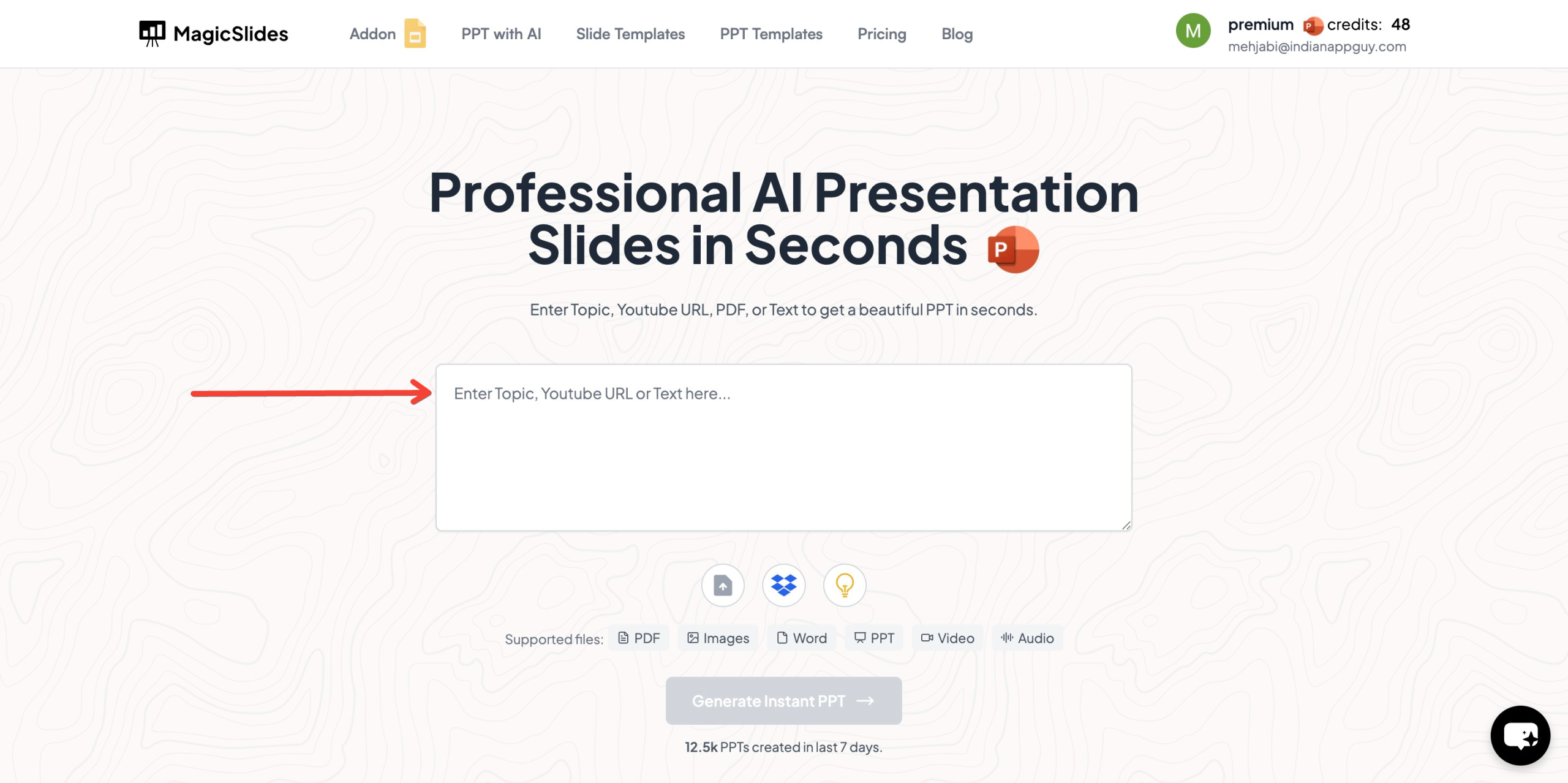
- Visit MagicSlides.app
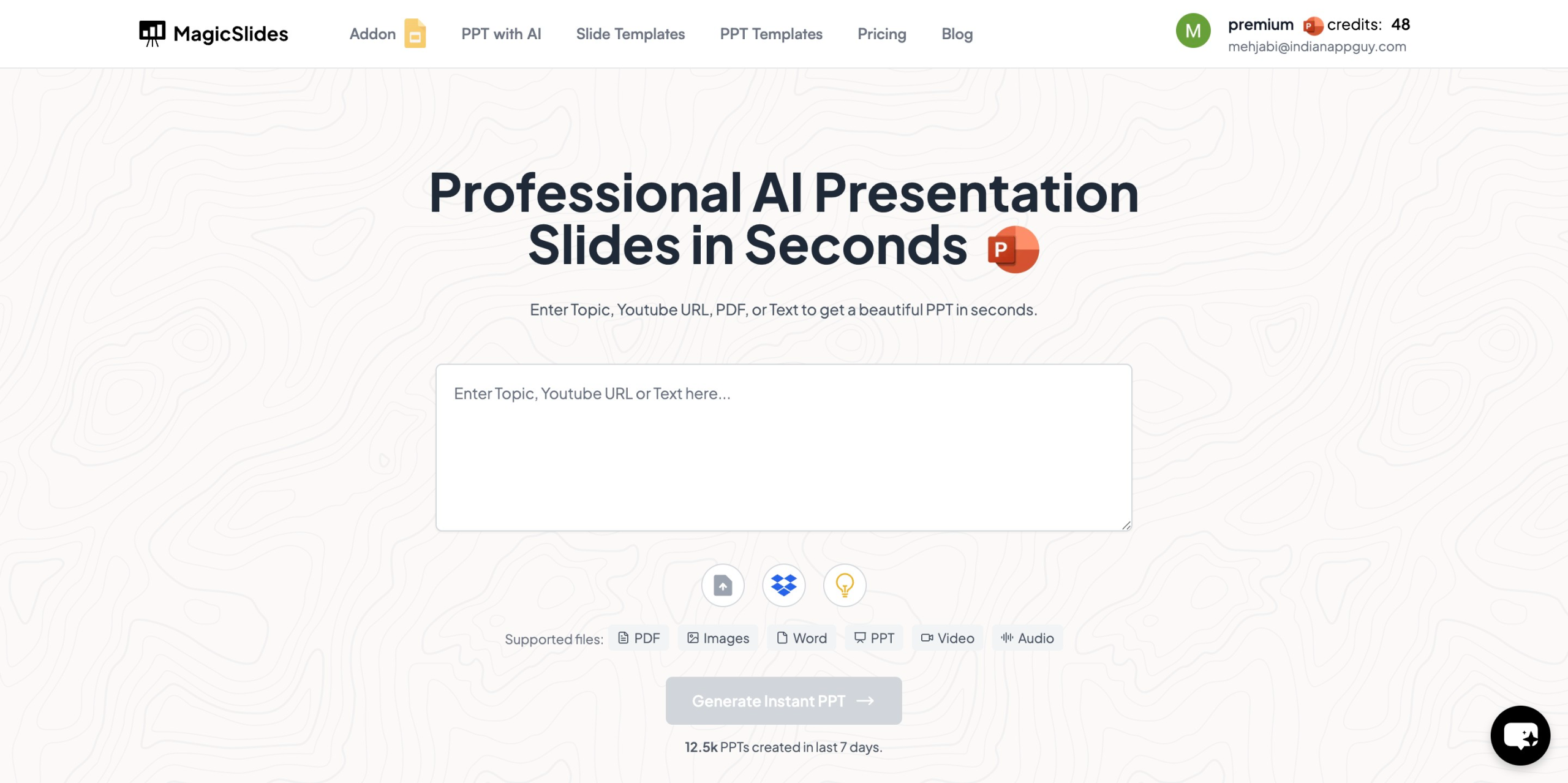
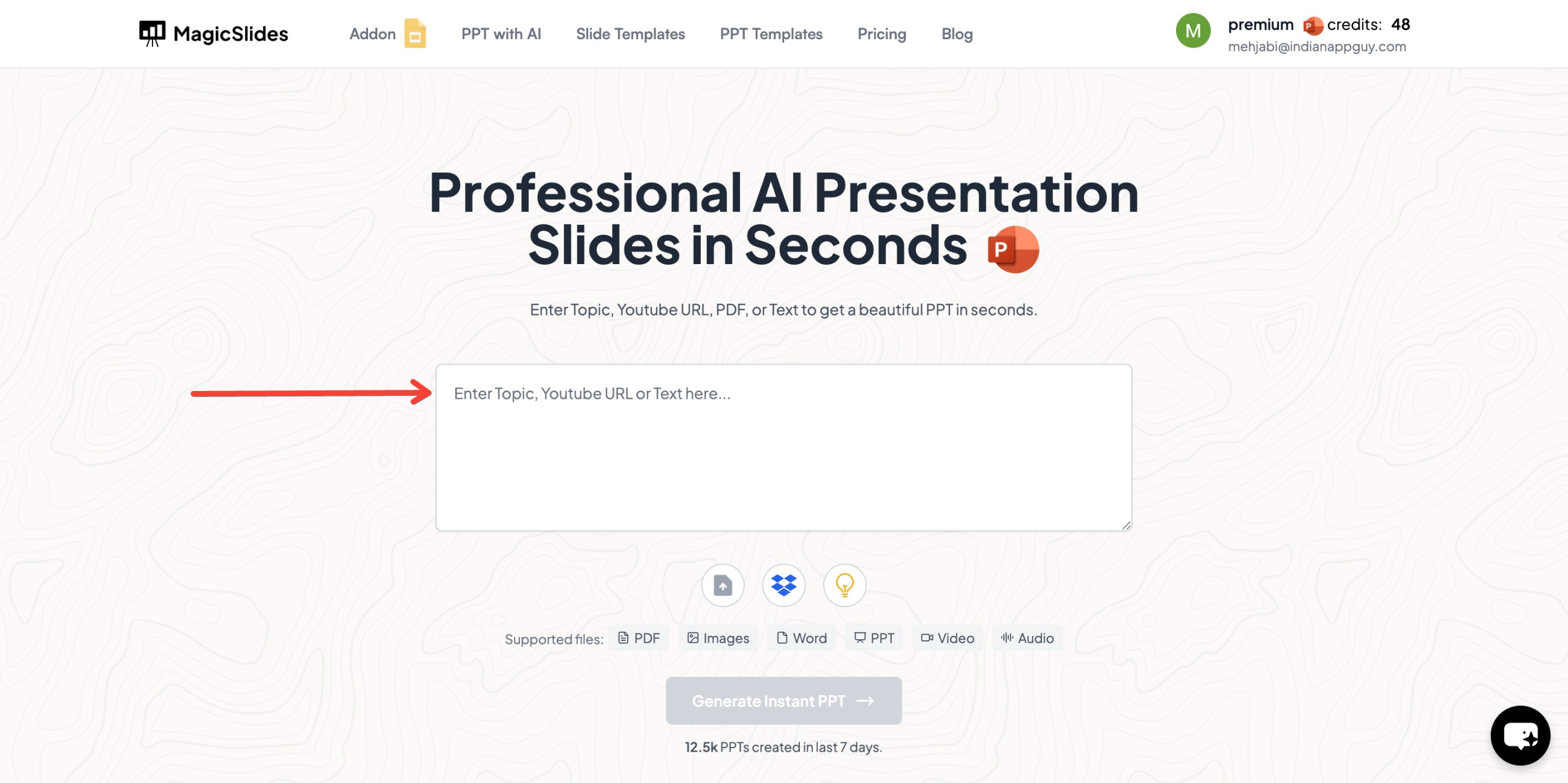
- Enter your topic in the given space.
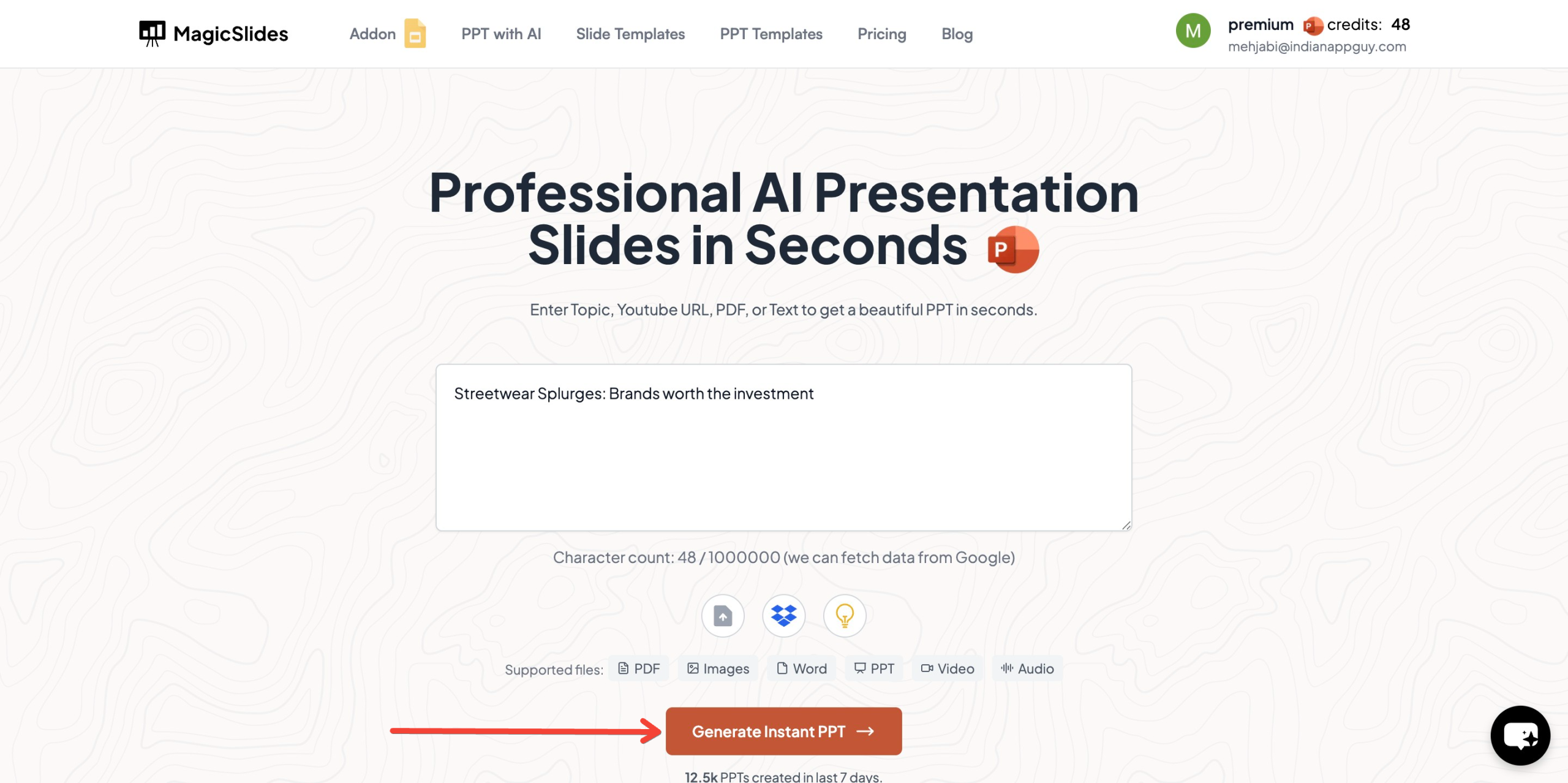
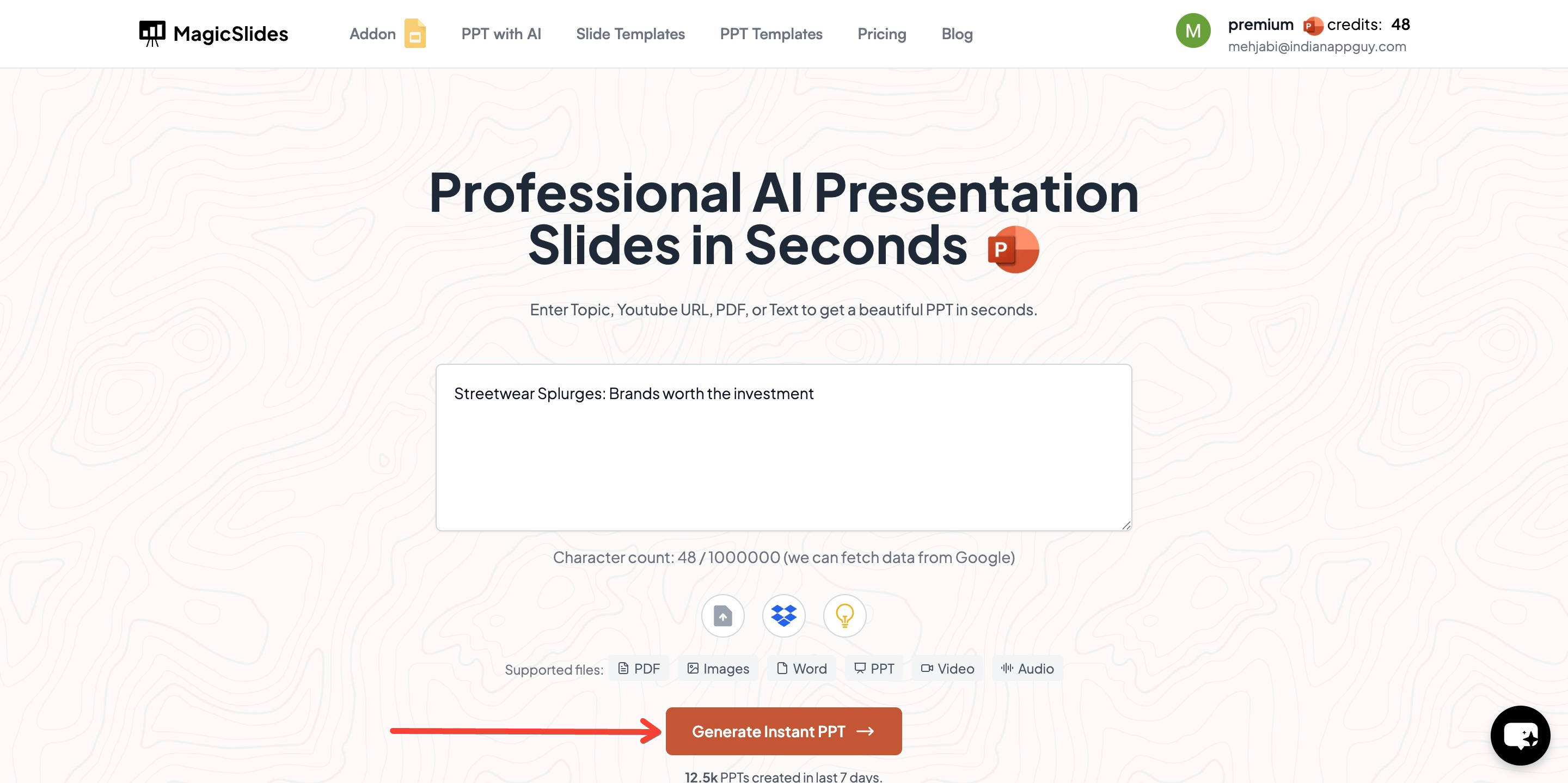
- Click "Generate Instant PPT" to create a presentation.
- Select "Presentation Builder" to edit or create a blank presentation.
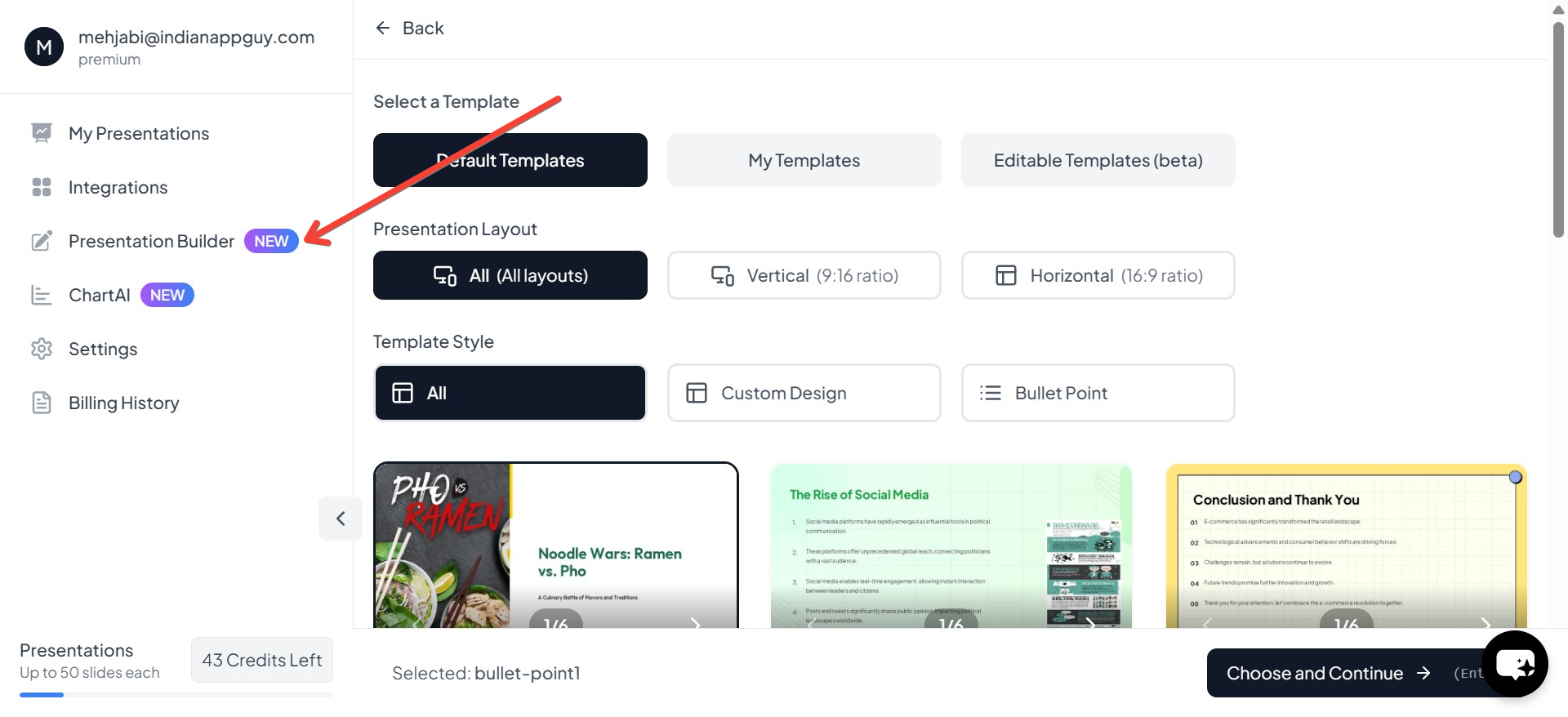
- Click "Use Template" to start with a customizable template.
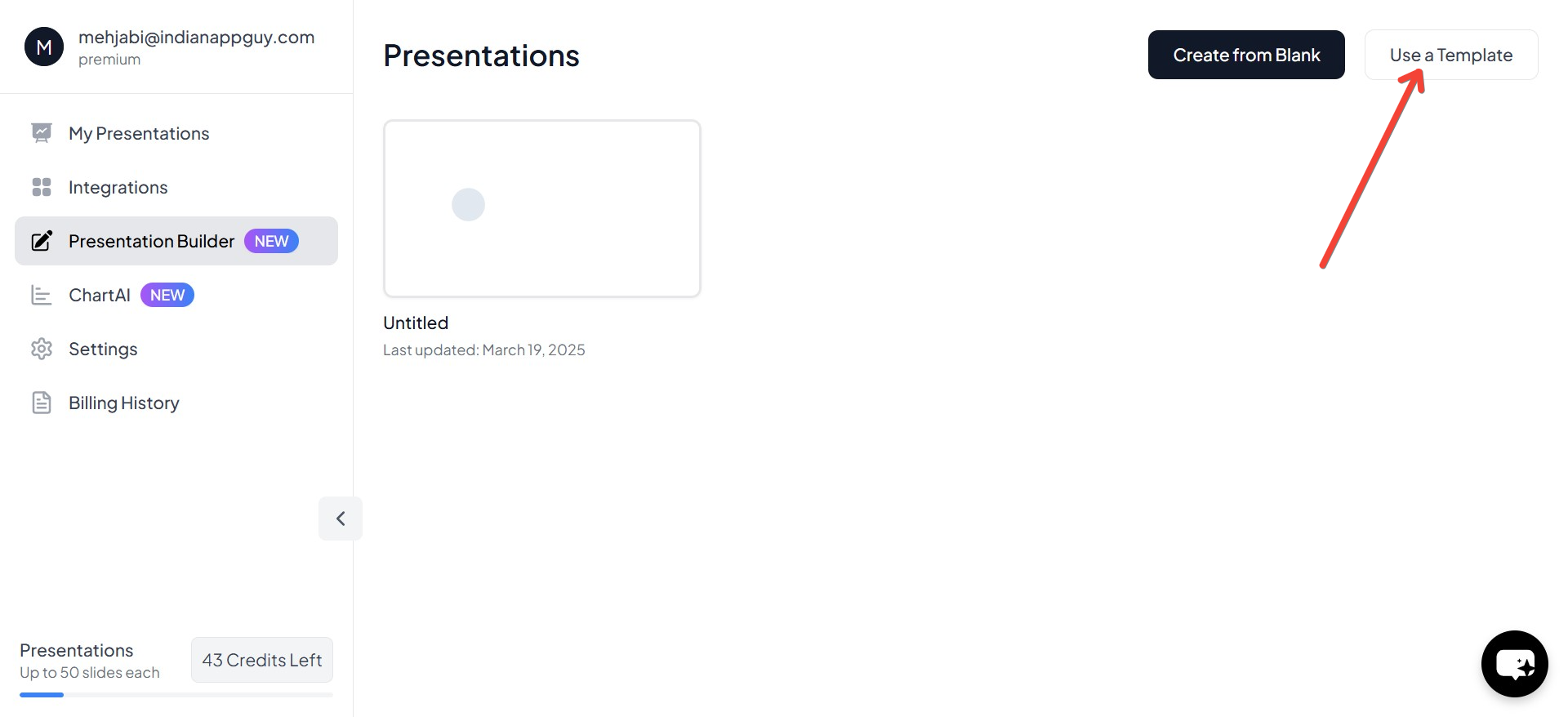
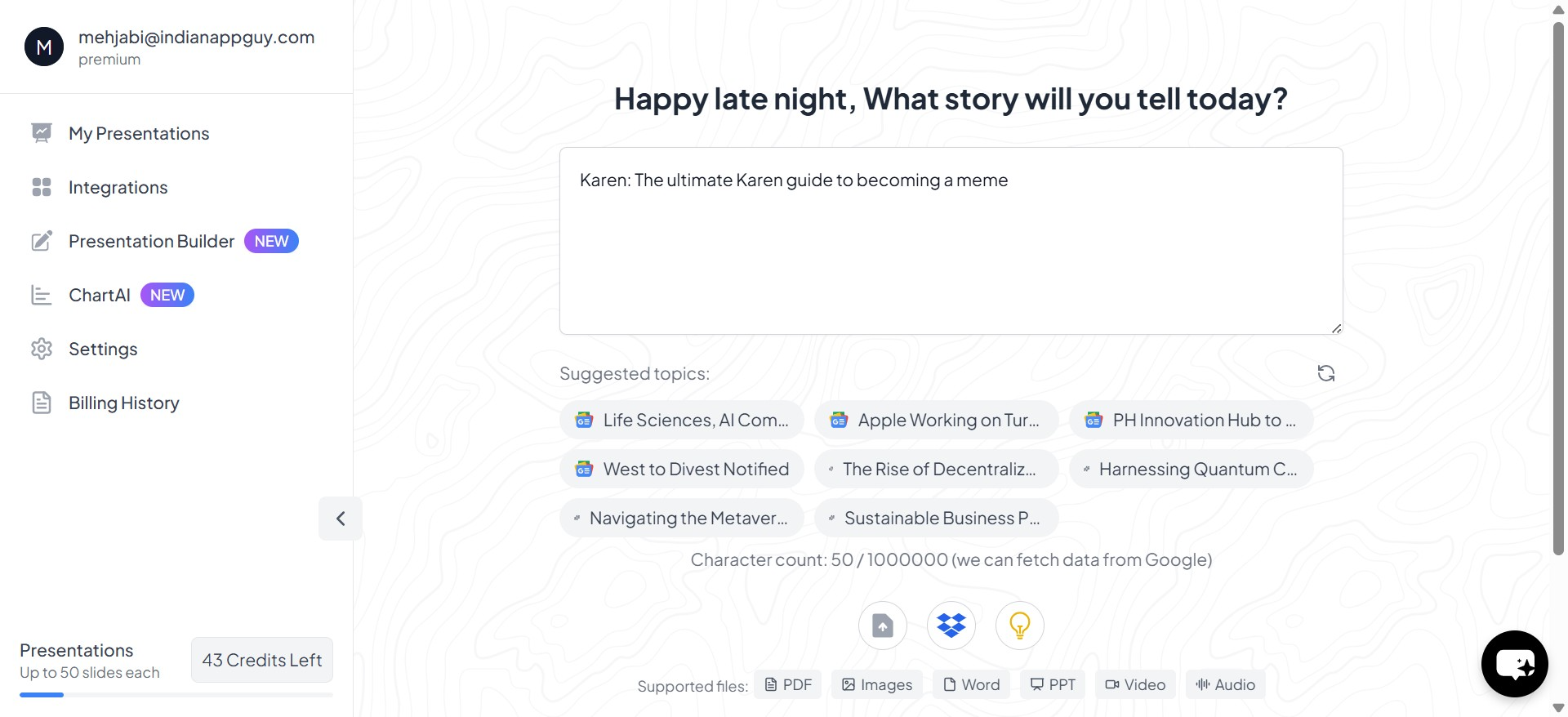
- Enter your topic to personalize the slides.
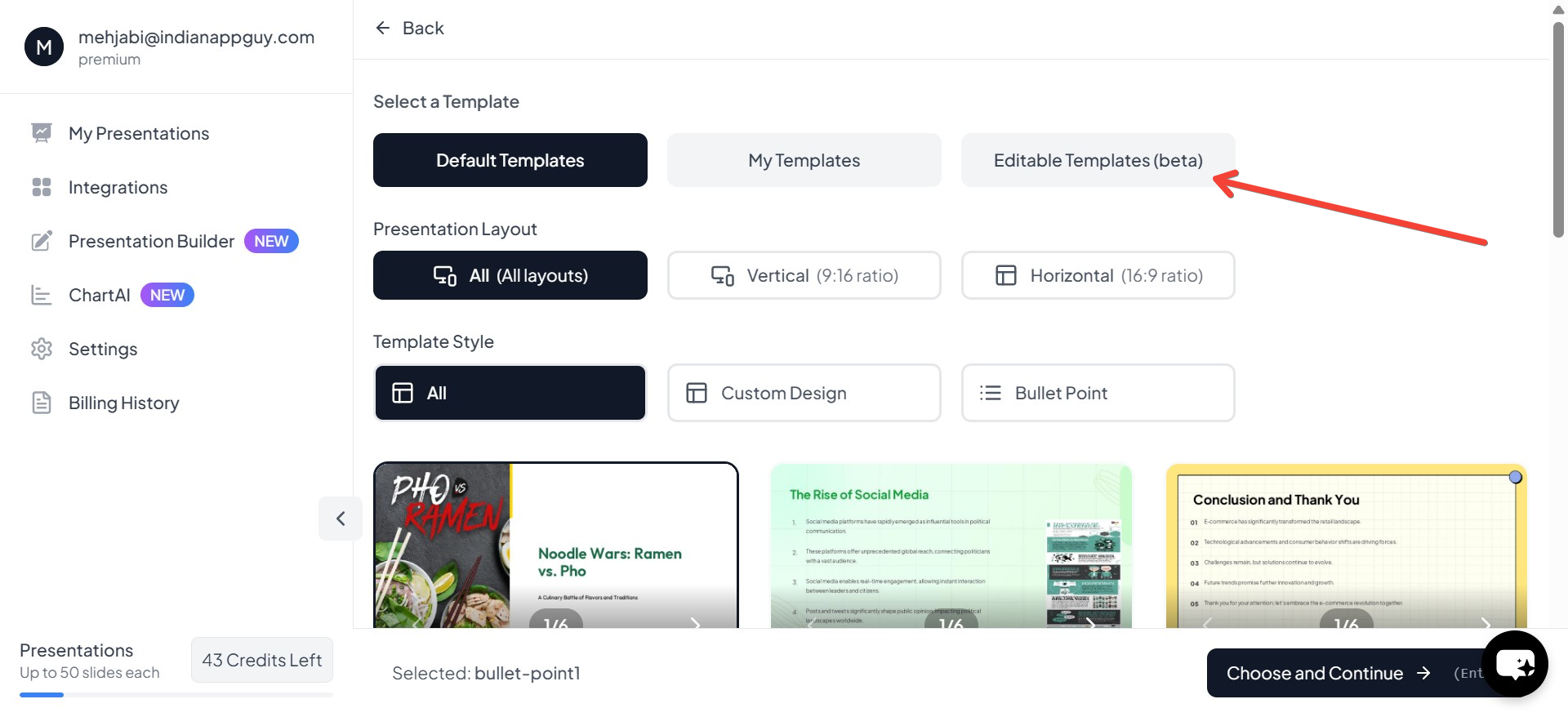
- Choose "Editable Template" to modify the content as needed.
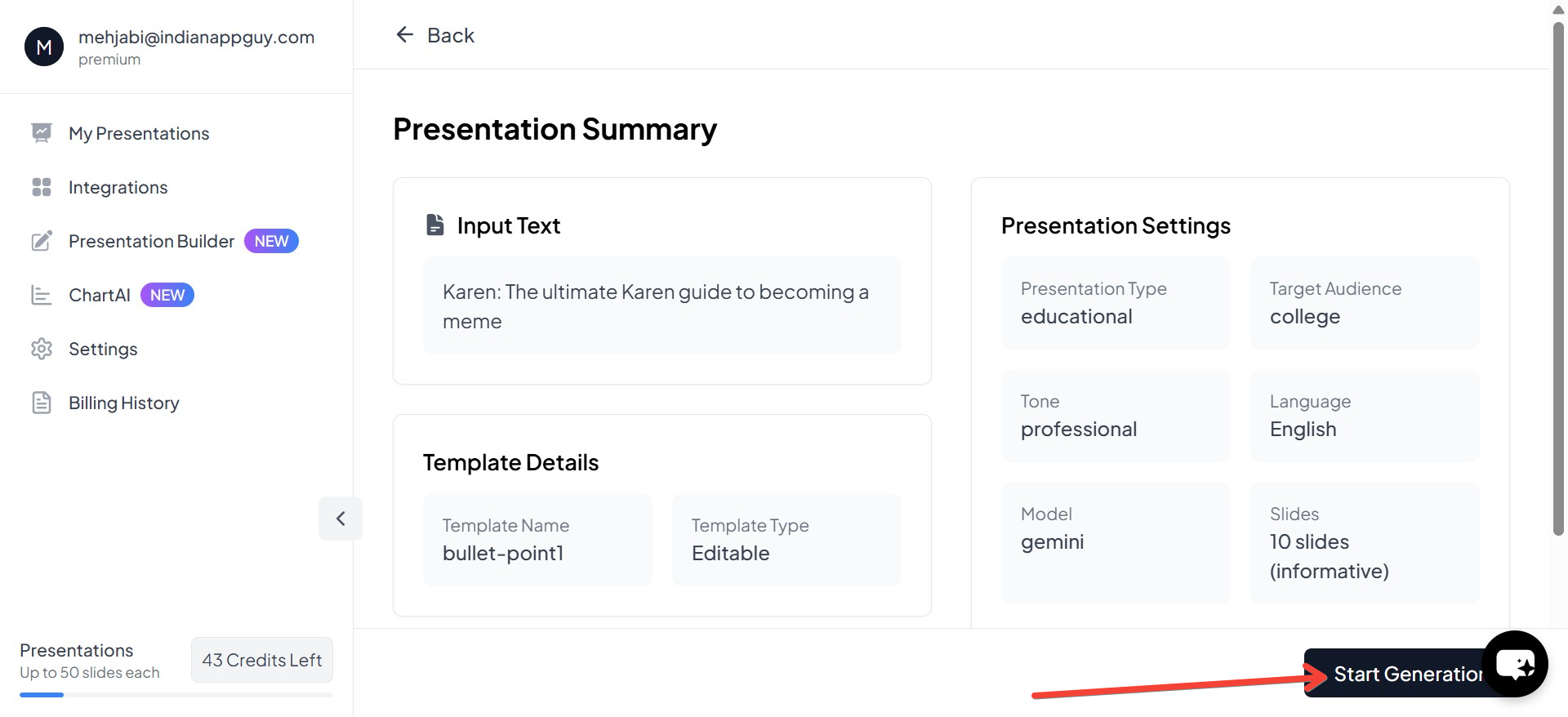
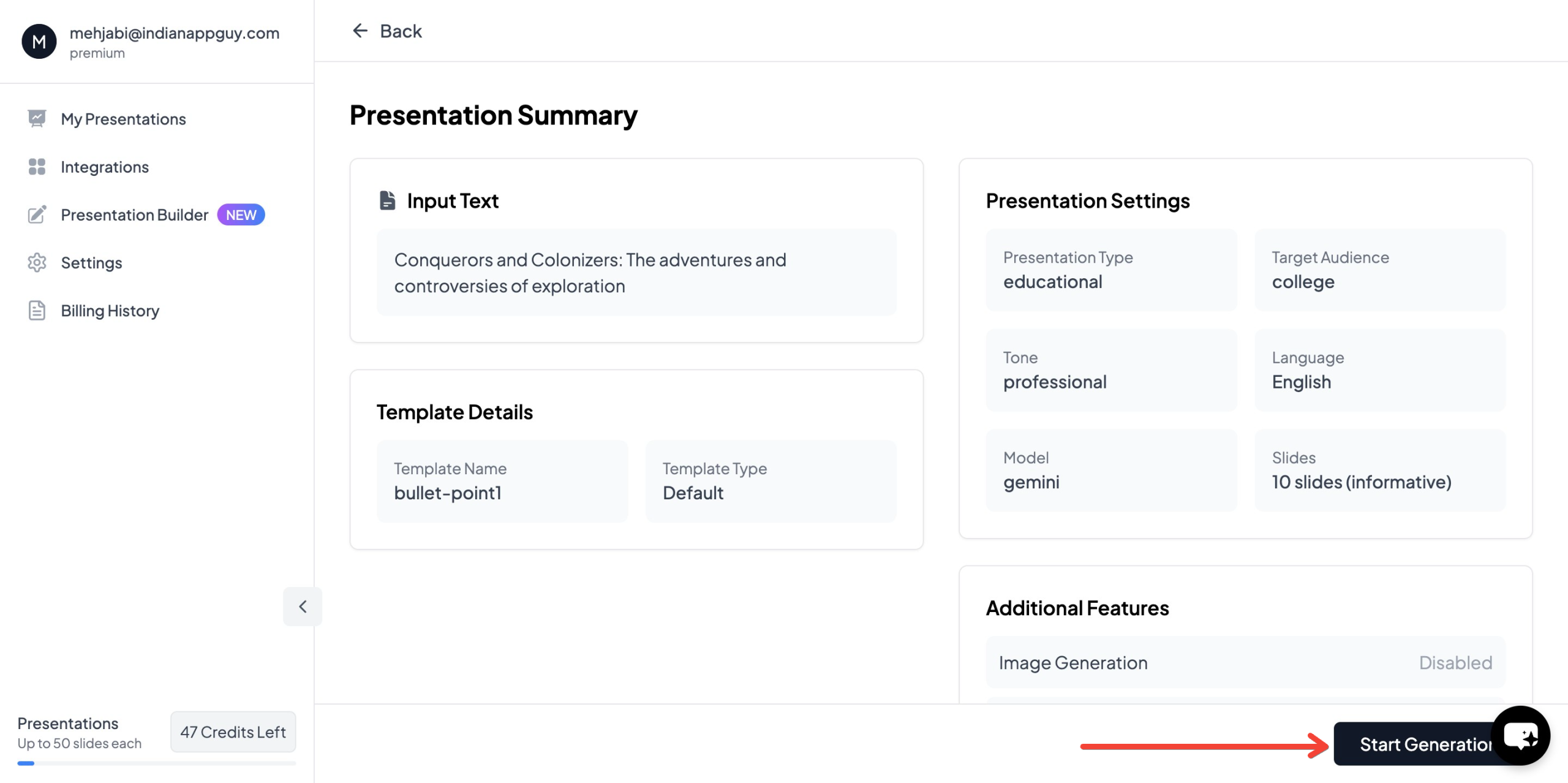
- Click "Start Generation" to let AI create the slides for you.
- Once the presentation is generated, you can now edit it, add 3D elements, images, GIFs, and more.
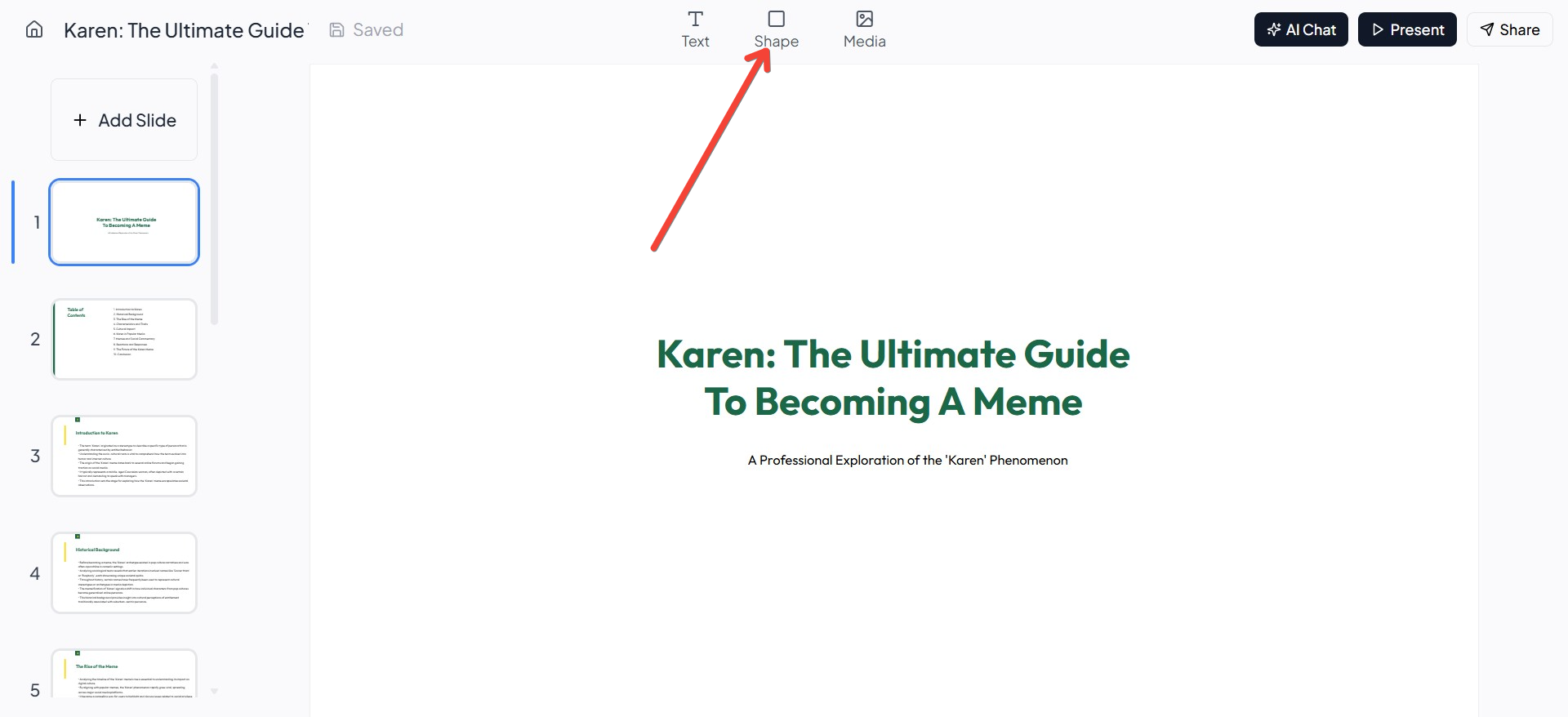
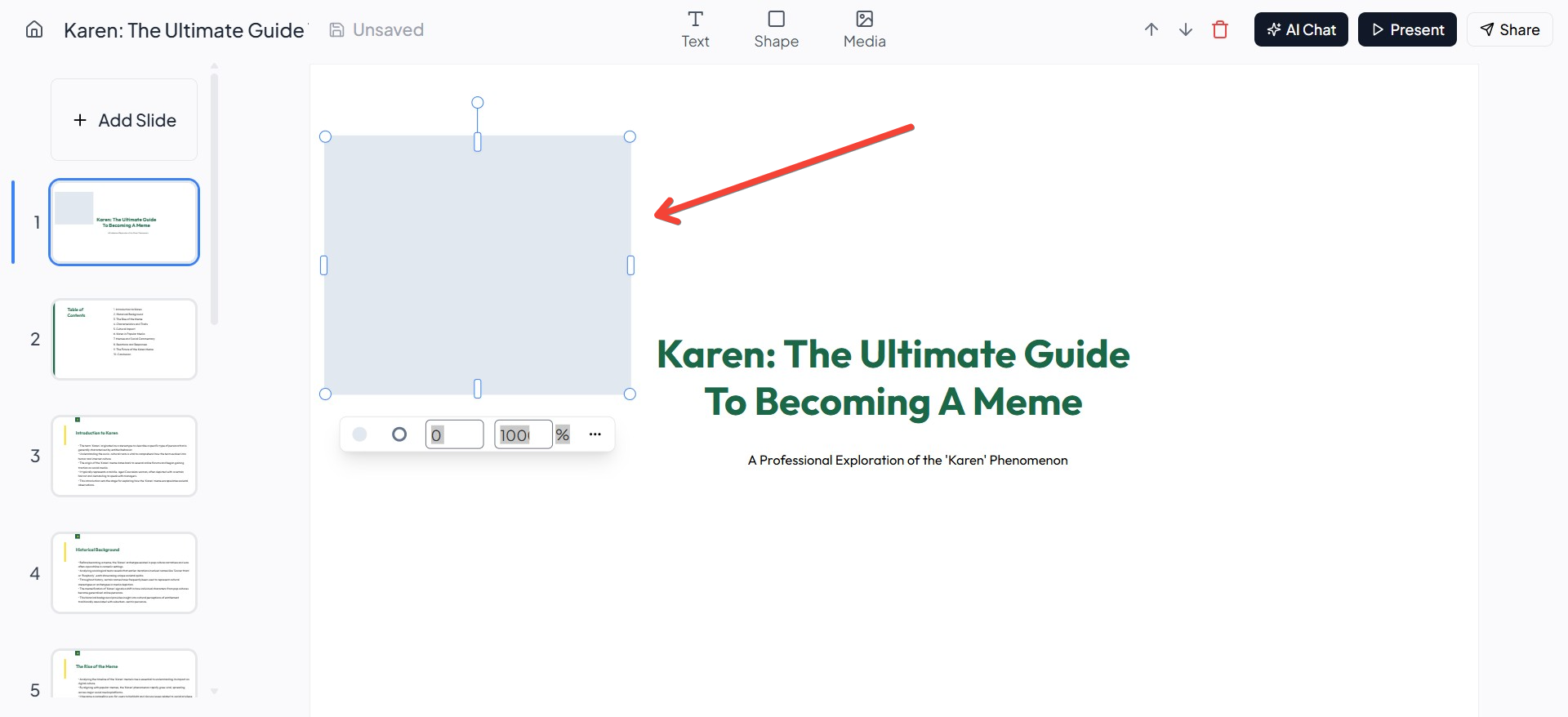
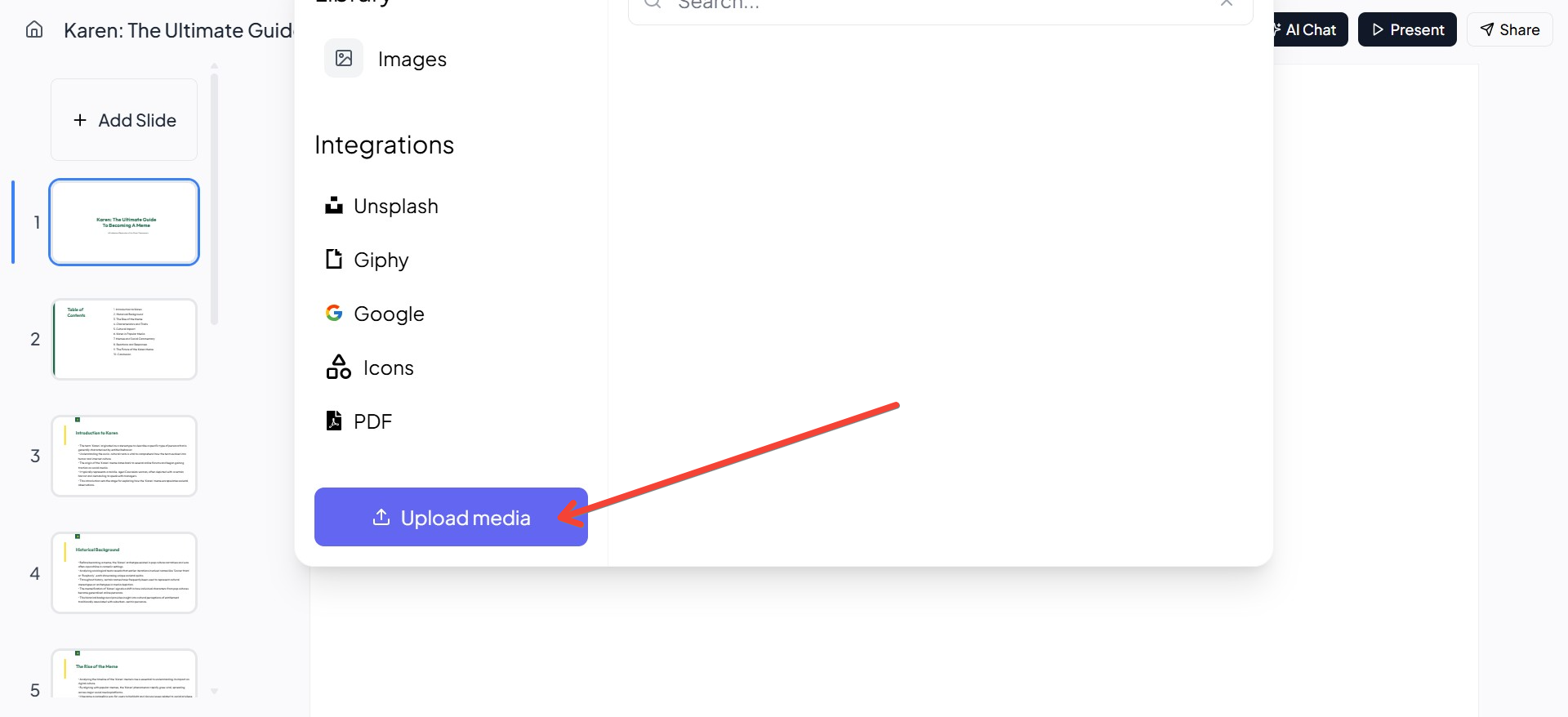
By leveraging MagicSlides' built-in media integration, you can ensure your presentations look polished and visually appealing without spending extra time searching for the perfect images.
3. Choose Simple and Readable Fonts
TED slides use clean, modern fonts that are easy to read from a distance. Avoid decorative or script fonts.
Recommended fonts:
- Montserrat
- Open Sans
- Roboto
- Lato
Keep font choices consistent by using only one or two styles—one for headings and another for supporting text.
4. Stick to a Consistent Color Palette
TED Talk slides use simple and professional color schemes that make text easy to read.
Best practices for color selection:
- Use contrast – Light text on a dark background or vice versa.
- Limit colors – Stick to two or three colors for a clean look.
- Use brand colors if applicable.
To create a professional color palette, tools like Coolors (coolors.co) can help.
5. Follow the “One Idea per Slide” Rule
Each slide should communicate only one key idea. If you have multiple points, break them into separate slides.
Example:
Instead of putting five bullet points on one slide, create five different slides, each focusing on a single point.
This keeps the audience engaged and prevents information overload.
6. Use Data Visualization Instead of Raw Numbers
TED speakers avoid displaying long lists of numbers or complex data. Instead, they use:
- Charts, graphs, and infographics
- Simple bar graphs and pie charts
- Icons instead of numbers where possible
If you need to show statistics, consider simplifying the message with an easy-to-understand visual.
Tools like Canva, Piktochart, and Datawrapper can help you create clean and effective charts.
7. End with a Clear Call-to-Action (CTA)
At the end of your presentation, guide your audience on what to do next. A strong CTA ensures your message has a lasting impact.
Example:
Instead of just ending your talk, say:
"Visit our website to learn more and take action."
A direct and actionable CTA helps audiences engage further with your message.
How to Instantly Create TED-Style Slides with MagicSlides.app
Designing engaging slides from scratch can take time, but AI-powered tools like MagicSlides.app can help generate TED-style slides instantly.
Steps to Use MagicSlides.app
- Visit MagicSlides.app
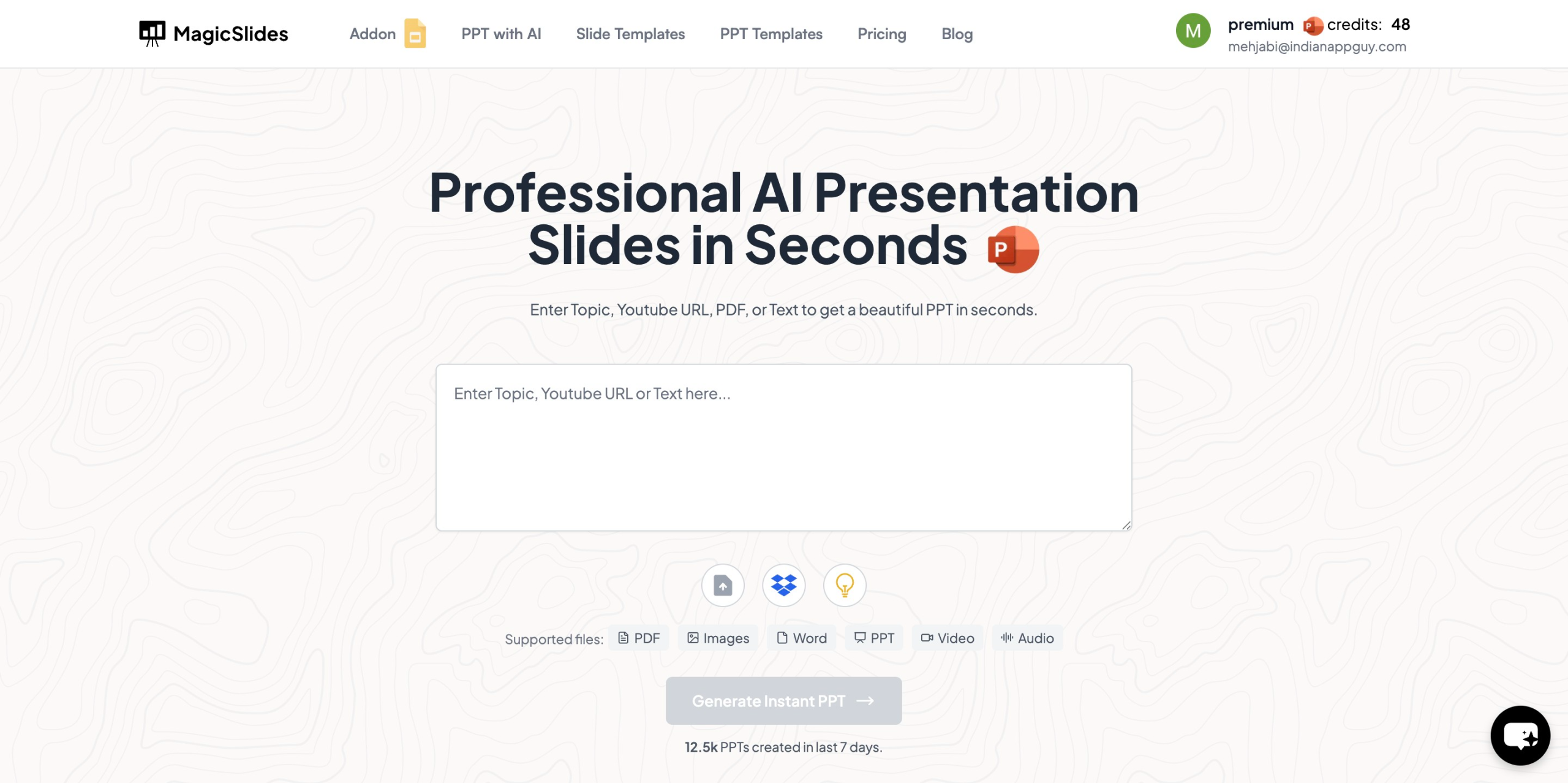
- Enter your topic in the input box
- Click "Generate Instant PPT"
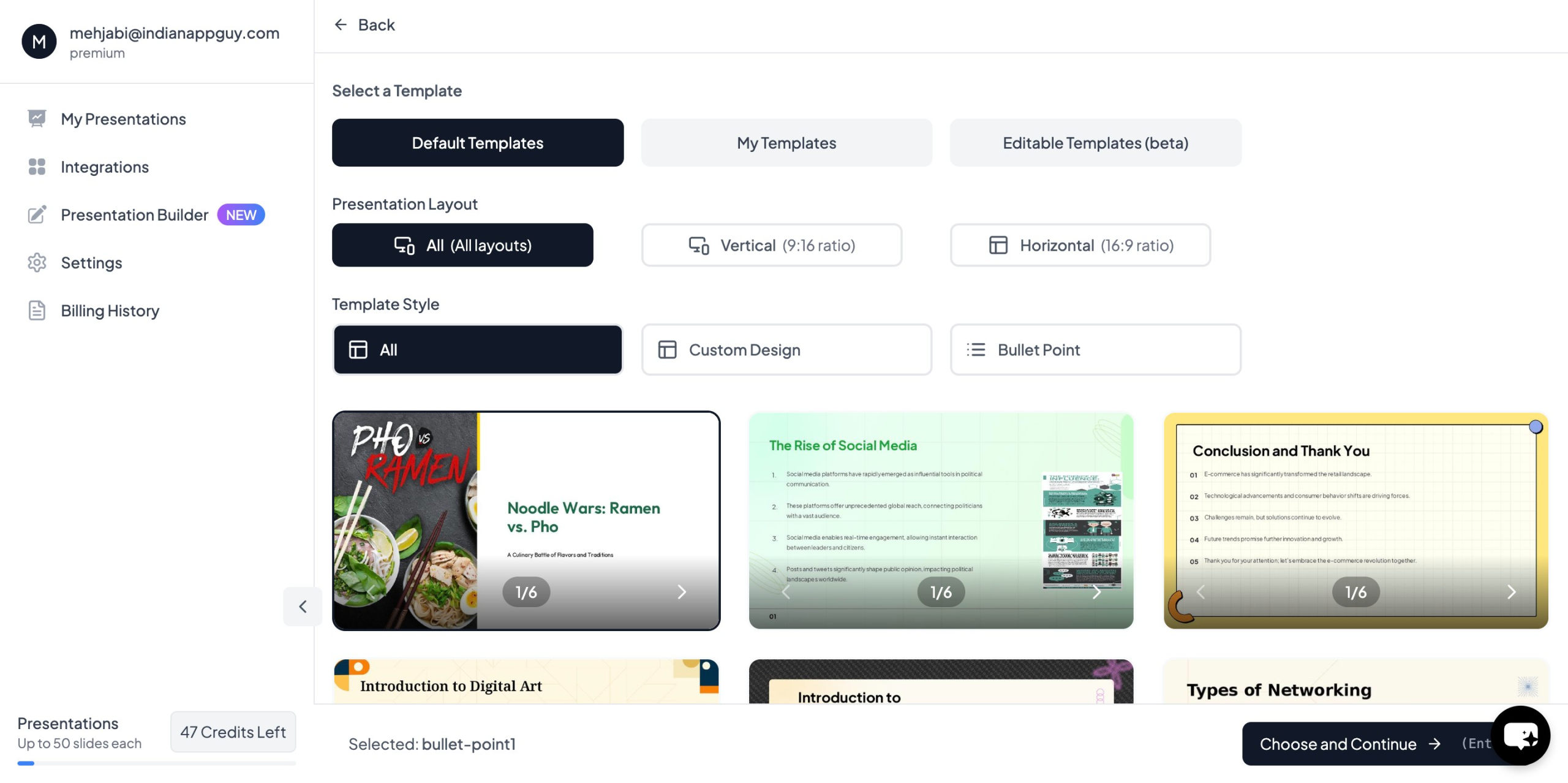
- Choose your template and number of slides as prompted
- Fill in all required details and click "Generate Instant PPT"
- Your presentation will be generated instantly

MagicSlides also allows you to convert YouTube videos and PDFs into PowerPoint slides, saving time and effort.
MagicSlides.app Pricing & Plans
MagicSlides offers affordable plans with flexible features.

For unlimited slides, longer video conversions, and advanced AI features, you can explore the Premium Plan.
If you’re unsure which plan to choose, the website offers a pricing calculator to help you decide.
Final Thoughts
Designing slides like a TED Talk speaker requires simplicity, strong visuals, and a clear message. By following these principles and using MagicSlides.app, you can create engaging and professional presentations in just a few clicks.
Try it today and transform the way you design slides.
Visit MagicSlides.app to get started.


