How to do a Background Slide in a Science PowerPoint


Create a visually engaging science PowerPoint background using colors, images, and design elements for clarity
How to Create a Background Slide in a Science PowerPoint
A well-designed background slide in a science PowerPoint enhances clarity, engages the audience, and supports your research presentation.
Whether you're presenting an experiment, a hypothesis, or scientific data, follow this step-by-step guide to create an effective science-themed background slide.
Steps to Create a Background Slide in a Science PowerPoint
Step 1: Open PowerPoint and Create a New Slide
Open Microsoft PowerPoint and select a blank presentation.
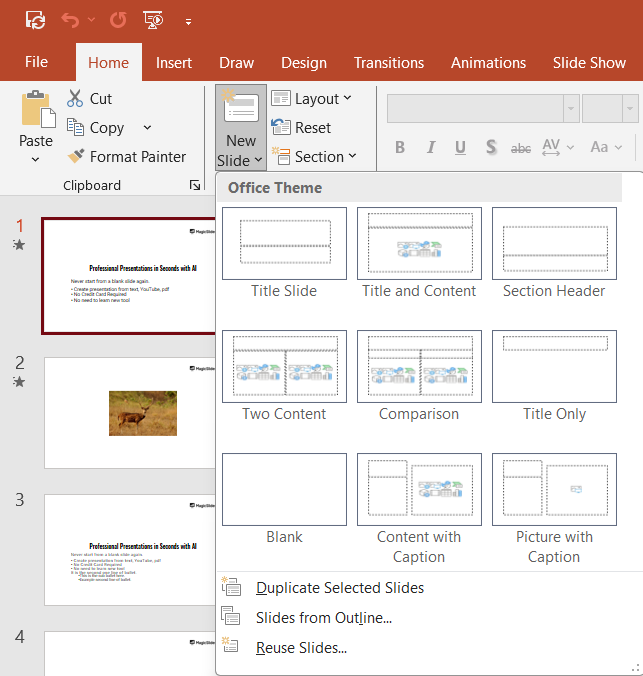
Click on New Slide from the Home tab and choose a layout that suits your science topic, such as Title Slide or Title and Content.
Step 2: Set a Background Image or Color
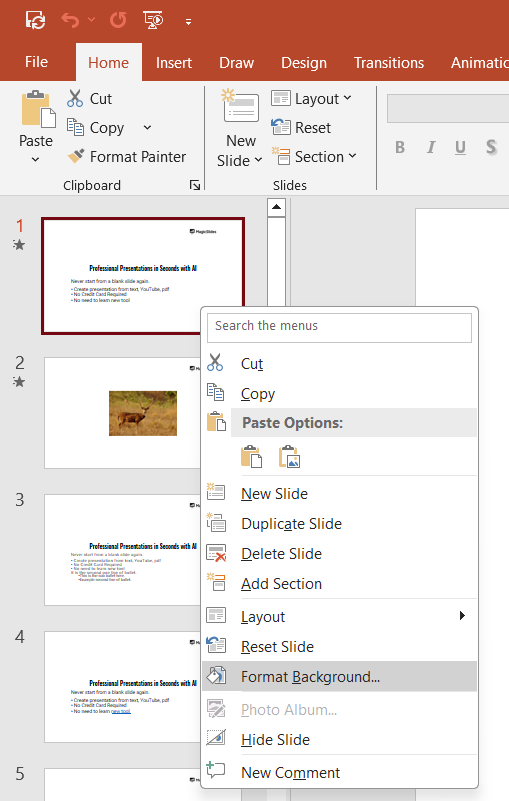
Right-click anywhere on the slide and select Format Background.
Choose one of the following background types:
- Solid Color: Pick a clean, science-friendly color like light blue, green, or white.
- Gradient: Use a subtle gradient to add depth.
- Image or Texture Fill: Click Insert and upload a relevant science-themed background (e.g., molecules, lab equipment, space imagery).
Step 3: Adjust Background Transparency (If Needed)
If using an image, adjust the Transparency slider to ensure text and content remain readable.

Step 4: Add Science-Themed Design Elements
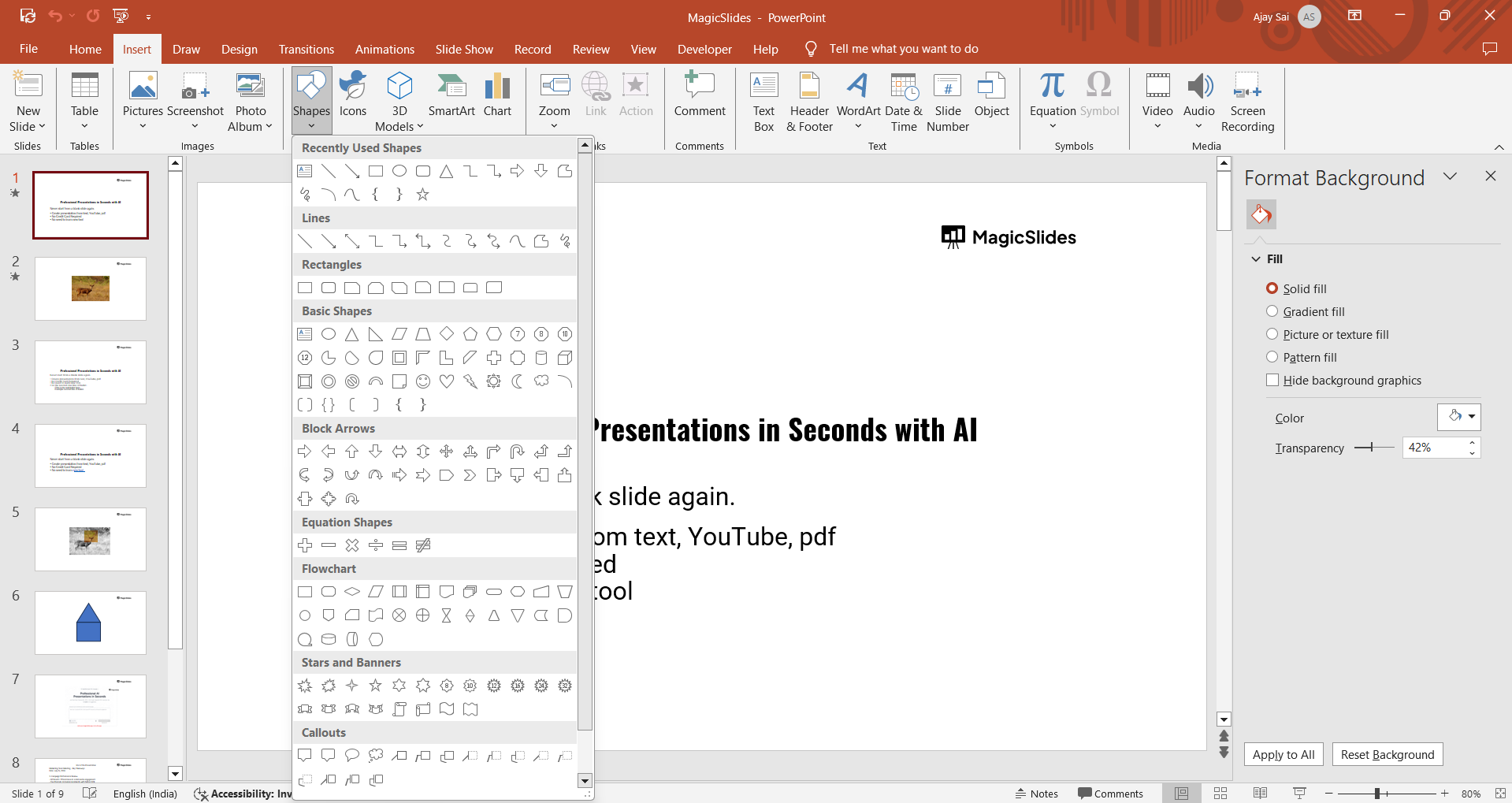
Click Insert > Shapes to add visual elements like DNA strands, atoms, graphs, or chemical structures.
Use SmartArt to create scientific flowcharts or diagrams.
For animations, go to Animations and apply effects to enhance engagement. For reference we’ve created a sample background like this below.

Step 5: Insert Relevant Text and Data
Add a title, such as "Scientific Background" or "Research Overview."
Use bullet points or short paragraphs to summarize key background information.
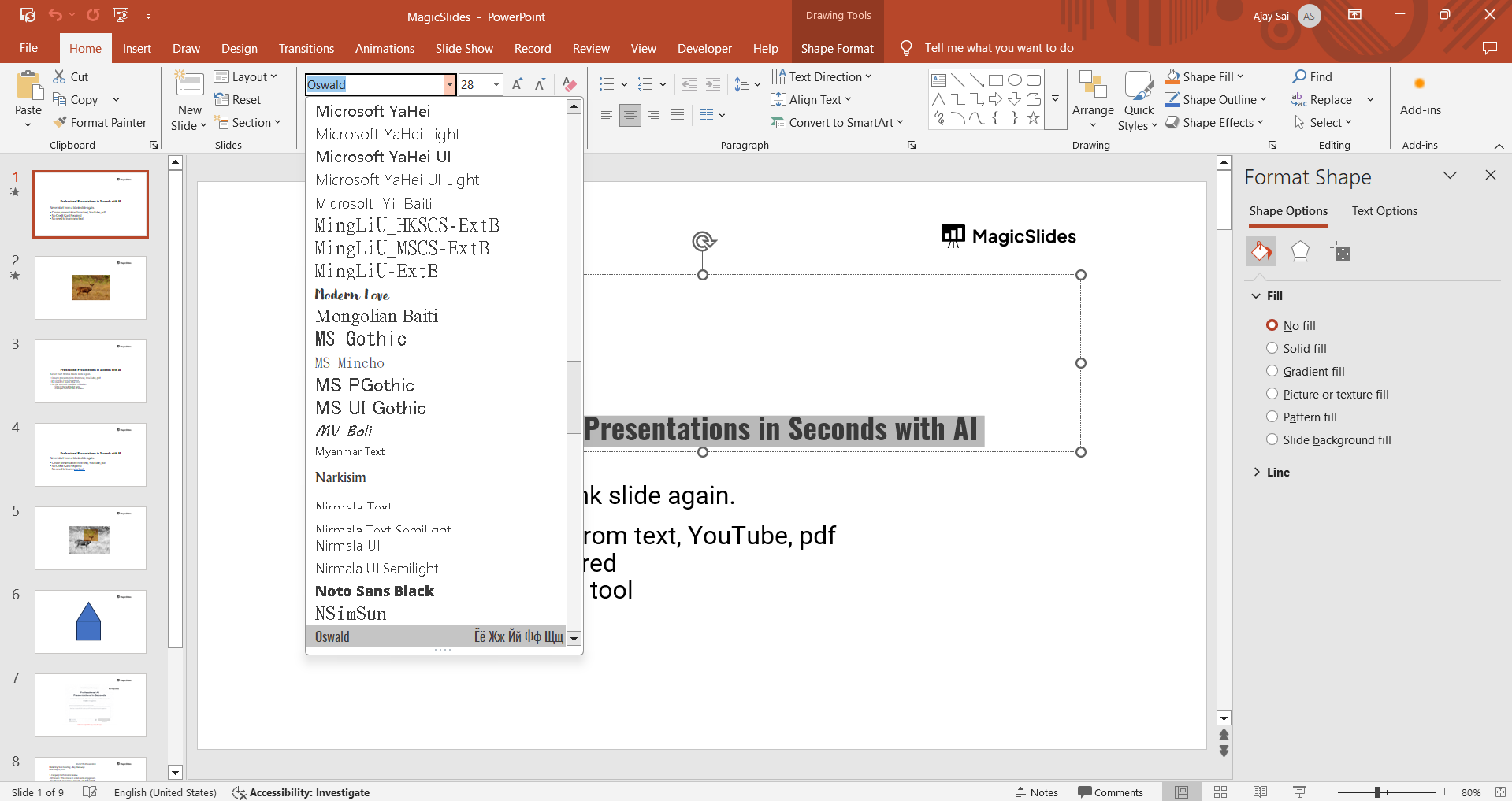
Keep the font readable sans-serif fonts like Arial or Calibri work well.
Step 6: Save and Apply to All Slides (Optional)
If you want the background to appear on all slides, click Apply to All in the Format Background pane.
Save your PowerPoint file to avoid losing any progress.
Crafting the perfect background slide for your science presentation is essential, but if you want to save time while ensuring high-quality design, check out MagicSlides.app. It generates AI-powered, science-themed presentations in seconds!
Conclusion
Creating a background slide in a science PowerPoint involves selecting the right colors, images, and design elements to support your content.
By following these steps, you can ensure your presentation looks professional and effectively conveys scientific information.
FAQs on Creating a Background Slide in a Science PowerPoint
What colors work best for a science PowerPoint background?
Cool colors like blue, green, and white are ideal as they are easy on the eyes and maintain a professional look.
How can I make text readable on a science-themed background?
Adjust background transparency, use contrasting colors, or add a semi-transparent shape behind the text.
Can I use an animated background in a science PowerPoint?
Yes, but keep it subtle to avoid distractions—animated GIFs or slow-moving scientific visuals work best.
Now you're ready to create an engaging science PowerPoint background! 🚀🔬


