How to Find Free Templates for Google Slides: A Comprehensive Guide


Discover how to find free templates for Google Slides and create professional presentations effortlessly with MagicSlides.app, the ultimate presentation generator!
Creating an impressive presentation often starts with finding the right template. Whether you’re presenting at a corporate meeting, teaching a class, or pitching an idea, the right design can make a big difference. Luckily, there are plenty of ways to find free templates for Google Slides, and in this blog post, we’ll guide you through the process.
We’ll also introduce you to MagicSlides.app, an innovative tool that not only offers a wide range of templates but also helps you generate full presentations effortlessly. Let’s dive in!
Where to Find Free Templates for Google Slides
Finding free templates for Google Slides is easier than you think. Here are some of the best ways to source them:
1. Use Google Slides’ Built-in Templates
Google Slides itself provides several templates for free. To access them:
- Open Google Slides.
- Click on the Template Gallery at the top.
- Browse and select a template that fits your needs.
2. Explore Free Design Websites
Websites like SlidesCarnival, Slidesgo, and Canva offer a vast library of free Google Slides templates. Simply search for a theme (e.g., "business presentation" or "educational slides") and download the template to use it.
3. Try Presentation Generators Like MagicSlides.app
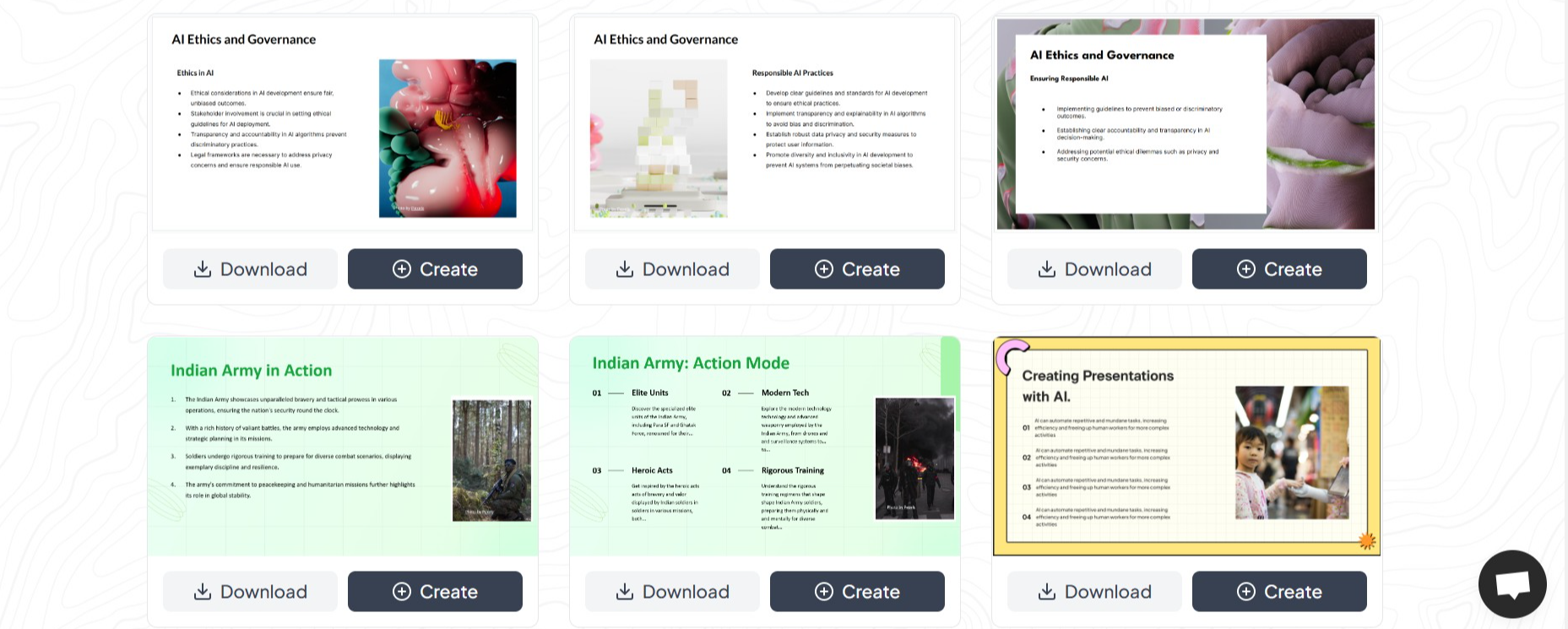
For those who want to save time and effort, MagicSlides.app is a fantastic option. It combines the power of AI with a rich variety of templates to create professional-looking presentations in seconds. Let’s explore how you can use this incredible tool!
How to Use MagicSlides.app for Creating Presentations
MagicSlides.app is a game-changer for anyone who needs quick, beautifully designed presentations. Follow these simple steps to get started:
Step 1: Visit MagicSlides.app
Head over to MagicSlides.app on your web browser. The interface is user-friendly, so you’ll feel right at home.
Step 2: Enter Your Text
In the text box provided, input the main content or ideas for your presentation. This could include bullet points, topic titles, or key concepts.
Step 3: Click “Generate Instant PPT”
After entering your content, click the Generate Instant PPT button. The app will process your input and suggest presentation layouts.
Step 4: Select a Slide Theme and Number of Slides
Choose from a variety of themes that fit your style or purpose. You can also specify how many slides you need for your presentation.
Step 5: Click “Generate”
Once you’re satisfied with your selections, hit the Generate button. MagicSlides.app will instantly create a polished presentation for you.
Step 6: Download and Edit
Your presentation is ready! Download it in Google Slides format and make any final tweaks if needed.
Why Choose MagicSlides.app?
Here’s why MagicSlides.app is the go-to solution for anyone seeking free templates for Google Slides:
- Wide Variety of Templates: Whether you need corporate, creative, or minimalist designs, MagicSlides.app has it all.
- Time-Saving: Skip the hours of searching and let the app generate a complete presentation in seconds.
- User-Friendly Interface: Even if you’re not tech-savvy, the app is easy to use.
- Customization Options: Select themes and adjust the number of slides to suit your needs.
- Free and Efficient: While offering premium features, MagicSlides.app also caters to users seeking free solutions.
Tips for a Great Presentation
- Keep it Simple: Use clean designs and focus on your message.
- Use High-Quality Visuals: Incorporate images, graphs, and charts to enhance your slides.
- Practice Your Delivery: Even the best slides won’t save a poorly delivered presentation!
Final Thoughts
Whether you’re crafting a presentation from scratch or using tools like MagicSlides.app, having access to free templates for Google Slides can make your work easier and more impactful. For a seamless experience, we highly recommend giving MagicSlides.app a try. It’s efficient, versatile, and perfect for anyone who wants to create stunning presentations with minimal effort.
Start your presentation journey today, and let your ideas shine with beautifully designed slides!


