How To Merge Cells In Google Sheets


Learn the easy steps to merge cells in Google Sheets. Streamline your data presentation with this simple tutorial for efficient spreadsheet organization.
Google Sheets is a powerful tool for organizing and analyzing data. One of its handy features is the ability to merge cells, streamlining your spreadsheet and enhancing its visual appeal. In this guide, we'll walk you through the process, starting from the basics and concluding with some frequently asked questions.
How To Merge Cells In Google Sheets
The journey begins with accessing Google Sheets. If you don't have it already, you can sign in to your Google account and open Google Sheets from the Google Workspace.
Step 1: Locate and Open Your Desired Sheet
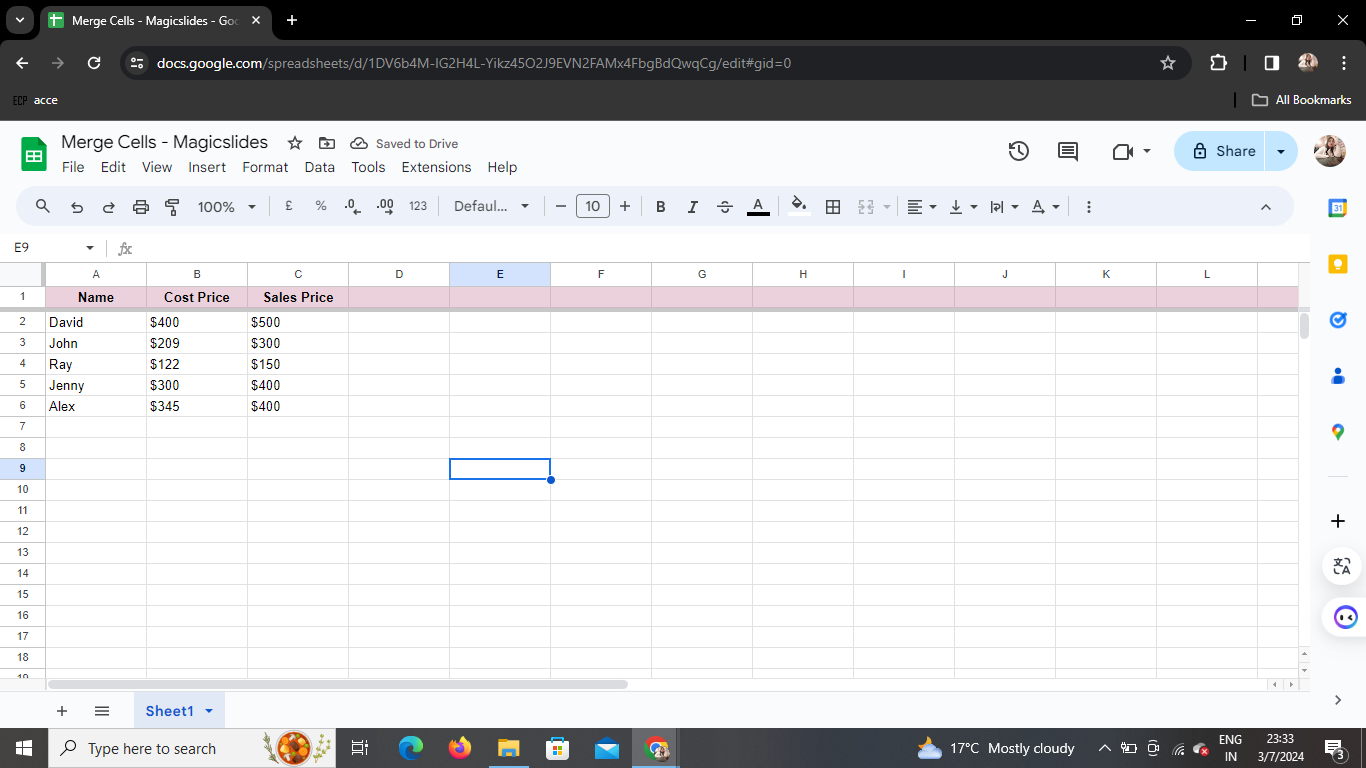
Once you're in Google Sheets, navigate to the spreadsheet where you want to merge cells. If you haven't created one yet, go ahead and start a new sheet.
Step 2: Select the Cells You Want to Merge
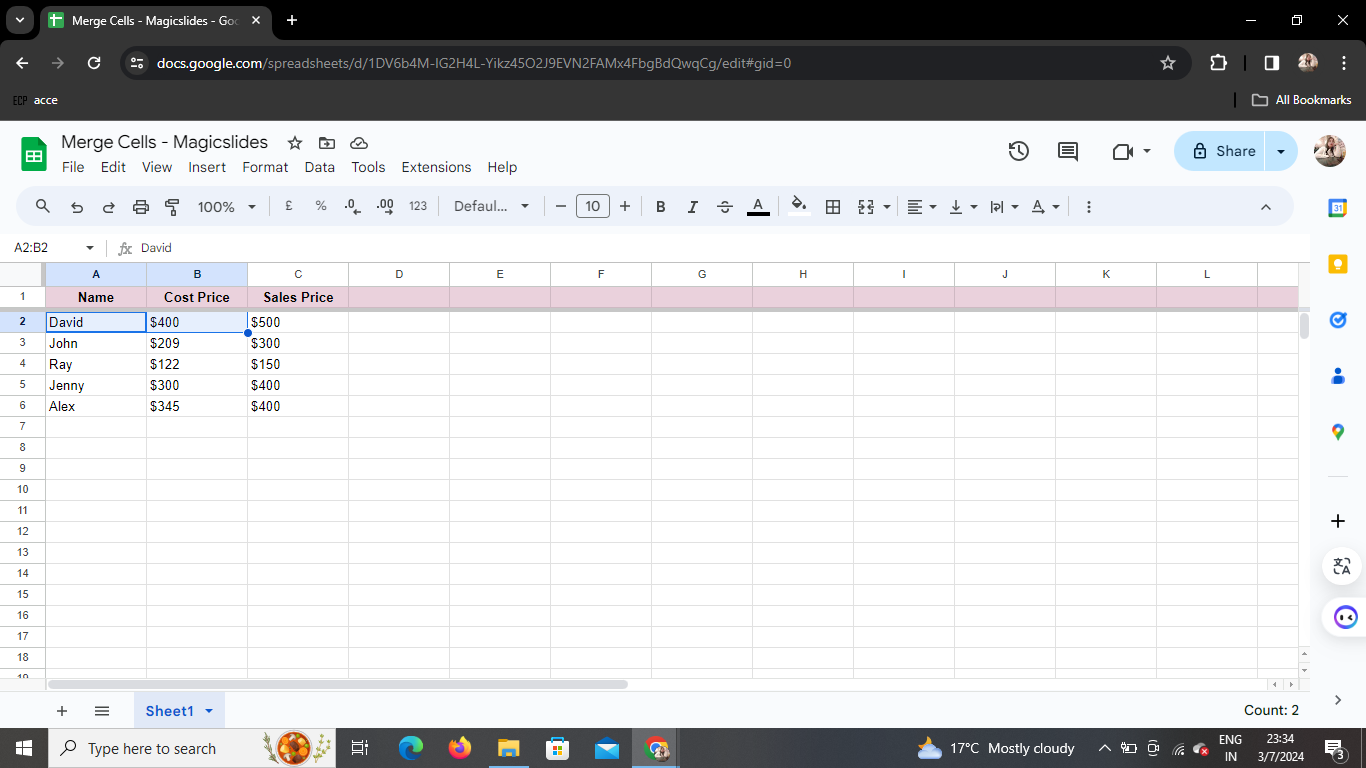
Identify the cells you wish to merge. Click and drag your cursor to highlight the specific cells that you want to combine into a single, cohesive unit.
Step 3: Access the Formatting Options
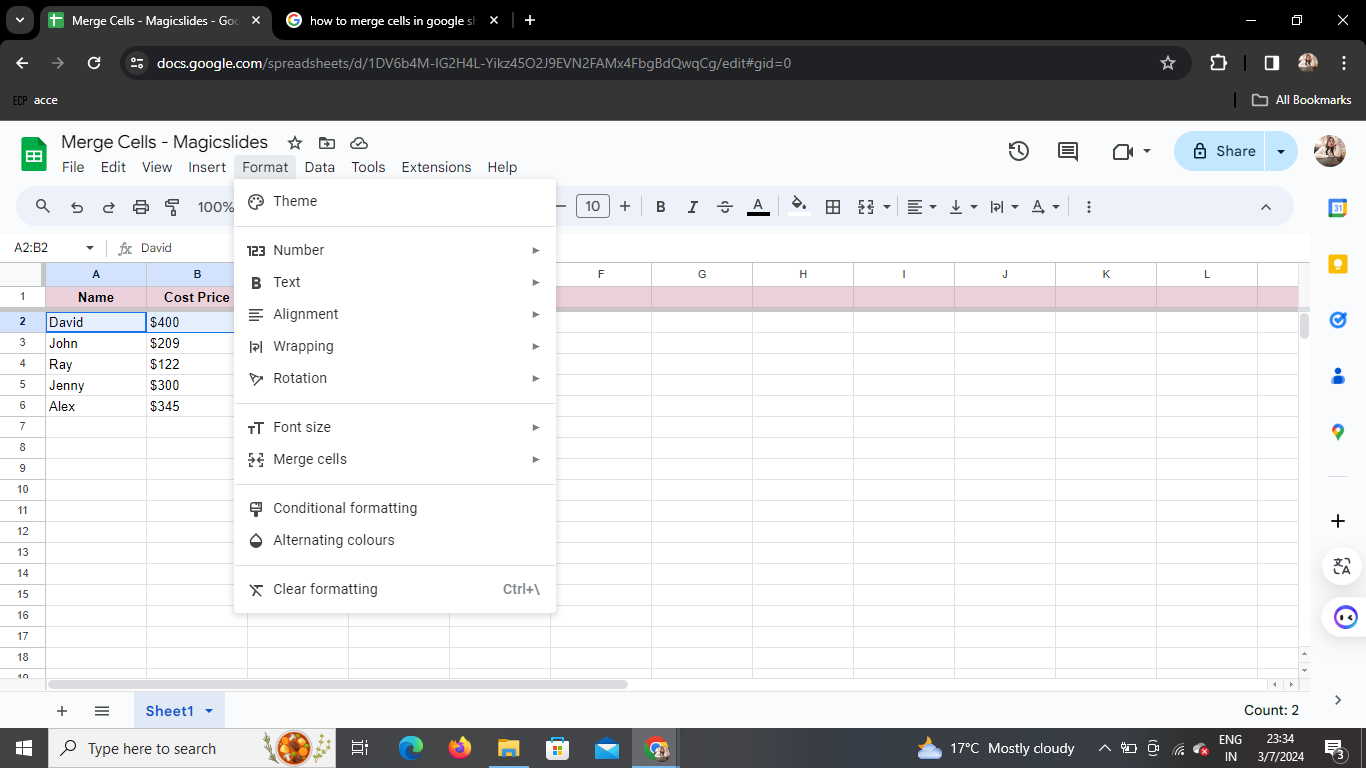
With your cells selected, direct your attention to the top menu bar. Look for the "Format" option.
Step 4: Choose the Merge Cells Option
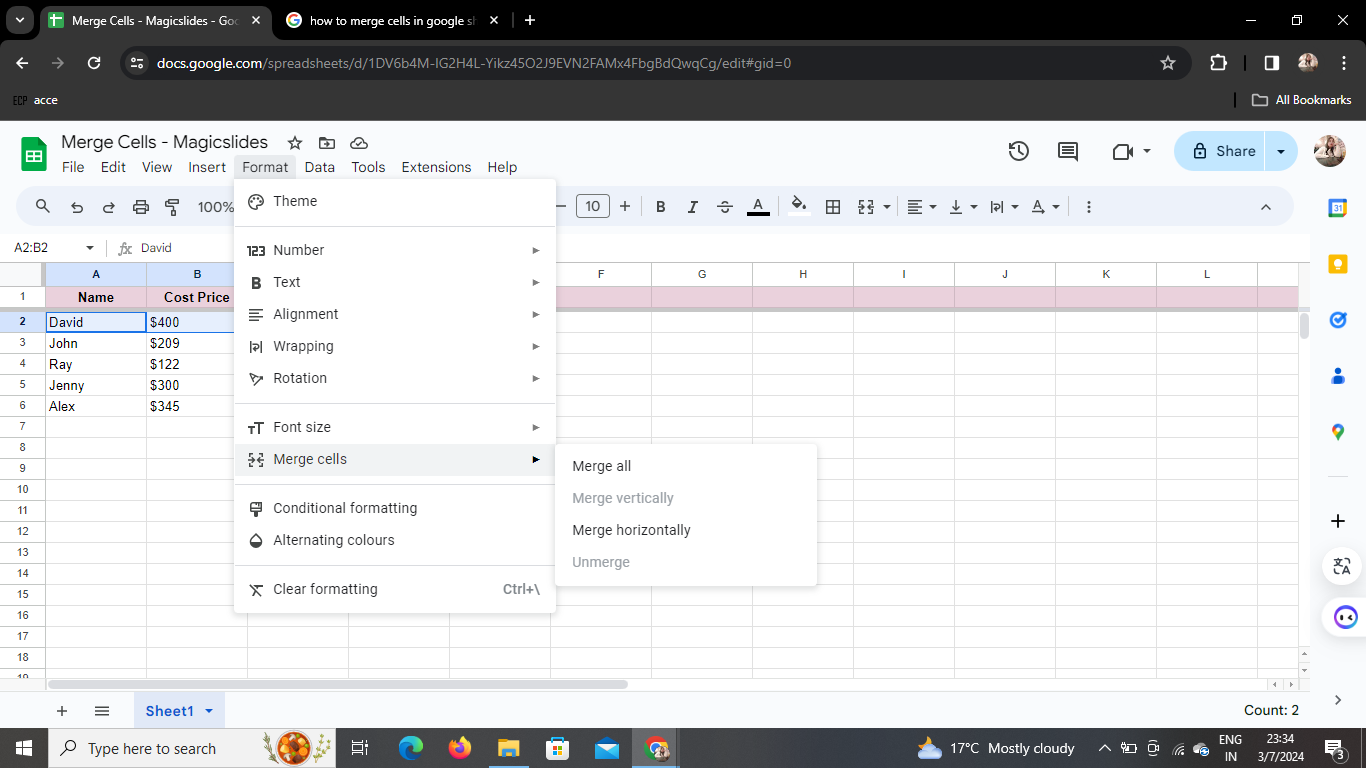
Under the "Format" menu, you'll find the "Merge cells" option. Click on it to reveal a dropdown menu with further choices.
Step 5: Merge Horizontally or Vertically
A dropdown box will appear, presenting you with the option to merge either horizontally or vertically. Choose the direction that aligns with your formatting preferences.
Step 6: Marvel at Your Merged Cells
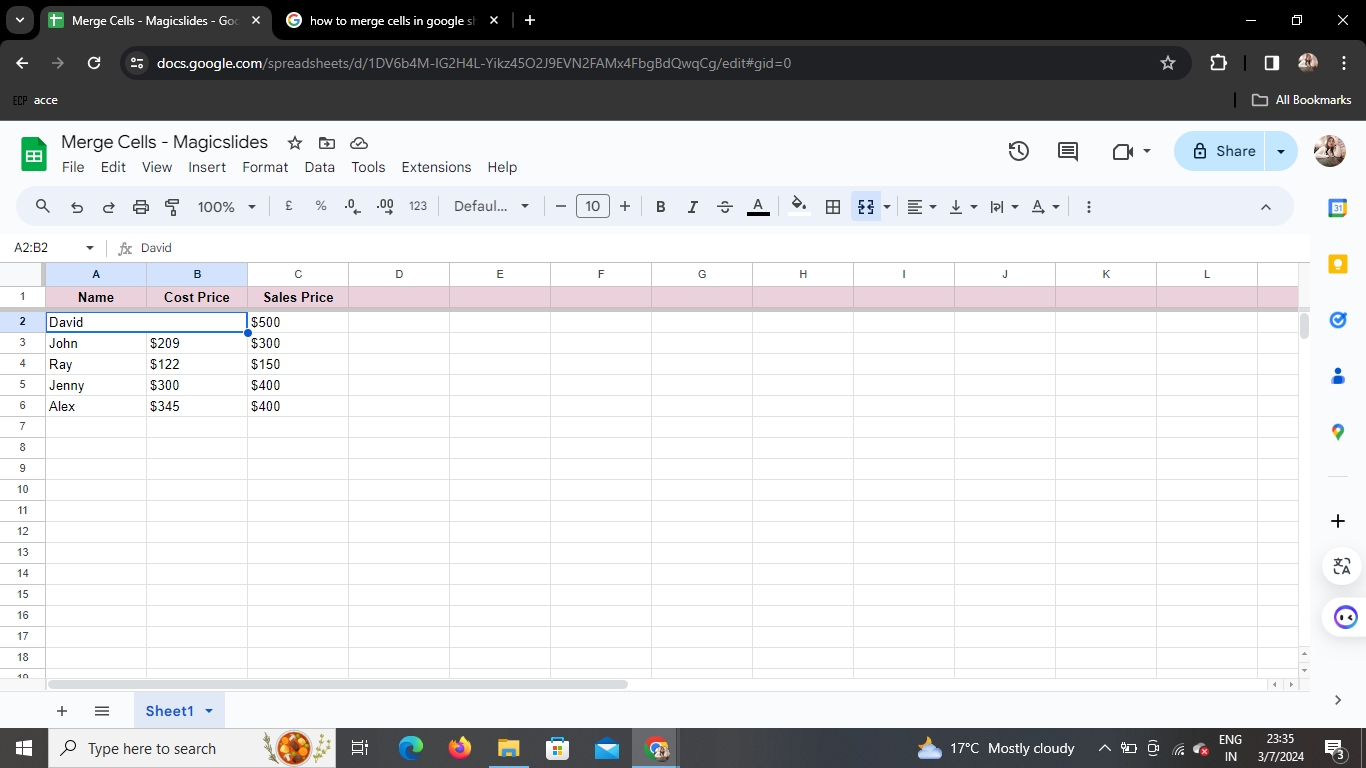
Congratulations! You've successfully merged the selected cells. Now, take a moment to appreciate the seamless appearance and enhanced readability of your spreadsheet.
Conclusion
Merging cells in Google Sheets is a simple yet effective way to organize and present your data more cohesively. Whether you're creating a report, budget, or any other document, this feature allows you to customize your spreadsheet for a more polished look.
Frequently Asked Questions
Can I undo cell merging in Google Sheets?
Yes, you can easily undo cell merging by pressing "Ctrl + Z" (Windows) or "Command + Z" (Mac).
Does cell merging affect data within the merged cells?
No, merging cells in Google Sheets only affects their visual presentation. The data within the merged cells remains intact.
Can I merge non-contiguous cells?
No, Google Sheets allows you to merge only contiguous cells, meaning they must be adjacent to each other.
Is there a limit to the number of cells I can merge?
There is no specific limit to the number of cells you can merge in Google Sheets. However, keep in mind that merging a large number of cells may affect the readability of your spreadsheet.
Can I merge cells in Google Sheets using a mobile device?
Yes, you can merge cells on the Google Sheets mobile app. Simply select the cells, tap the three dots in the upper-right corner, and choose "Merge."


