How to Create a Winning Real Estate Listing Presentation – Guide


Learn how to create a winning real estate listing presentation with examples, templates, slide structures, and expert tips. Create presentations faster with AI.
A well-crafted real estate presentation is a powerful tool for impressing potential clients and securing listings. A listing presentation highlights your expertise, demonstrates your market knowledge, and convinces property owners that you’re the best agent for the job. Creating a professional, polished presentation doesn’t have to be time-consuming or complicated, thanks to tools like MagicSlides.app.
In this guide, we’ll walk you through the essential steps to prepare a winning listing presentation and show you how to use MagicSlides.app to simplify the process.
What Is a Listing Presentation?
A listing presentation is a professional pitch that real estate agents deliver to potential clients. It’s your opportunity to showcase your expertise, explain your marketing strategies, and convince homeowners that you can sell their property quickly and at the best price.
Check out this real estate presentation here, which I have generated using Magicslides!
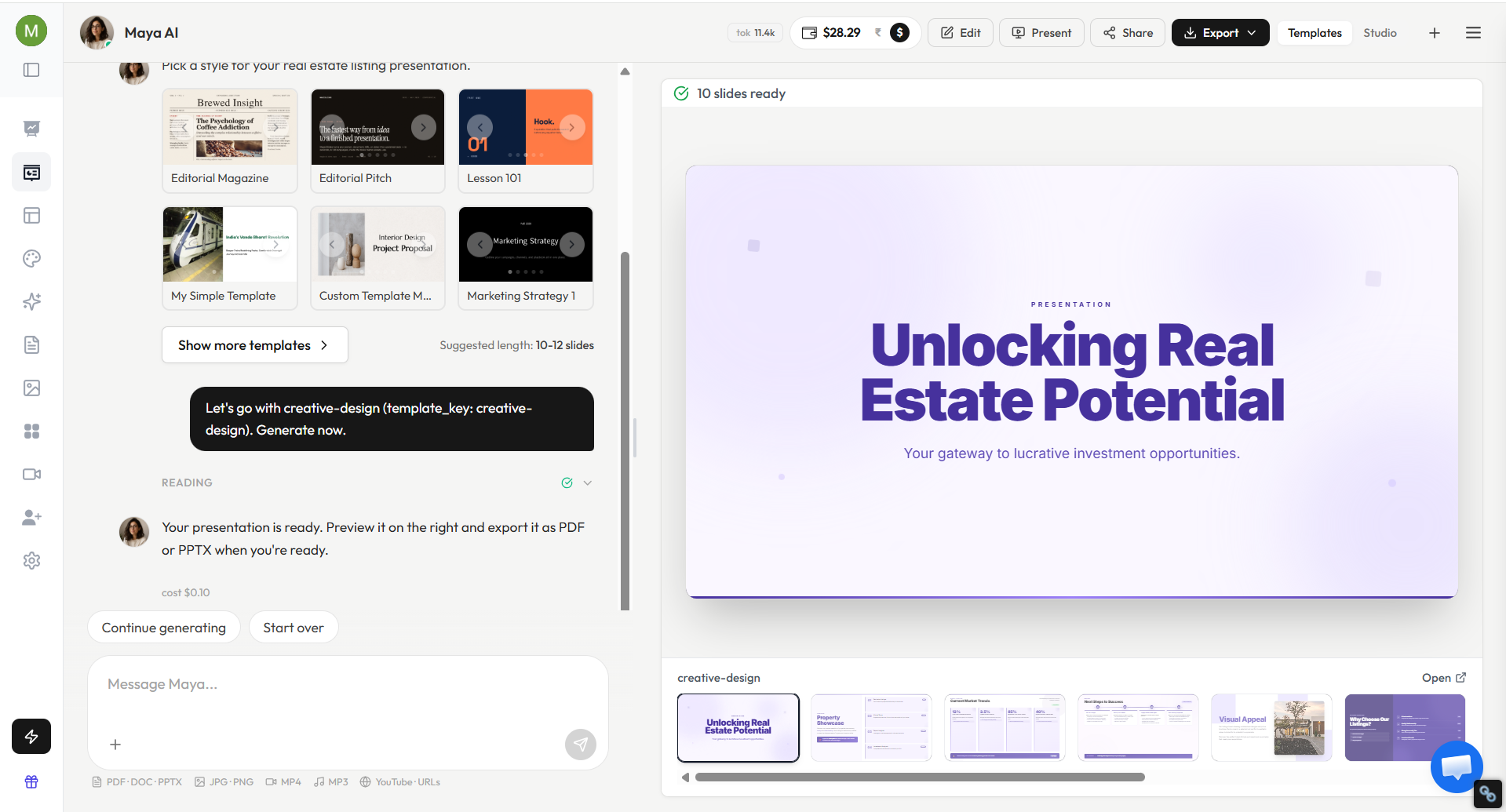
Why Listing Presentations Matter?
A listing presentation is often the deciding factor when homeowners choose a real estate agent. Most sellers interview multiple agents before listing their property, making your presentation an opportunity to demonstrate your expertise, market knowledge, and marketing capabilities.
An effective listing presentation helps you:
- Build trust and credibility.
- Showcase your local market expertise.
- Explain your pricing strategy.
- Demonstrate your marketing approach.
- Differentiate yourself from competing agents.
- Increase your chances of winning more listings.
A well-prepared presentation not only helps secure listings but also establishes long-term relationships with clients.
Key Elements of a Great Real Estate Presentation
To create an effective listing presentation, make sure to include the following components:
1. Introduction
- Introduce yourself and your agency.
- Share your experience and credentials.
- Highlight any awards or accolades.
2. Market Analysis
- Provide an overview of the local real estate market.
- Include data on recent sales, trends, and buyer demand.
3. Pricing Strategy
- Offer a Comparative Market Analysis (CMA) with data-driven pricing recommendations.
- Explain the factors that influence property value.
4. Marketing Plan
- Detail your marketing strategies, including:
- Professional photography.
- Online listings.
- Social media advertising.
- Open houses.
5. Communication Plan
- Describe how you’ll keep clients updated throughout the selling process.
- Emphasize your availability and responsiveness.
6. Success Stories
- Share testimonials or case studies from previous clients.
- Highlight properties you’ve sold quickly or above asking price.
7. Closing Argument
- Recap why you’re the best choice for selling their property.
- Provide a call-to-action, encouraging them to list with you.
Ideal Structure of a Real Estate Listing Presentation
Most successful listing presentations contain 10 to 12 slides that guide homeowners through the selling process.
Slide 1: Introduction
Introduce yourself, your agency, and your experience.
Slide 2: About Your Team
Highlight your credentials, certifications, and achievements.
Slide 3: Local Market Overview
Present recent market trends, pricing, and buyer demand.
Slide 4: Property Analysis
Discuss the property’s strengths and unique selling points.
Slide 5: Comparative Market Analysis (CMA)
Show comparable properties and pricing recommendations.
Slide 6: Pricing Strategy
Explain your recommended listing price and reasoning.
Slide 7: Marketing Plan
Outline your advertising and promotional strategies.
Slide 8: Digital Marketing Strategy
Showcase online listings, social media campaigns, and virtual tours.
Slide 9: Client Success Stories
Include testimonials and recent sales results.
Slide 10: Selling Timeline
Explain the expected process from listing to closing.
Slide 11: Communication Plan
Describe how you’ll keep clients informed.
Slide 12: Next Steps
Summarize your value proposition and encourage the client to move forward.
Real Estate Listing Presentation Example
Here is an example of how a real estate listing presentation may look:
- Slide 1: Welcome and Agent Introduction
- Slide 2: About the Agency
- Slide 3: Local Market Statistics
- Slide 4: Property Highlights
- Slide 5: Comparative Market Analysis
- Slide 6: Recommended Pricing Strategy
- Slide 7: Marketing Plan
- Slide 8: Social Media and Digital Advertising
- Slide 9: Recent Success Stories
- Slide 10: Selling Timeline
- Slide 11: Testimonials
- Slide 12: Questions and Next Steps
This structure helps homeowners understand your process and builds confidence in your ability to sell their property successfully.
How to Use MagicSlides.app for a Winning Real Estate Presentation?
Creating a professional-looking presentation can be time-consuming, but with MagicSlides.App, you can generate a polished real estate presentation in minutes.
Here’s how:
Step 1. Go to MagicSlides.app, a user-friendly platform designed to help you create presentations effortlessly.

Step 2. Input your real estate topic or the content you want to include in your listing presentation. Click on the arrow to begin.
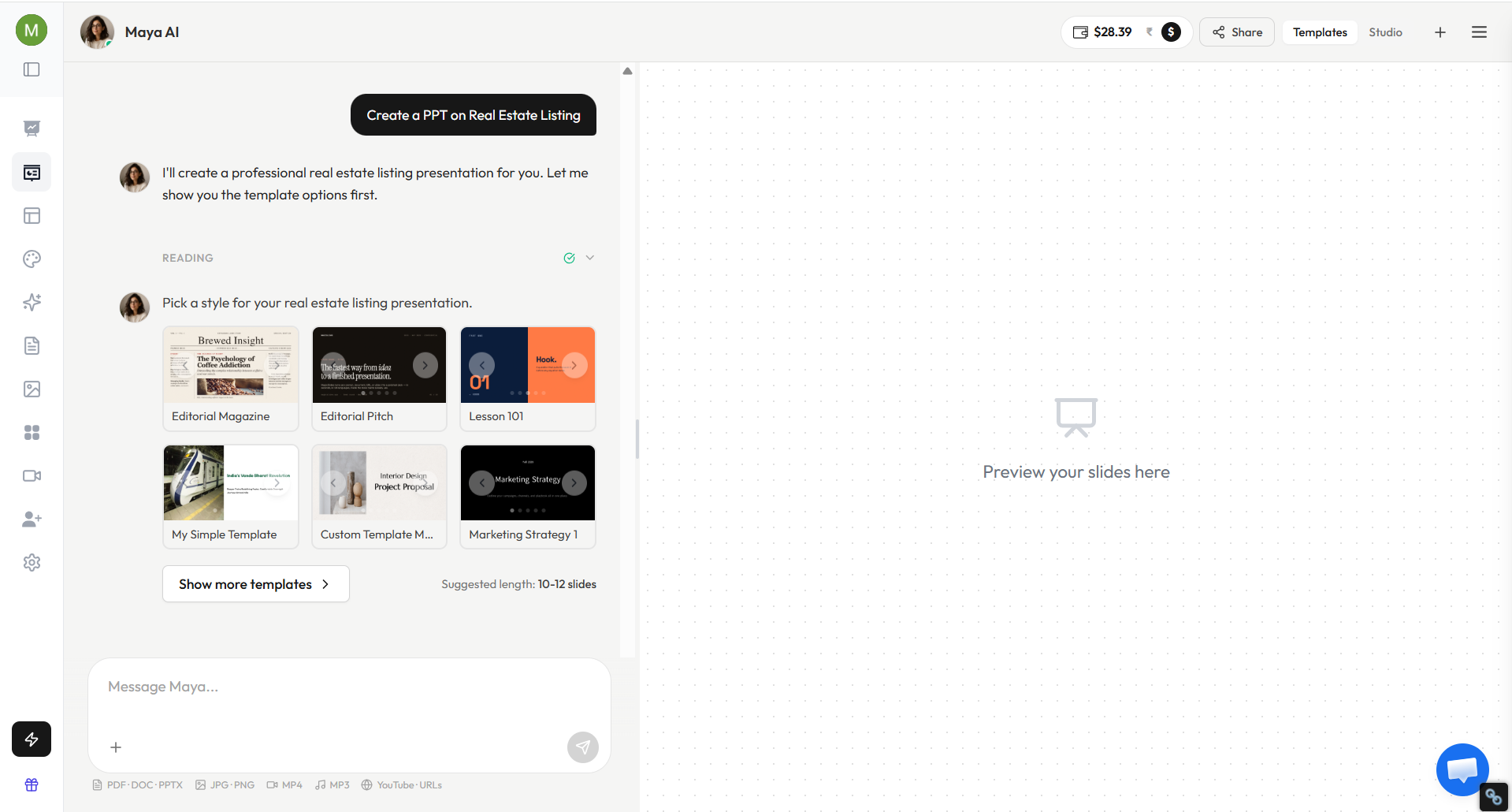
Step 3. Select a professional template that aligns with your branding and audience. Specify the number of slides you need to cover all the key elements.
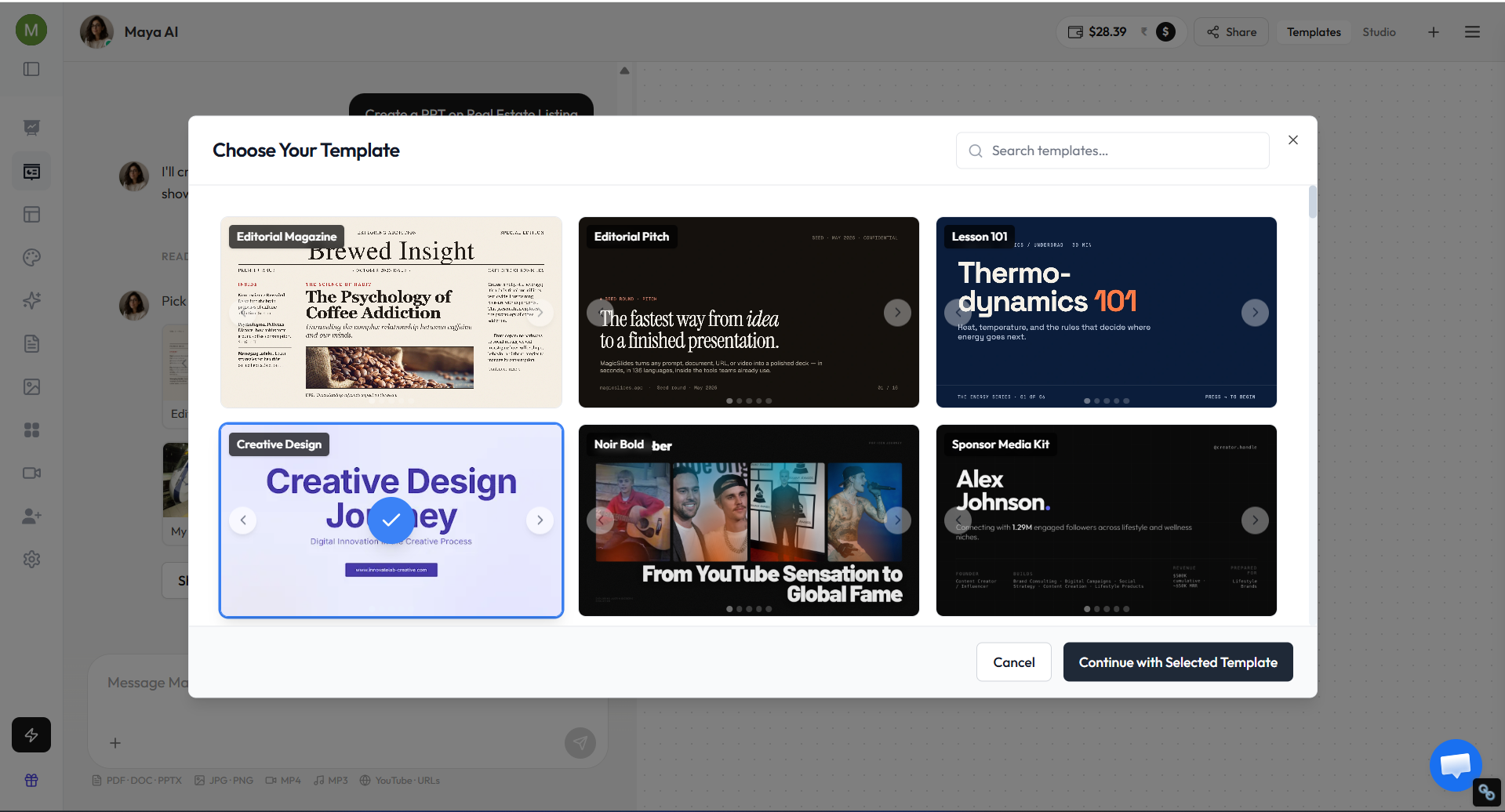
Step 4. Once you’ve made your selections, click “Continue with Selected Template”. The AI will create a complete presentation, ready to customize and present to clients.
Benefits of Using MagicSlides.app for Real Estate Presentations
- Save Time: MagicSlides.app generates high-quality presentations in minutes, freeing you up to focus on other tasks.
- Professional Design: With customizable templates, your presentations will always look polished and visually appealing.
- Ease of Use: You don’t need design skills to create an impressive real estate presentation. MagicSlides.app handles the heavy lifting for you.
- Impress Clients: A well-designed, professional presentation demonstrates your commitment to quality and helps you stand out from competitors.
Tips for a Successful Listing Presentation
- Know Your Audience: Tailor your presentation to the client’s property and preferences.
- Practice Your Delivery: Rehearse your pitch to ensure you’re confident and engaging.
- Be Data-Driven: Use statistics and visuals to back up your points.
- Bring a Personal Touch: Show genuine interest in the client’s goals and concerns.
Common Listing Presentation Mistakes to Avoid
Even experienced agents can make mistakes during listing presentations. Avoid these common issues:
- Using too many slides and overwhelming clients.
- Providing generic market information without local insights.
- Focusing too much on yourself instead of the client’s needs.
- Presenting unrealistic pricing expectations.
- Using outdated statistics or visuals.
- Failing to include testimonials or success stories.
- Rushing through the presentation without addressing questions.
Keeping your presentation concise, personalized, and data-driven can significantly improve your chances of winning listings.
Conclusion
A compelling real estate presentation can be the difference between winning a client’s trust and losing out to the competition. With AI PPT tools like MagicSlides.app, you can create professional, visually appealing listing presentations quickly and effortlessly, leaving a lasting impression on potential clients.
Ready to elevate your real estate game? Visit MagicSlides.app today and create presentations that help you close more deals with ease!
Frequently Asked Questions
Q1. How long should a listing presentation be?
Most listing presentations last between 20 and 45 minutes, depending on the property and client questions.
Q2. How many slides should a real estate listing presentation include?
A typical listing presentation contains 10 to 15 slides.
Q3. What should a listing presentation include?
It should include market analysis, pricing strategy, marketing plans, testimonials, communication plans, and next steps.
Q4. Can AI create real estate listing presentations?
Yes. AI presentation tools like MagicSlides can generate professional real estate presentations in minutes, helping agents save time while creating visually appealing presentations.


