How to Transform Poetry Collections: PDF to PowerPoint for Creativity


Unlock poetic expression! Learn to convert PDF poetry collections to dynamic PowerPoint presentations for a burst of creative inspiration. Explore now!
Creating visually stunning presentations from poetry collections can enhance the impact of your creative works. In this step-by-step guide, we'll explore how to leverage the power of Google Slides and MagicSlides GPT to seamlessly transform your poetry PDFs into captivating PowerPoint presentations.
How to Transform Poetry Collections: PDF to PowerPoint for Creativity
Before diving into the transformative steps, ensure you have a Google account for easy access to Google Slides and the MagicSlides extension. If you don't have an account, sign up for one. Once you're signed in, let the creative journey begin.
Step 1: Open Google Slides and a Blank Presentation
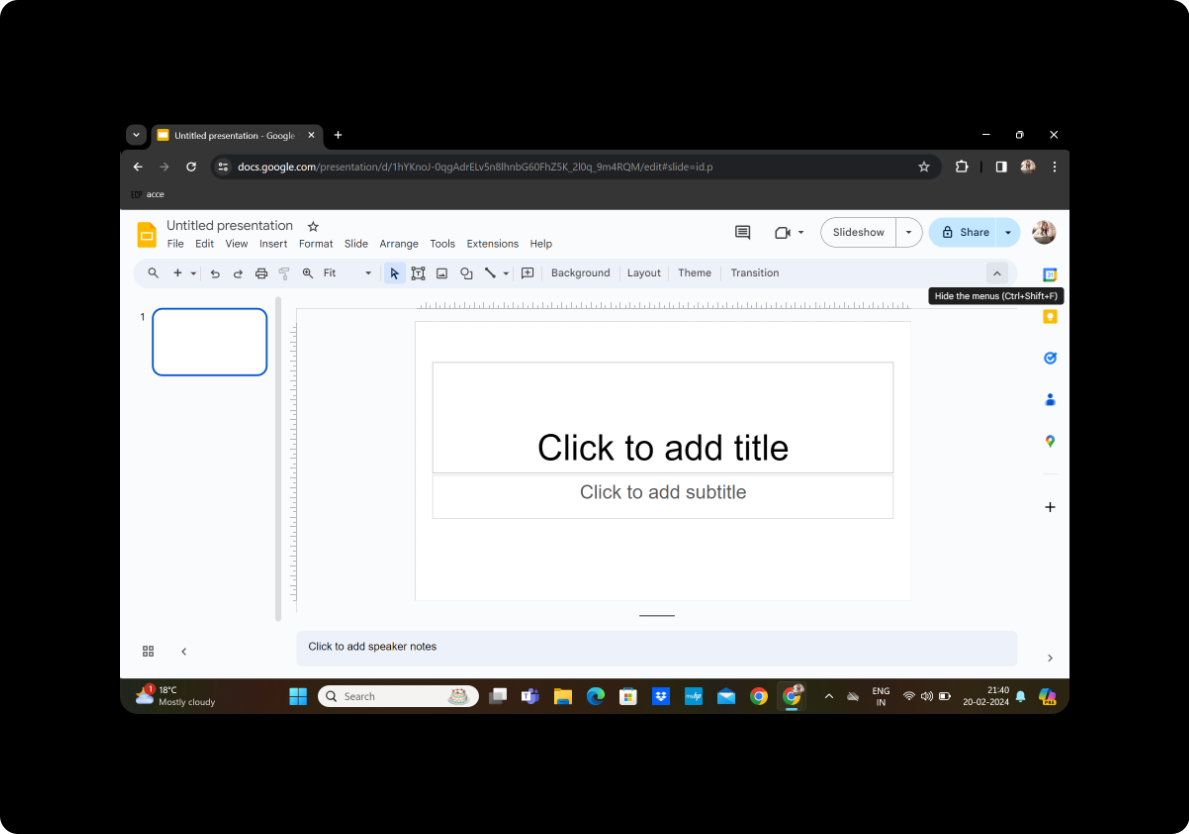
Start by opening Google Slides and creating a new blank presentation. This serves as the canvas for your poetic expressions to come alive.
Step 2: Click on Extensions and MagicSlides GPT
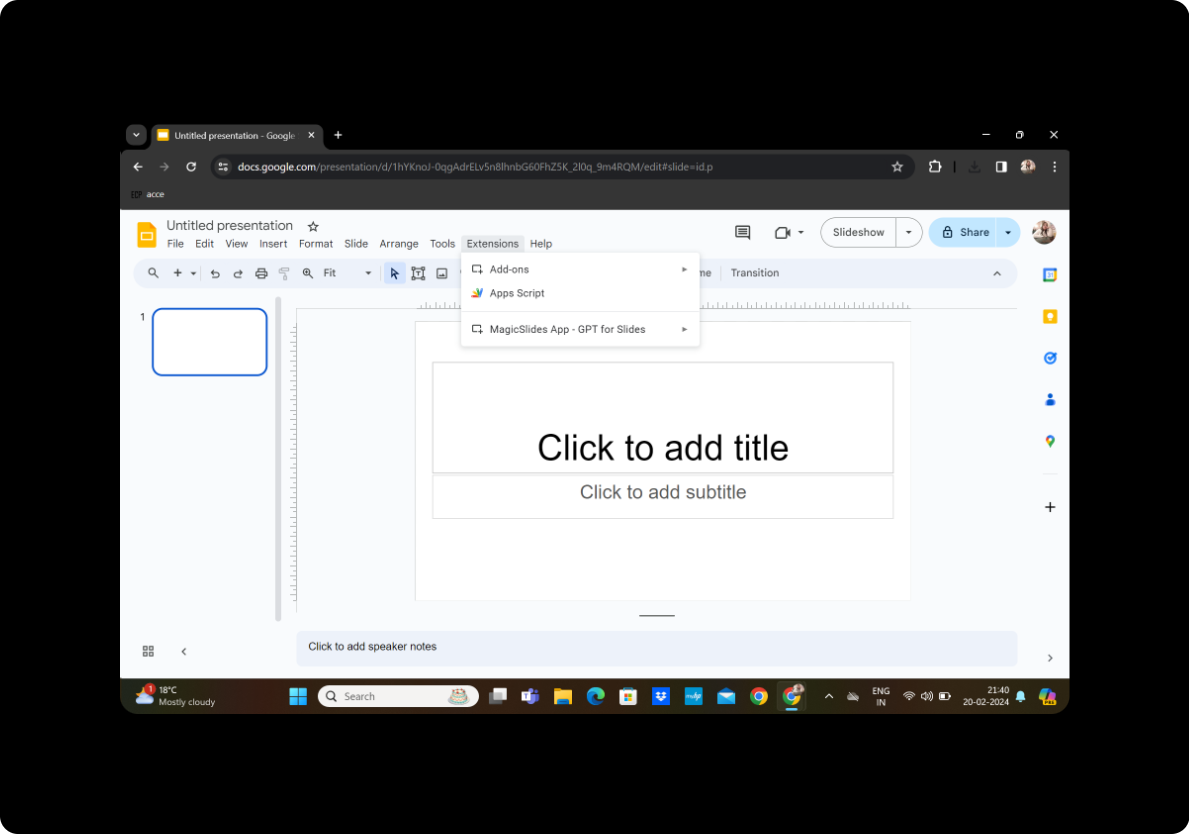
Locate the "Extensions" tab in the toolbar and click on it. Look for MagicSlides GPT and activate the extension. This powerful tool will be your creative companion in this transformation process.
Step 3: Click on 'PDF/DOCX to PPT'
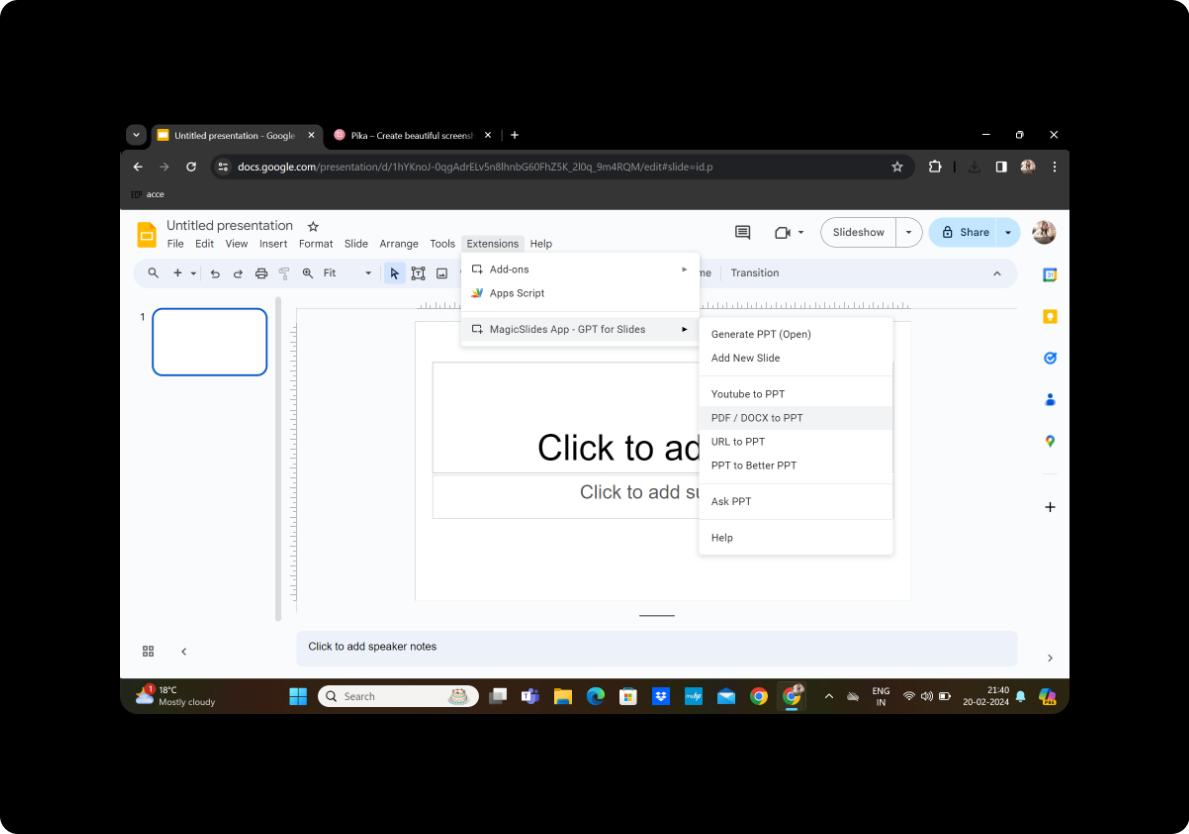
Within MagicSlides GPT, find the 'PDF/DOCX to PPT' option. Click on it to initiate the conversion process.
Step 4: Upload the PDF and Click on Fetch Transcript
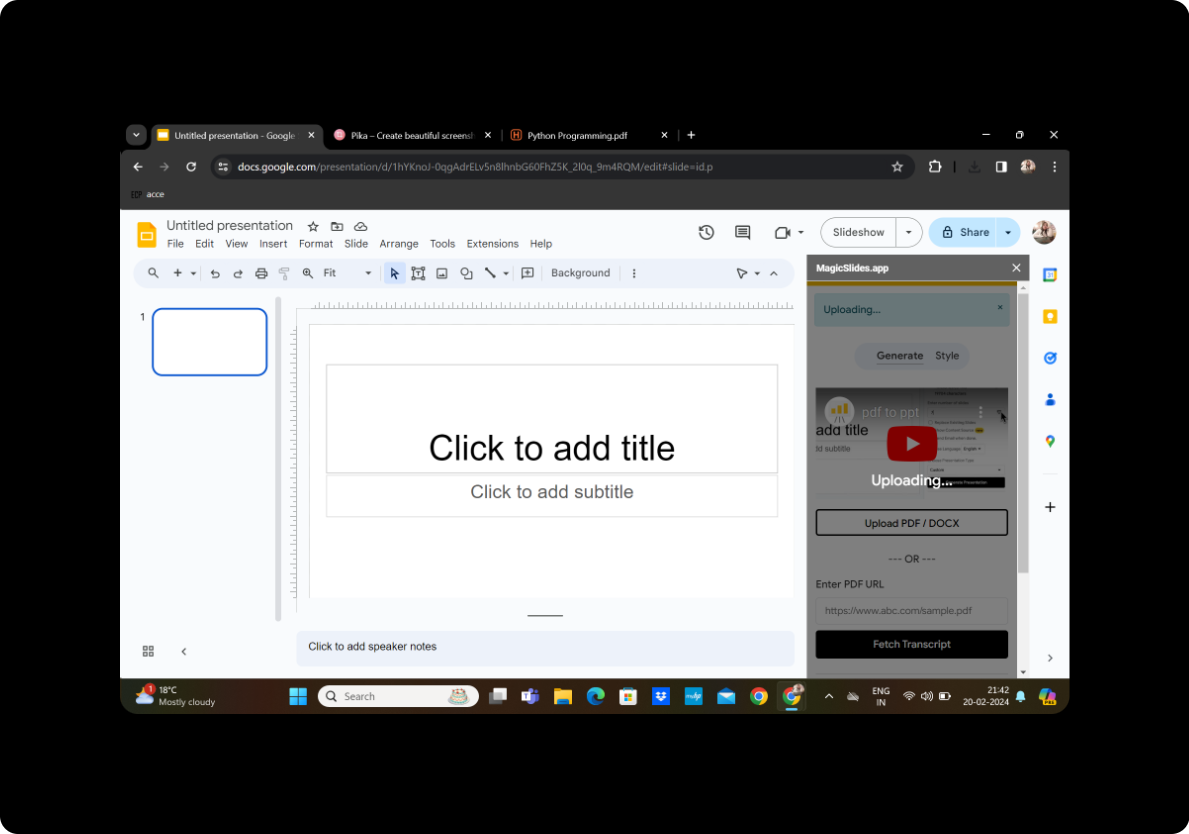
Upload your poetry PDF file into the designated area. Once uploaded, click on 'Fetch Transcript.' MagicSlides GPT will work its magic, extracting the essence of your poetry.
Step 5: Select the Number of Slides
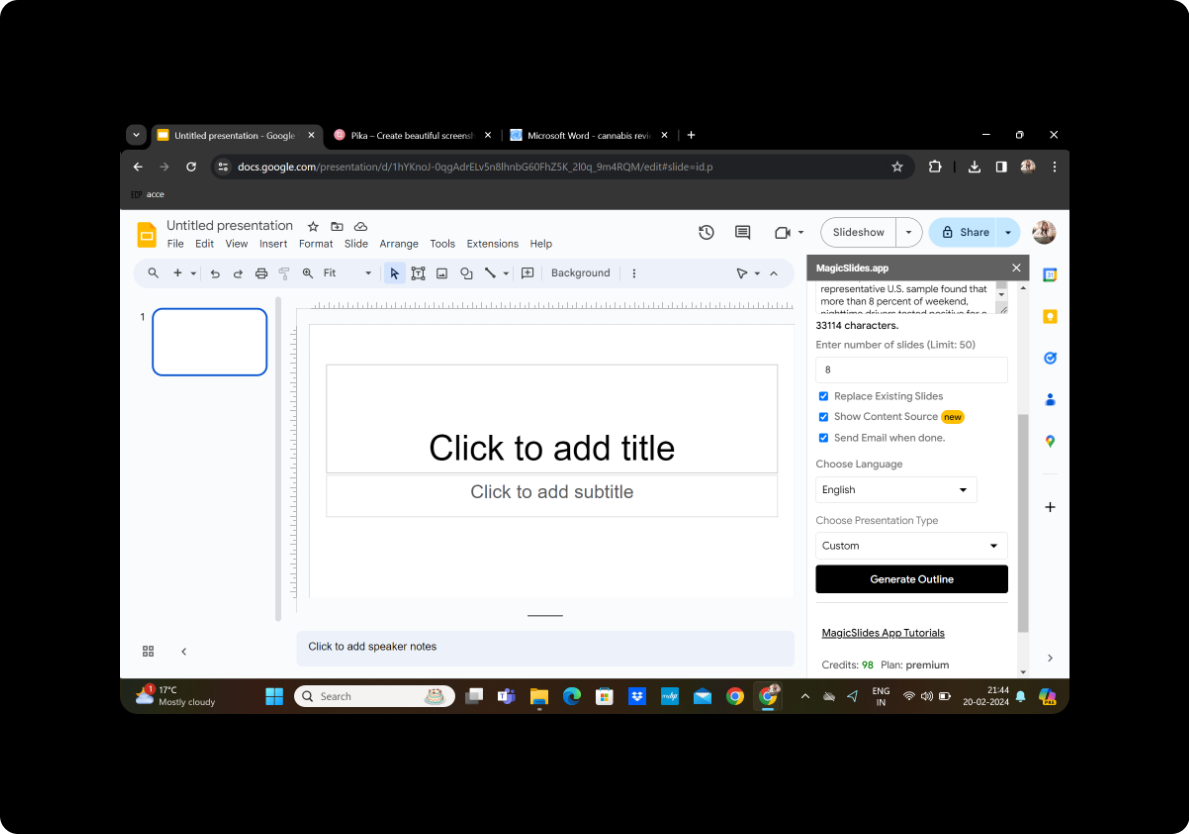
Review the extracted transcript and select the desired number of slides. Tailor the presentation to match the rhythm and flow of your poetic creations.
Step 6: Click on Generate Outline
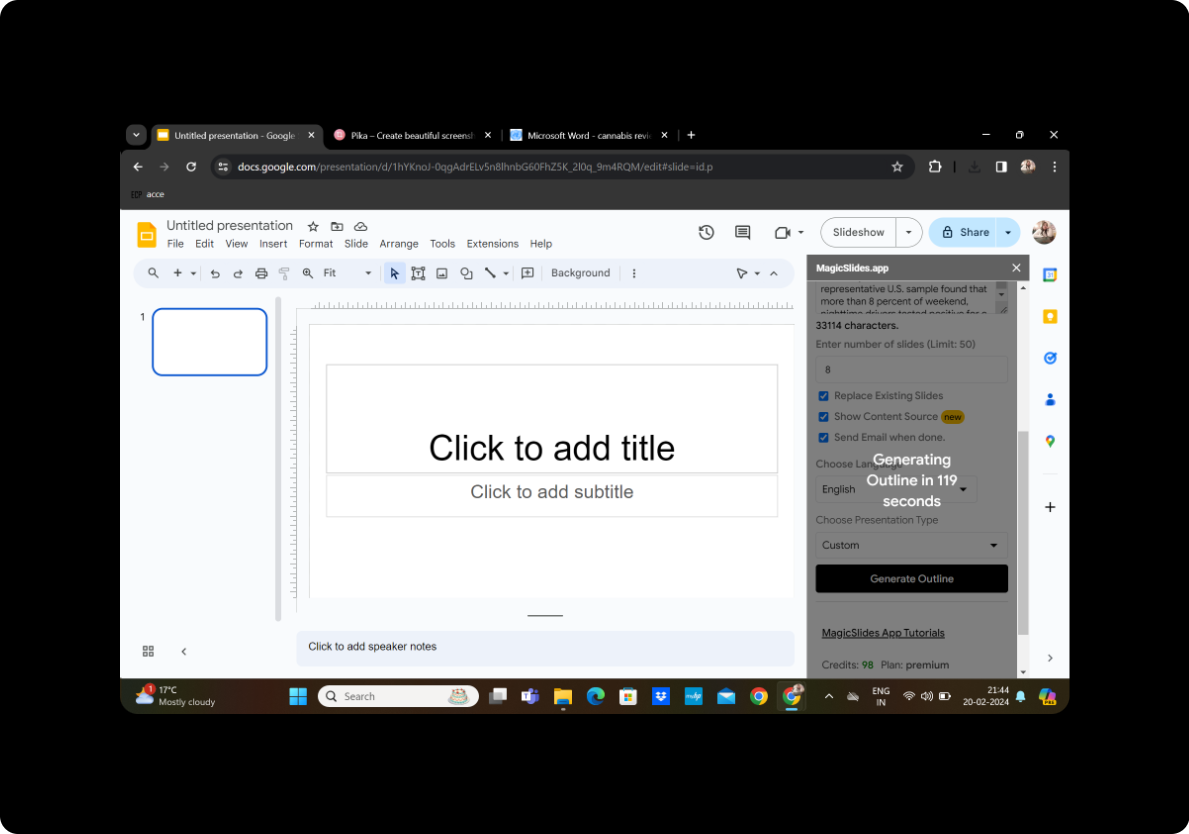
Click on 'Generate Outline' to create a preliminary structure for your presentation. This step helps in organizing your poetry into a visually appealing format.
Step 7: Once Satisfied with the Given Outline, Click on Generate Presentation
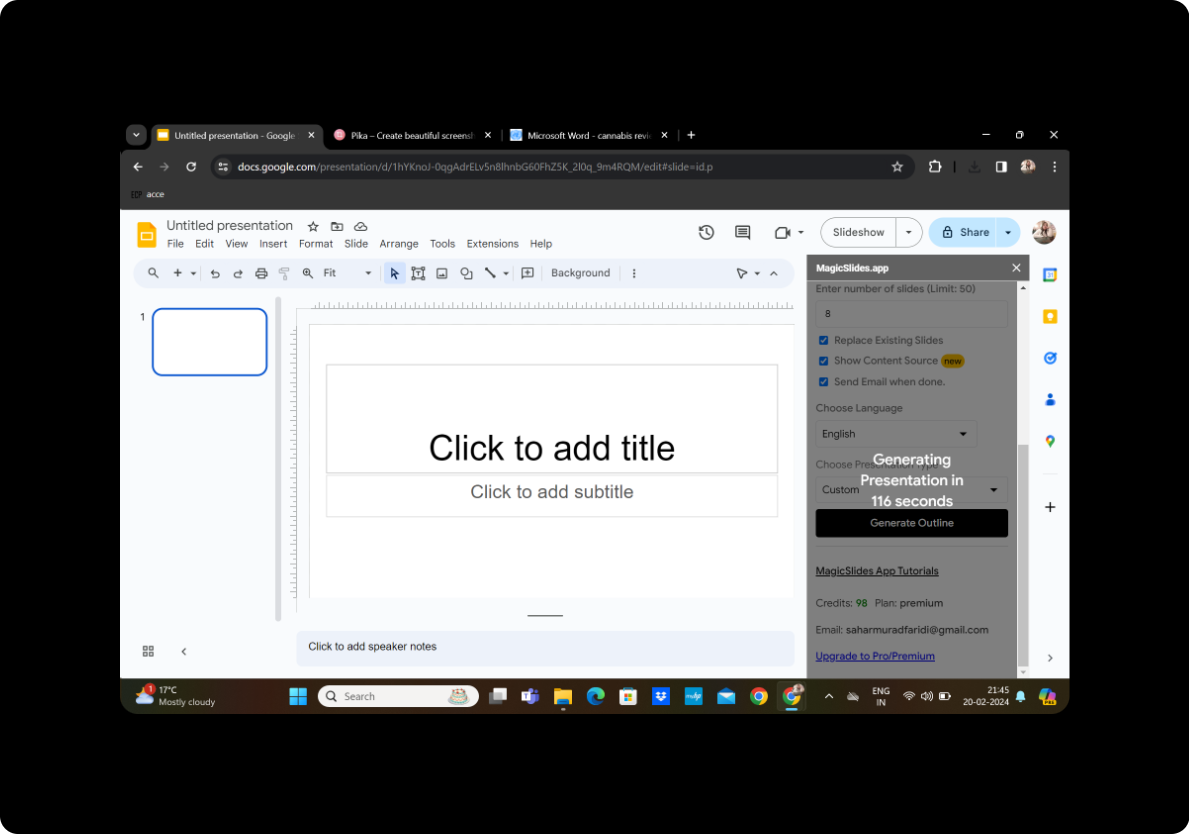
Review the generated outline, make any necessary adjustments, and when satisfied, click on 'Generate Presentation.' Watch as your poetry transforms into a dynamic PowerPoint presentation.
Your Presentation is Ready!
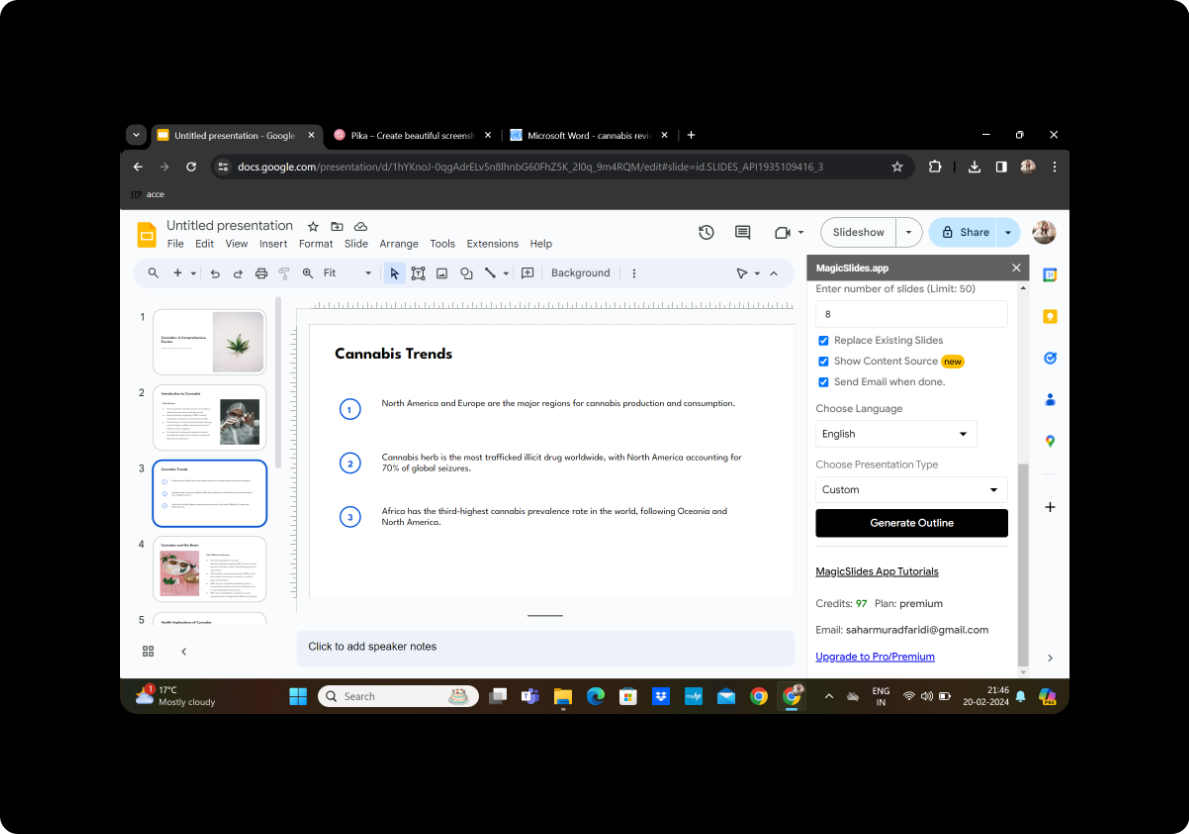
Conclusion
In a few simple steps, you've converted your poetry collection from a PDF into a visually engaging PowerPoint presentation. This method not only adds a creative touch but also allows you to share your poetic expressions in a new and captivating format.
Frequently Asked Questions
Can I customize the design of my slides? Absolutely! MagicSlides GPT provides editing features to personalize your presentation's aesthetics.
Is there a limit to the number of slides I can create? The tool is versatile, allowing you to generate as many slides as needed to accommodate your poetry.
Can I add multimedia elements to my presentation? Certainly! Enhance your poetry presentation by incorporating images, audio, or other multimedia elements.
Is my presentation shareable? Yes, once you're done, save your presentation and easily share it with your audience.
Can I revisit and edit my presentation later? Certainly! Your presentation is stored on Google Slides, enabling you to revisit and make edits whenever inspiration strikes.
In conclusion, turning poetry collections into PowerPoint presentations adds a new dimension to your creative expression. Embrace this innovative approach to share your poetic journey in a visually compelling way. Your audience will undoubtedly appreciate the artistry and thoughtfulness embedded in your presentation.


