How to Use AI to Write a Story: A Beginner’s Guide to Creating Better Fiction with AI


Learn how to use AI to write a story from idea to finished draft. Discover the best AI story-writing workflow, prompts, tools, and practical tips for creating an engaging fiction story.
Writing a great story takes creativity, planning, and persistence. But even experienced writers face challenges like writer’s block, weak dialogue, or difficulty organizing ideas. That’s where artificial intelligence can help.
If you’re wondering how to use AI to write a story, you’re not alone. More writers are using AI writing assistants to brainstorm story ideas, build memorable characters, outline plots, write scenes, and polish drafts. The goal isn’t to let AI write an entire novel; it’s to use it as a creative partner that helps you write better and faster.
Whether you’re a beginner, aspiring novelist, blogger, student, or self-published author, learning the right AI writing workflow can make the writing process more enjoyable and productive. Tools like Magic Docs simplify brainstorming, drafting, and editing, while conversational AI platforms can help refine dialogue, improve story pacing, and strengthen character development.
In this guide, you’ll learn a practical, step-by-step approach to writing fiction with AI, avoid common mistakes, and create stories that still sound original and human.
Quick Take: AI is best used as a creative collaborator. Let it handle brainstorming, outlining, and first drafts, while you shape the emotional depth, unique voice, and final revisions.
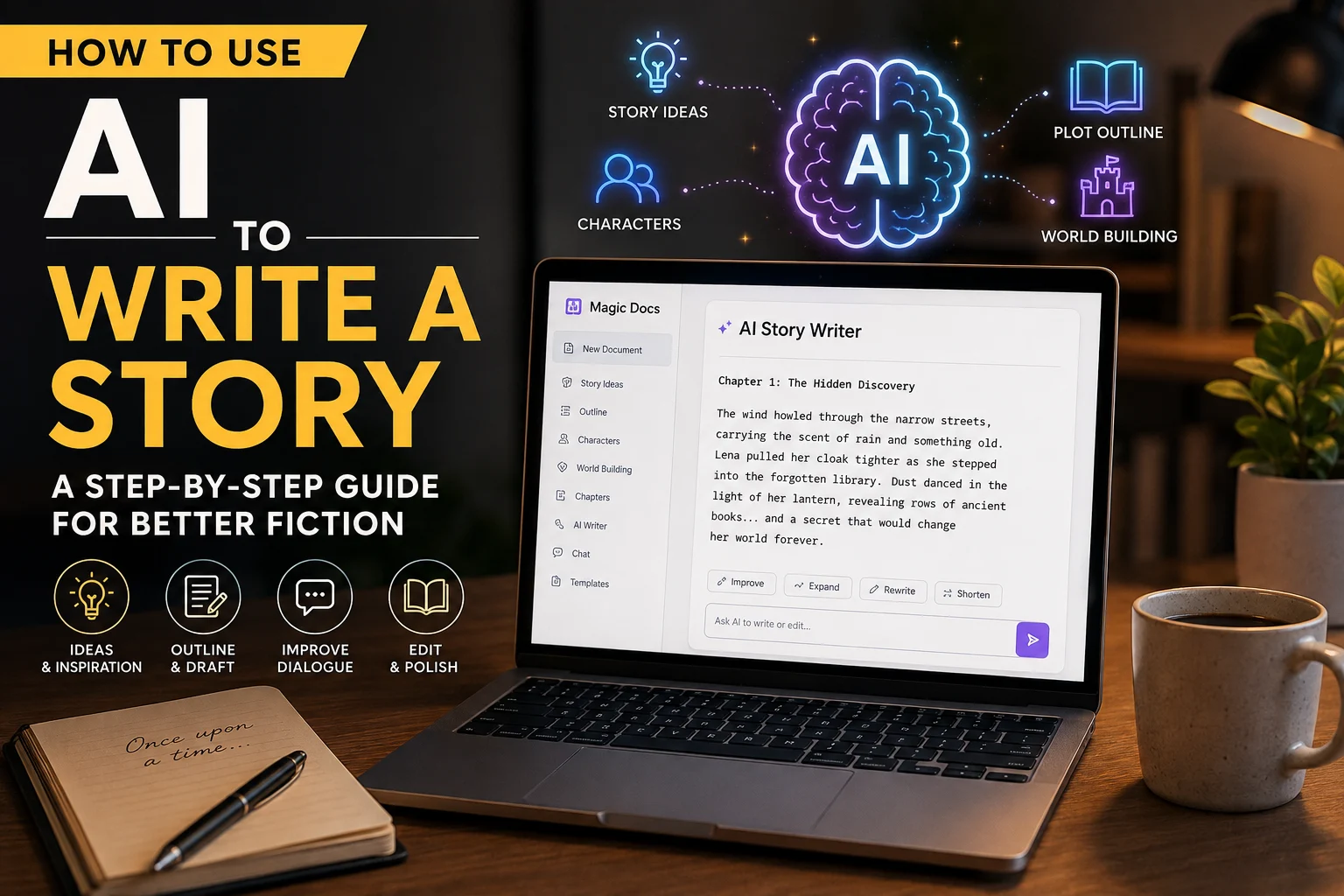
What Is AI Story Writing?
AI story writing is the use of artificial intelligence to assist with various stages of fiction writing. Rather than replacing the author, an AI story writer helps generate ideas, organize plots, improve dialogue, and edit drafts more efficiently.
Modern AI story generators use advanced language models to recognize storytelling patterns, making them useful for tasks such as:
- Brainstorming story ideas
- Creating compelling protagonists and villains
- Developing character backstories
- Building fictional worlds
- Generating plot outlines
- Writing scene descriptions
- Improving dialogue
- Editing grammar and clarity
- Refining story pacing
Think of AI as a creative writing partner that never runs out of ideas. It can inspire when you’re stuck, suggest alternative plot twists, or help you rewrite scenes without replacing your creative vision.
How AI Fits Into the Writing Process?
A typical AI storytelling workflow looks like this:
- Generate story ideas.
- Develop characters and motivations.
- Create a plot outline.
- Design the story world.
- Draft scenes and chapters.
- Refine dialogue.
- Edit and revise the manuscript.
- Complete the final human review.
By using AI strategically at each stage, writers can save time while maintaining full creative control over the finished story.
Example: Instead of asking AI to “write a fantasy novel,” ask it to “create five original fantasy story ideas featuring a reluctant hero, an ancient prophecy, and a hidden kingdom.” Specific prompts lead to stronger results.
Benefits of Using AI for Story Writing
Using an AI writing assistant effectively can improve both creativity and productivity. Here are some of the biggest advantages.
1. Overcome Writer’s Block
Every writer experiences moments when ideas stop flowing. AI can instantly generate creative writing prompts, opening paragraphs, or alternate plot directions to help you regain momentum.
2. Brainstorm Better Story Ideas
Need inspiration for a fantasy quest, romance novel, mystery thriller, or science fiction adventure?
An AI story generator can produce multiple concepts in seconds, giving you fresh angles to explore instead of starting from scratch.
3. Create Stronger Characters
Believable characters drive compelling stories. AI can help develop:
- Personality traits
- Character flaws
- Motivations
- Internal conflicts
- Relationships
- Character arcs
- Backstories
You remain in control, choosing the ideas that best support your narrative.
4. Build a Well-Structured Plot
Many first drafts struggle because the story lacks direction. AI can help organize your narrative into a clear structure with a beginning, rising action, climax, and resolution.
This makes it easier to maintain momentum while avoiding plot holes.
5. Speed Up the Drafting Process
Instead of spending hours outlining every chapter, AI can generate a structured first draft that you refine with your own style and voice.
This allows you to focus on storytelling instead of staring at a blank page.
6. Improve Editing and Revision
Editing often takes longer than writing. AI can quickly identify:
- Grammar mistakes
- Repetitive wording
- Passive voice
- Awkward dialogue
- Inconsistent pacing
- Wordy sentences
Treat these suggestions as a starting point, not the final decision.
Pro Tip: The first AI draft is rarely the final draft. The strongest stories come from thoughtful revision and your unique creative perspective.
Best AI Story Writing Tools
Choosing the right tool depends on your writing goals. Some platforms are better for brainstorming, while others excel at long-form drafting or editing.
| Tool | Best For | Pros | Cons | Pricing |
|---|---|---|---|---|
| Magic Docs | Story drafting, outlines, brainstorming, document creation | Intuitive interface, generates structured drafts, supports creative writing, editing, and document workflows | Quality depends on prompt clarity | Free & Premium plans |
| ChatGPT | Dialogue writing, brainstorming, plot development | Highly flexible, conversational, excellent for refining ideas | May require manual fact-checking and consistency edits | Free & Paid |
| Claude | Long-form fiction and manuscript editing | Strong context retention, natural writing style | Some advanced features require a paid subscription | Free & Paid |
| Gemini | Research-assisted creative writing | Integrates research with drafting and brainstorming | Output quality varies with prompt specificity | Free & Paid |
Which AI Tool Is Best for Fiction Writers?
If you’re looking for an all-in-one workspace to brainstorm, outline, draft, and refine your stories, AI offers a practical solution for writers who want to keep their entire creative workflow in one place. Its document-focused approach makes it easy to organize ideas, expand outlines into chapters, and revise drafts without switching between multiple applications.
Many experienced writers also combine tools; for example, using Magic Docs AI Document Writer for structured drafting and another AI assistant for brainstorming dialogue or exploring alternate plot twists. The most effective workflow is the one that complements your writing style while keeping your creative voice at the center of every story.
How to Write a Story with AI in 5 Simple Steps?
Writing fiction with Magic Docs is straightforward. Instead of starting with a blank page, you can use AI to generate ideas, build your story, and refine your draft in minutes.
Step 1. Enter Your Story Idea
Open the tool and describe your story in a few sentences. Include the genre, main character, setting, and tone for better results.
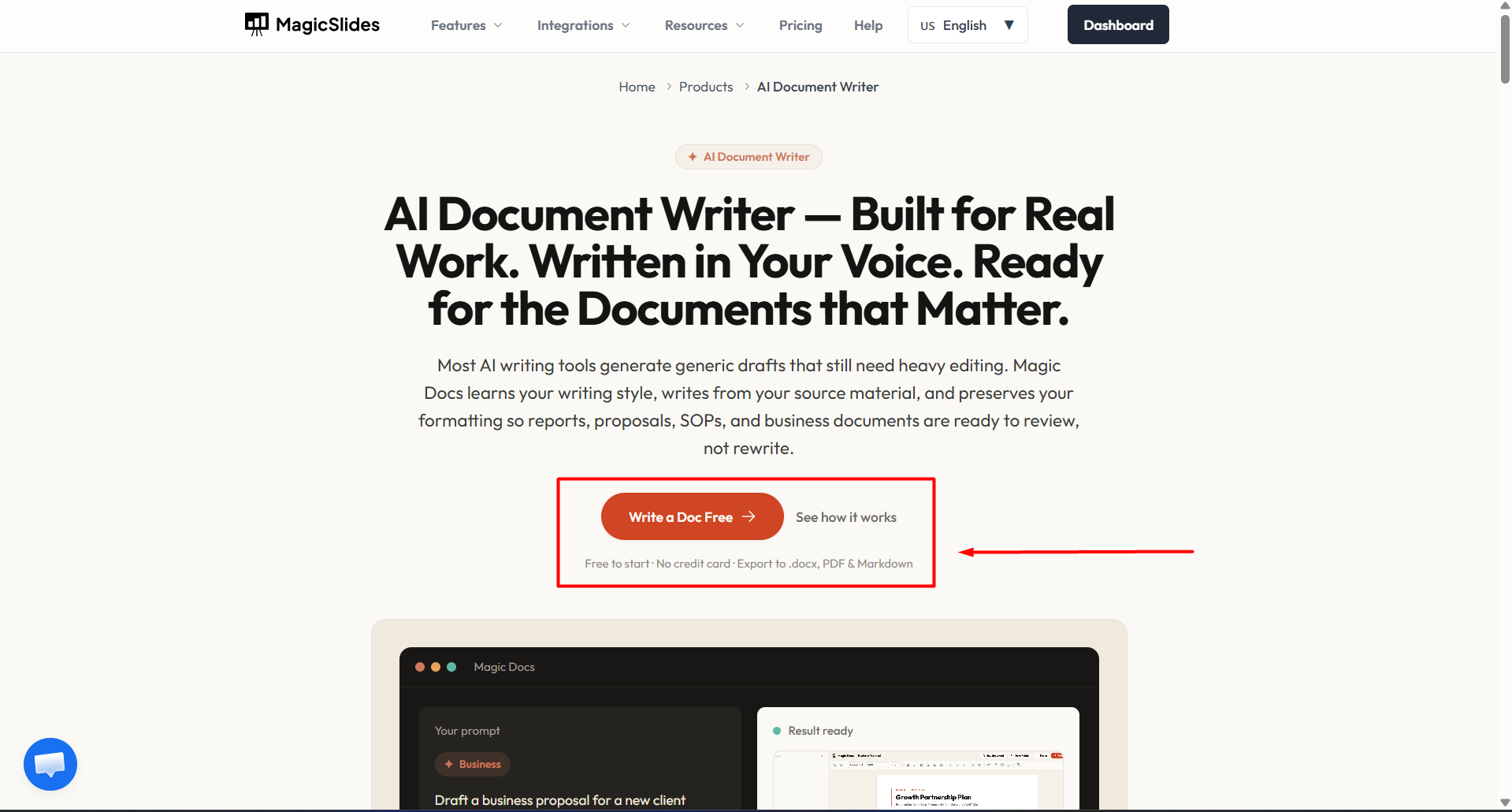
Example Prompt: Write a fantasy story about a young blacksmith who discovers an ancient dragon egg hidden beneath a mountain.
Step 2. Generate Your First Draft
Click Generate to create a structured story draft. If needed, ask AI to expand specific sections, rewrite scenes, or add more detail.
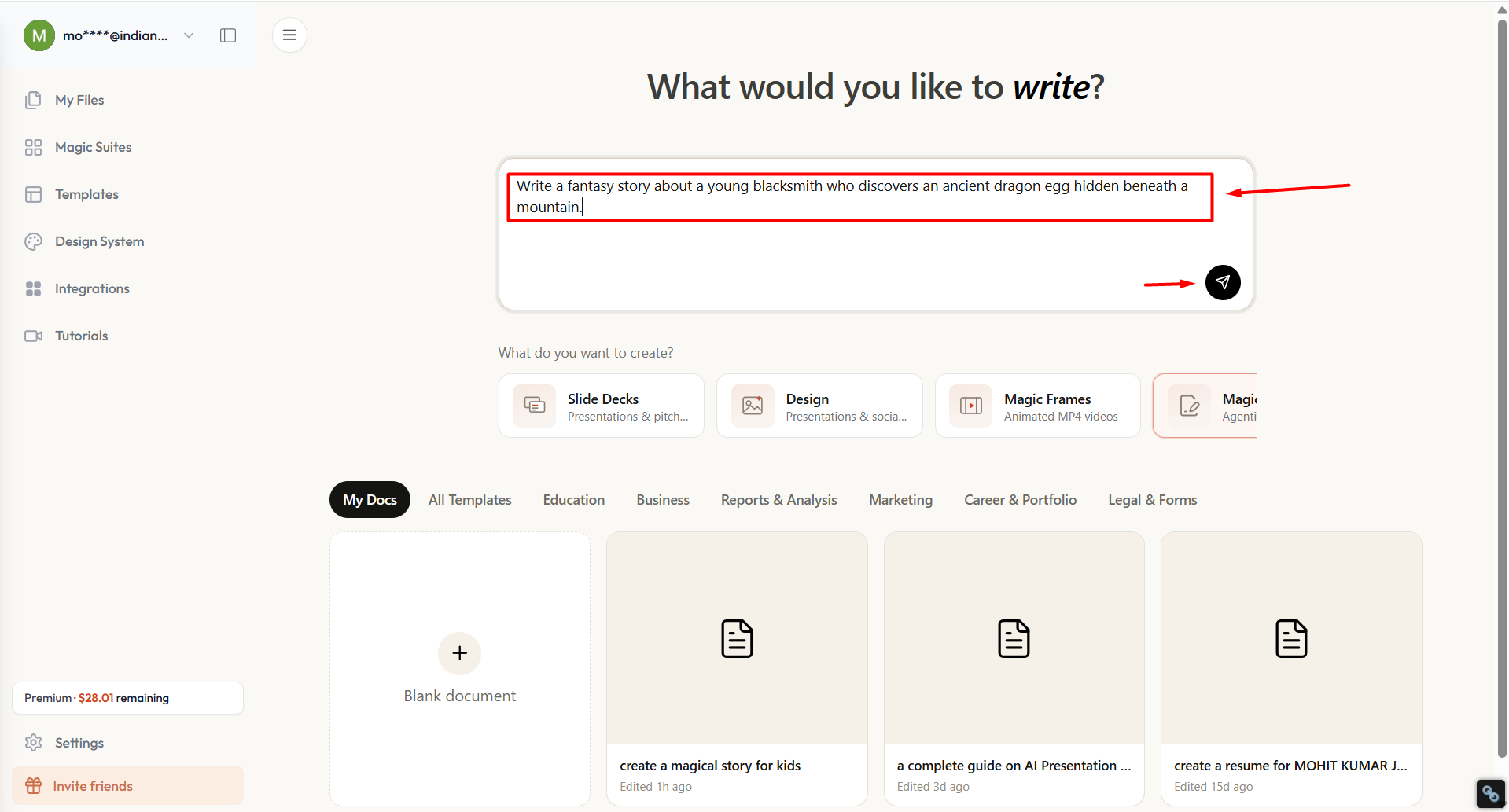
Step 3. Review and Edit
Read through the AI-generated draft, add your personal voice, verify consistency, and make final edits before publishing. AI can speed up the writing process, but your creativity is what makes the story memorable.
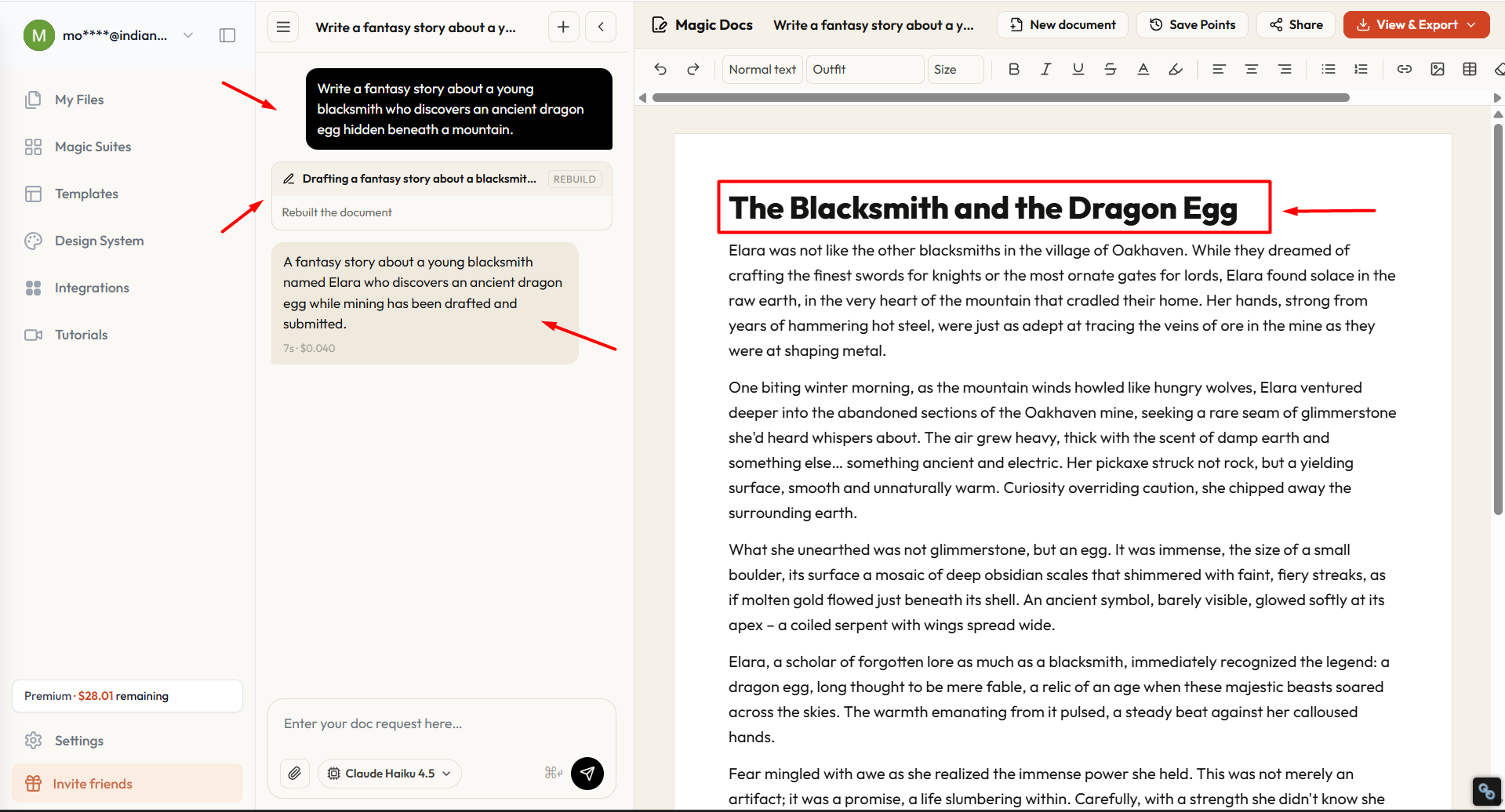
Pro Tip: The more specific your prompt, the better the output. Include details about the genre, characters, setting, tone, and desired ending to get more relevant and engaging results.
Best Practices for Writing Fiction with AI
Using AI effectively is about collaboration, not automation. Follow these best practices to get the most value from your AI writing assistant.
- Start with a clear idea: Define your genre, audience, and story goal before generating content.
- Write detailed prompts: The more context you provide, the better the AI’s output.
- Generate one section at a time: Focus on scenes or chapters instead of asking AI to write an entire novel.
- Fact-check and review: Verify details, especially when writing historical or research-based fiction.
- Keep a story bible: Track characters, locations, timelines, and world-building details for consistency.
- Revise with intention: Use AI for brainstorming and drafting, but rely on your own judgment during editing.
- Protect your creative voice: Add your personality, humor, emotions, and unique perspective to every chapter.
By combining AI’s speed with your creativity, you can write stories that are both efficient to produce and enjoyable to read.
Conclusion
Learning how to use AI to write a story is about enhancing your creativity, not replacing it. AI can help you brainstorm story ideas, develop compelling characters, build stronger plots, draft scenes, and polish your writing more efficiently.
Tools like Magic Docs by MagicSlides AI make it easier to move from a simple concept to a structured draft, saving time while keeping your workflow organized. However, the heart of every memorable story still comes from the writer. Your imagination, emotions, and personal experiences are what transform an AI-assisted draft into a story that readers will remember.
Use AI to accelerate your writing process, experiment with new ideas, and overcome creative blocks, but always let your unique voice guide the final draft.
Frequently Asked Questions
Q1. Can AI write an entire story?
Yes, AI can generate a complete story, but the best results come from using it as a writing assistant rather than a replacement. Human editing adds originality, emotional depth, and a unique voice that AI cannot replicate.
Q2. What is the best AI tool for story writing?
The best tool depends on your needs. The above-mentioned AI tool is ideal for brainstorming, outlining, drafting, and editing stories in one workspace, while other AI tools can help with dialogue, research, or creative brainstorming.
Q3. Can I use AI to write a novel?
Absolutely. Many authors use AI to develop story ideas, create chapter outlines, improve dialogue, and edit drafts. However, the final manuscript should always be reviewed and refined by the author.
Q4. Is AI-generated fiction original?
AI generates content based on patterns learned from large datasets. To make your story original, add your own ideas, experiences, characters, and writing style.
Q5. How do I write better prompts for AI?
Be specific. Include the genre, setting, characters, tone, point of view, and desired outcome. Detailed prompts generally produce higher-quality results than broad requests.
Q6. Will AI replace fiction writers?
No. AI can speed up brainstorming and drafting, but creativity, emotional storytelling, and original ideas remain human strengths.
Q7. Can beginners use AI for creative writing?
Yes. AI is especially helpful for beginners because it provides inspiration, writing prompts, and structured outlines that make the writing process less intimidating.
Also read: How to Write a Short Bio for a Presentation: A Step-by-Step Guide


