How to use Copilot to create Presentations


Master Microsoft Copilot Chat to create polished, professional presentations efficiently, enhancing your productivity.
Creating presentations can be a daunting task, especially when you need to convey complex information clearly and engagingly.
Microsoft Copilot, an AI-powered tool integrated into Microsoft 365, makes this process easier by assisting you in generating content, organizing slides, and enhancing the overall quality of your presentations.
In this blog post, we'll walk you through the steps to create compelling presentations using Copilot Chat, ensuring that you make the most of this powerful tool. If you want something in even more detail checkout this blog post by Microsoft Support team.
How to Use Copilot Chat to Create Presentations
Step 1: Access Microsoft Copilot
To begin, you'll need access to Microsoft Copilot, available through Microsoft 365. Follow these steps to get started:
- Open Microsoft PowerPoint: Launch Microsoft PowerPoint from your desktop or the web version through Office 365.
- Enable Copilot: If Copilot is not enabled by default, you can activate it by navigating to the "Copilot" tab in the ribbon and selecting "Enable Copilot." This will open the Copilot Chat sidebar on the right side of your screen.
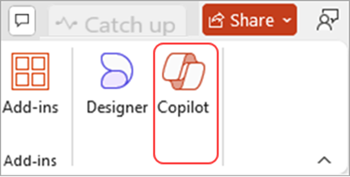
Step 2: Start a New Presentation
With Copilot Chat enabled, you can easily start a new presentation:
- Create a New Presentation: Click on "New Presentation" in PowerPoint's home screen or choose "File" > "New" to create a blank presentation.
Step 3: Generate Content for Your Slides
Copilot Chat excels at generating content, helping you craft informative and visually appealing slides:
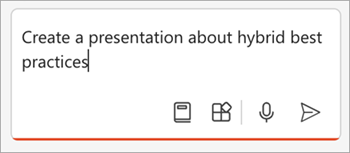
- Provide Key Points: Enter key points or a brief summary of your topic in the Copilot Chat. For example, "Include three points about the importance of renewable energy."
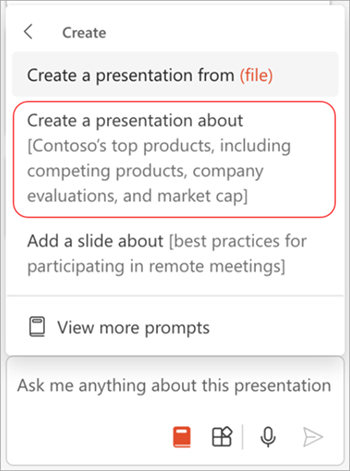
- Let Copilot Generate Text: Copilot will create detailed content for each slide based on your input. You can further refine the content by asking Copilot to expand, condense, or rephrase sections.
Learn effective strategies to engage your audience and make your presentations interactive and memorable.
Step 4: Organize and Refine Your Presentation
Once the content is in place, you can use Copilot Chat to organize and polish your presentation:
- Reorder Slides: If the slide order needs adjusting, ask Copilot to rearrange them for better flow. For example, "Move the benefits slide to the beginning."
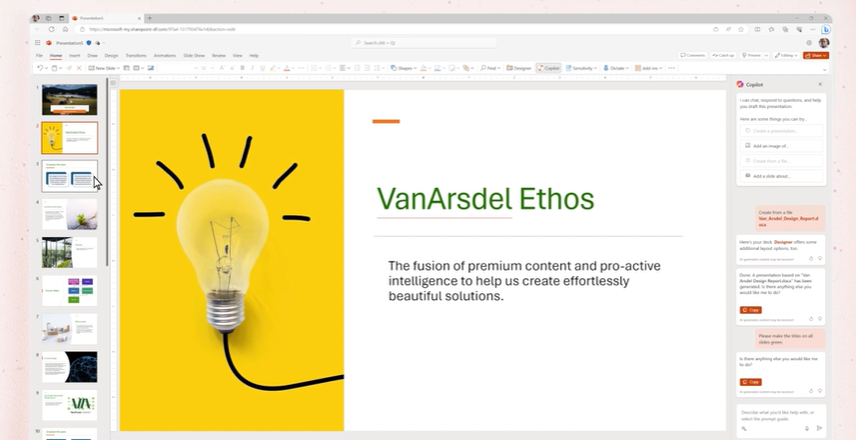
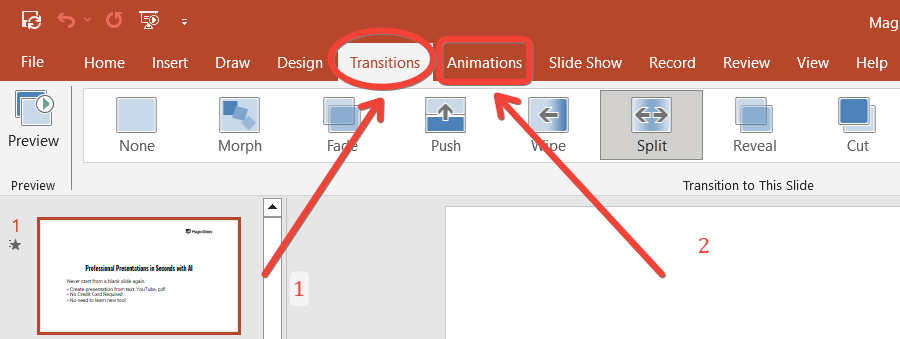
Add Transitions and Animations: Enhance the presentation by asking Copilot to add transitions between slides or animations to specific elements. For example, "Add a fade transition between all slides."
Step 5: Review and Finalize Your Presentation
Before presenting, it's essential to review and fine-tune your slides:
Export or Share: Once you're satisfied with the presentation, ask Copilot to help you export the file in various formats, such as PDF, or share it directly via email or cloud storage. For example, "Save the presentation as a PDF and email it to my team."
Conclusion
Using Microsoft Copilot Chat to create presentations transforms a typically time-consuming process into a streamlined and efficient task.
From generating content and organizing slides to adding visuals and polishing the final product, Copilot Chat empowers you to produce professional-quality presentations with ease.
By following these steps, you'll be able to leverage the full potential of Copilot, ensuring your presentations are informative, engaging, and visually appealing.
Tired of making presentations? what if we tell you you can make a presentation with just a prompt, convert YouTube videos to PPTs, convert website content to PPTs? Yes! checkout magicslides.app that does all and enjoy the free credits to make presentations in seconds.
FAQs are here to help!
What is Microsoft Copilot Chat?
Microsoft Copilot Chat is an AI-powered tool in Microsoft 365 that assists in creating and enhancing presentations by generating content, organizing slides, and adding visuals.
Can I use Copilot Chat to add images and charts to my presentation?
Yes, you can ask Copilot Chat to suggest and insert relevant images, charts, and graphs to enhance your presentation's visual appeal.
How does Copilot Chat help in organizing my presentation?
Copilot Chat can reorder slides, apply consistent formatting, and add transitions or animations, making your presentation more cohesive and polished.


