How to Insert a Song into PowerPoint: A Step-by-Step Guide


Discover how to insert songs into PowerPoint presentations effectively with this comprehensive step-by-step guide.
Adding a song to your PowerPoint presentation can transform it from a simple slideshow to an engaging story that captures and holds your audience's attention. Whether you're preparing for a business presentation, a classroom lecture, or a personal slideshow, music can enhance the emotional impact and help convey your message effectively.
In this guide, we'll walk you through the process of inserting a song into your PowerPoint slides, ensuring that your presentation is as compelling as it is informative. Plus, we'll share some tips on how you can use tools like MagicSlides.app to streamline your presentation process.
Step 1: Prepare Your Audio File
Before you add music to your PowerPoint presentation, ensure that the song is in a compatible format. PowerPoint supports various audio formats, including MP3, WAV, and M4A. If your audio file is not in one of these formats, you may need to use a file converter.
Tip: Always ensure that you have the legal right to use the music. For professional or public presentations, consider using royalty-free music or obtaining the necessary permissions to avoid copyright issues.
Step 2: Open Your PowerPoint Presentation
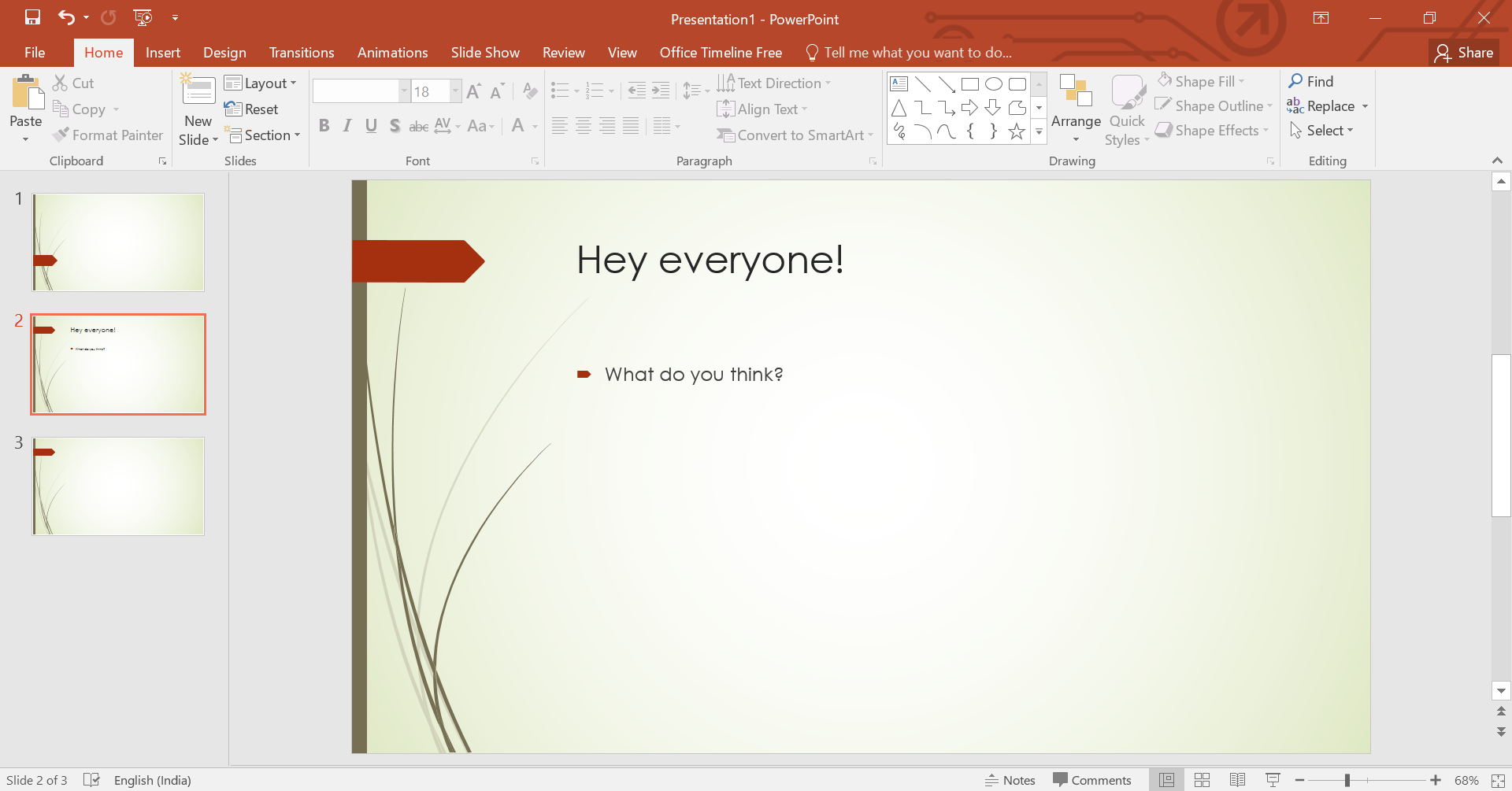
Start by opening the PowerPoint presentation where you want to add the song. Navigate to the slide on which you want the music to start. This could be the first slide for a song that plays throughout the presentation or a specific slide that aligns with your audio choice.
Step 3: Insert the Audio File
To insert a song into your PowerPoint slide, follow these steps:
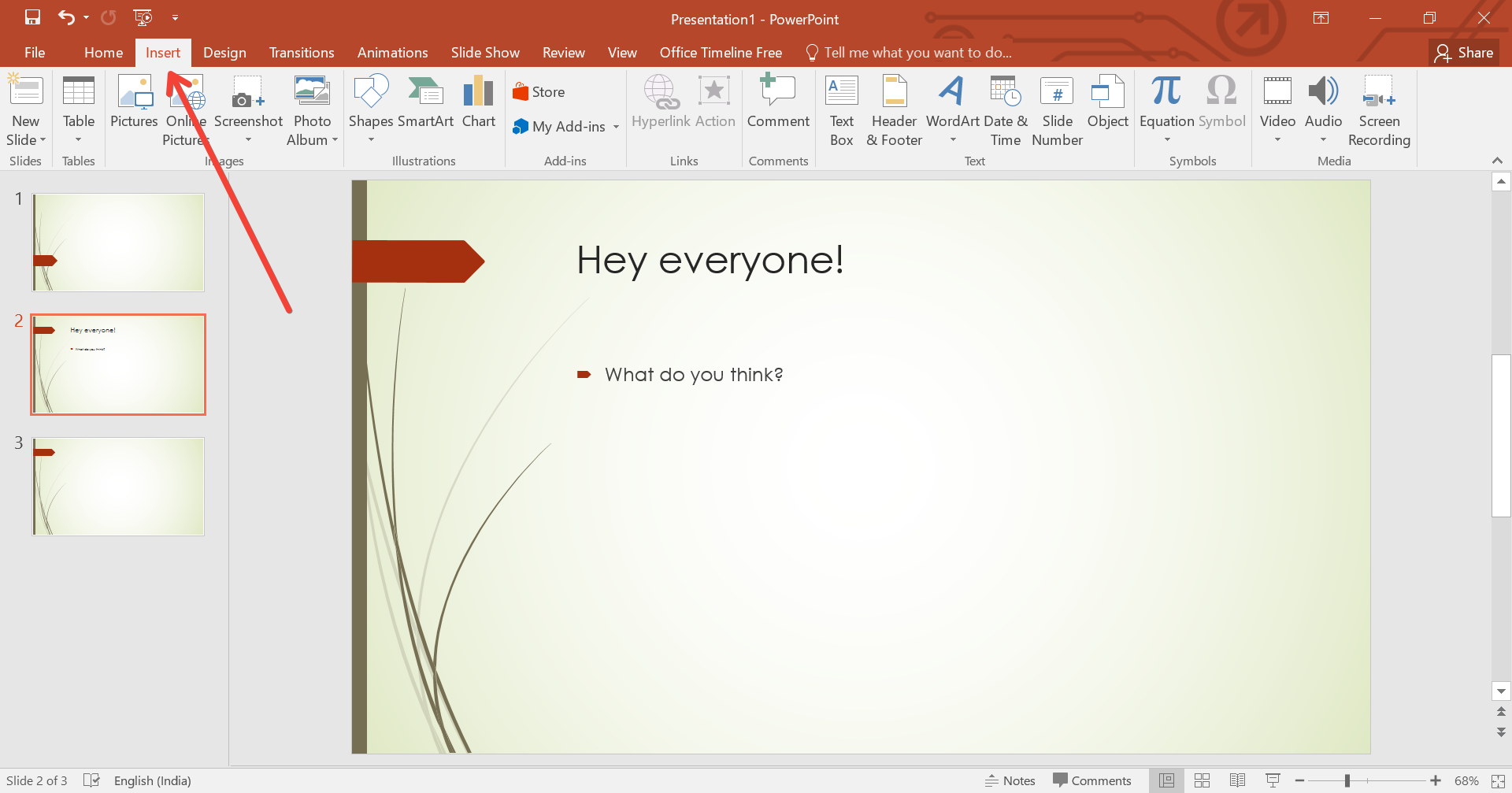
- Go to the Insert tab: On the ribbon at the top of PowerPoint, click on the "Insert" tab to find the options for media addition.
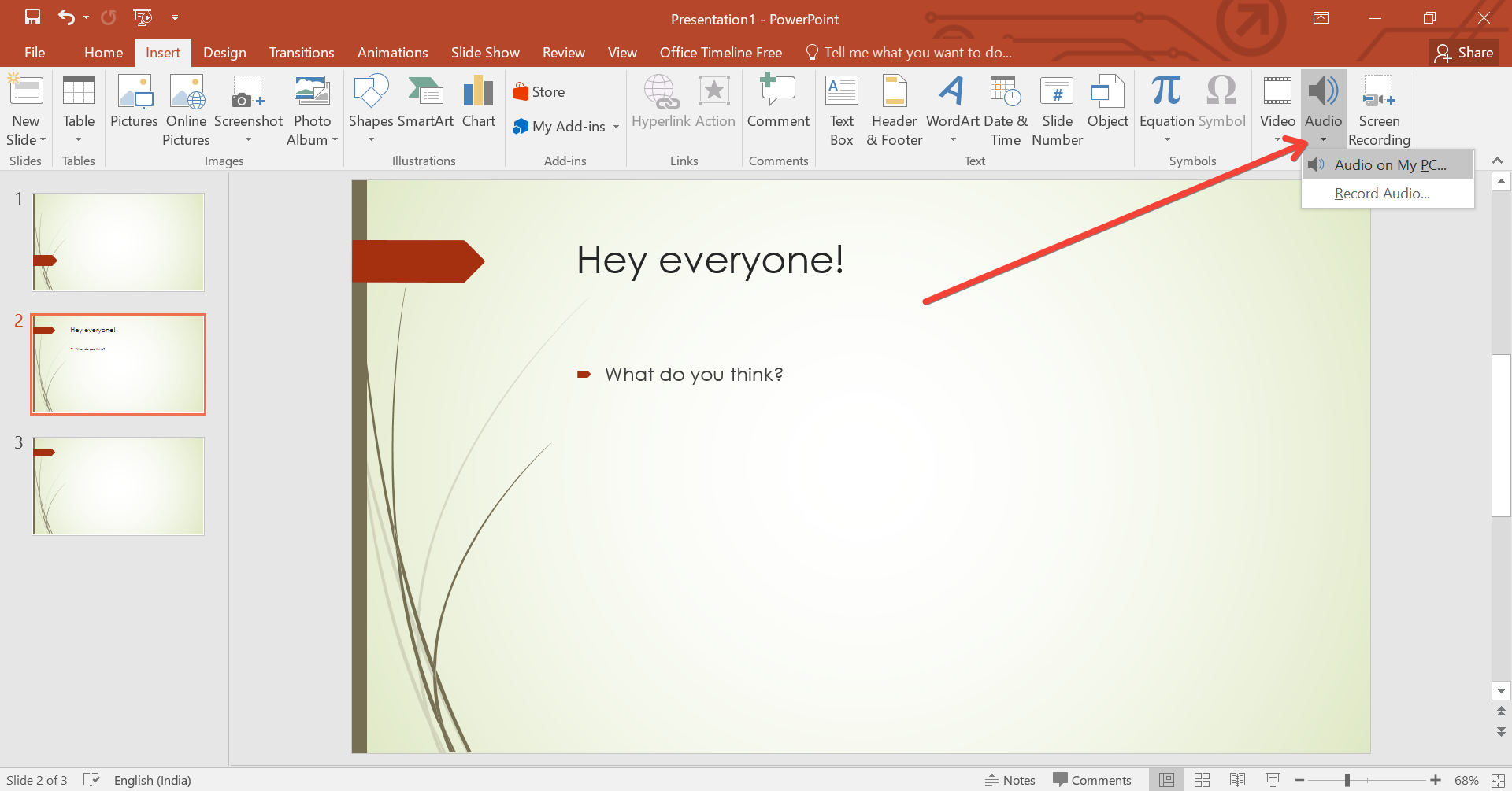
- Click on Audio: You will see options for different types of media. Click on "Audio" and then choose "Audio on My PC." This lets you browse through your computer’s files to select the audio file you prepared earlier.
- Select your file: Browse through your files, select the audio file you want to use, and click "Insert."
Step 4: Configure Playback Options
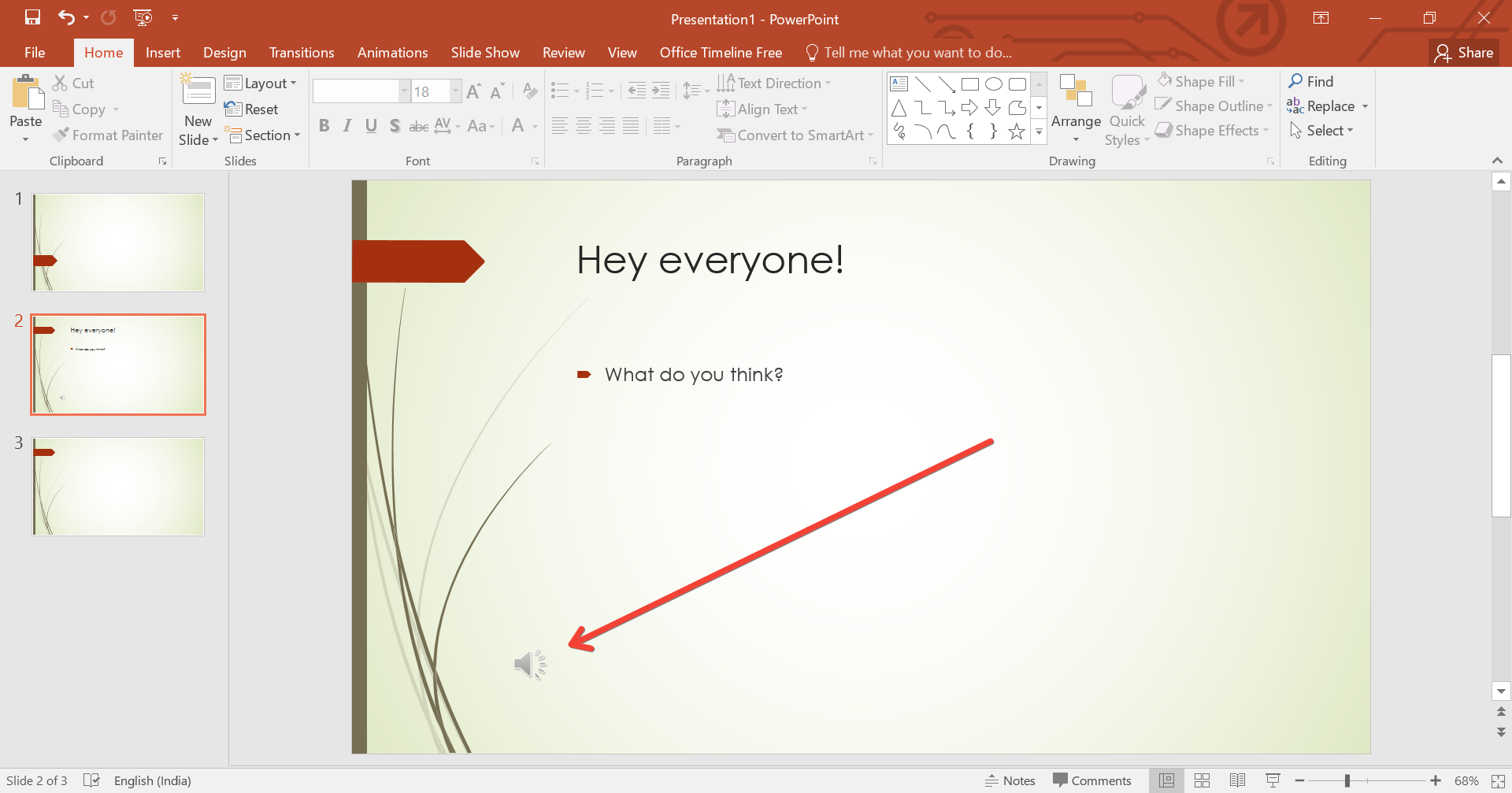
Once you’ve inserted the audio file, you’ll see an audio icon on the slide. When you click this icon, you'll get the "Audio Tools" appearing in the ribbon, under "Playback." Here, you can configure how the song plays in your presentation:
- Play in Background: If you want the song to play across multiple slides, select "Play in Background." This option will start the music automatically when the slide appears and keep it playing across subsequent slides.
- Loop Until Stopped: If your presentation might run longer than the song, you can choose this option to have the song loop continuously.
- Trim Audio: If you only need a specific part of the song, use the "Trim Audio" option to select the start and end points within the audio file.
Step 5: Test Your Setup
After setting up your music, run a rehearsal of your presentation to ensure everything works as expected. This check is crucial to avoid any surprises during your actual presentation.
Step 6: Save Your Presentation
Once you are satisfied with how the audio functions in your presentation, save your document. Remember, adding audio can increase the file size significantly, so ensure you have adequate storage space if you are transferring the file or using limited storage devices.
Enhancing Presentations with MagicSlides.app
While PowerPoint provides robust options for adding and editing songs in your presentations, tools like MagicSlides.app can further enhance your presentation creation process. MagicSlides.app offers features that streamline design and ensure your presentations look professional without extensive manual adjustments.
Conclusion
Inserting a song into your PowerPoint presentation can significantly enhance its appeal and effectiveness. By following these steps, you can seamlessly integrate music that complements your content and engages your audience. Remember, the key to a successful presentation lies in the details, so take the time to choose the right song and configure it properly to match the flow of your slides. With tools like MagicSlides.app, you can elevate your presentations to new heights, making each slide not just seen but felt.


