Pretty Background for a Presentation Projec


Create a stunning presentation with a pretty background using MagicSlides. Instantly generate professional Google Slides and PowerPoint templates in just a few clicks!
A pretty background for a presentation project is essential to creating visually appealing and professional slides. Whether you're a student, teacher, or business professional, the right background can make your presentation more engaging and memorable. A well-designed background adds to the overall aesthetic, ensures readability, and helps convey your message effectively.
In this blog, we will explore how to choose the perfect background for your presentation, where to find beautiful templates, and how you can quickly generate stunning presentations using MagicSlides—an AI-powered tool that helps you create high-quality Google Slides and PowerPoint presentations in seconds.
Why a Pretty Background for a Presentation Project Matters
A presentation is more than just words on slides; it is a visual storytelling tool. A good background can:
✔ Make your content stand out
✔ Keep the audience engaged
✔ Create a professional and polished look
✔ Enhance readability and clarity
✔ Set the right mood or tone
Whether you're preparing a business pitch, an educational lecture, or a creative project, choosing the right background is key to making a lasting impression.
Types of Pretty Backgrounds for Presentations
When selecting a pretty background for a presentation project, consider these options:
1. Minimalist Backgrounds
- Clean and simple designs
- Light pastel colors or neutral tones
- Ideal for professional and academic presentations
2. Gradient Backgrounds
- Smooth color transitions
- Modern and stylish
- Great for tech and creative projects
3. Abstract and Geometric Backgrounds
- Unique patterns and shapes
- Adds creativity and depth
- Suitable for artistic or design-focused presentations
4. Nature and Scenic Backgrounds
- Images of mountains, forests, beaches, or skies
- Creates a calming effect
- Ideal for wellness, travel, or environmental topics
5. Business and Corporate Backgrounds
- Professional designs with subtle branding
- Dark or white backgrounds with accent colors
- Best for reports, pitches, and company updates
Where to Find Pretty Backgrounds for Presentations?
There are multiple resources for high-quality presentation backgrounds. Some of the best options include:
1. MagicSlides.app –
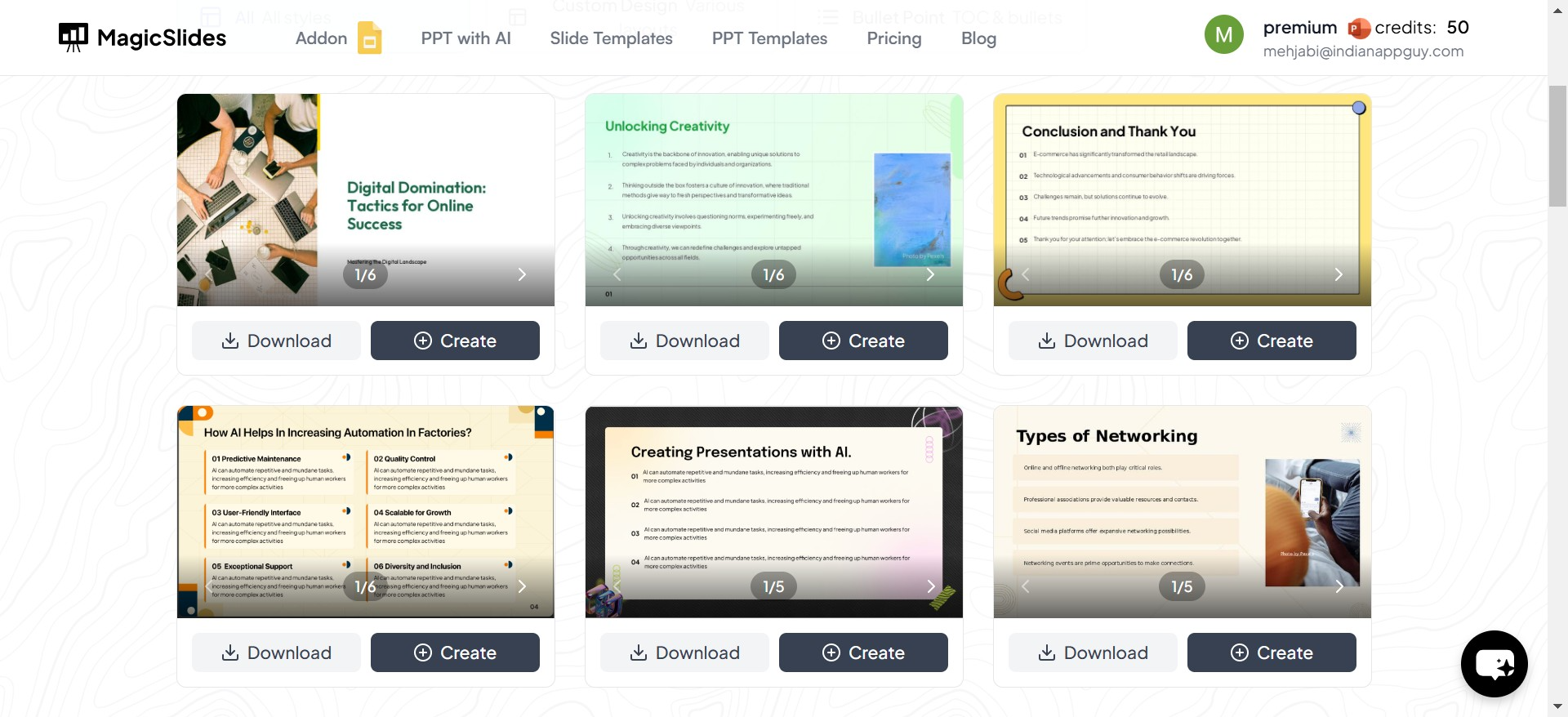
AI-powered tool that provides ready-made templates for Google Slides and PowerPoint
2. Free Image Websites –
Platforms like Unsplash, Pexels, and Pixabay offer high-resolution backgrounds
3. Canva –
A design tool with customizable slide backgrounds
4. PowerPoint and Google Slides Libraries –
Built-in themes and backgrounds
5. Custom Designs –
Create your own backgrounds using Photoshop or online design tools
While all these options are useful, MagicSlides makes the process incredibly fast and efficient by generating entire PowerPoint presentations instantly with beautiful backgrounds, layouts, and well-structured content.
How to Create a Stunning Presentation Using MagicSlides
Instead of manually searching for templates and designing slides from scratch, MagicSlides helps you automate the process in seconds. Follow these simple steps:
1. Visit MagicSlides.app
Go to the website and access the AI-powered presentation tool.
2. Enter Your Topic in the Given Space
Type the subject of your presentation—MagicSlides will generate relevant content and design suggestions.
3. Click ‘Generate Instant PPT’
The tool will automatically create a presentation outline based on your topic.
4. Choose the Template, Number of Slides, etc.
Select from a variety of beautifully designed templates and customize the number of slides to match your needs.
5. Click ‘Generate PPT’
MagicSlides will create a well-structured presentation with a pretty background, text content, and visual elements.
6. Download or Edit Your PPT
You can download the presentation or make further adjustments directly in Google Slides or PowerPoint.
This method saves hours of work while ensuring your presentation looks professional and visually appealing.
Tips for Choosing the Right Background for Your Presentation
To make the most of your pretty background for a presentation project, keep these tips in mind:
✅ Choose a background that complements your content – Avoid overly distracting designs.
✅ Ensure good contrast – Text should be easily readable against the background.
✅ Keep it professional – Avoid cluttered or unprofessional images.
✅ Use high-quality images – Low-resolution backgrounds can make your slides look unpolished.
✅ Be consistent – Use the same style across all slides to maintain a cohesive look.
With MagicSlides, you don’t have to worry about these details—it provides optimized, well-balanced designs automatically!
Final Thoughts
A pretty background for a presentation project plays a crucial role in making your slides visually appealing and professional. While there are many resources available for backgrounds, MagicSlides simplifies the process by offering AI-generated PowerPoint and Google Slides presentations in just a few clicks.
Whether you're a student, business professional, educator, or content creator, using MagicSlides ensures your presentations stand out effortlessly.
So, why spend hours designing slides when you can generate a stunning, high-quality presentation instantly? Try MagicSlides today and elevate your presentation game! 🚀


