Top 10 Tips and Tricks for Creating a Business Presentation


Discover top 10 tips for crafting effective business presentations. Boost your skills with these practical tricks!
An engaging presentation may make all the difference in today's fast-paced corporate world. According to a Forbes poll, 70% of professionals believe that presenting abilities are crucial for professional success. An excellent corporate presentation does more than just deliver information; it engages your audience, demonstrates your professionalism, and may significantly impact the result of your meetings and pitches. Whether you're addressing stakeholders, potential clients, or your staff, the presentation's design and delivery are critical.
The top ten techniques and methods listed below will assist you in creating a corporate presentation that not only catches attention but also properly delivers your message.
10 Tips To Create a Business Presentation
1. Start With a Strong Opening
The start of your presentation is crucial—it sets the tone for everything that follows. Begin with something strong and engaging to grab your audience's attention right away. You could use an intriguing question, a surprising fact, or an interesting story. The aim is to spark curiosity and make your audience look forward to what comes next.
2. Define Your Objectives Clearly
Before diving into the creative process, define the purpose of your presentation. What are you hoping to achieve? Are you trying to inform, persuade, or motivate your audience? Having a clear objective will guide the structure of your presentation and help you stay focused on the key messages you need to convey.
3. Keep Your Slides Simple and Visual
A common pitfall in business presentations is overcrowding slides with too much text. Keep your slides simple and clean. Use high-quality images, infographics, and charts to support your points and make complex information easier to understand. Remember, your slides are there to supplement your talk, not to serve as a script.
4. Use Consistent Formatting
Consistency in slide design enhances clarity and professionalism. Use a consistent theme with uniform fonts, colors, and layouts. This not only looks more professional but also makes your presentation easier to follow. Tools like Magicslides.app offer a variety of templates that can help maintain consistency while adding a touch of design flair to your presentation.
5. Tell a Story
Storytelling is a powerful tool in presentations. It helps to connect with the audience on an emotional level and makes your message memorable. Try to frame your presentation as a story, with a clear beginning, middle, and end. Introduce problems like characters and show how your ideas can solve them.
6. Practice Effective Data Presentation
When presenting data, simplicity is key. Use graphs and charts to present data clearly and effectively. Avoid complex tables or overloading charts with information. Highlight what’s important and consider using tools like data widgets in Magicform.app to create interactive data presentations that allow your audience to engage directly with the information.
7. Engage Your Audience
Interaction keeps the audience involved and attentive. Include polls, ask questions, or have short discussions to keep the engagement level high. These interactions also provide valuable feedback on your audience's understanding and interest in the topic.
8. Use Professional Tools
To enhance the quality of your presentation, utilizing professional tools is key. AI Presentation maker like Magicslides.app is equipped with features that can significantly elevate your slides.
Here’s a simple step-by-step guide to using Magicslides.app effectively:
- Open Magicslides.app: Start by visiting magicslides.app website or visit here.

- Download the Magicslides Extension: This tool integrates seamlessly with Google Slides.

- Open Google Slides: Once the extension is installed, open Google Slides.
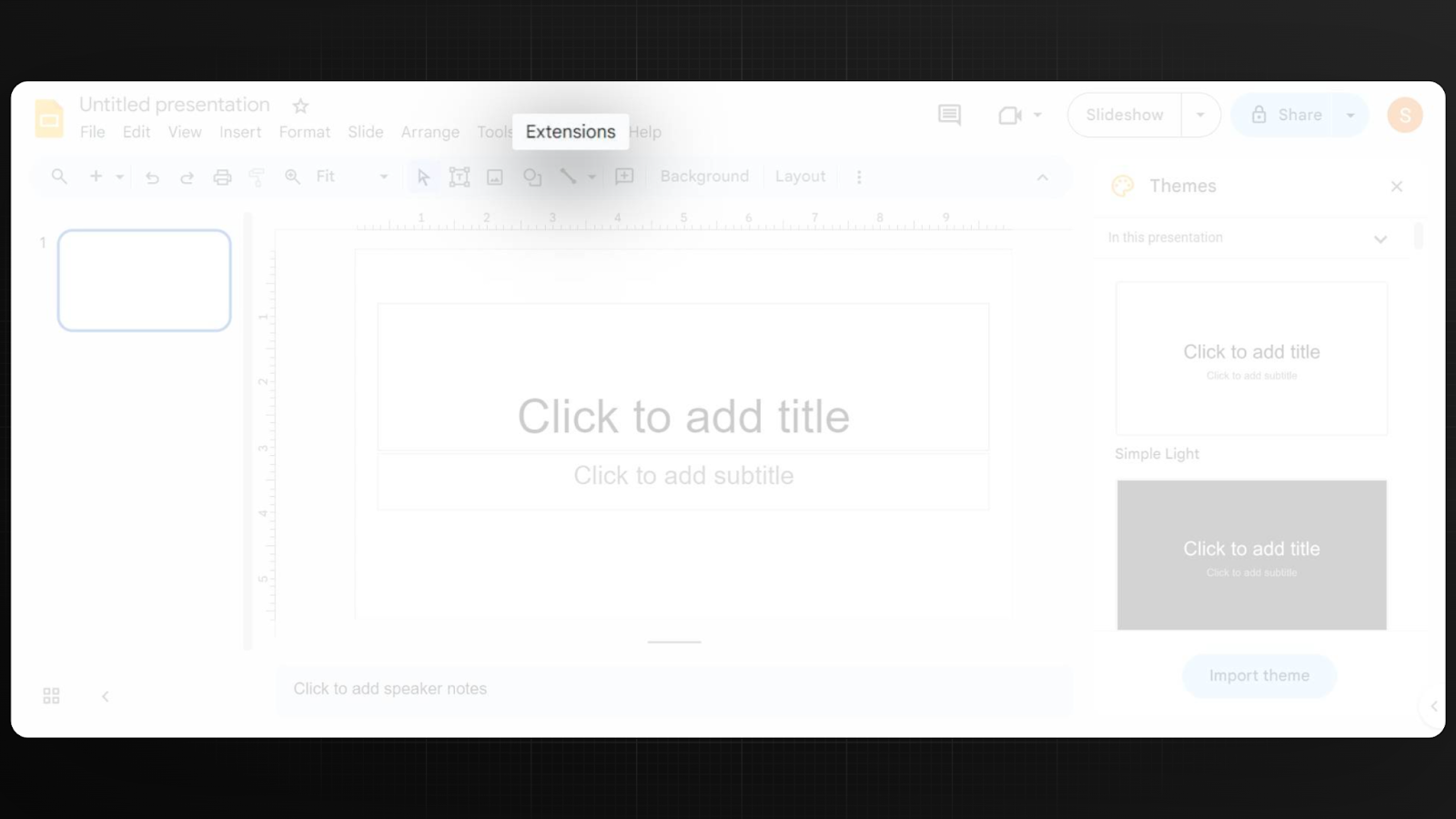
- Explore Your Options: Magicslides.app offers a variety of options to enhance your presentation, from pre-designed templates to engaging animations.
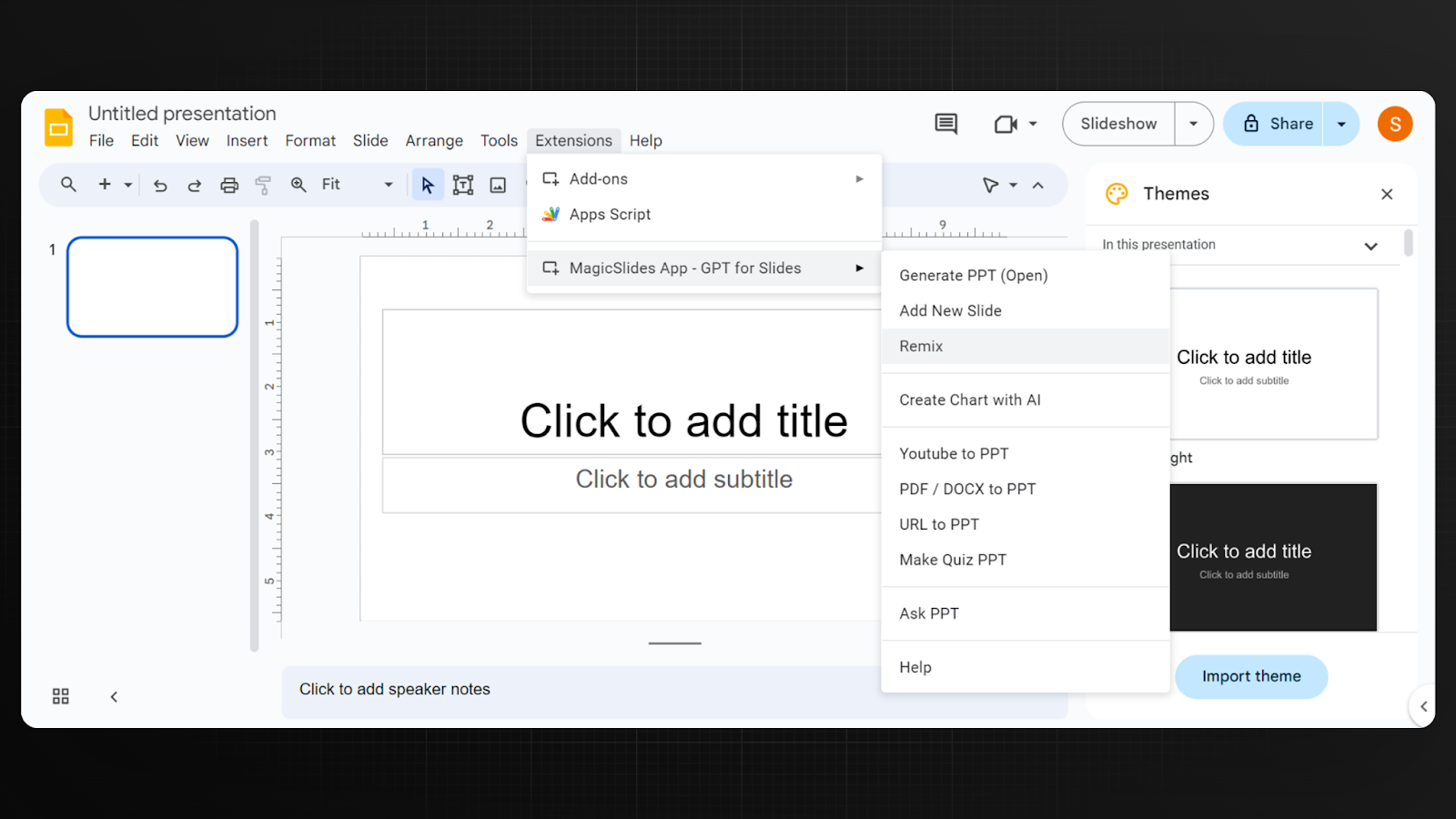
- Create Your Presentation: Choose the features that best suit your needs and start creating your impactful presentation.
By leveraging these tools, you can create a more professional and visually appealing presentation that facilitates better collaboration and engagement.
9. Prepare for Q&A
Anticipate questions that might arise during your presentation. Prepare answers for potential queries and rehearse how you will address them. This preparation not only makes you appear more expert and in control but also helps to fill any gaps in your presentation.
10. Conclude With a Call to Action
End your presentation on a strong note by summarizing the key points and providing a clear call to action. What do you want your audience to do after the presentation? Whether it’s adopting a new strategy, approving a project, or simply seeking more information, a clear call to action gives your presentation a purposeful conclusion.
Wrapping It Up
A well-crafted business presentation can influence decisions and leave a lasting impression. By following these tips—starting strong, keeping visuals clean, engaging your audience, and using the right tools—you’ll be well on your way to creating a presentation that not only looks professional but also resonates with your audience. Remember, the best presentations are those that are not only informative but also inspiring. So, take these tips, tailor them to your needs, and start creating presentations that truly make an impact.


