Using Humor Appropriately in Professional Presentations


Learn how to use humor effectively in professional presentations to engage your audience. Discover best practices and create polished slides with MagicSlides.
Humor can make a professional presentation more engaging, help build a connection with your audience, and make key points more memorable. But there’s a fine line between humor that enhances your message and humor that distracts—or worse, offends.
When used thoughtfully, humor makes your talk feel more natural, keeps people engaged, and helps create a relaxed atmosphere. This guide breaks down how to use humor effectively in professional presentations, what to avoid, and how MagicSlides can help you put together a polished, well-structured presentation with ease.
Why Humor Works in a Professional Setting
The right kind of humor does more than just entertain—it strengthens your delivery and keeps your audience focused.
- Breaks the ice – A light joke at the start can ease tension and set a friendly tone.
- Makes your message stick – People are more likely to remember something when it’s tied to a laugh.
- Keeps engagement high – A bit of humor can bring back wandering attention.
- Builds rapport – A well-placed joke makes you more relatable and approachable.
- Reduces nerves – It helps both you and your audience feel at ease.
That said, humor should never be the main focus. It’s there to support your key points, not take over the presentation.
How to Use Humor Effectively in a Presentation
1. Know Your Audience
- Consider the industry, background, and expectations of the people in the room.
- What’s funny in a casual team meeting might not work in a formal business presentation.
- Avoid anything that could be misinterpreted or come across as unprofessional.
2. Keep It Relevant
- Humor should feel natural and connected to your topic.
- If a joke doesn’t add value, it’s best to leave it out.
- Example: If you’re talking about deadlines, you could say, "Deadlines are like alarms—you always think you have time until reality hits."
3. Open with a Light Icebreaker
- A simple, relatable comment at the start can make the room feel more relaxed.
- Examples:
- "I know you’re all excited about this topic… or at least pretending really well."
- "If at any point I lose your attention, I’ll assume it’s because my jokes are just that funny."
4. Use Personal Stories Over Generic Jokes
- People connect more with real experiences than scripted punchlines.
- Sharing a quick, lighthearted anecdote helps you appear more relatable.
- Example: "Last time I gave this talk, I realized halfway through my fly was down. Safe to say, that audience remembered the presentation."
5. Use Self-Deprecation Sparingly
- A little self-awareness makes you approachable, but don’t undermine your credibility.
- Example: "I’d explain this in detail, but then we’d be here all day. And I’m sure no one wants that."
6. Pay Attention to Timing
- A pause after a joke allows people to react. If they laugh, don’t rush to the next slide too quickly.
- Humor should feel natural—don’t force it if it doesn’t fit.
7. Don’t Overdo It
- Humor should be sprinkled in, not the main event.
- If every slide has a joke, it can start to feel forced.
Humor Mistakes to Avoid
- Jokes that might offend – Stay away from political, religious, or personal topics.
- Overcomplicated humor – If people have to think too hard to get it, it’s not worth it.
- Sarcasm or negativity – It doesn’t always translate well in professional settings.
- Jokes at someone else’s expense – It’s better to poke fun at yourself than at the audience.
Creating a Great Presentation with MagicSlides
Once you’ve planned your humor, you still need a well-structured presentation to back it up. That’s where MagicSlides comes in. This AI-powered tool helps you generate high-quality slides in minutes.
How to Use MagicSlides to Create a Presentation
- Visit MagicSlides.app
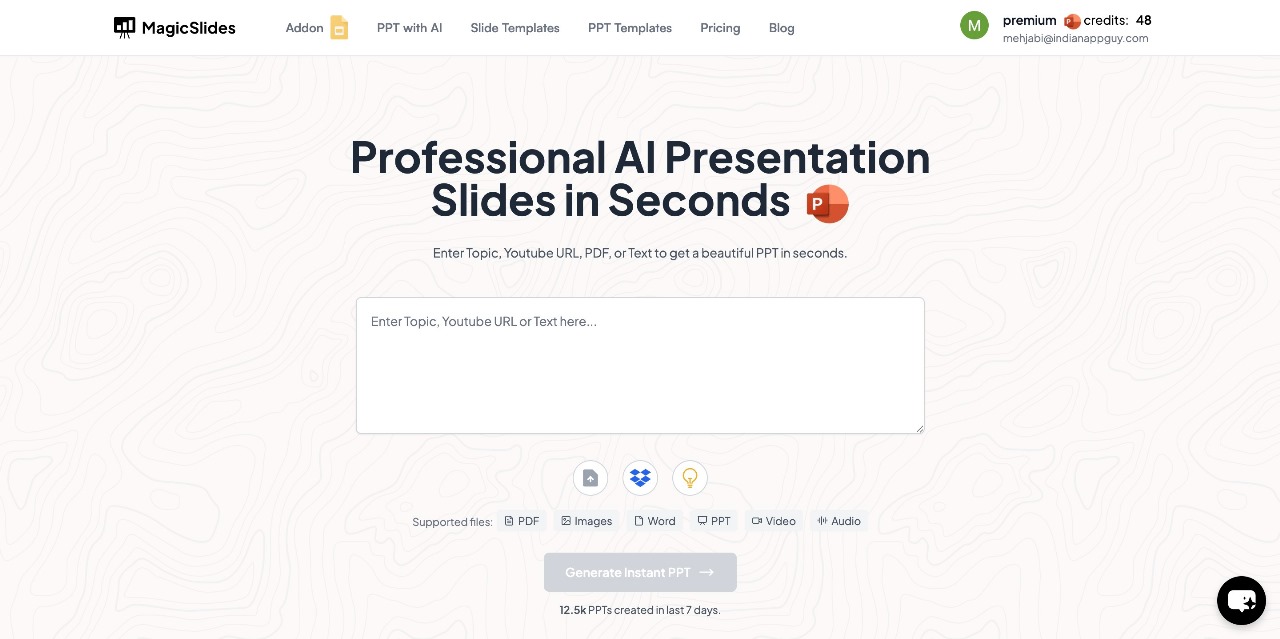
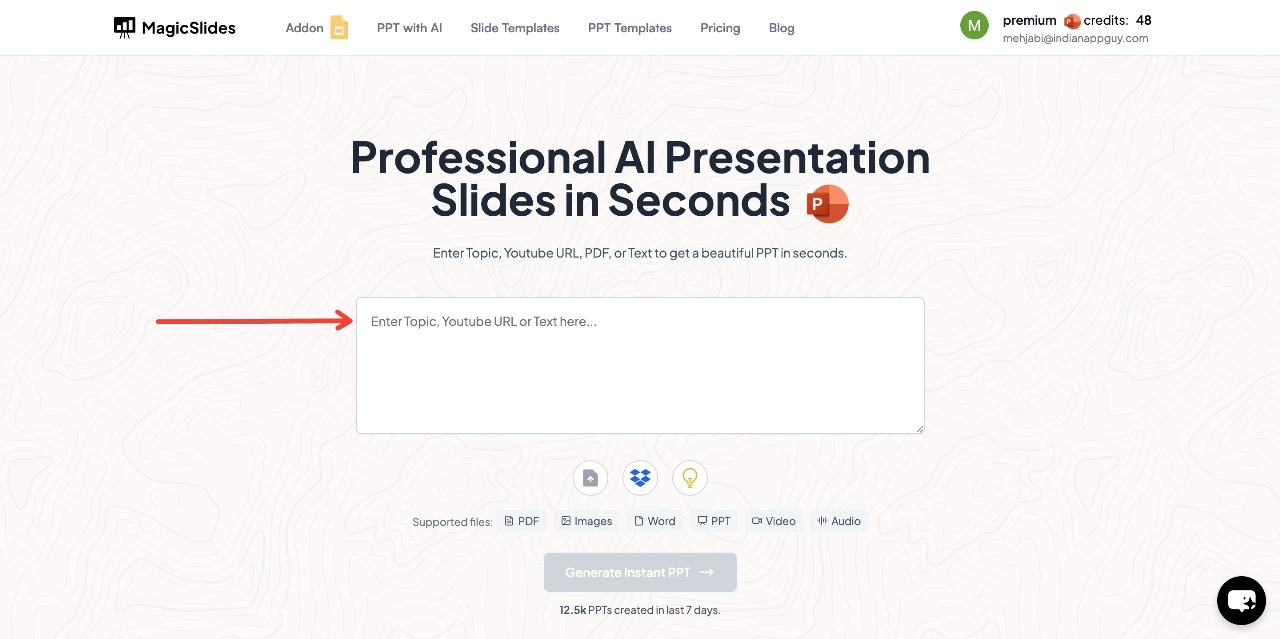
- Enter your topic in the provided space.
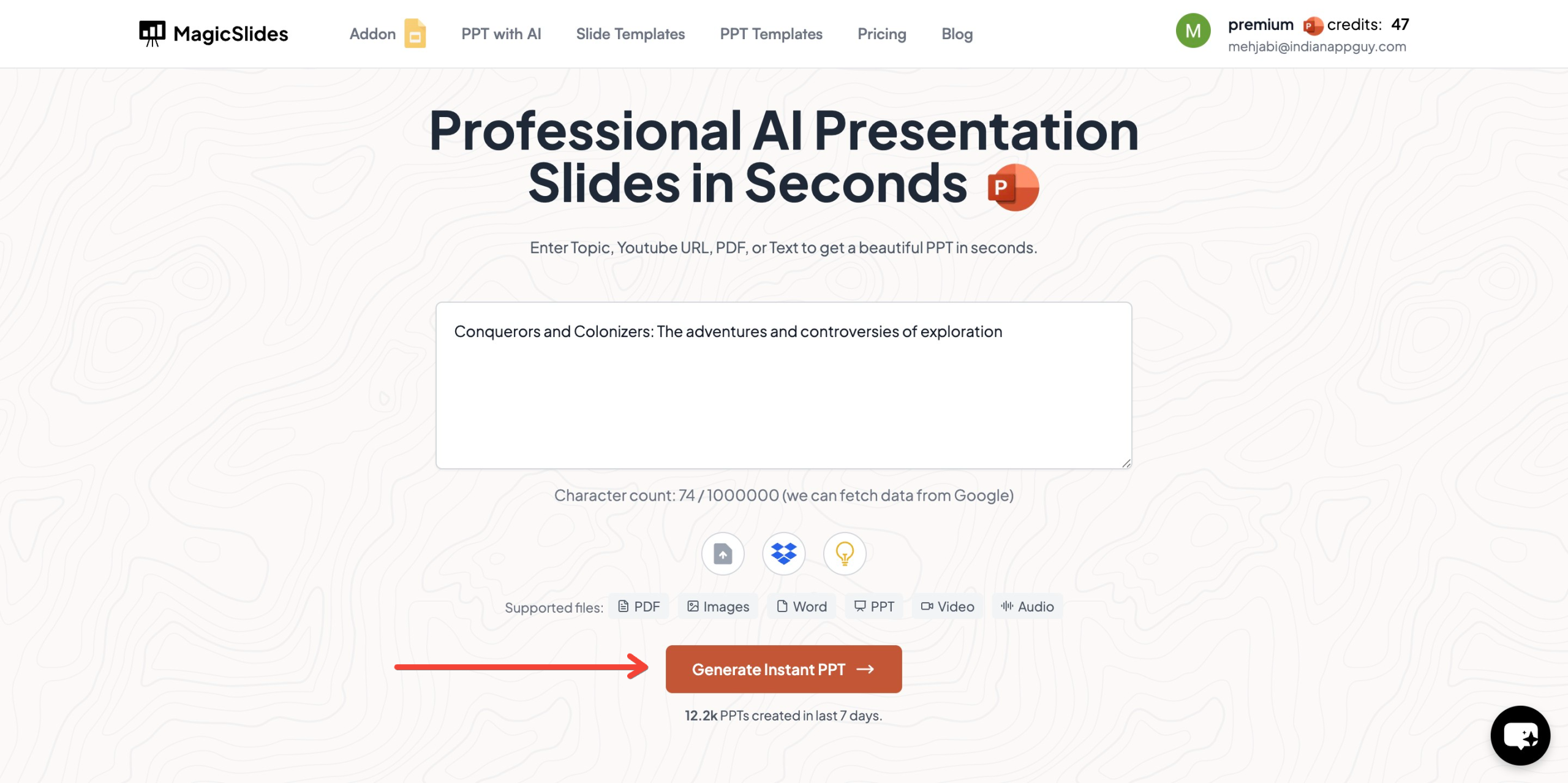
- Click "Generate Instant PPT" to start the process.
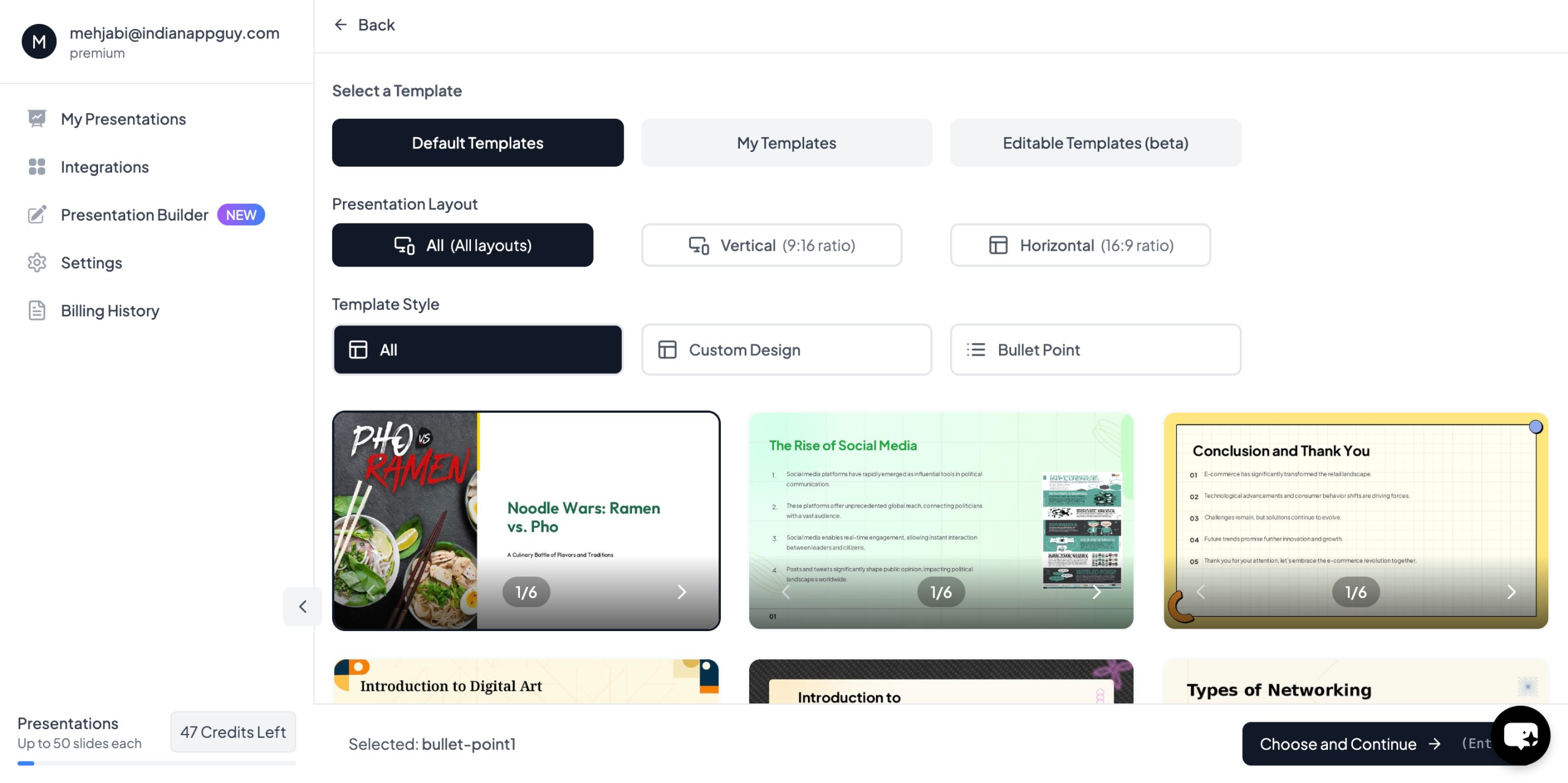
- Choose your template and the number of slides as prompted.
- Fill in the required details, Click "Generate Instant PPT"
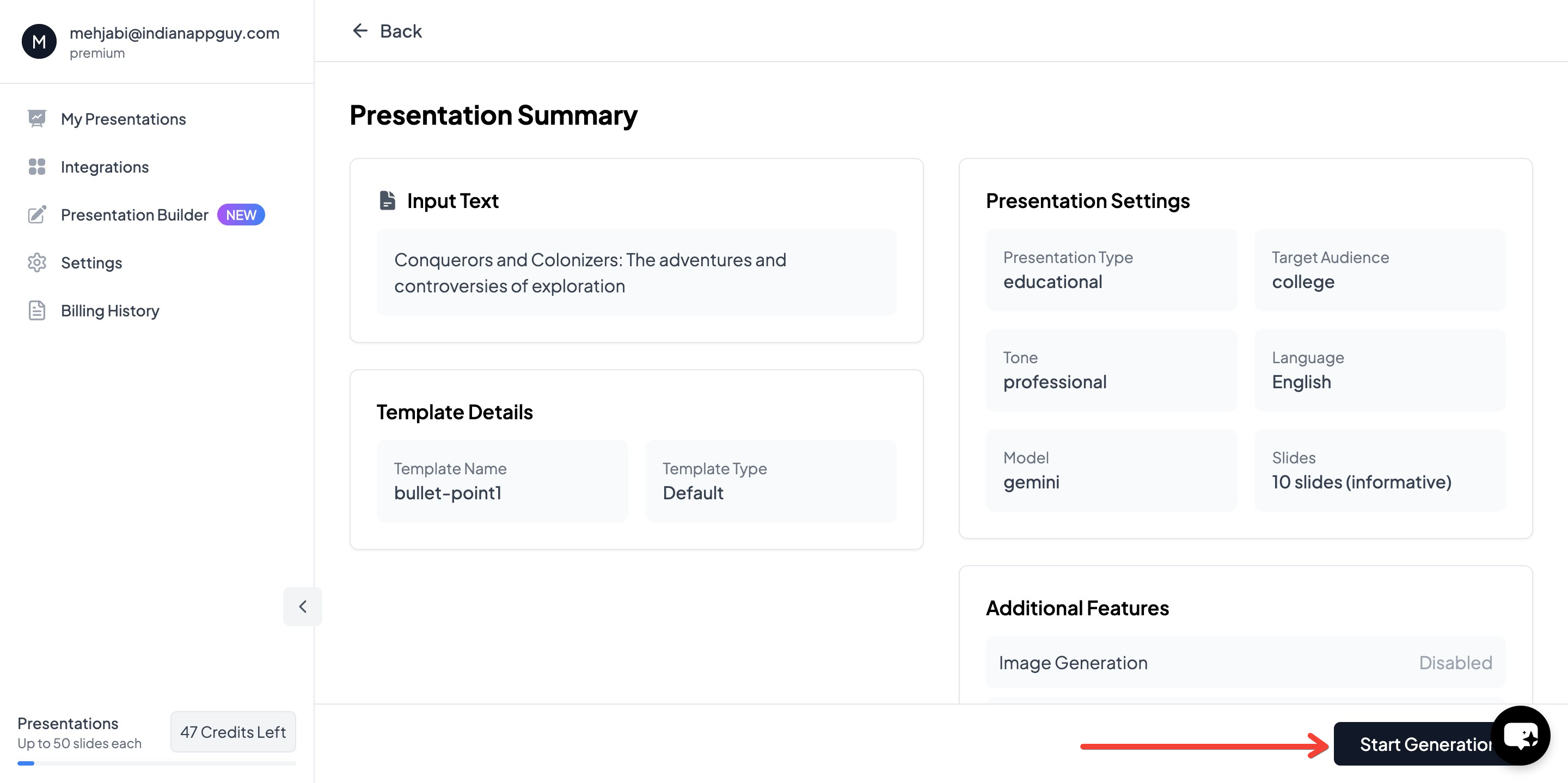
- Your professionally designed presentation will be ready in seconds

In just a few clicks, you get a professional, customizable presentation ready to go.
MagicSlides Pricing & Features
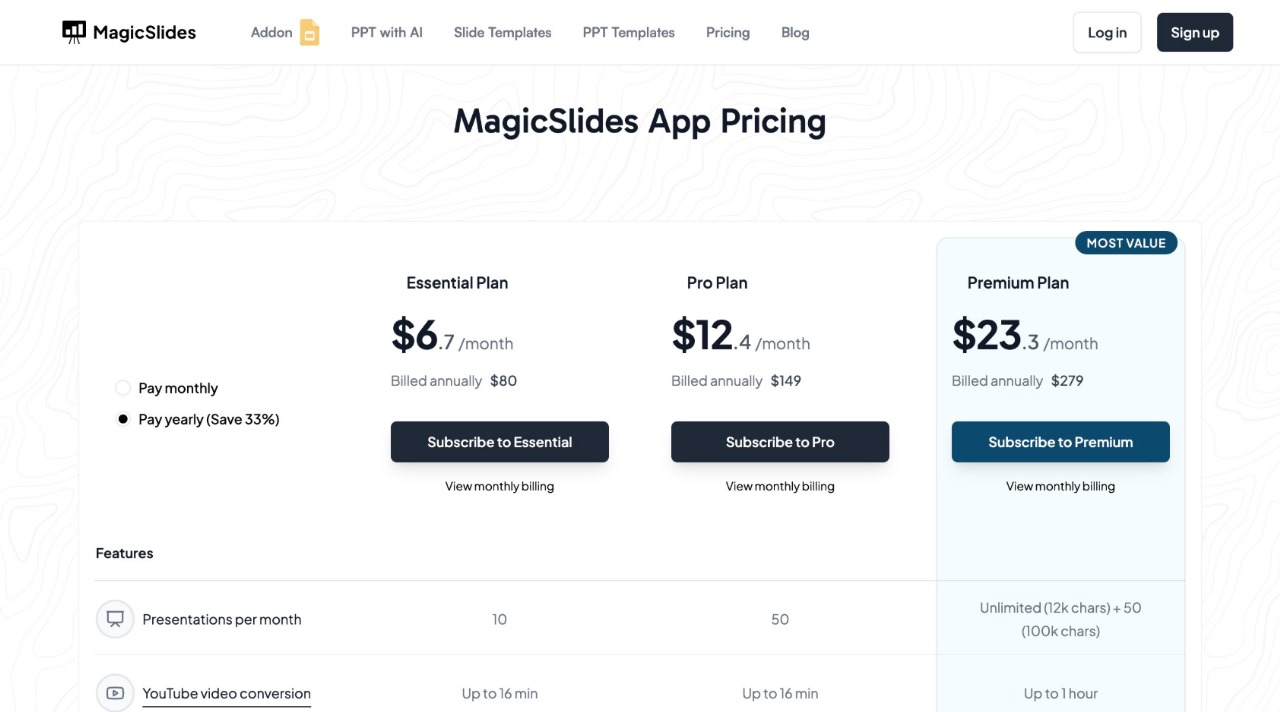
MagicSlides offers flexible pricing based on how often you need to create presentations.
Why Use MagicSlides?
- Saves time – No need to manually design slides.
- AI-powered – Generates slides with relevant content instantly.
- Fully customizable – Adjust templates, layouts, and fonts to match your style.
- Works with Google Slides, Figma, and Zapier for easy integration.
If you’re unsure which plan suits your needs, use the pricing calculator on the website.
Final Thoughts
Using humor appropriately in professional presentations can make a huge difference in how your message is received. When used well, it adds energy, builds connection, and keeps people engaged.
At the same time, a strong presentation structure is just as important. If you want a simple way to create polished slides, MagicSlides makes the process quick and effortless.
Try adding a touch of humor to your next presentation—just keep it natural, relevant, and audience-friendly.


