Where to Find Google Slides Free Templates


Find the best Google Slides free templates and discover MagicSlides.app, the ultimate AI-powered tool for creating stunning, professional presentations instantly.
If you’re working on a presentation, you know how important it is to make your slides visually appealing and professional. The right template can set the tone, grab your audience's attention, and help convey your message effectively. The great news is that there are plenty of free resources available for Google Slides free templates.
In this blog, we’ll explore some of the best places to find free templates, and we’ll introduce you to a powerful tool—MagicSlides.app—that makes creating professional presentations easier than ever.
Best Sources for Google Slides Free Templates
1. Google Slides Template Gallery
Google Slides itself offers a built-in template gallery with various options for personal, professional, and educational use. To access these templates:
- Open Google Slides.
- Click on "Template Gallery" at the top.
- Browse and choose a template that suits your needs.
While these templates are a great starting point, the variety can be somewhat limited if you’re looking for unique, high-impact designs.
2. Third-Party Websites
Several websites offer free and customizable templates for Google Slides. Here are a few popular ones:
- SlidesCarnival: Modern and professional templates for all purposes.
- SlideGo: A rich library of creative and colorful slide templates.
- SlidesMania: Perfect for educators and business professionals looking for fun and engaging designs.
You can download these templates and upload them directly to Google Slides for easy editing.
3. MagicSlides.app: The Best Presentation Generator
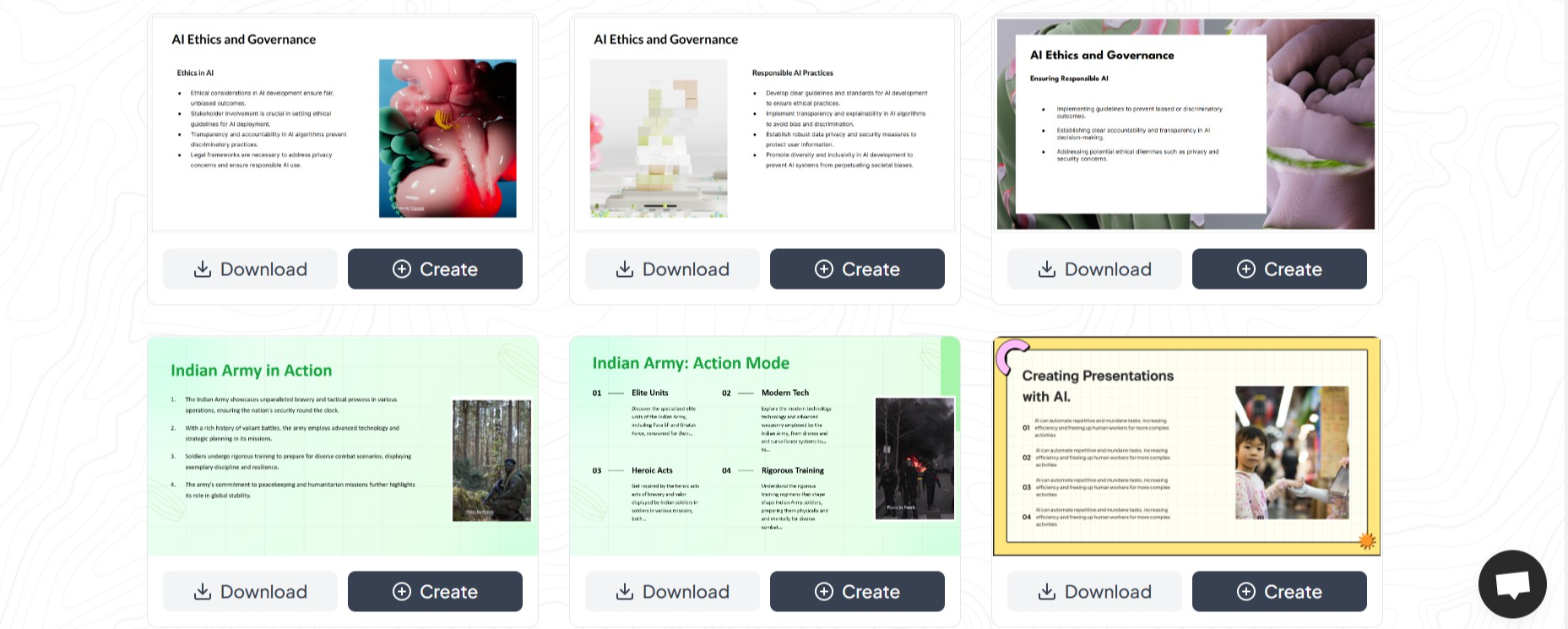
If you’re looking for an innovative way to create presentations with a variety of themes, MagicSlides.app is the ultimate solution. Unlike traditional template libraries, MagicSlides uses AI to generate fully customized presentations tailored to your content. It’s fast, easy, and comes with a wide range of themes to suit any purpose.
How to Use MagicSlides.app to Generate Stunning Presentations
Creating presentations with MagicSlides is incredibly simple. Here’s how you can do it in a few easy steps:
1. Visit MagicSlides.app
Go to MagicSlides.app on your browser. The website is intuitive and user-friendly, making it easy to get started.
2. Enter Your Text
You’ll find a space where you can input your content or the key points you want to include in your slides. MagicSlides will use this information to generate your presentation.
3. Click "Generate Instant PPT"
After entering your text, hit the "Generate Instant PPT" button to start the magic. MagicSlides will analyze your content and recommend the best slides layout.
4. Select Slide Theme and Number of Slides
Choose from a variety of professional and creative slide themes. You can also specify the number of slides you need for your presentation. Whether it’s a 5-slide pitch deck or a 20-slide detailed report, MagicSlides has you covered.
5. Click "Generate"
Once you’ve selected your theme and settings, click on the "Generate" button. MagicSlides will create a polished, ready-to-use presentation for you.
6. Your PPT Is Ready!
In seconds, you’ll have a professionally designed presentation that you can download, edit, or present immediately.
Why Choose MagicSlides.app?
MagicSlides is more than just a template provider—it’s a complete solution for creating presentations effortlessly. Here’s what sets it apart:
- Time-Saving: No need to spend hours designing slides; MagicSlides generates them for you instantly.
- Customization: A wide range of themes ensures that your presentation matches your style and purpose.
- User-Friendly: The platform is simple to use, even for those with no design experience.
- Professional Results: MagicSlides ensures your presentations are polished, engaging, and visually appealing.
Final Thoughts
Creating an impressive presentation doesn’t have to be time-consuming or stressful. With the abundance of Google Slides free templates available online, you can find something to fit your needs. And if you’re looking for a smarter way to craft presentations, MagicSlides.app is your go-to tool. It combines the best of technology and design to give you high-quality presentations in a matter of seconds.
So, whether you’re preparing for a business meeting, a school project, or a workshop, start exploring free templates and try out MagicSlides to see how easy and efficient creating stunning slides can be!


