Where to Find the Best PPT Layouts for Stunning Presentations


Discover the best PPT layouts for professional presentations. Explore Magicslides.app for stunning templates and AI-powered instant slide creation. Simplify your workflow!
Creating a visually appealing and impactful presentation is no small feat. Whether you're a student, a professional, or an entrepreneur, the quality of your PowerPoint slides can make or break your audience's engagement. This is why finding the best PPT layouts is crucial. In this blog post, we’ll explore the top sources for high-quality PowerPoint layouts and introduce you to a game-changing tool: Magicslides.app, the ultimate platform for effortlessly creating presentations.
Why Do You Need the Best PPT Layouts?
A well-designed layout:
- Grabs attention instantly.
- Organizes content clearly and concisely.
- Enhances the impact of your message.
However, finding the perfect layout that aligns with your presentation goals can be challenging. Fortunately, there are online platforms designed to simplify this process.
Top Sources to Find the Best PPT Layouts
1. Pre-made Template Websites
Websites like SlideModel, SlideShare, and Envato Elements offer a variety of templates for different presentation needs. While they’re great for inspiration, these options often require manual editing and significant time investment.
2. Design Tools
Platforms like Canva and Visme allow you to create slides from scratch. These tools are user-friendly but may require a learning curve if you're not familiar with design principles.
3. Magicslides.app – The Best Source for Effortless PPT Layouts
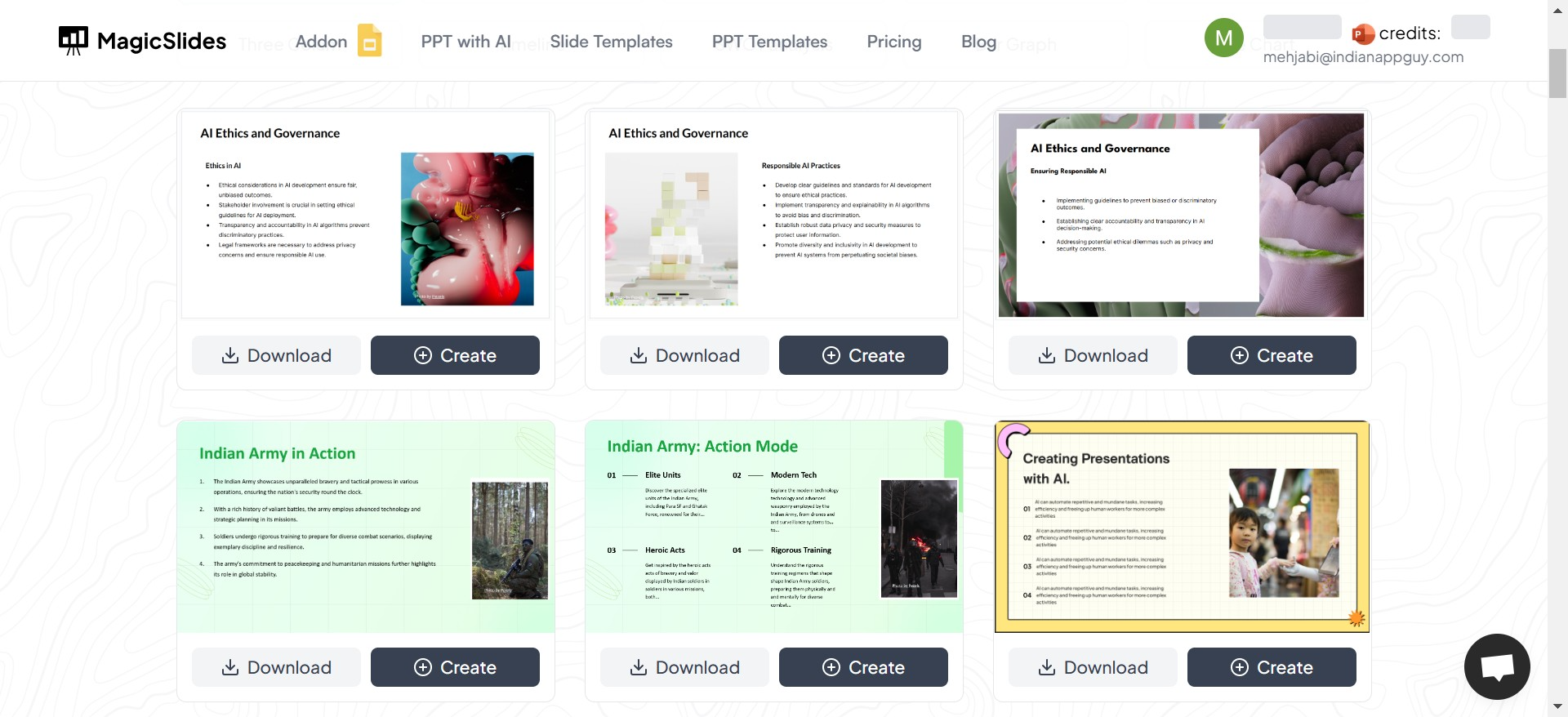
If you’re looking for speed, creativity, and ease of use, Magicslides.app stands out as the ultimate solution. With this platform, you can not only access professionally designed layouts but also create entire presentations in minutes, tailored to your topic and preferences.
How to Use Magicslides.app to Create the Perfect PPT
One of the standout features of Magicslides.app is its intuitive slide-generation tool. Here’s a step-by-step guide to creating your presentation with Magicslides.app:
Step 1: Visit Magicslides.app
Head to the website and explore their rich library of templates. The homepage is sleek and easy to navigate, so you can get started right away.
Step 2: Browse Slide Templates
Once on the platform, go to the "Slides Templates" section. Here, you’ll find a variety of designs suited for business, academic, or creative presentations.
Step 3: Download or Create in Magicslides
You can either:
- Download a template for manual editing in PowerPoint, or
- Use Magicslides’ unique feature to create a full presentation within the app.
Step 4: Click on "Create"
If you choose to create within Magicslides, click the "Create" button to get started.
Step 5: Enter Your Topic
Type in the subject of your presentation (e.g., "Marketing Strategies for 2025"). Magicslides will tailor the content to your topic.
Step 6: Click "Generate Instant PPT"
This powerful feature uses AI to draft a presentation for you, complete with slides and content.
Step 7: Select Number of Slides
Choose how many slides you’d like (e.g., 5, 10, 15), depending on the depth of your presentation.
Step 8: Click "Generate"
With one click, Magicslides will generate a visually stunning presentation in seconds.
Step 9: Enjoy Your Finished PPT
Your professionally designed presentation is ready to download or present directly.
Why Magicslides.app is the Best for PPT Layouts
Here’s what makes Magicslides.app stand out:
- Ease of Use: You don’t need to be a design expert.
- Time-Saving: Create presentations in minutes.
- Professional Quality: Templates are designed by experts.
- Customizable: Easily edit slides to match your preferences.
- Cost-Effective: Save money without compromising on quality.
Conclusion: Your Shortcut to Stunning Presentations
Finding the best PPT layouts doesn’t have to be a time-consuming process. While there are many options available, Magicslides.app is the ideal choice for anyone who values quality, speed, and simplicity. Whether you’re preparing for a business pitch, academic presentation, or creative showcase, Magicslides ensures your slides look polished and professional.
So, why wait? Visit Magicslides.app today and transform the way you create presentations. Save time, impress your audience, and focus on delivering your message with confidence!


