Which command brings you to the first slide in your Presentation


Efficiently navigating to the first slide in a presentation ensures smooth transitions and effective delivery.
Navigating your presentation efficiently is crucial for smooth delivery, especially when you're jumping between slides or preparing to start. One common task is returning to the first slide quickly, which can be particularly useful during rehearsals or when you want to revisit the beginning of your presentation.
In this blog post, we'll guide you through the command to bring you to the first slide in your presentation, ensuring you can manage your slides effectively and keep your presentation running smoothly.
Step-by-Step Guide to Bringing You to the First Slide in Your Presentation
Step 1: Open Your Presentation
First, open the presentation you want to work with. You can do this by launching the presentation software (such as PowerPoint or Google Slides) and opening your file.
Make sure you are in slideshow mode or editing mode, depending on your current task.
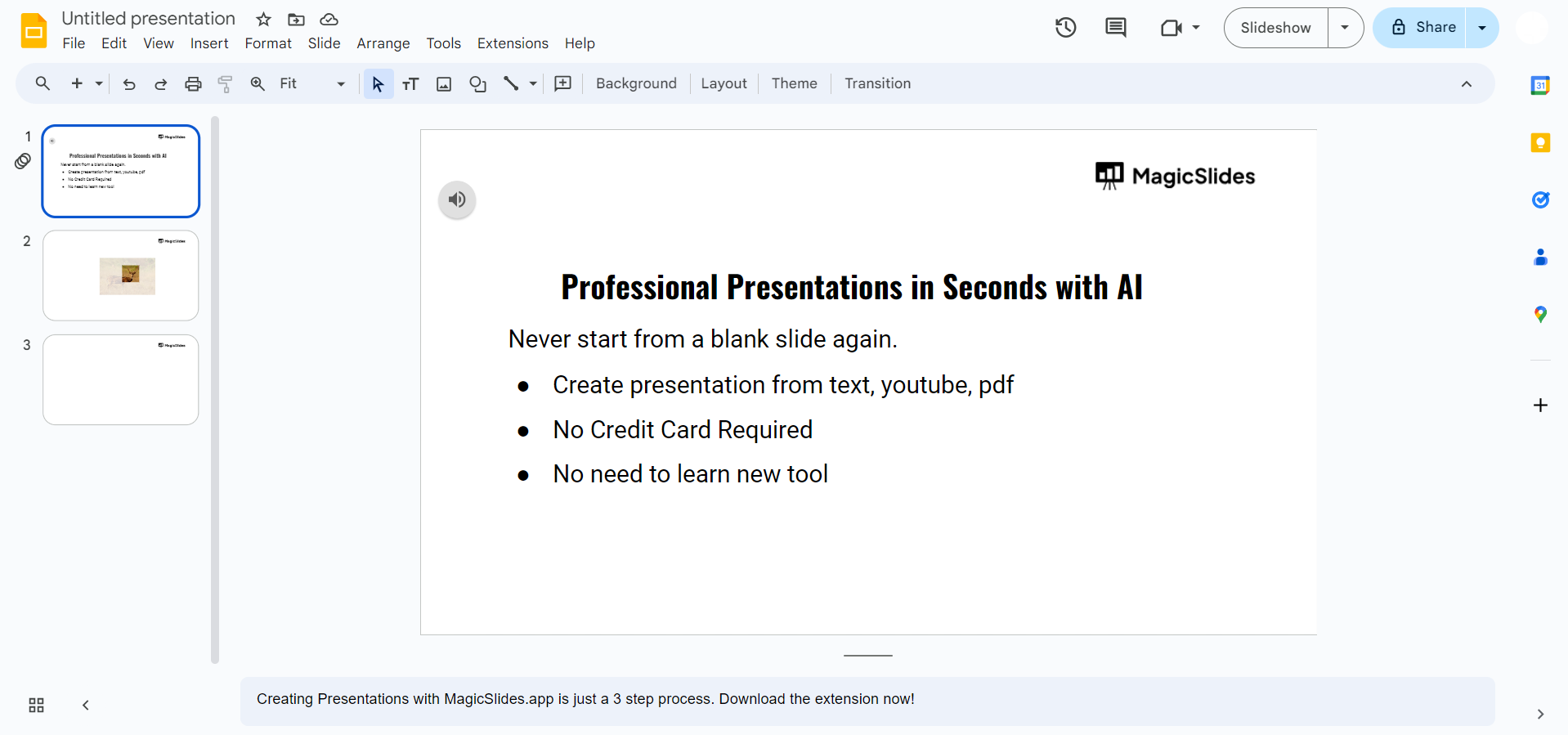
Step 2: Use the Keyboard Shortcut
To quickly navigate to the first slide in your presentation, use the following keyboard shortcut:
- In Microsoft PowerPoint:
- Press
Ctrl + Home(Windows) orCommand + Home(Mac) to jump to the first slide.
- Press
- In Google Slides:
- Press
Ctrl + Shift + A(Windows) orCommand + Shift + A(Mac) to open the "Present" mode from the beginning. Alternatively, you can also pressCtrl + Alt + Shift + Pto start the presentation from the first slide in Google Slides.
- Press
Step 3: Verify the Navigation
Ensure that you have successfully navigated to the first slide by checking the slide number or content. You should see the content from the beginning of your presentation. If needed, adjust your view or switch to presentation mode to confirm.
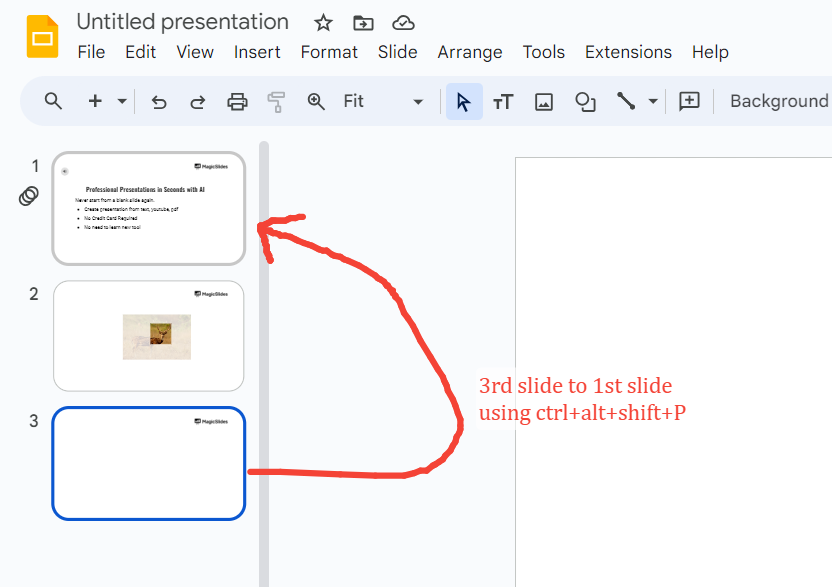
Step 4: Use the Navigation Buttons (Optional)
In addition to keyboard shortcuts, you can also use navigation buttons if you are in presentation mode. Look for the slide navigation buttons typically found at the bottom or side of the presentation window.
Clicking the "First Slide" button will bring you to the beginning of your presentation.
Conclusion
Navigating to the first slide of your presentation efficiently can streamline your workflow and ensure a smooth presentation experience. By using the appropriate keyboard shortcuts or navigation buttons, you can quickly return to the beginning of your slides, whether you're rehearsing or delivering your presentation.
Mastering these commands will help you manage your presentation effectively and maintain control throughout your presentation process.
FAQs that helps you!
Can I navigate to the first slide while in presentation mode?
Yes, you can navigate to the first slide while in presentation mode. Use the keyboard shortcut Home (Windows) or Command + Shift + A (Mac) to return to the first slide.
In PowerPoint, Ctrl + Home (Windows) or Command + Home (Mac) will also work.
What if the keyboard shortcuts don’t work for me?
If the keyboard shortcuts don’t work, ensure that you are using the correct combination for your software and operating system. For PowerPoint, check if you are in presentation mode or editing mode.
For Google Slides, ensure you are using the correct shortcut for your OS. You can also use the slide navigation buttons to return to the first slide.
How do I navigate to the first slide if I’m using a touchscreen device?
On touchscreen devices, you may need to use on-screen navigation controls. Look for a slide navigation menu or button within your presentation app that allows you to jump to the first slide.
In presentation mode, there might be an option in the control panel or toolbar to go to the first slide.
Can I customize the navigation options in PowerPoint or Google Slides?
Customization options for navigation shortcuts are generally limited. However, you can create custom macros or use specific features within the software to streamline navigation.
For more advanced customization, consider exploring add-ins or extensions that may offer enhanced navigation controls.


