Why Are Great PowerPoint Templates Important and Where to Find Them?


Discover why great PowerPoint templates matter and explore MagicSlides.app for professional, time-saving templates to create stunning presentations effortlessly.
When it comes to delivering a presentation, first impressions matter. A great PowerPoint template can make the difference between a lackluster presentation and one that leaves a lasting impact. Whether you're presenting to a client, pitching to investors, or delivering a lecture, having visually appealing and well-structured slides is crucial.
In this post, we’ll explore why great PowerPoint templates are essential, and we’ll also introduce you to an excellent platform, MagicSlides.app, for finding and creating exceptional templates.
Why Are Great PowerPoint Templates Important?
1. They Enhance Your Professional Image
Your presentation is often an extension of your personal or brand identity. A well-designed template ensures your slides look polished, which can enhance your credibility and professionalism. Poorly designed slides, on the other hand, can distract your audience and detract from your message.
2. They Save Time
Crafting a presentation from scratch is time-consuming. Great PowerPoint templates provide a ready-to-use framework, complete with cohesive designs, layouts, and color schemes. This allows you to focus more on content rather than formatting.
3. They Improve Clarity and Engagement
Templates with well-organized structures and visual hierarchies make it easier for audiences to follow along. A clean design and the right use of visuals can make complex ideas more digestible, increasing audience engagement.
4. They Reflect Your Creativity
Great templates often include creative design elements, making your presentation stand out. This is especially important in competitive settings like sales pitches or business proposals.
Where to Find Great PowerPoint Templates?
There are many resources online for PowerPoint templates, but not all of them meet the standards of professionalism and creativity. One platform stands out for its innovative approach: MagicSlides.app.
Why Choose MagicSlides.app for PowerPoint Templates?
MagicSlides.app is a revolutionary tool for anyone looking to create high-quality presentations quickly and efficiently. Here’s why it’s an excellent choice:
- Diverse Range of Templates: MagicSlides offers a wide variety of templates tailored for different industries and purposes, ensuring you’ll find one that suits your needs.
- User-Friendly Interface: Its intuitive design makes it easy for both beginners and experienced users to navigate and create stunning presentations.
- Time-Saving Features: With MagicSlides, you can create entire presentations automatically by simply entering your topic and preferences.
- Customizable Options: Whether you download templates or generate presentations directly on the platform, you’ll have plenty of flexibility to personalize your slides.
Steps to Use MagicSlides.app
Here’s a quick guide to getting started with MagicSlides.app:
1. Visit MagicSlides.app
Open your browser and go to MagicSlides.app.
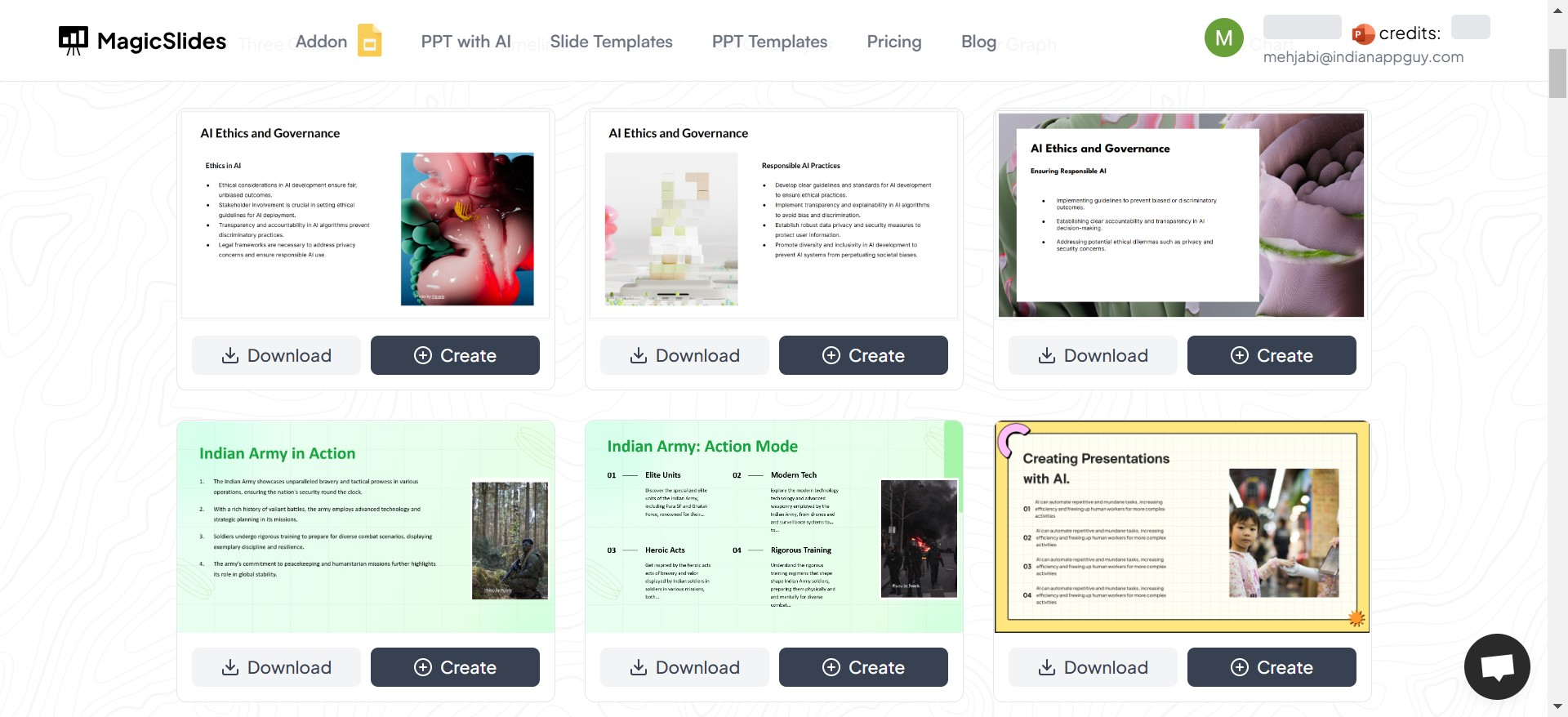
2. Go to Slides Templates
Browse the available PowerPoint templates or explore the "Create Presentation" feature.
3. Choose Your Workflow
You can either:
- Download a template for use in PowerPoint, or
- Create a presentation directly on MagicSlides.
4. Click on "Create"
To generate a new presentation, click on the "Create" button.
5. Enter Your Topic
Type in your presentation topic. For example, "Marketing Strategy for Q1."
6. Click "Generate Instant PPT"
MagicSlides will process your input and prepare a customized presentation framework.
7. Select Number of Slides
Choose how many slides you need for your presentation.
8. Click "Generate"
MagicSlides will create your PowerPoint deck instantly.
9. Download or Edit
You can download the completed presentation or further tweak it using the platform’s editing tools.
Why MagicSlides is the Best Option
MagicSlides.app is designed to cater to the modern professional’s needs. Its combination of pre-made templates and AI-powered presentation generation makes it a standout choice. Whether you're a student, a business professional, or a public speaker, you’ll appreciate the convenience, quality, and creativity it offers.
Final Thoughts
Great PowerPoint templates are not just a luxury—they’re a necessity in today’s visually-driven world. They help you save time, maintain professionalism, and deliver your message with impact. Platforms like MagicSlides.app take this a step further by providing a seamless experience to find or create high-quality presentations in minutes.
Next time you’re preparing a presentation, don’t settle for less. Visit MagicSlides.app and elevate your presentation game!


