Why is there a Gray Column on PowerPoint


A gray column in PowerPoint may result from themes, Slide Master settings, or display glitches
Why Is There a Gray Column on PowerPoint?
If you notice a gray column appearing in your PowerPoint presentation, it could be due to multiple reasons, such as Slide Master settings, theme background, text placeholders, or a display glitch.
Understanding the cause can help you remove or adjust it accordingly.
This guide walks you through possible reasons and fixes step by step.
Possible Reasons and Fixes for the Gray Column in PowerPoint
Slide Master Background Issue
Open View > Slide Master to check if the gray column is part of the theme.
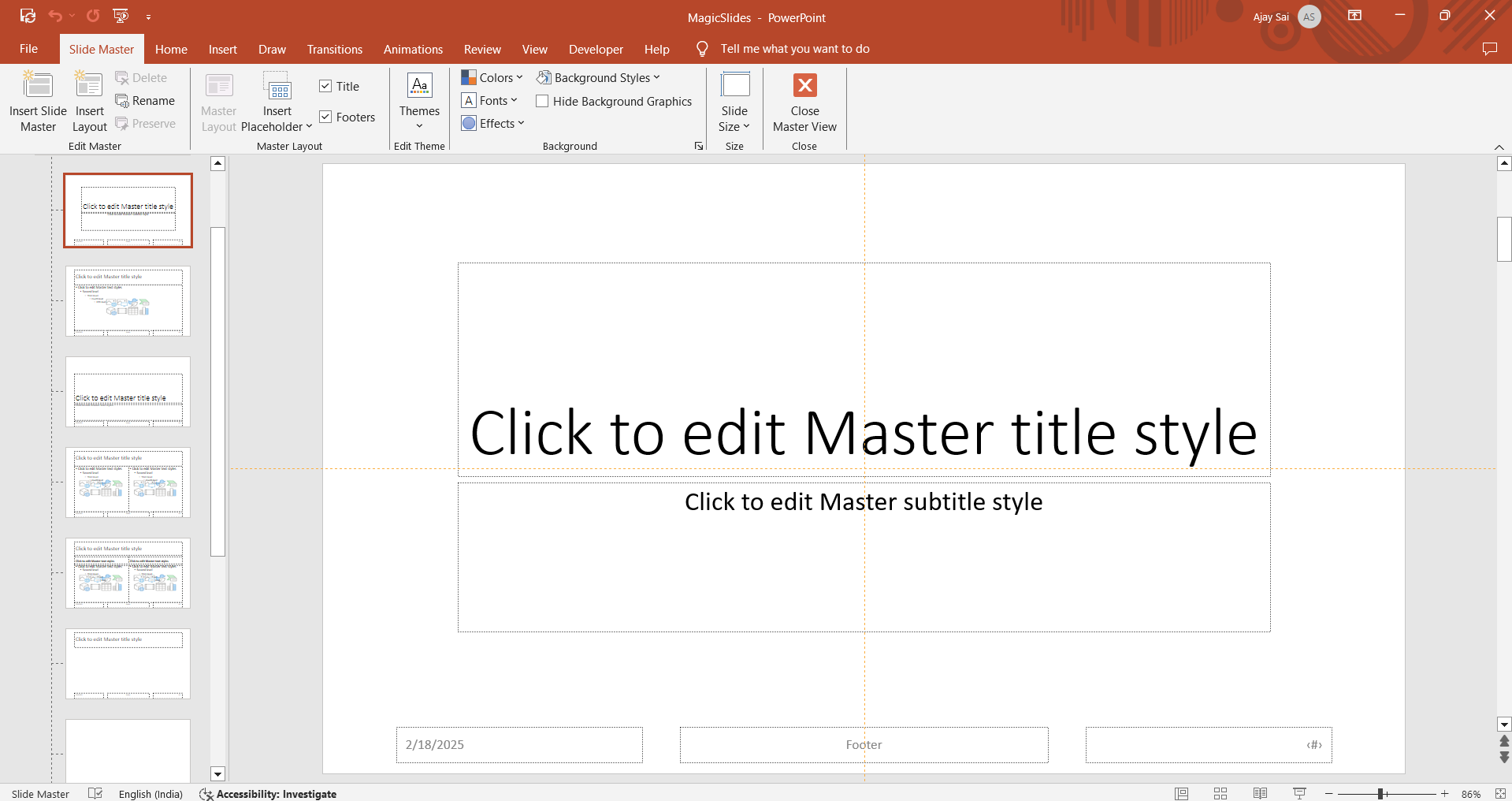
If found, click on the background and remove or change the color from the Format Background option.
Exit Slide Master view and check if the gray column disappears.
Placeholder or Text Box Overlapping
Go to Normal View and click on the gray column. If it’s a text box or placeholder, delete or resize it by dragging its edges.
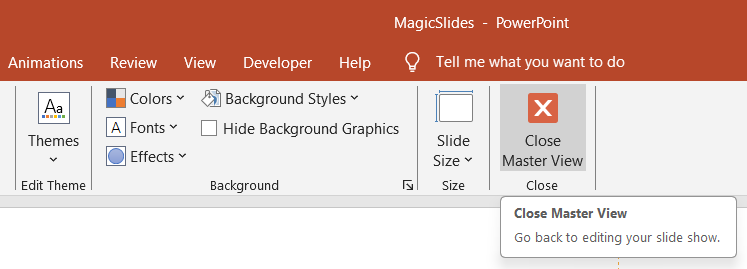
If you can’t click on it, it might be part of the Slide Master.
Slide Layout or Theme Issue
Go to Design > Slide Size and check if an incorrect aspect ratio is causing the gray bar.
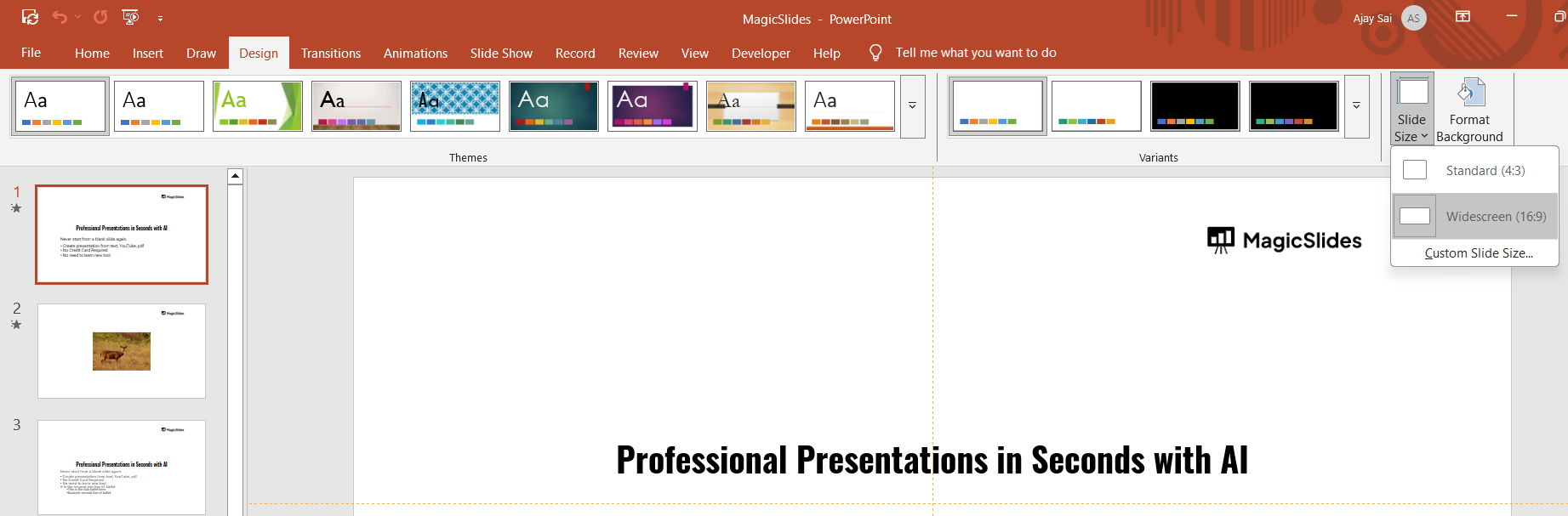
If it appears due to a custom theme, try changing the design under Design > Themes.
PowerPoint Display Glitch
Restart PowerPoint and reopen your presentation to see if the issue persists.
If the gray column is still there, try updating PowerPoint via File > Account > Update Options.
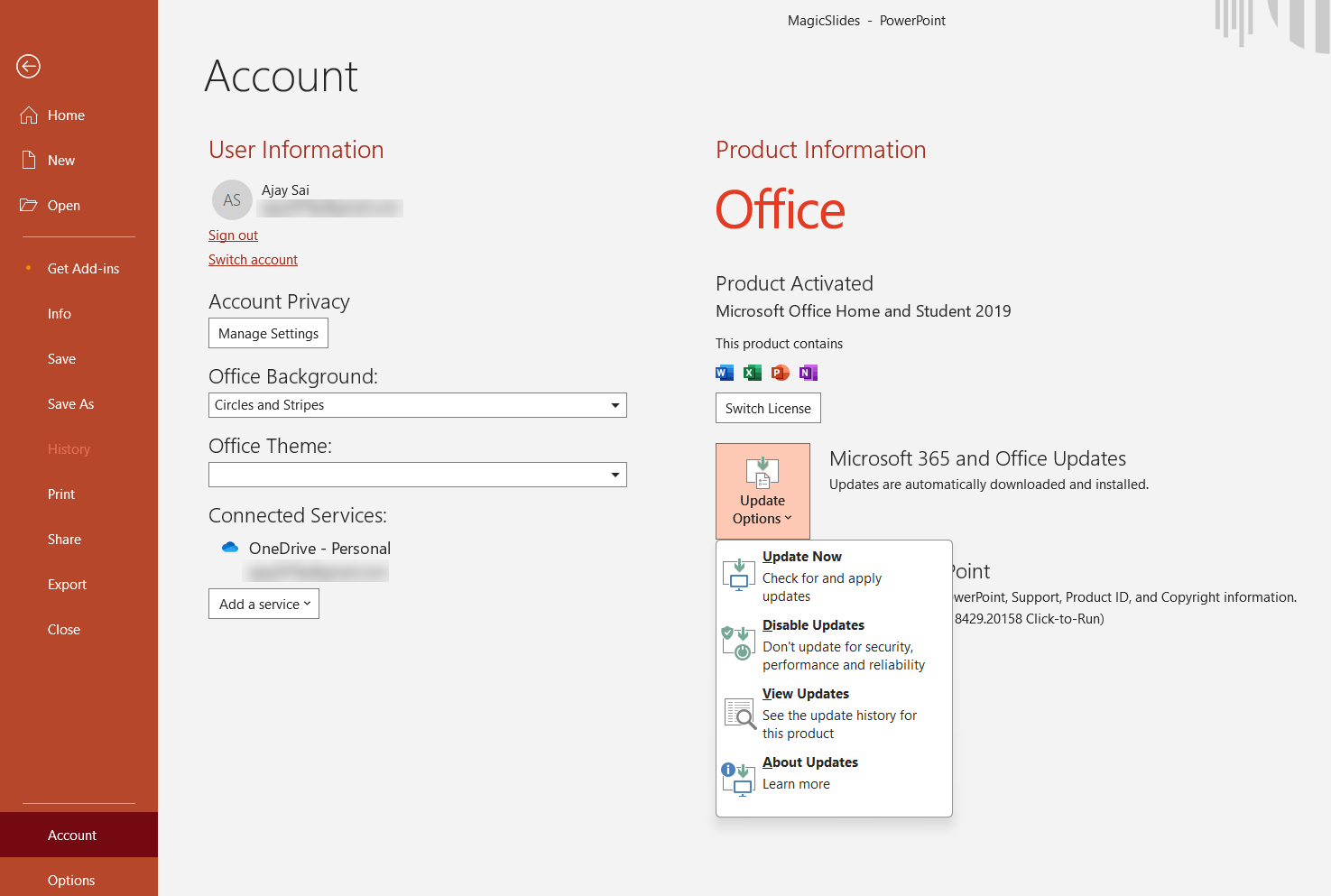
Check if your system’s display drivers are updated.
Extra Shape or Object in the Background
Click on the gray area and check if it’s a shape. If yes, press Delete to remove it.
You can also check for extra objects using Selection Pane (Home > Arrange > Selection Pane).
If you're troubleshooting a gray column in PowerPoint, why not make your presentation process even smoother? MagicSlides.app helps you create AI-powered presentations effortlessly just enter a topic, and your slides are ready in seconds!
Conclusion
A gray column in PowerPoint can be caused by Slide Master settings, placeholders, themes, display glitches, or extra objects.
Identifying the cause will help you remove or adjust it effectively, ensuring a clean and professional presentation.
FAQs on Gray Columns in PowerPoint
Why does my PowerPoint have a gray bar on the side?
It could be a background element, Slide Master setting, or an issue with the slide size ratio.
How do I remove an unwanted gray section in PowerPoint?
Check Slide Master settings, background formatting, and layout themes, then remove or adjust the gray section.
Will changing the slide size fix the gray column?
Yes, if the issue is related to an incorrect aspect ratio, adjusting the Slide Size might resolve it.


