Tome URL to PPT
Tome URL to PPT with a single click. Enter Tome URL link and we will generate PPT for you for free.

Magic Slides · Senior Designer · will design your presentation
13.6k PPTs created in the last 30 days
Easy Tome to PowerPoint Conversion
Convert your Tome presentations into PowerPoint format while maintaining content quality and structure.
Tome to PowerPoint Conversion
Transform your Tome presentations into editable PowerPoint format while preserving content and structure. Simply paste your Tome URL and let our converter handle the rest.
Benefits of Our Tome to PPT Converter
Discover how our converter simplifies the process of turning Tome presentations into PowerPoint format.
Preserve Content Integrity
Maintain your presentation's content and structure while converting from Tome to PowerPoint format.
Quick Conversion
Transform Tome presentations into PowerPoint format within minutes, saving time and effort.
Format Compatibility
Convert Tome's modern format into widely-compatible PowerPoint presentations for better sharing.
Full Editability
Get fully editable PowerPoint files that you can customize and modify as needed.
Secure Processing
Your Tome presentations are processed securely and deleted after conversion, ensuring privacy.
Smart Adaptation
Intelligent conversion of Tome-specific features into PowerPoint-compatible elements.
From Prompt to Polished Slides - Powered by an AI Presentation Maker
Presentations made by MagicSlides App


















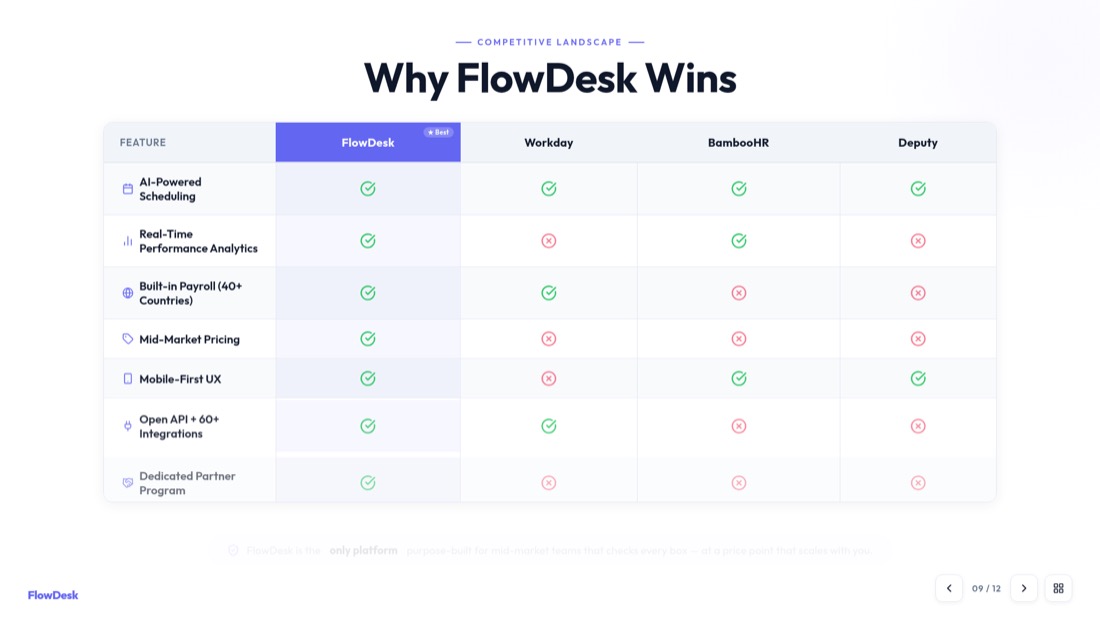













NexaFlow · Investor deck — drag or use the arrows to see all 32 slides
Other Free PPT Tools
Clone Slides with AI
Clone any image from the internet into a fully editable .pptx file in under 2 minutes. Transform visual inspiration into customizable presentations instantly.
Topic to PPT using AI
Generate engaging presentations quickly from just a keyword. Ideal for students and educators needing fast, content-rich slides.
YouTube to PPT using AI
Turn YouTube videos into informative slide presentations. Excellent for marketers and creators looking to expand their video content's reach.
AI PitchDeck Generator
Turn Pitch Deck into informative slide presentations. Excellent for business and startup looking to present his business.
Text to PPT using AI
Generate engaging presentations quickly from just a keyword. Ideal for students and educators needing fast, content-rich slides.
URL to PPT using AI
Effortlessly convert any web page into a comprehensive presentation. Perfect for professionals and researchers presenting web-based data.
Frequently asked questions
How do I convert a Tome presentation to PowerPoint?
Simply paste your Tome presentation URL into our converter tool, sign up if needed, and our system will automatically convert it into an editable PowerPoint presentation.
What elements are preserved in the conversion?
Our converter maintains your presentation's structure, text content, images, and basic formatting while converting them into PowerPoint-compatible elements.
Do I need access to the original Tome presentation?
Yes, you need access to the Tome presentation you want to convert. The URL should be publicly accessible or you should have viewing permissions.
Can I edit the converted PowerPoint presentation?
Yes! The converted PowerPoint presentation is fully editable. You can modify text, adjust layouts, add or remove slides, and customize all elements as needed.
Is my Tome presentation content kept secure?
We prioritize your data security. All content is processed securely and automatically deleted after conversion, ensuring your presentation remains private.
How long does the conversion process take?
The conversion process typically takes just a few minutes, depending on the size and complexity of your Tome presentation.
What happens to interactive Tome elements?
Interactive elements are converted to static content in PowerPoint format, maintaining the visual information while adapting it for PowerPoint compatibility.
Can I convert multiple Tome presentations?
please check pricing page
Check PricingWill my presentation styling be preserved?
While we maintain the general structure and content, some advanced Tome-specific styling may be adapted to match PowerPoint's capabilities.

Move your Tome decks to PowerPoint
Convert your Tome presentations into fully editable PowerPoint format without the rework.
1,511 reviews · Trustpilot & Workspace


