How to Cite a PowerPoint in APA (7th Edition): Complete Guide with Examples


Learn how to cite a PowerPoint in APA 7th edition with examples for lecture slides, online presentations, and in-text citations. Plus, create presentations faster with MagicSlides.
If you’re using information from a PowerPoint presentation in your research paper, essay, or assignment, you need to cite it correctly. Whether the slides come from your professor, a university website, or an online presentation, the APA 7th edition has specific citation rules to help you give proper credit.
In this guide, you’ll learn how to cite a PowerPoint in APA, including reference list formats, in-text citations, examples, and common mistakes to avoid.
What Is APA Citation?
APA (American Psychological Association) Style is one of the most widely used citation styles in academic writing. It provides standardized rules for citing sources, formatting papers, and creating reference lists.
The current standard is APA 7th edition, which is used across psychology, education, nursing, business, and many social science disciplines.
When citing a PowerPoint presentation, APA requires different formats depending on where the presentation was published and how readers can access it.
When Do You Need to Cite a PowerPoint?
You should cite a PowerPoint whenever you use:
- Facts or statistics
- Ideas or theories
- Images or charts
- Quotes
- Research findings
Even if you’re paraphrasing rather than quoting directly, you still need to provide a citation.
Before You Cite: Identify the Type of PowerPoint
The citation format depends on where the presentation comes from.
Generally, you’ll encounter one of these situations:
- Public PowerPoint available online
- Lecture slides posted on Canvas, Blackboard, or Moodle
- Professor’s private PowerPoint
- Your own PowerPoint presentation
Let’s look at each one.
How to Cite a Public PowerPoint in APA?
If the PowerPoint is publicly available on a website, include it in your reference list.
Reference Format
Author, A. A. (Year, Month Day). Title of presentation [PowerPoint slides]. Website Name. URL
Example
Smith, J. A. (2025, March 10). Introduction to cognitive psychology [PowerPoint slides]. State University. https://example.edu
In-Text Citation
Parenthetical:
(Smith, 2025)
Narrative:
Smith (2025) explains…
How to Cite Lecture Slides from Canvas, Blackboard, or Moodle?
Many instructors upload lecture slides to a course management system. Since these materials are only available to enrolled students, cite them as course materials.
Reference Format
Author, A. A. (Year). Title of presentation [PowerPoint slides]. Course Name, Institution. Canvas.
Example
Johnson, L. M. (2026). Marketing fundamentals: Week 3 [PowerPoint slides]. MKT 101, ABC University. Canvas.
In-Text Citation
(Johnson, 2026)
How to Cite a Professor’s PowerPoint?
If your professor shared slides privately via email or during class—and your readers cannot access them—they are considered personal communication.
In this case:
- Include an in-text citation only
- Do not add the source to your reference list
Example
(R. Brown, personal communication, February 12, 2026)
How to Cite an Unpublished PowerPoint?
Sometimes presentations are shared internally within an organization or classroom without being publicly available.
Follow your instructor’s guidelines. In many cases, unpublished presentations are treated similarly to course materials or personal communications.
APA In-Text Citation for PowerPoint Slides
APA uses the author-date citation format.
Paraphrasing
(Smith, 2025)
Narrative Citation
Smith (2025) states…
Smith, John. “Marketing Strategies for 2025.” Conference on Business and Technology, 5 Jan. 2025. www.examplewebsite.com. PowerPoint presentation.
Direct Quote
(Smith, 2025, Slide 12)
Including the slide number makes it easier for readers to locate the exact information.
Smith, John. “Marketing Strategies for 2025.” Conference on Business and Technology, 5 Jan. 2025. www.examplewebsite.com. PowerPoint presentation.
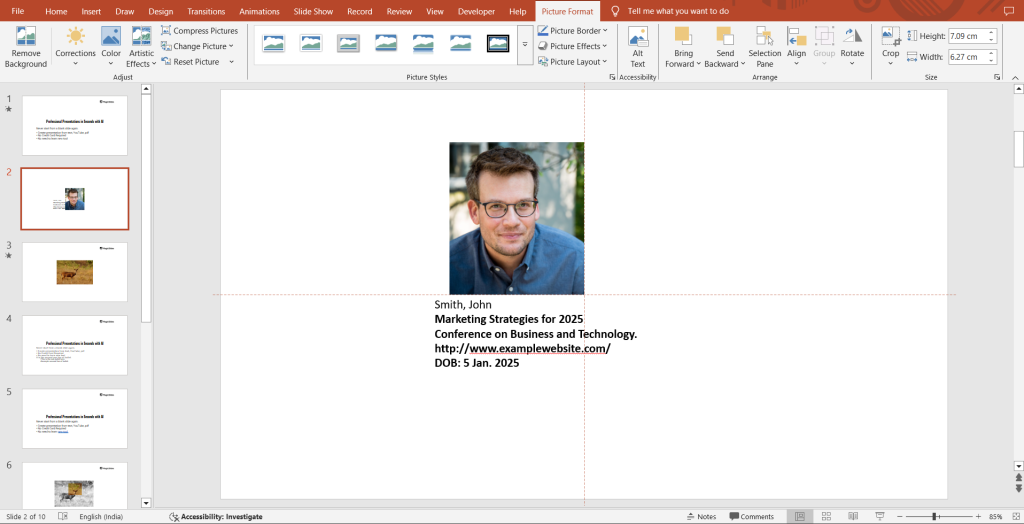
APA PowerPoint Citation Examples
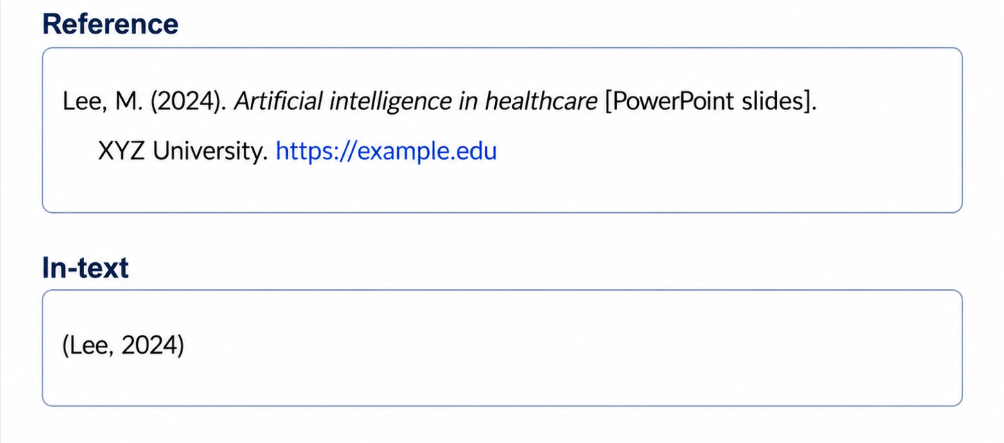
Example 1: Online PowerPoint
Reference
Lee, M. (2024). Artificial intelligence in healthcare [PowerPoint slides]. XYZ University. https://example.edu
In-text
(Lee, 2024)
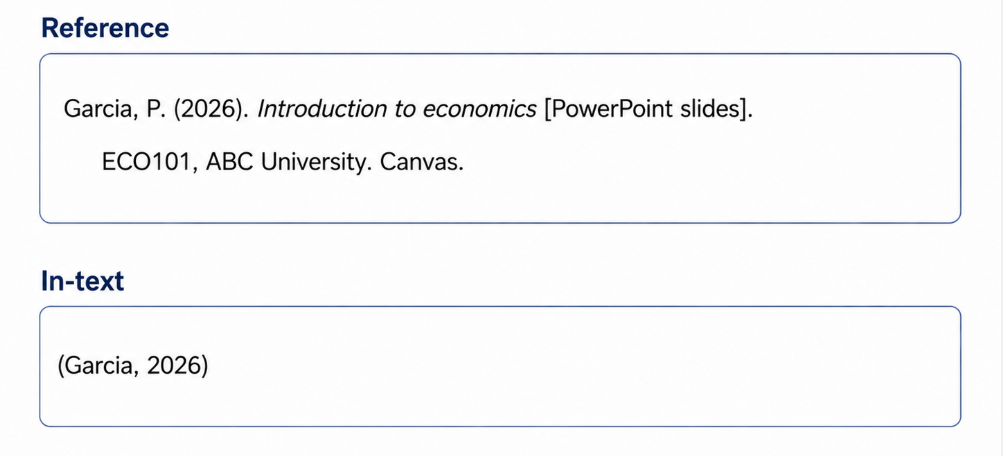
Example 2: Course Slides
Reference
Garcia, P. (2026). Introduction to economics [PowerPoint slides]. ECO101, ABC University. Canvas.
In-text
(Garcia, 2026)
Example 3: Personal Communication
In-text only
(A. Wilson, personal communication, March 4, 2026)
Common APA Citation Mistakes
Avoid these common errors:
- Forgetting to include the publication year
- Omitting the presentation title
- Using the wrong author
- Adding private lecture slides to the reference list
- Forgetting in-text citations after paraphrasing
- Not italicizing the presentation title
Double-check your citations before submitting your assignment.
Create Professional Presentations Faster with MagicSlides
Knowing how to cite a PowerPoint correctly is only part of creating an effective presentation. If you also need to build presentation decks quickly, AI can save hours of manual work.
MagicSlides is an AI presentation generator that helps students, educators, researchers, and professionals create polished PowerPoint presentations in minutes.

With MagicSlides, you can generate presentations from:
- Simple text prompts
- PDFs
- Word documents
- YouTube videos
- URLs
- Research notes
- Existing documents
Instead of spending hours designing slides from scratch, you can focus on your content while MagicSlides generates a well-structured presentation that you can customize further.
Whether you’re preparing a classroom presentation, a business proposal, or a research seminar, MagicSlides helps streamline the presentation creation process.
Final Thoughts
Learning how to cite a PowerPoint in APA ensures your academic work is accurate, credible, and free from plagiarism. The correct citation format depends on where the presentation is published and whether readers can access it.
By following the APA 7th edition guidelines outlined in this guide, you’ll be able to confidently cite online presentations, lecture slides, and classroom materials in both your reference list and in-text citations.
And when it’s time to turn your research into a polished presentation, tools like MagicSlides can help you create professional PowerPoint decks in just a few minutes.
Frequently Asked Questions
Q1. Do PowerPoint slides go in the reference list?
Yes, if readers can retrieve the slides. If they cannot (for example, private classroom materials), use only an in-text citation.
Q2. How do I cite PowerPoint slides in APA 7?
Include:
- Author
- Date
- Presentation title
- “[PowerPoint slides]”
- Website or course platform
- URL (if available)
Q3. How do I cite lecture slides from Canvas?
Treat them as course materials and include the instructor, year, presentation title, course name, institution, and Canvas as the source.
Q4. Can I cite Google Slides?
Yes. If the presentation is publicly accessible, cite it the same way you would any online PowerPoint presentation.
Q5. What if there is no author?
If no individual author is listed, use the organization responsible for publishing the presentation as the author.
Also read: How to Attach a Hyperlink in PowerPoint (Step-by-Step Guide)


