How to Convert Wildlife Research Papers to Engaging PowerPoint Presentations


Transform dense wildlife research into captivating presentations! Learn the art of converting scientific papers into dynamic PowerPoint slides for impact.
Converting dense wildlife research papers into captivating PowerPoint presentations is a skill that can bridge the gap between academia and broader audiences. In this guide, we'll walk you through the process using the MagicSlides GPT tool, making the transformation seamless and effective.
How to Convert Wildlife Research Papers to Engaging PowerPoint Presentations
Step 1: Open Google Slides and a Blank Presentation
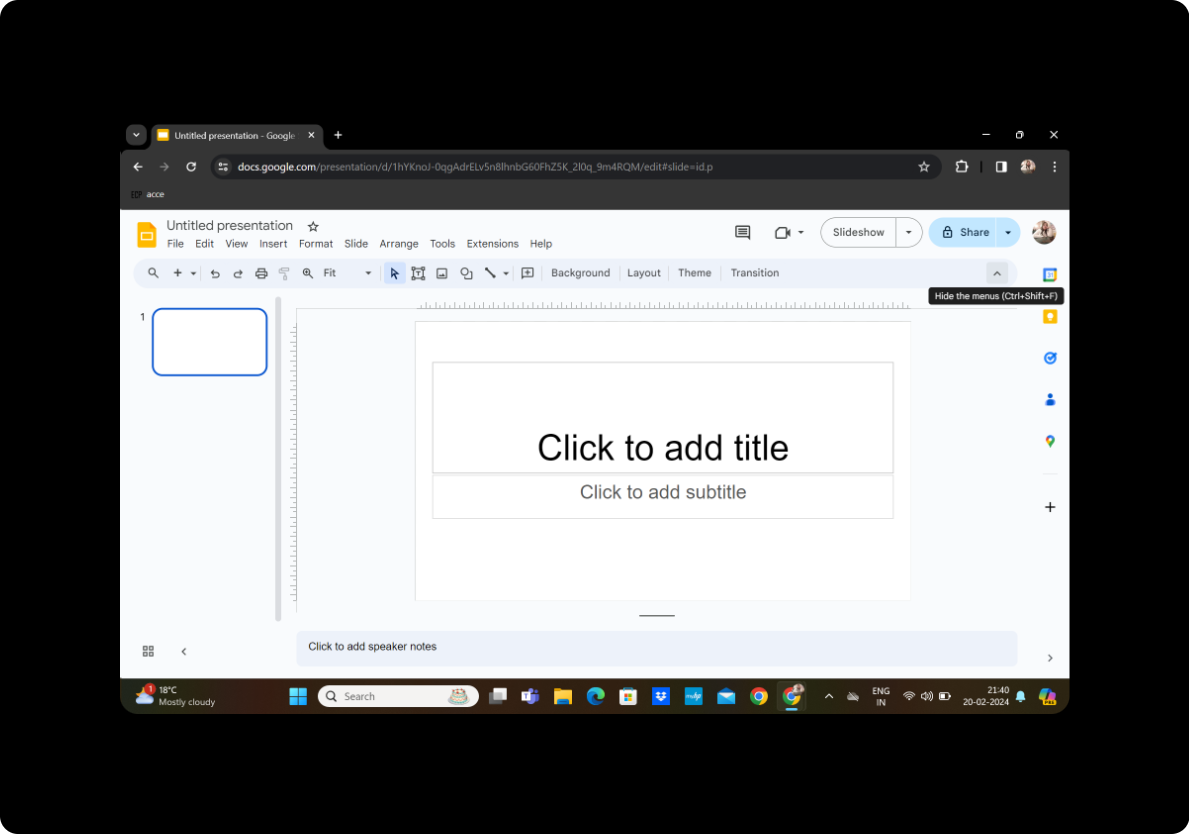
Begin by signing in to your Google account and opening Google Slides. Create a new presentation by selecting "Blank" from the template options.
Step 2: Click on Extensions and MagicSlides GPT
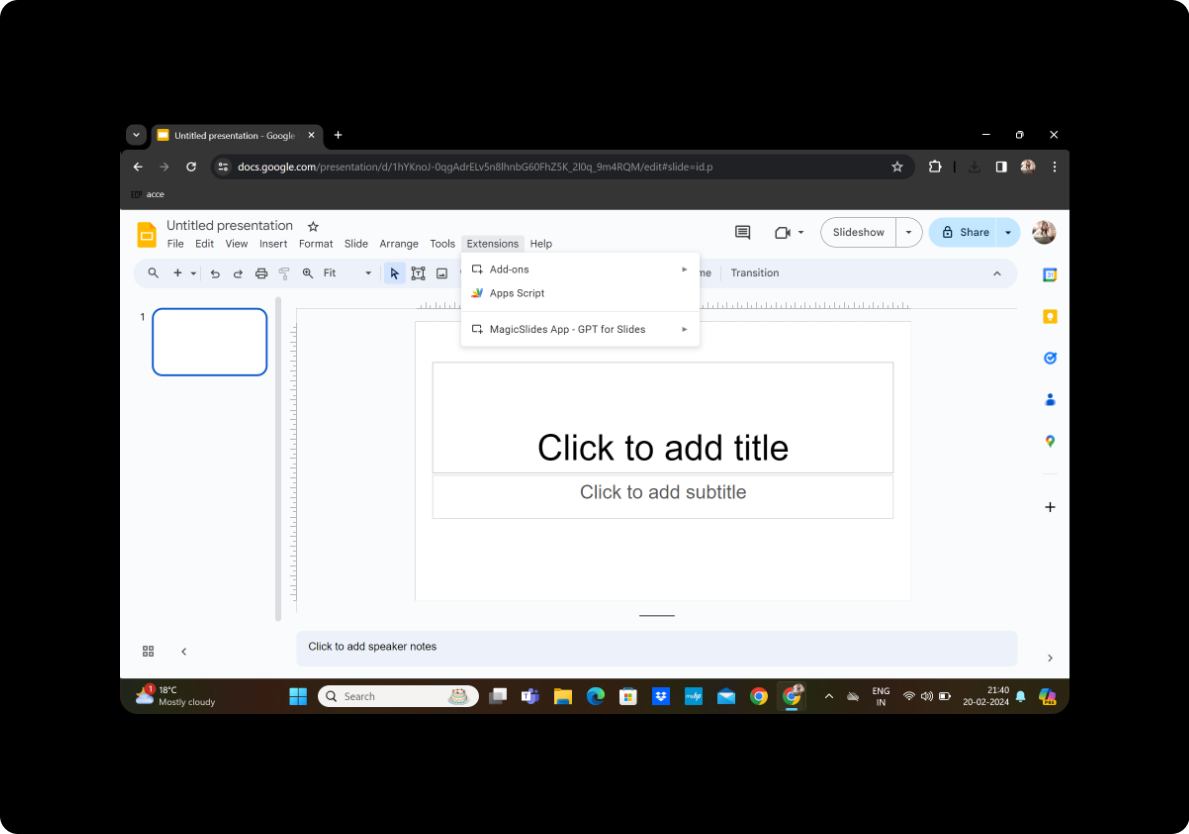
Navigate to the toolbar and click on "Extensions." Locate and activate the MagicSlides GPT tool.
Step 3: Click on 'PDF/DOCX to PPT'
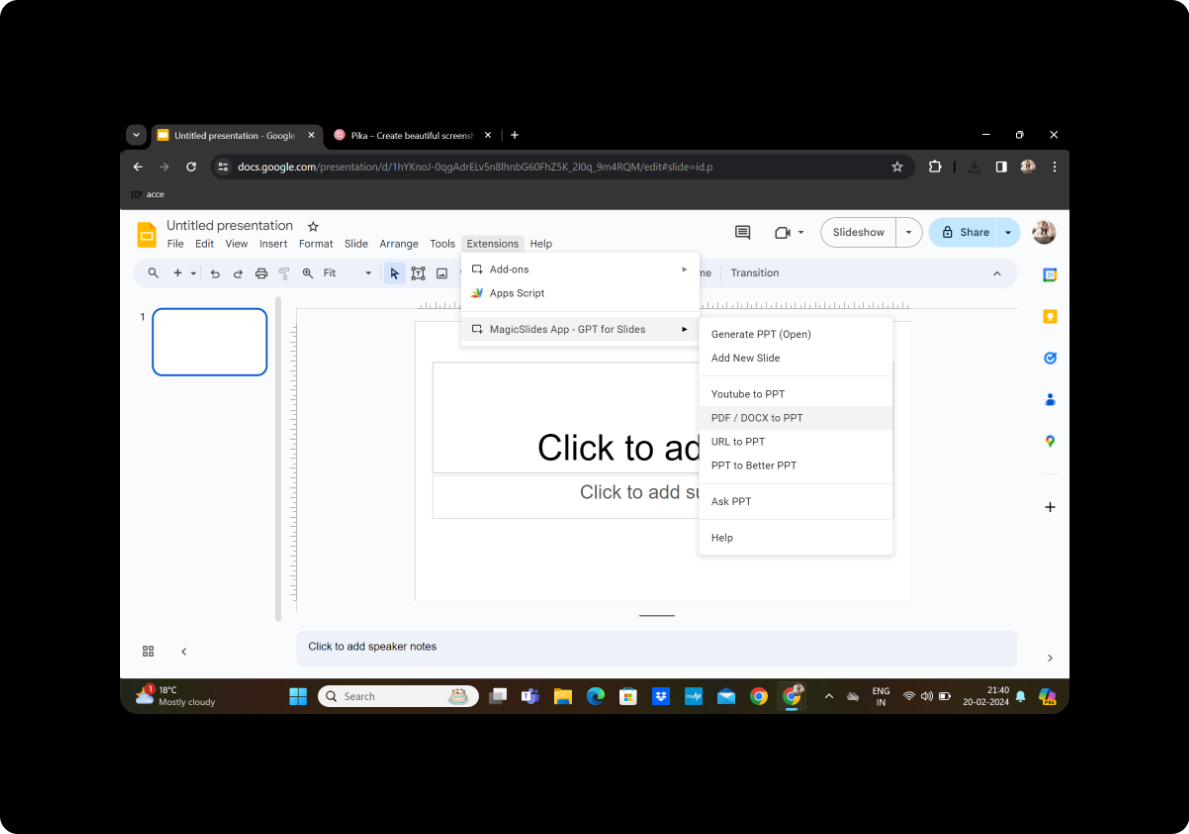
Within the MagicSlides GPT interface, find the option for 'PDF/DOCX to PPT' and click on it.
Step 4: Upload the PDF and Click on Fetch Transcript
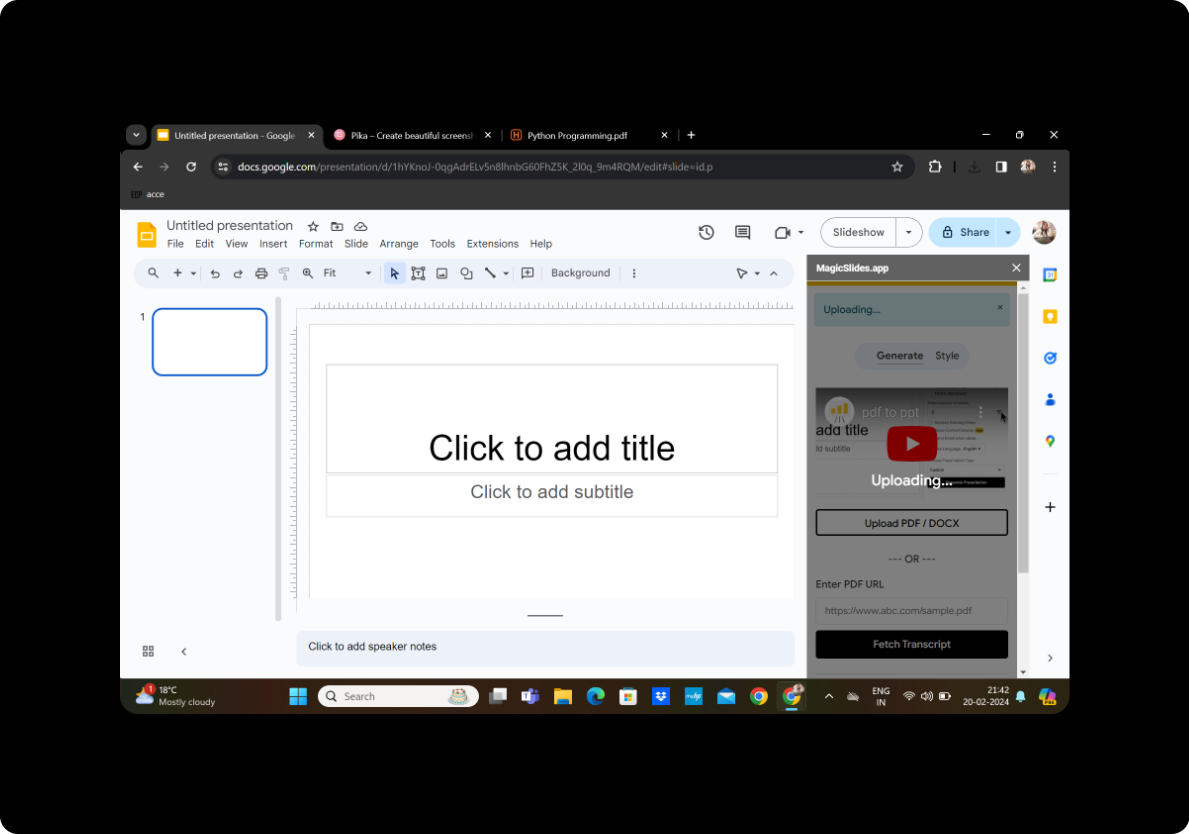
Upload your wildlife research paper in PDF format. MagicSlides GPT will analyze the content and fetch a transcript.
Step 5: Select the Number of Slides
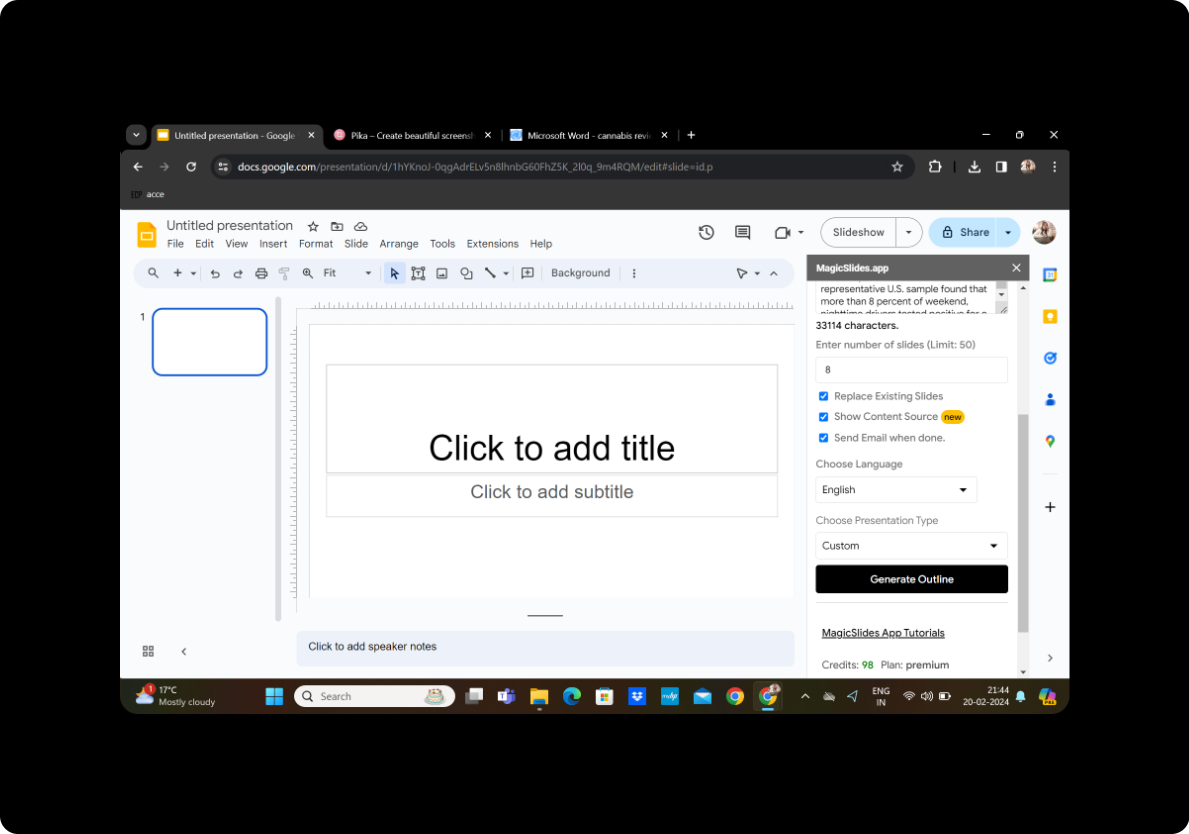
Customize the presentation by selecting the desired number of slides based on the content of your research paper.
Step 6: Click on Generate Outline
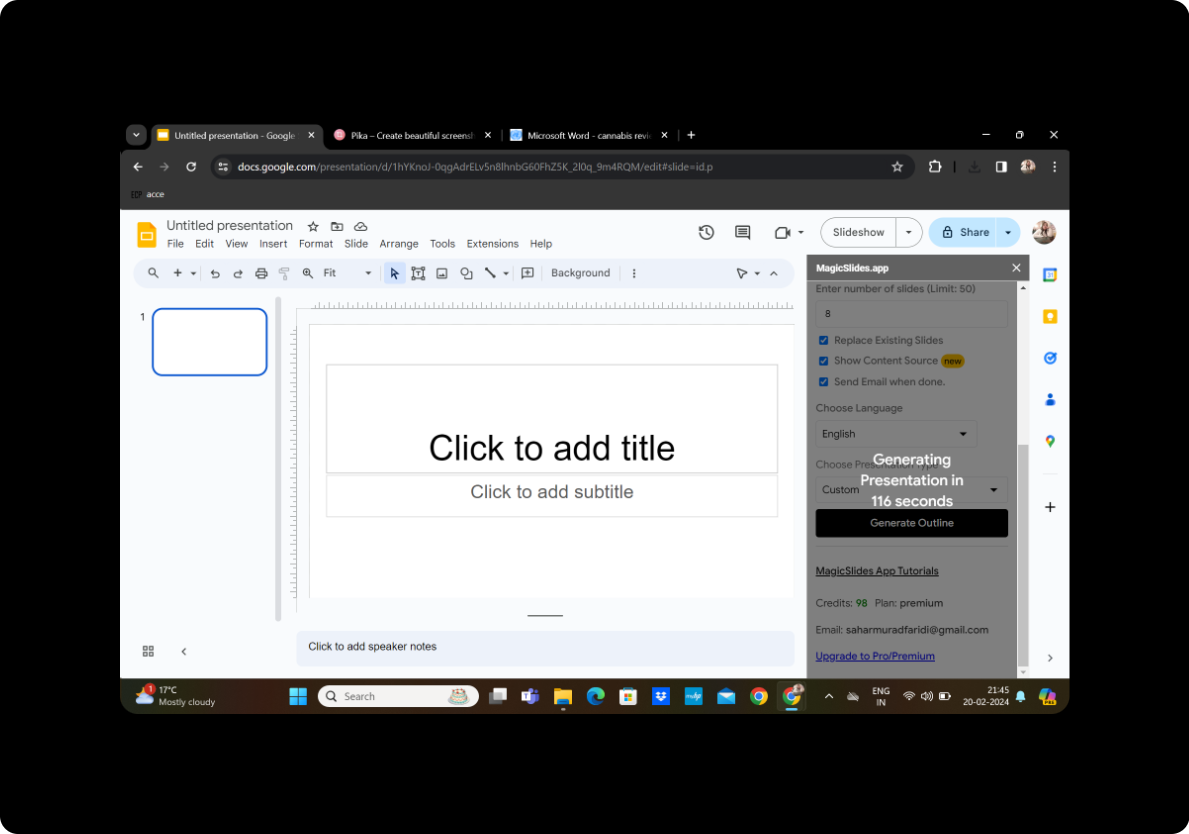
MagicSlides GPT generates an outline of your presentation based on the document's key points. Review the outline to ensure it aligns with your goals.
Step 7: Generate Presentation
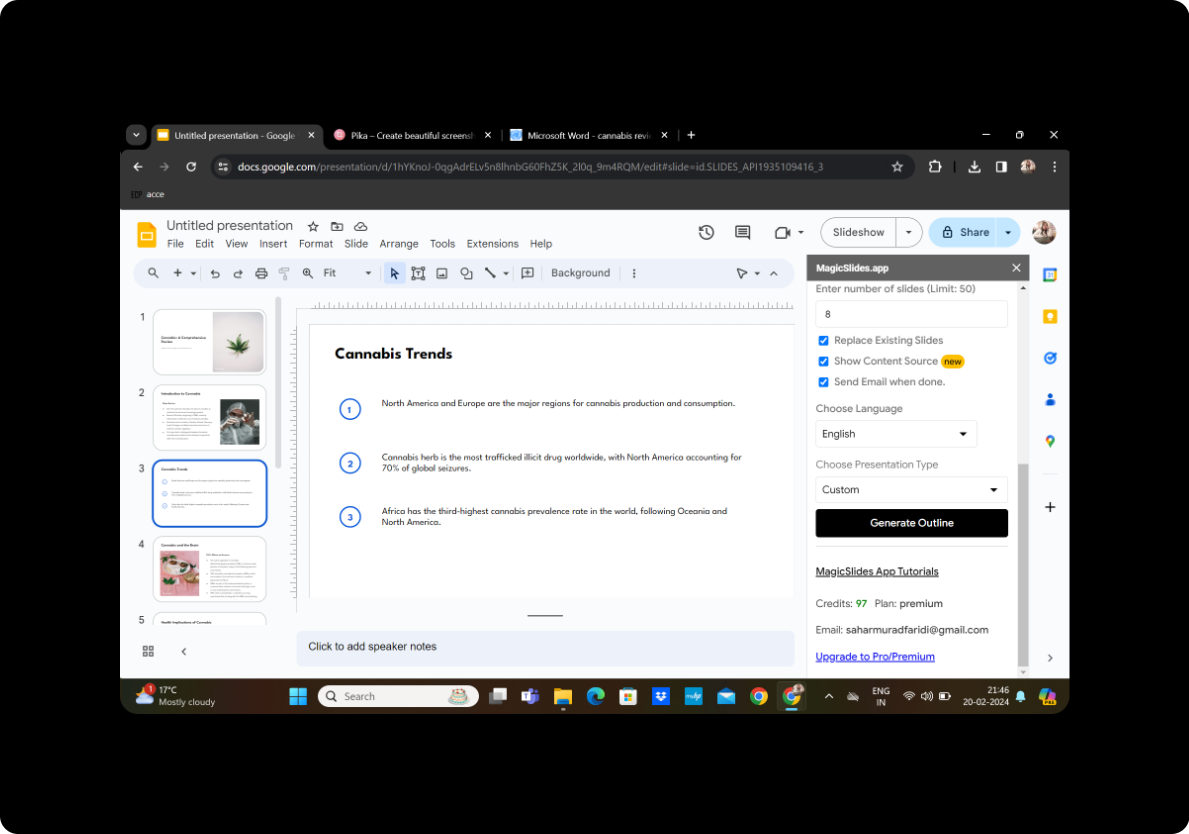
Once satisfied with the given outline, click on "Generate Presentation." MagicSlides GPT will transform the text into engaging PowerPoint slides.
Conclusion
Your wildlife research paper has now evolved into an engaging and visually appealing PowerPoint presentation. The simplicity of this process highlights the efficiency and accessibility of tools like MagicSlides GPT, allowing researchers to share their findings with diverse audiences.
Frequently Asked Questions
How accurate is MagicSlides GPT in summarizing research papers?
MagicSlides GPT leverages advanced language processing to provide accurate and concise summaries. However, it's advisable to review and fine-tune the generated slides to ensure precision.
Can I customize the design of the slides?
Absolutely. MagicSlides GPT offers customization options, allowing you to modify layouts, add visuals, and personalize the presentation according to your preferences.
Is MagicSlides GPT suitable for all types of research papers?
Yes, MagicSlides GPT is versatile and can be applied to various subjects and research paper formats. It adapts to the content, ensuring a coherent and engaging presentation.
How can I share the presentation with others?
Once your presentation is generated, you can easily share it by clicking on the "Share" button in Google Slides and providing the necessary access permissions.
Are there any limitations to using MagicSlides GPT?
While MagicSlides GPT is a powerful tool, it's essential to review the generated slides for accuracy and coherence. Additionally, the tool may not capture highly specialized or nuanced content as effectively.


