How to Add Footnotes in Google Slides for Clean & Professional Slides


Learn how to add footnotes in Google Slides with simple steps, superscript formatting, best practices, and tips to cite sources professionally in every presentation.
Google Slides does not include a built-in footnote feature. If you want to know how to add footnotes in Google Slides, simply insert a text box at the bottom of your slide. Add a superscript reference number in your content. Then, type the corresponding citation or note. This manual method is quick, effective, and works for any presentation. While the process differs slightly from how you add a footnote in PowerPoint, it is just as easy to apply.
If you’re searching for how to add footnotes in Google Slides, you’re not alone. Unlike Google Docs, Google Slides doesn’t offer an automatic footnote tool. However, creating footnotes in Google Slides is still easy with a simple workaround.
Footnotes are useful for citing sources, giving image credits, referencing statistics, or adding extra information without cluttering your slides. They make your presentation look more professional and trustworthy.
In this guide, you’ll learn how to add a footnote in Google Slides, format it correctly, use superscript numbers, and follow best practices to keep your slides clean and easy to read.
What Are Footnotes in Google Slides?
A footnote in Google Slides is a short note placed at the bottom of a slide that provides additional information or cites the source of your content. Since there isn’t a built-in Google Slides footnote feature, these notes are added manually using a text box.
Footnotes help you credit books, websites, research papers, images, or statistics without interrupting the main message of your slide. Instead of adding long citations within your content, you can place a small reference at the bottom for a cleaner design.
You’ll often see footnotes in Google Slides used in:
-
Academic presentations
-
Research projects
-
Business reports
-
Marketing presentations
-
Image and data attribution
They aren’t always the same as footnotes and citations are closely related. A footnote provides a reference or extra explanation at the bottom of the slide, whereas a citation simply identifies the original source. In many presentations, a footnote includes the citation, making it easy for viewers to verify the information.
Does Google Slides Have a Built-in Footnote Feature?
No, Google Slides does not have a built-in footnote feature. If you’re looking for how to add footnotes in Google Slides, you’ll need to create them manually.
Although this process takes a little extra effort, it gives you complete control over the placement and formatting of your . You can adjust the font size, alignment, and style to match the rest of your presentation.
If you’re preparing a research paper, business proposal, or classroom presentation, this manual method is the easiest way to add footnotes in Google Slides while keeping your slides clean and professional.
How to add footnotes in Google slides
Step 1. Open Your Google Slides Presentation
Begin by opening the Google Slides presentation where you want to add footnotes. If you haven’t started one yet, create a new presentation and add your content.

Step 2. Select the Slide
Navigate to the slide where you want to insert a footnote. Click on the slide thumbnail on the left or go to the specific slide by scrolling through your presentation.
Step 3. Insert a Text Box
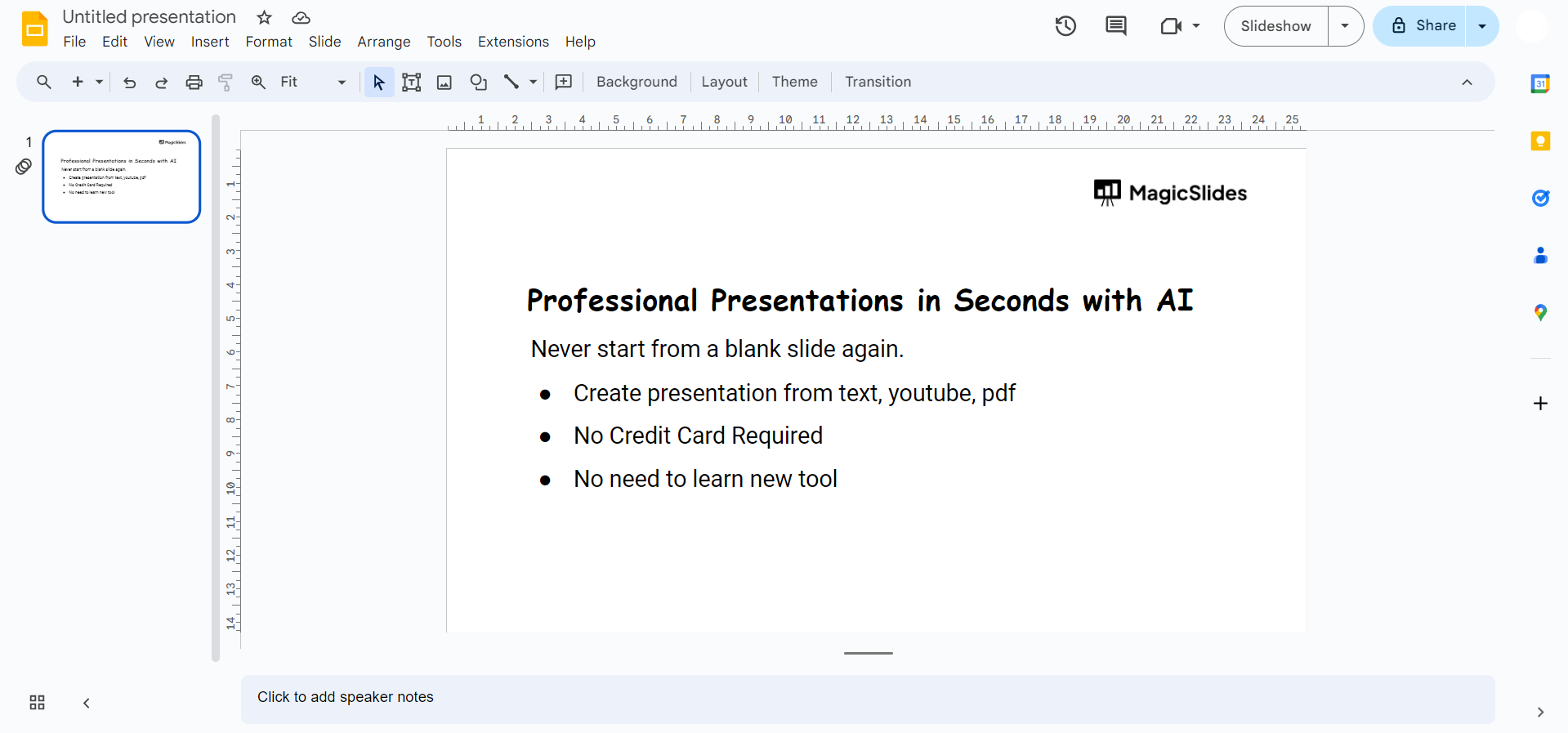
Click on the “Text box” icon in the toolbar or go to “Insert” in the menu and select “Text box.” Click and drag to draw a text box on your slide.
Step 4. Type Your Footnote
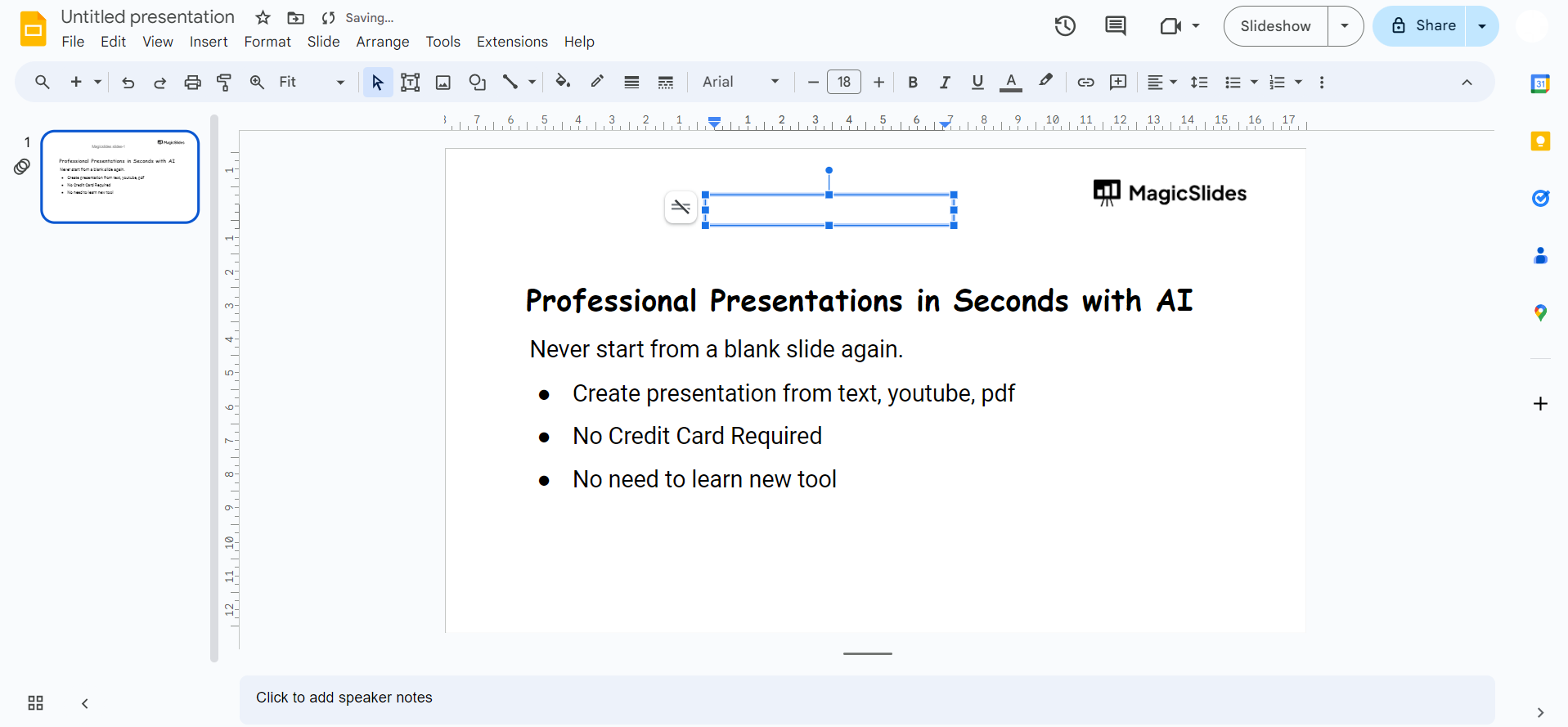
Within the text box, type the content of your footnote. This can include citations, explanations, or any additional information relevant to your slide.
Step 5. Format the Footnote
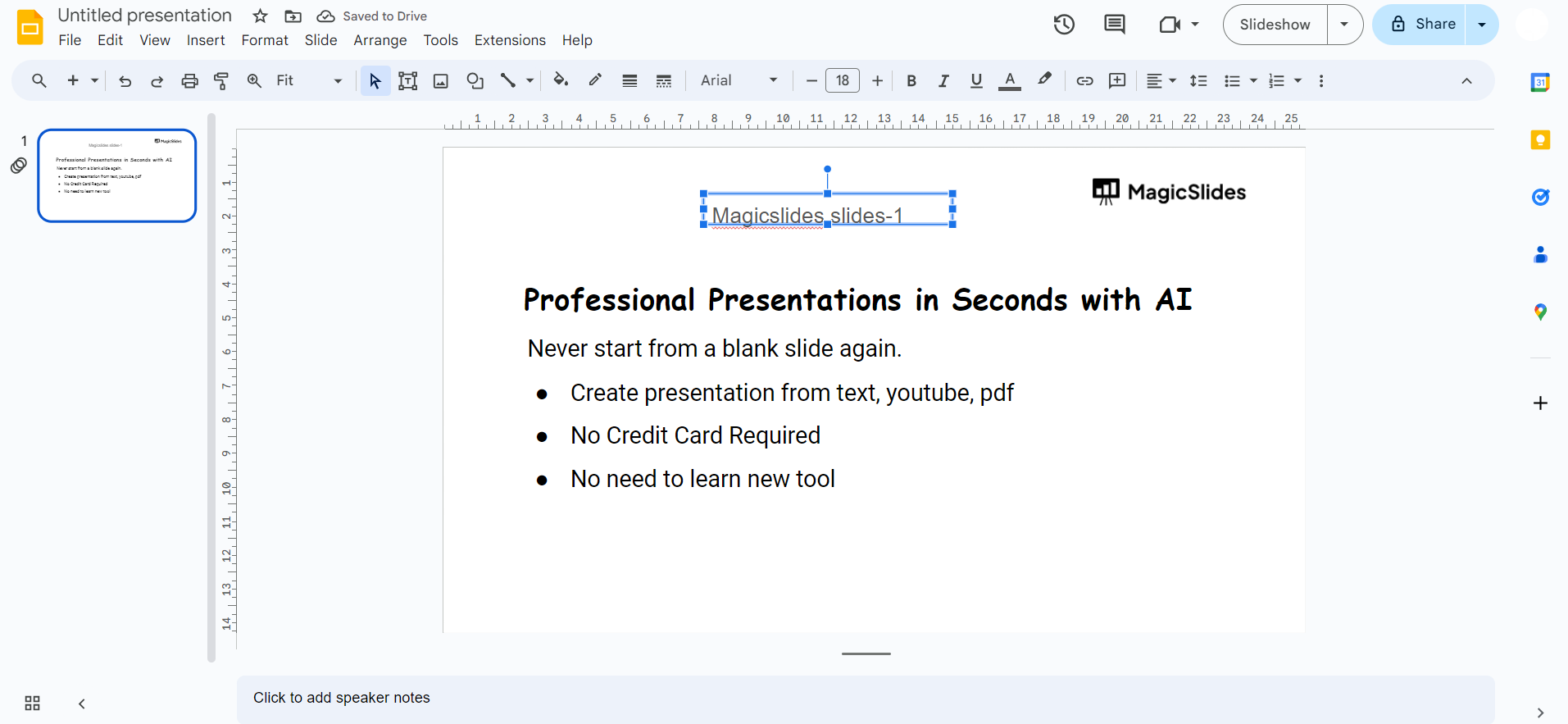
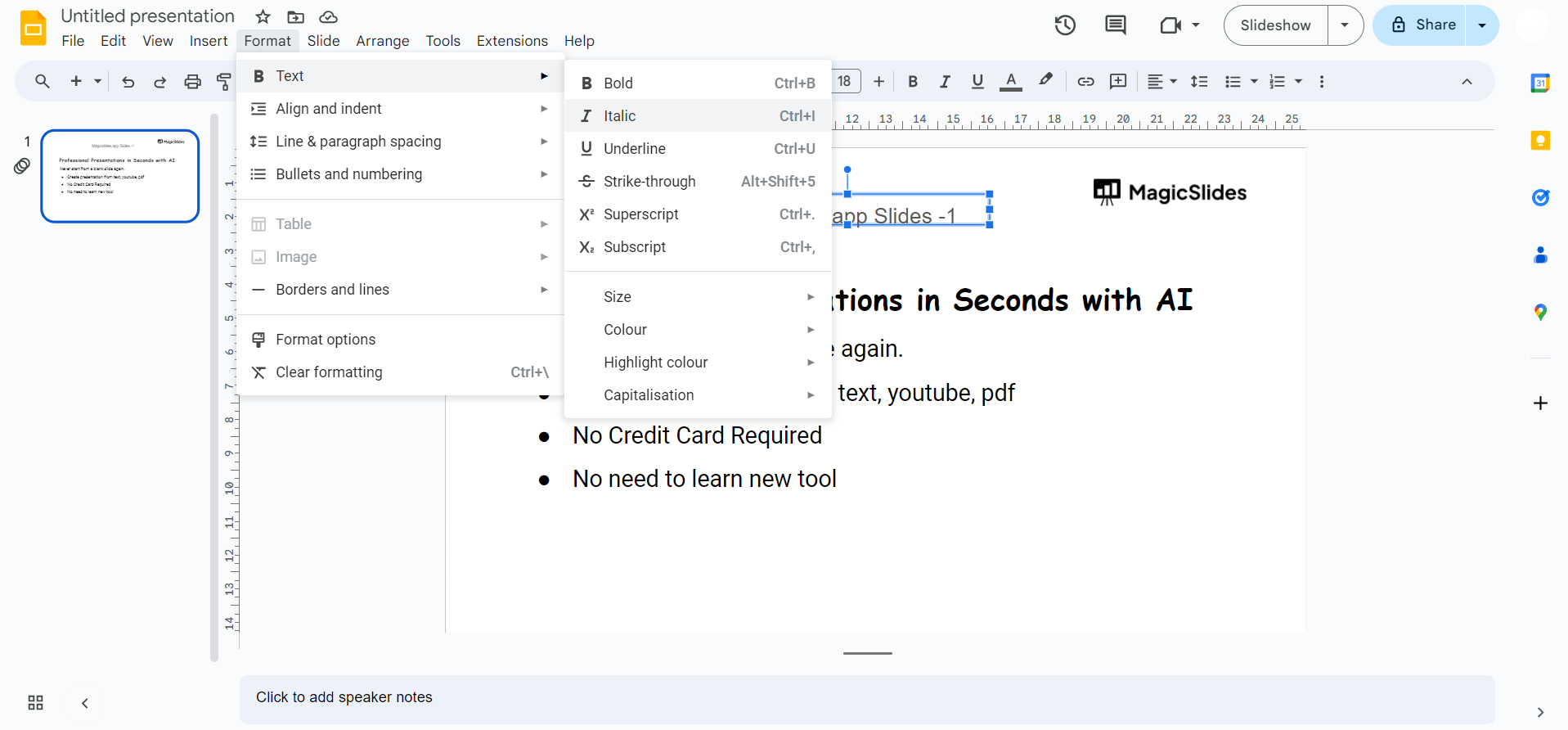
Highlight the text of your footnote and use the formatting options in the toolbar to adjust the font, size, color, or other styling elements to distinguish the footnote from the main content. Choose the way you want to format the footnote that will help your presentation in an effective manner while presenting.
Step 6. Position the Footnote
Drag and position the text box to place the footnote where it is most visually appealing and does not obstruct essential content on your slide.
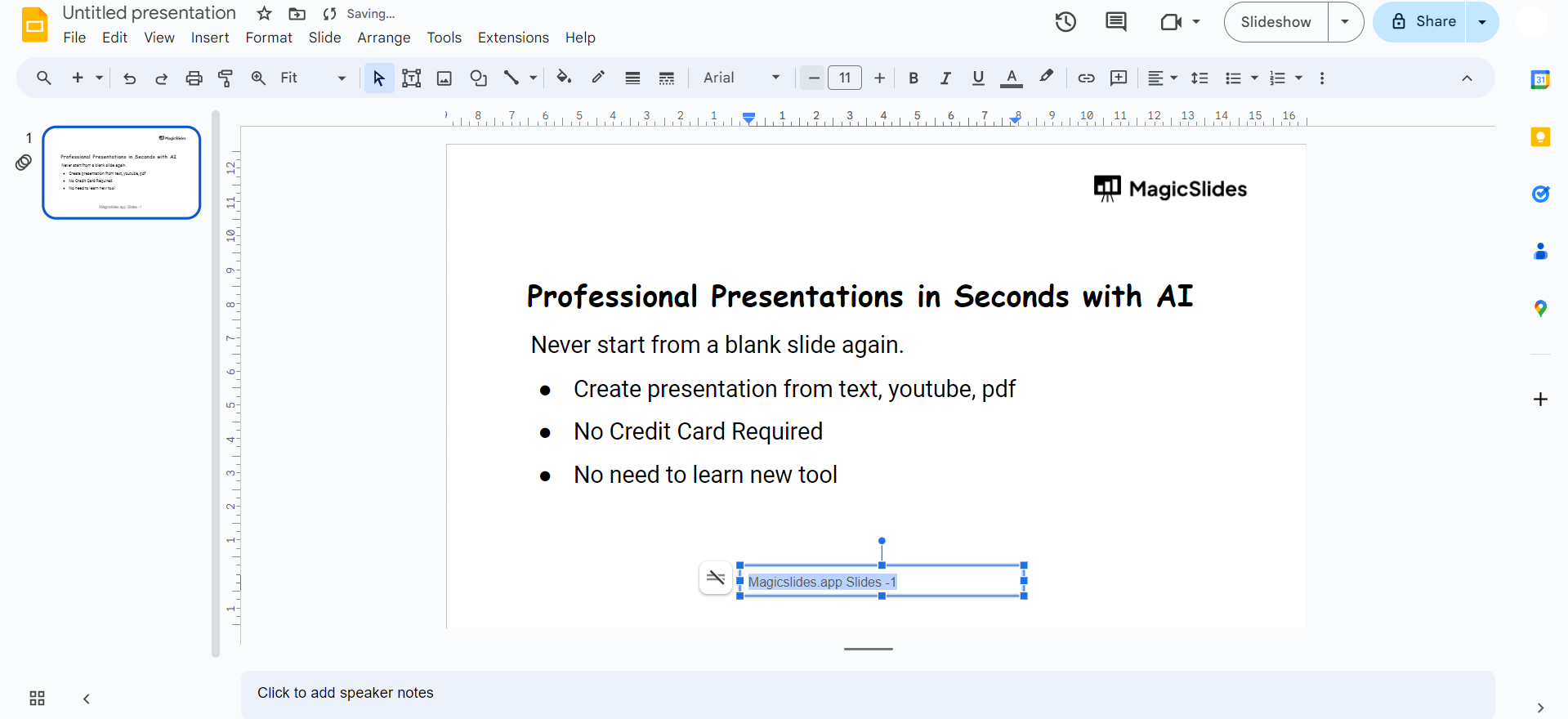
Step 7. Repeat for Additional Footnotes
If your presentation requires multiple footnotes, repeat steps 2-6 for each new footnote you want to add.
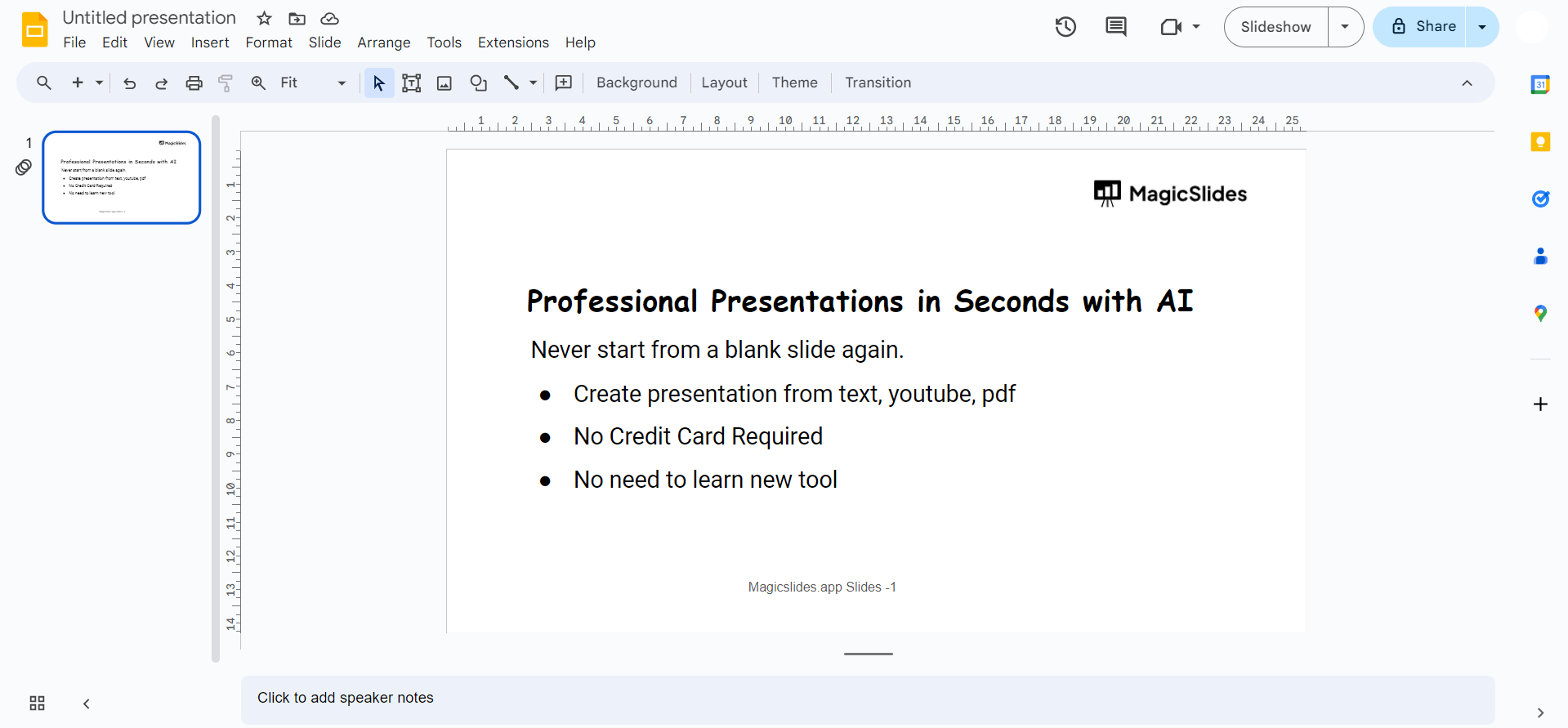
How to Add Footnotes in Google Slides Faster with AI
When you are making a presentation it is really important that your slides look good. This is because looking slides help people believe what you are saying. MagicSlides AI presentation tool can help you make your presentation quickly.
It can make a presentation for you in just a few minutes. You can use a piece of writing a video, from YouTube, a PDF file or a website to make your presentation. After the tool makes your presentation you can then add footnotes to the slides where you need to say where you got your information from.
Using it to make your presentations and adding footnotes by hand makes your slides look professional. Your slides will be easy to follow. You will be giving credit to the people who helped you with your information. This is what MagicSlides AI and footnotes can do for you.

Best Practices When Adding Footnotes in Google Slides
A well-formatted footnote looks professional without taking attention away from your slide. Keep these tips in mind when adding footnotes in Google Slides.
- Choose a font size between 8 and 10 pt. It should be easy to read while staying less noticeable than your main content.
- Only include essential details such as the source name, website, publication, or a brief explanation. Long paragraphs can clutter your slide.
- Position every Google Slides footnote at the bottom of the slide. This keeps your layout clean and makes references easy to find.
- Use the same font style, alignment, spacing, and insert superscript in PowerPoint throughout your presentation. Consistency improves readability.
- Whenever you use statistics, research findings, quotes, or images, include a footnote to acknowledge the original source. Proper attribution adds credibility to your presentation.
Conclusion
Enhancing your Google Slides with footnotes can significantly improve the overall quality of your presentation. Whether you’re providing citations, offering explanations, or adding context, footnotes are a versatile tool for delivering information without overwhelming your audience. By following these simple steps, you can seamlessly incorporate footnotes into your Google Slides and create a more informative and polished presentation.
Pro Tip- If you’re looking to create presentations faster, you can pair these footnote tips with MagicSlides Google Slides add-on to generate professional slides in minutes before adding your citations and references.
Frequently Asked Questions
Can I add footnotes to all types of slides in Google Slides?
Yes, footnotes can be added to any type of slide, be it title, content, or others.
Are there limitations to the number of footnotes I can include in a slide?
No, you can add as many footnotes as needed to provide comprehensive information in your presentation.
Can I customize the appearance of the footnotes to match my presentation’s style?
Absolutely, you have full control over formatting options to ensure footnotes align with your presentation’s aesthetics.
Will footnotes affect the overall design and layout of my Google Slides presentation?
Proper positioning and formatting can integrate footnotes seamlessly without disrupting the overall design or layout.


