How to get E-mail notifications for every response from Google forms


Never miss a beat with your Google Forms data – set up email notifications effortlessly with our guide.
Receiving email notifications for every response on your Google Form ensures you stay updated in real-time, allowing for prompt actions or analyses. In this step-by-step guide, we'll explore how to set up email notifications, transforming your data collection process into an efficient and responsive workflow.
How to get E-mail notifications for every response from Google forms
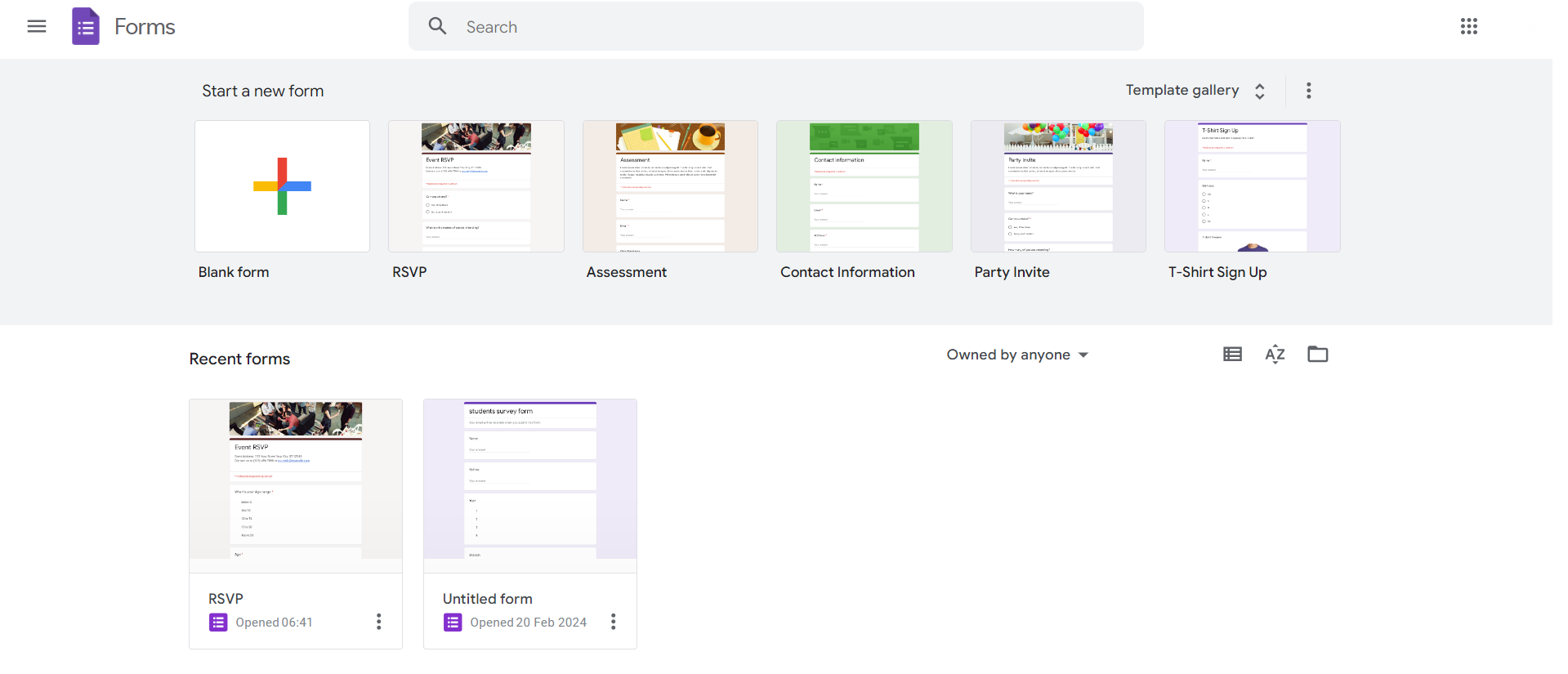
Step 1: Open Your Google Form
Begin by opening the Google Form for which you want to receive email notifications. If you're creating a new form, customize the questions according to your requirements.
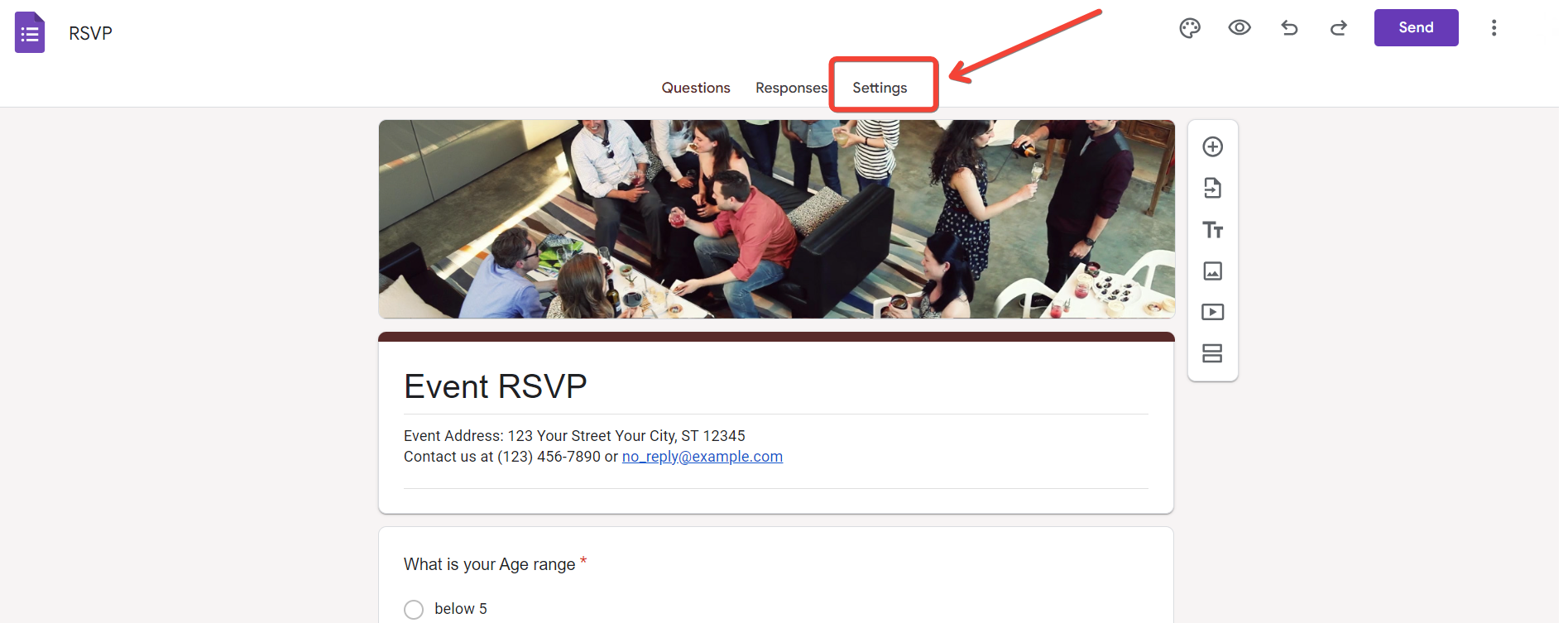
Step 2: Click on the "Settings" Gear Icon
Locate and click on the gear icon, often found in the upper-right corner of the form editor. This will open the settings menu.
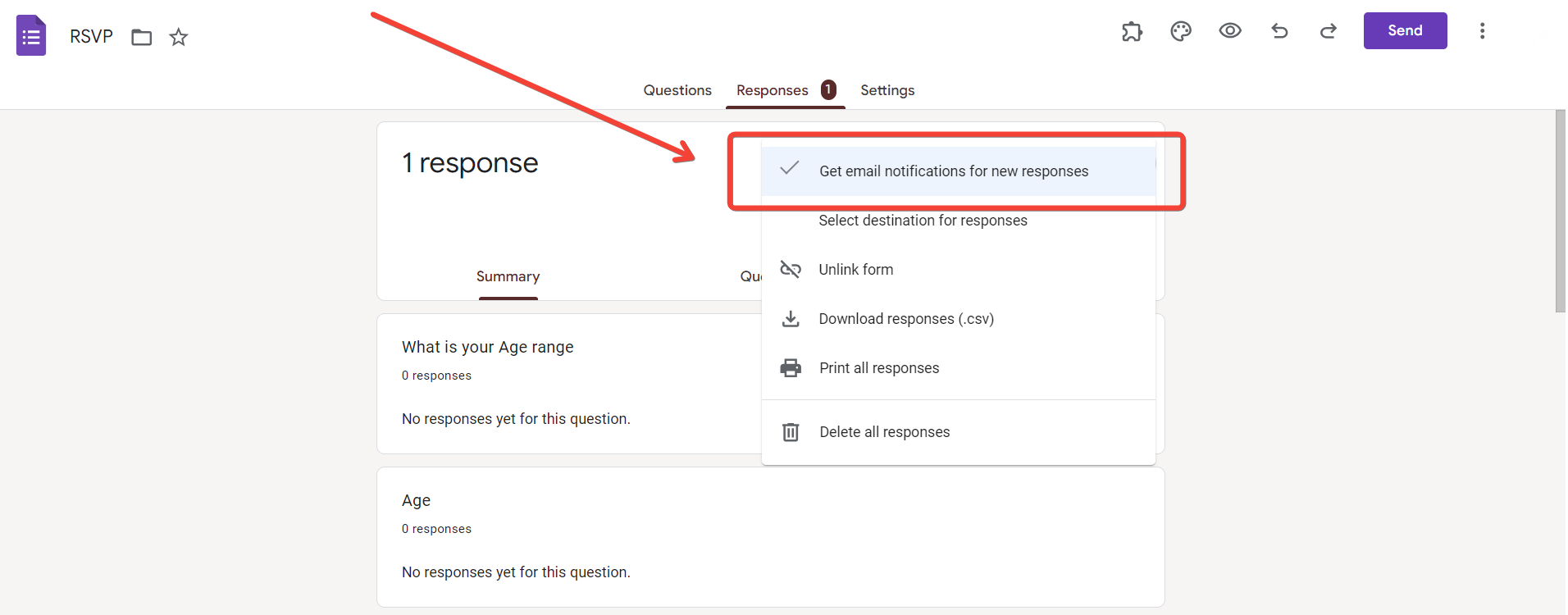
Step 3: Choose "Email notifications"
In the settings menu, choose the "Email notifications" option. This will open a submenu with notification settings.
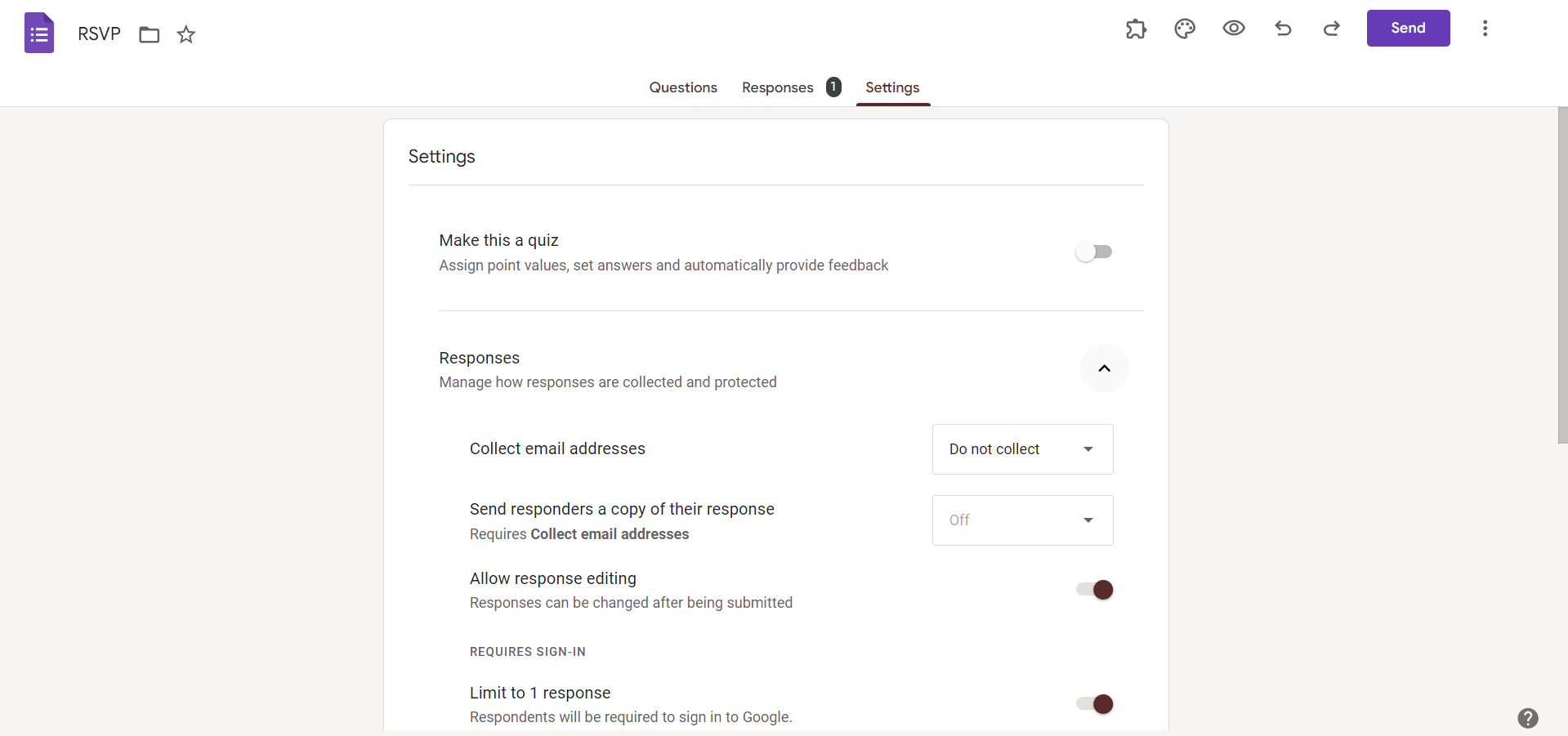
Step 4: Toggle "Response receipts" to "On"
Toggle the switch next to "Response receipts" to the "On" position. This activates email notifications for every response submitted to your form.
Step 5: Set Additional Notification Preferences (Optional)
For more control over notifications, explore additional settings such as choosing to receive notifications for all responses or only for those that meet certain conditions.
Step 6: Click "Save"
Once you've configured your notification preferences, click on the "Save" button to apply the changes. From now on, you'll receive email notifications for each form response.
Conclusion:
By following these simple steps, you'll transform your Google Forms into a responsive tool, allowing you to act promptly and make informed decisions based on real-time data. Stay connected with your forms effortlessly and elevate your data collection experience. Setting up email notifications for Google Forms responses ensures you're always in the loop, making it easier to stay on top of incoming data. This guide empowers you to streamline your workflow, enabling timely responses to submitted forms.
Frequently Asked Questions:
Can I customize the content or format of the email notifications for Google Forms responses?
No, Google Forms email notifications are standardized and provide a summary of responses without customization.
Will I receive separate email notifications for each response, or is it a daily summary?
You will receive separate email notifications for each response in real-time, not a daily summary.
Can I choose a specific email address to receive notifications, or is it linked to my Google account?
Notifications are sent to the email address associated with your Google account; customization to other addresses is unavailable.
Is there a limit to the number of email notifications I can receive for Google Forms responses?
While there isn't a strict limit, frequent notifications might be categorized as spam by email providers.


