How to limit the number of responses on a google form


Optimize your data collection! Learn how to set response limits on Google Forms for precision.
Striking a balance between data collection and precision is crucial in any form-based endeavor. In this guide, we'll explore the step-by-step process of limiting the number of responses on a Google Form. Whether you're conducting surveys, quizzes, or event registrations, setting response limits ensures that your data remains manageable and accurate. Let's delve into the efficiency of constraining responses with Google Forms.
How to limit the number of responses on a Google Form
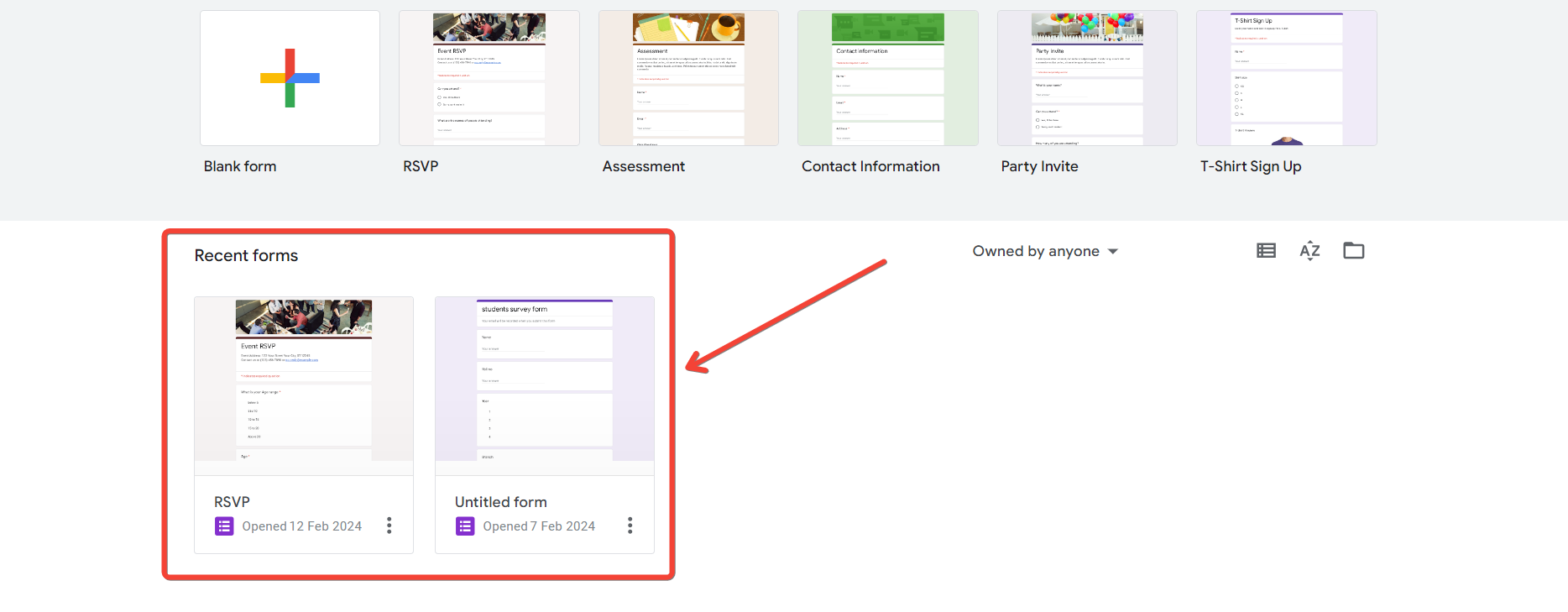
Create Your Google Form:
Begin by creating the Google Form for your data collection needs. Design the questions and settings as per your requirements.
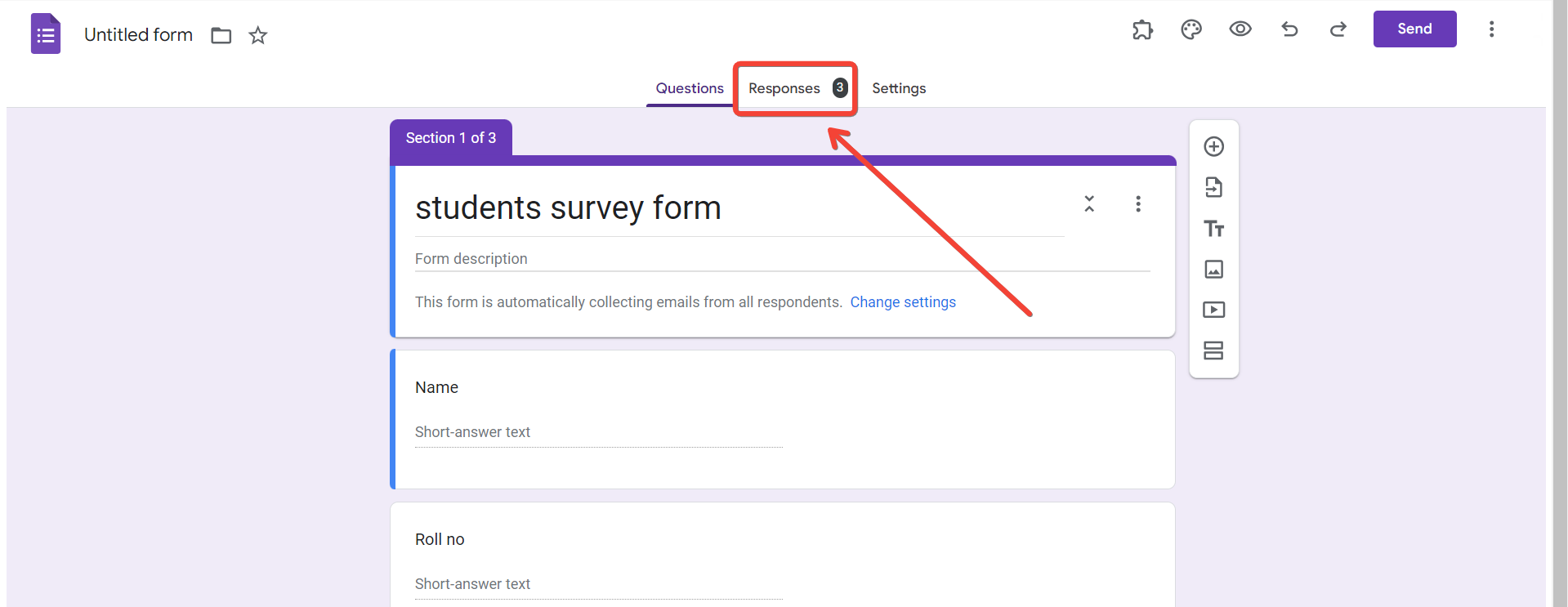
Access the "Responses" Tab:
Within the Google Form editor, click on the "Responses" tab located at the top. This is where you can manage response-related settings.
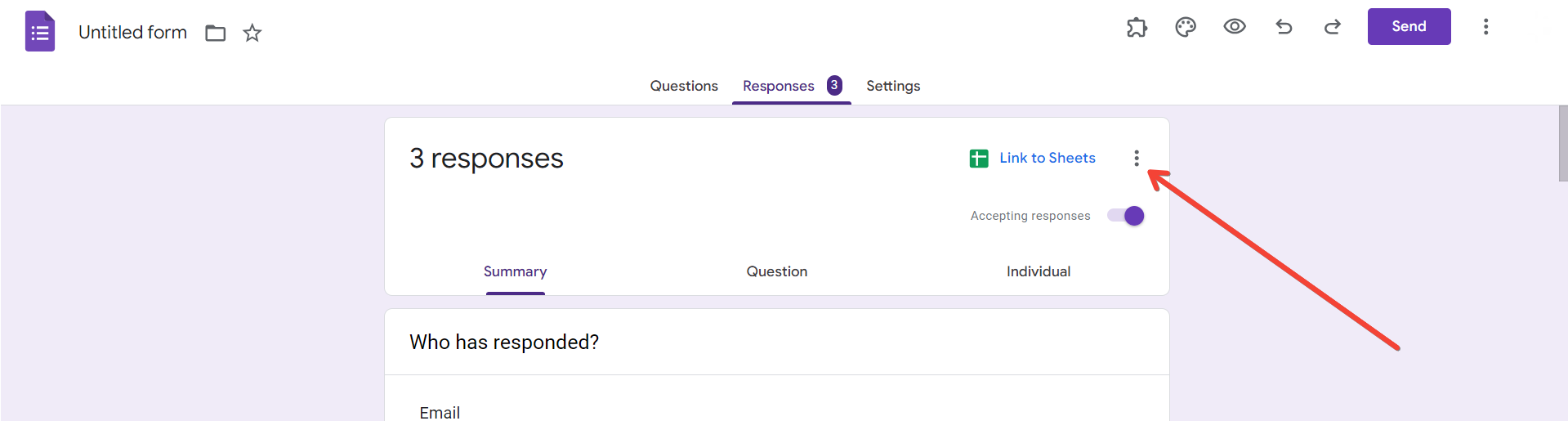
Click on the Three Dots Menu:
In the "Responses" tab, click on the three dots menu (more options) in the upper-right corner. This will open a dropdown menu with additional settings.
Select "Limit Responses":
From the dropdown menu, select "Limit responses." This action will enable response limits and open up related settings.
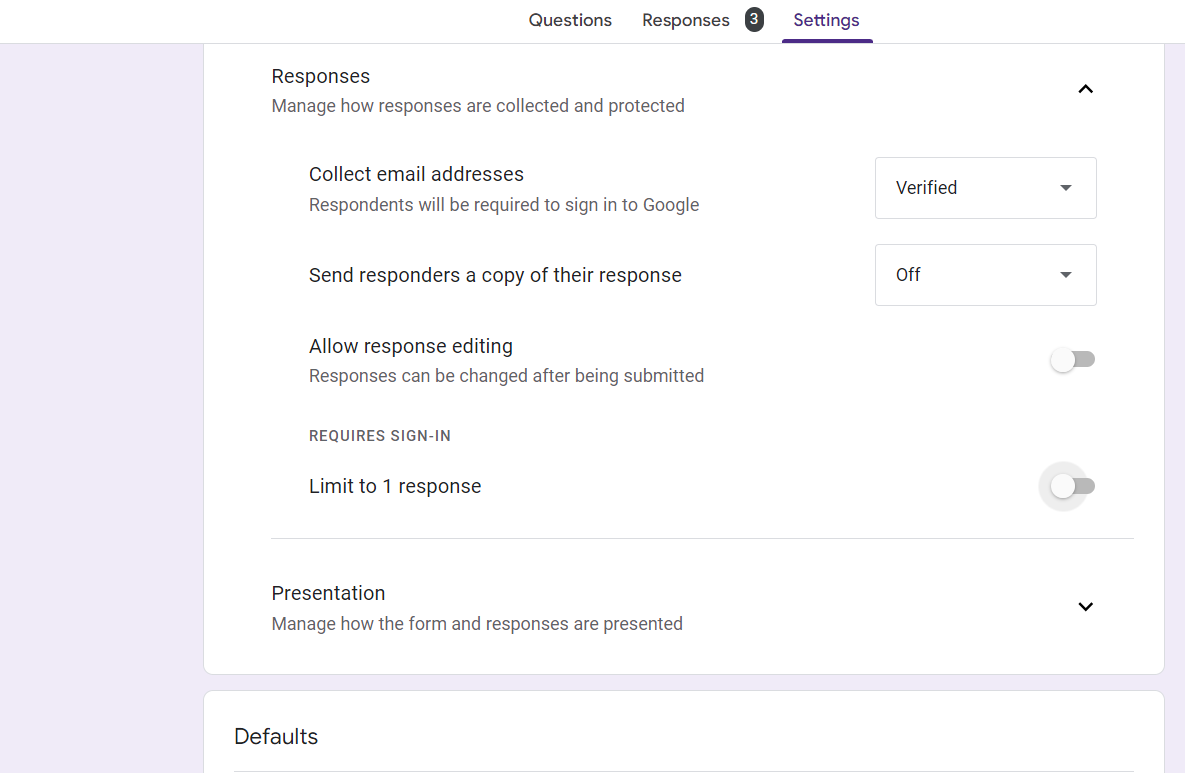
Configure Additional Settings (Optional):
Google Forms allows additional settings like displaying a custom message when responses are closed. Configure these settings based on your preferences.
Save Changes:
Once you've set the response limit and adjusted any additional settings, click "Save" to apply the changes.
Conclusion:
Limiting responses on a Google Form is a strategic approach to maintain data accuracy and manageability. By following these simple steps, you can efficiently control the number of submissions your form receives. Whether you're preventing data overload or ensuring a precise sample size, this guide empowers you to navigate Google Forms with precision. Enhance your data collection process by incorporating response limits, and witness the streamlined efficiency it brings to your form-based projects.
Frequently Asked Questions:
Can I change response limits after the Google Form has already been shared?
Yes, you can modify response limits even after sharing the form, adapting to evolving needs.
What message do respondents see when the response limit is reached?
You can customize a message to inform respondents that the form is no longer accepting responses.
Can I set different response limits for individual questions on the same form?
No, response limits apply to the entire form. For specific question limits, consider using sections or multiple forms.
How can I monitor the remaining available responses as the limit approaches?
Regularly check the "Responses" tab to track the number of received responses and the set limit.


