How to make a quiz in Google Forms


Elevate your assessments with this guide on crafting interactive quizzes effortlessly using Google Forms!
Google Forms is a versatile tool that goes beyond just collecting information – it's also a fantastic platform for creating interactive quizzes. Whether you're an educator looking to assess student knowledge or a professional conducting a survey, this step-by-step guide will walk you through the process of making a quiz in Google Forms. From question types to customization, learn how to craft engaging quizzes that meet your specific needs.
Steps to Make a Quiz in Google Forms:
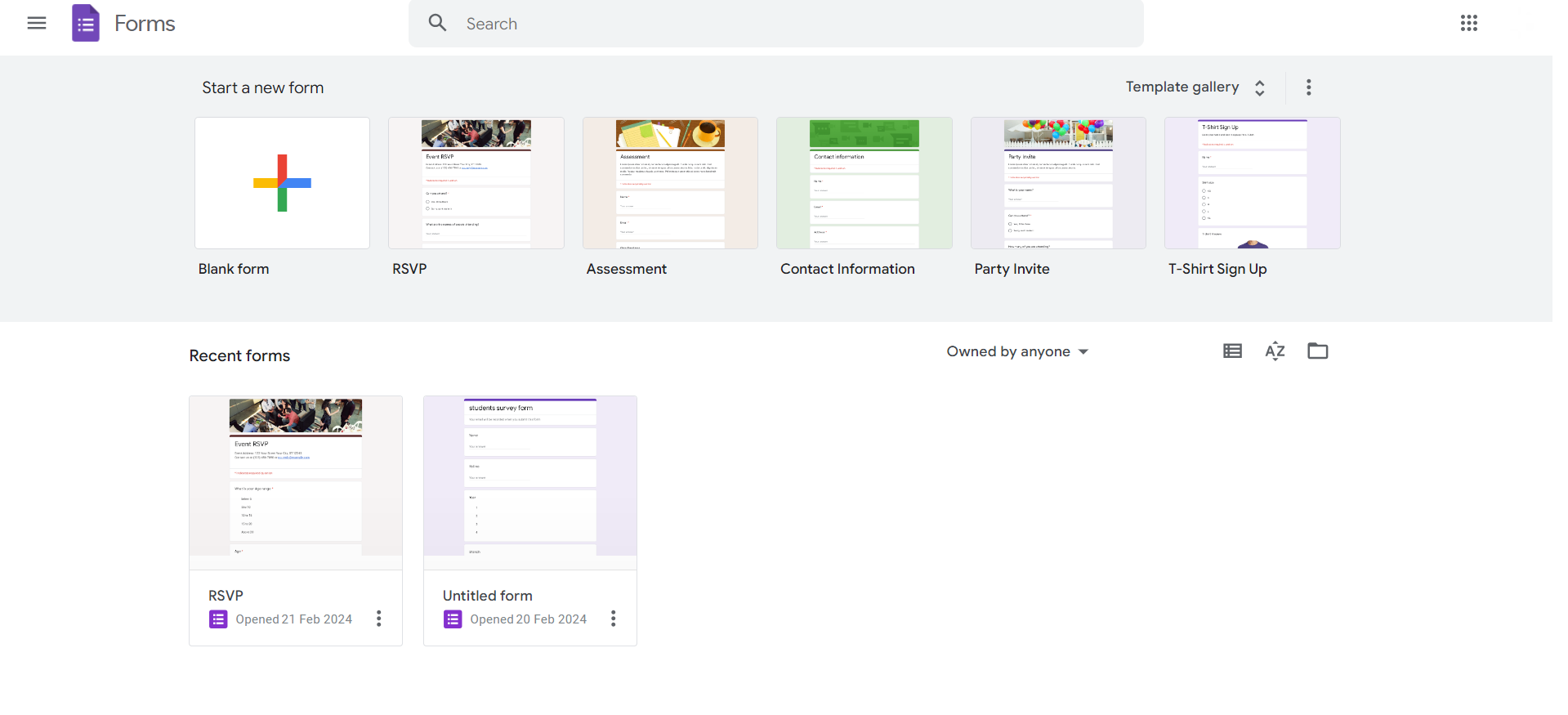
Step 1: Open Google Forms
Start by opening Google Forms, either by accessing it directly or via your Google Drive. Click on the '+' sign to create a new form.
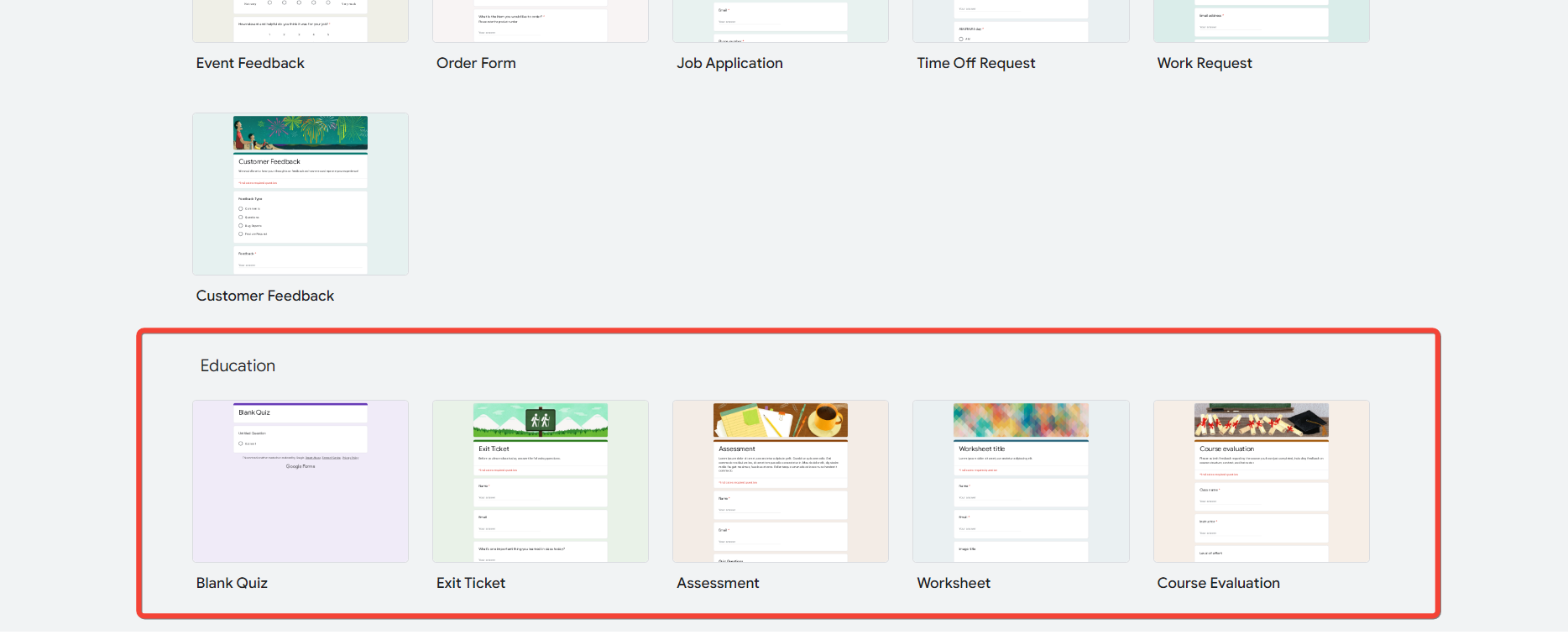
Step 2: Choose a Quiz Template (Optional)
Google Forms offers quiz templates to streamline the process. If applicable, select a template that aligns with your quiz style and modify it to suit your needs.
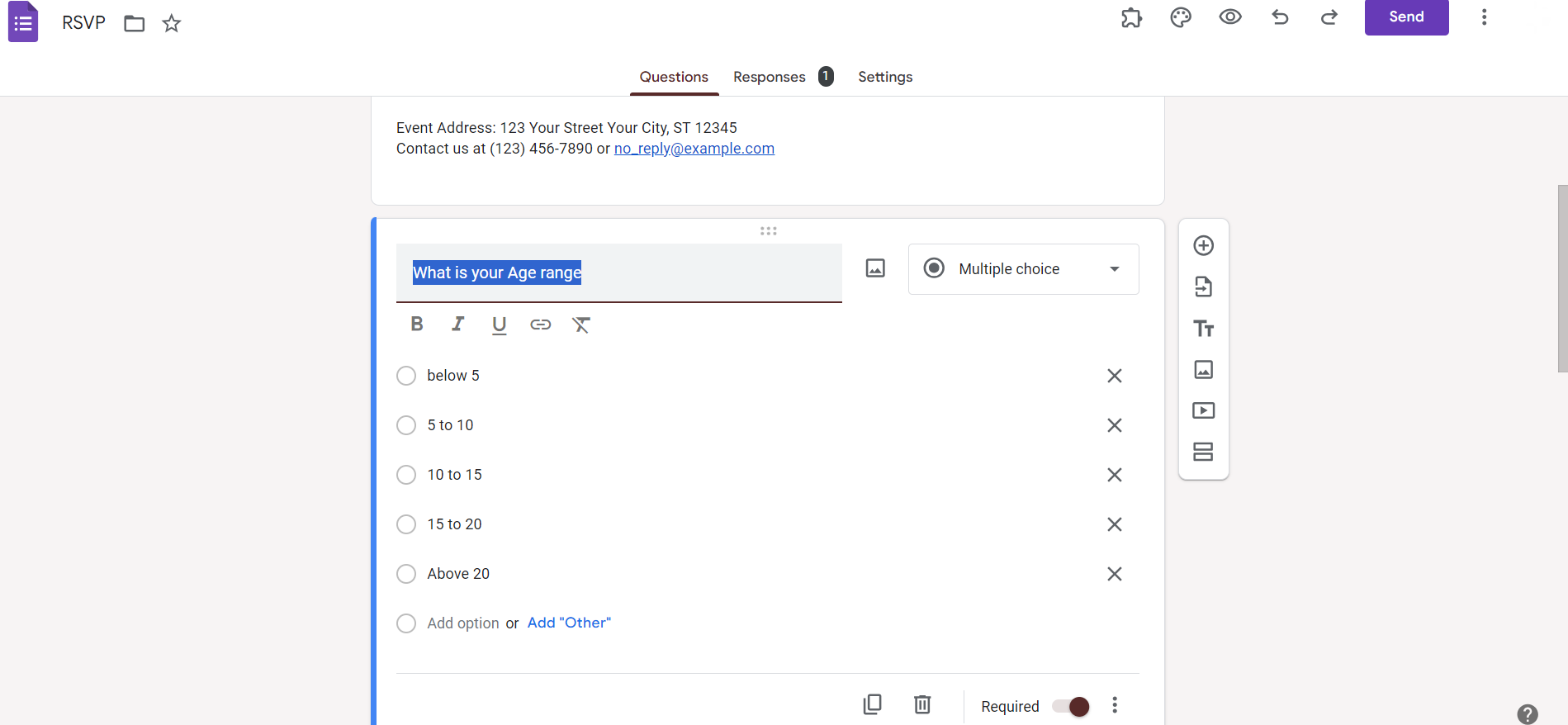
Step 3: Add Questions
Click on the '+ Add' button to start adding questions. Choose the question type (multiple-choice, short answer, etc.) and input your question and answer options.
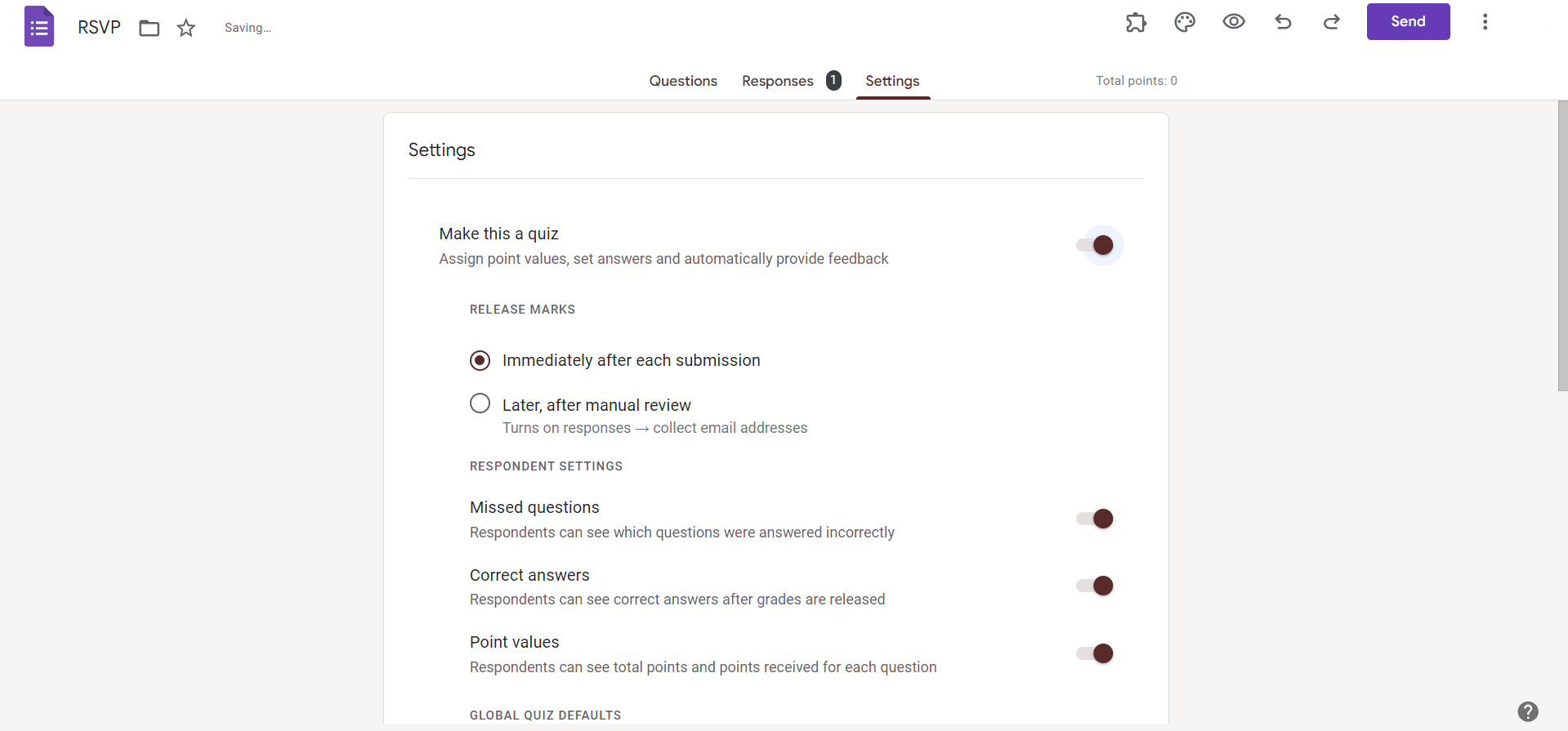
Step 4: Set Correct Answers (for Quizzes)
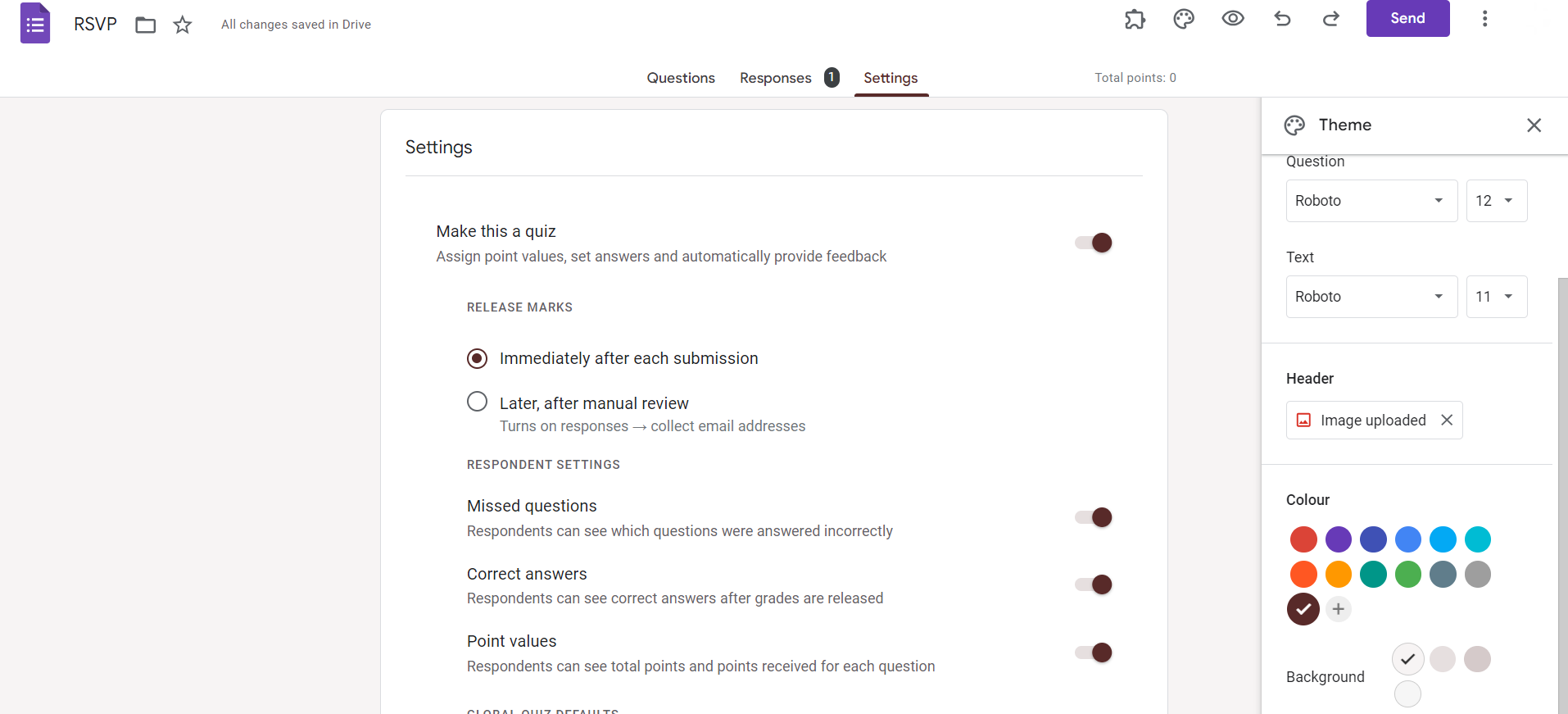
If your form is a quiz, toggle on the "Make this a quiz" option. Set point values for each question and designate correct answers. Adjust other settings as needed.
Step 5: Add Sections (Optional)
For longer quizzes, consider organizing questions into sections. Click on the 'Add section' button to create distinct parts of your quiz.
Step 6: Add Images or Videos (Optional)
Enhance engagement by incorporating multimedia. Use the image or video option to include relevant visuals within questions.
Step 7: Customize Theme and Layout
Personalize your quiz by selecting a theme and adjusting the layout. Click on the color palette or layout icon to access customization options.
Step 8: Preview Your Quiz
Before sharing your quiz, click on the eye icon to preview how it will appear to respondents. Ensure everything looks and functions as intended.
Step 9: Share the Quiz
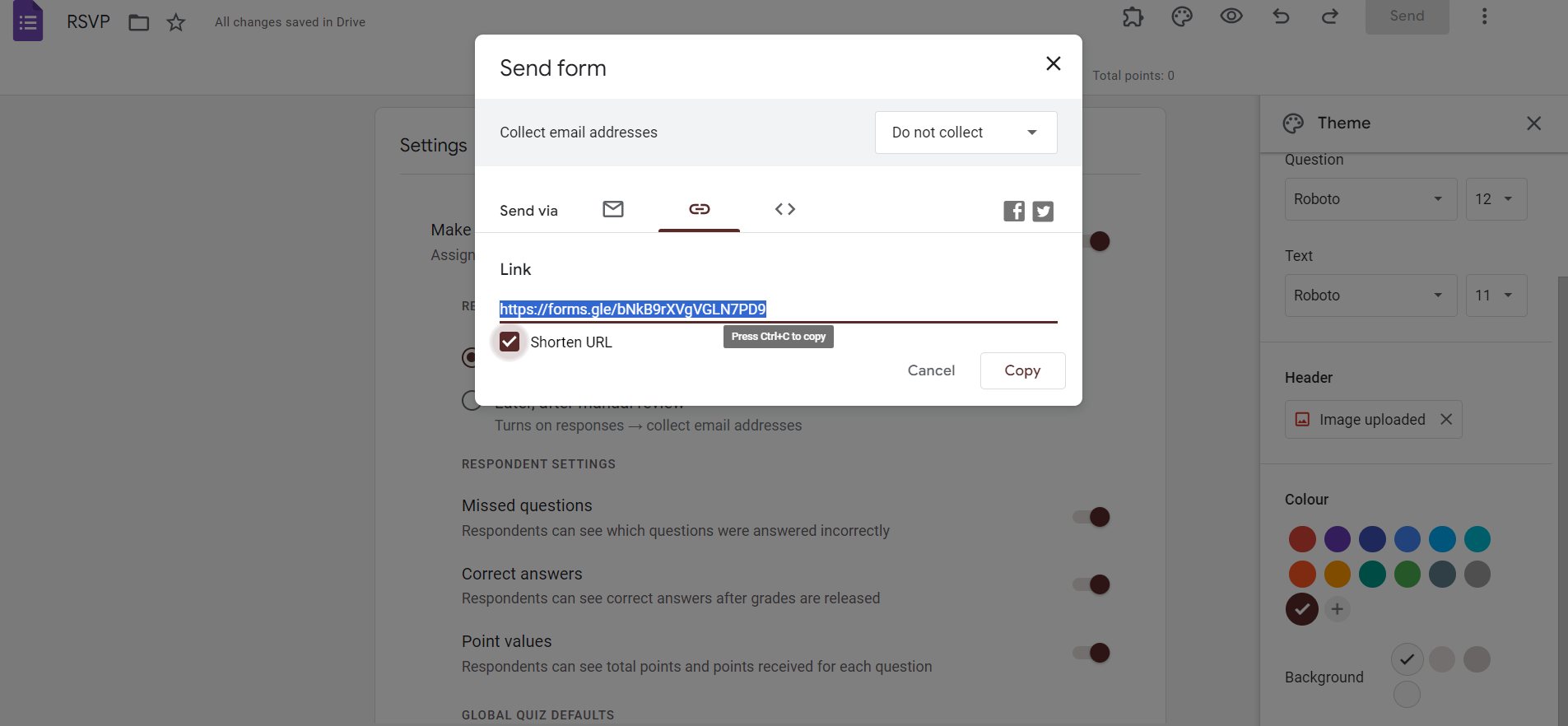
Once satisfied, click on the 'Send' button to share your quiz. You can share it via a link, email, or embed it on a website.
Conclusion:
Creating quizzes with Google Forms is a user-friendly process that offers flexibility and customization. Whether you're a teacher, employer, or event organizer, leverage the power of Google Forms to assess knowledge, gather feedback, or entertain your audience. Follow these steps to craft engaging quizzes that cater to your specific goals. Make learning and data collection interactive and efficient with the dynamic capabilities of Google Forms.
Frequently Asked Questions:
Can I randomize question order to prevent cheating in Google Forms quizzes?
Yes, you can shuffle question order by enabling the "Shuffle question order" option in settings.
How do I view and analyze quiz responses in Google Forms?
Access responses by clicking on the "Responses" tab, and use built-in analytics or export data.
Can I restrict quiz access to certain individuals or groups?
Yes, utilize the "Collect email addresses" option or integrate with Google Classroom for controlled access.
Is it possible to add time limits to quizzes in Google Forms?
Yes, set time limits per quiz or per question to control the duration of the assessment.


